Introducción
This manual provides detailed instructions for the operation and maintenance of your Casio DBC-611-1DF Men's Silver Tone 25 Memory Calculator Databank Watch. Please read this manual thoroughly to ensure proper use and to fully utilize all features of your watch.

Frente view of the Casio DBC-611-1DF Databank Watch, displaying the digital time and calculator keypad.
Configuración
Configuración de la hora y la fecha
- En el modo de indicación de la hora, presione el botón AJUSTAR button (top left) until the seconds start to flash. This indicates the setting mode.
- Presione el MODO button (bottom left) to cycle through the settings: seconds, hour, minutes, year, month, day.
- Use the numeric keypad (calculator buttons) to input the correct values for each setting. For example, to set the hour, press the corresponding number on the keypad.
- Para cambiar entre el formato de 12 horas y 24 horas, presione el botón PM button (bottom left of keypad) while the hour setting is flashing.
- Una vez ajustados todos los ajustes, presione el botón AJUSTAR de nuevo para salir del modo de configuración.
Ajuste de la banda
The watch features an adjustable metal band. To adjust the length, locate the clasp and use a small flathead tool to lift the locking tab. Slide the clasp along the band to the desired position, then press the tab down firmly to secure it. Ensure the clasp is securely fastened before wearing.
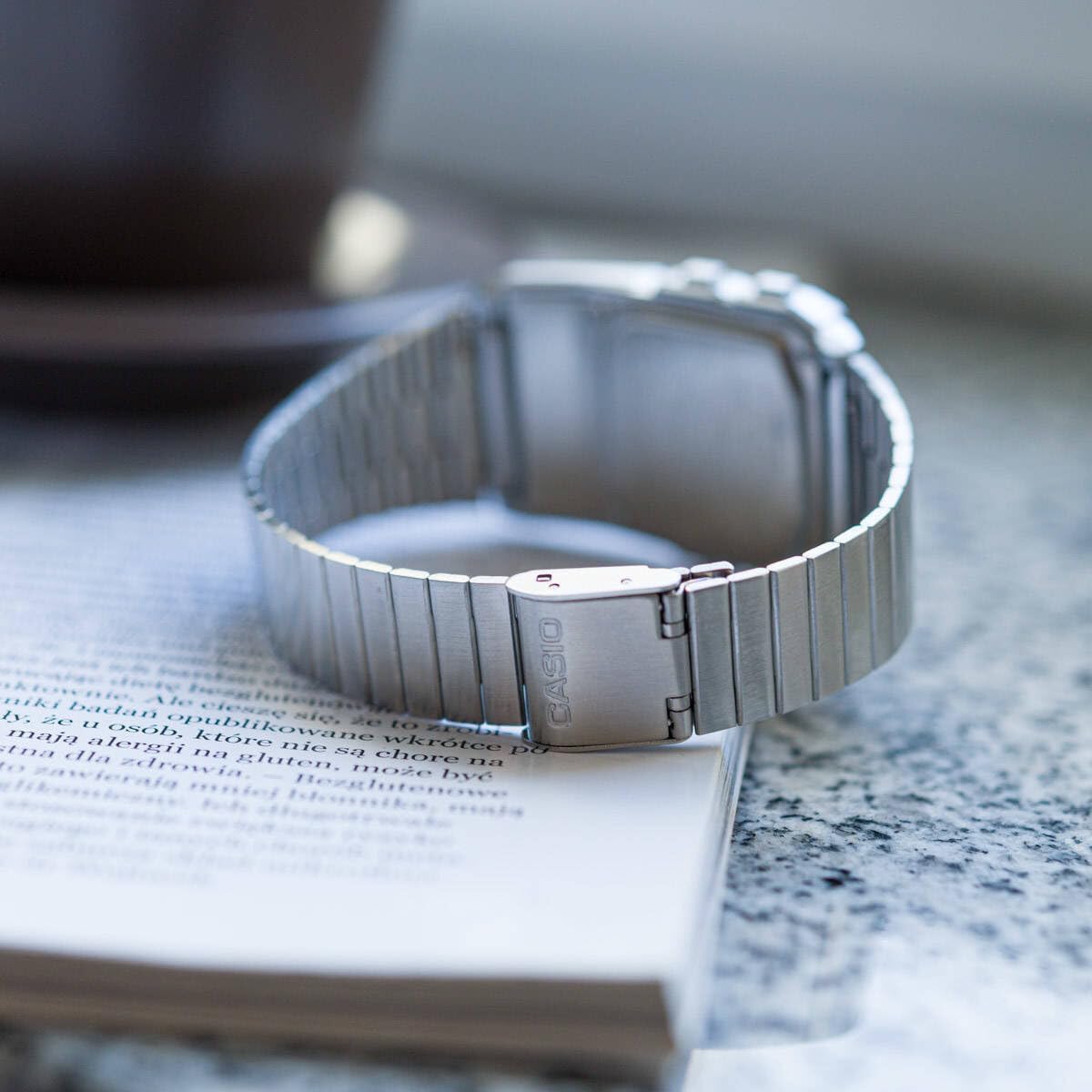
Trasero view of the watch, showing the adjustable metal clasp for band sizing.
Instrucciones de funcionamiento
Modo de navegación
Presione el MODO Botón (abajo a la izquierda) para recorrer los diferentes modos:
- Modo de cronometraje: Muestra la hora actual, la fecha y el día de la semana.
- Modo Telememo: Stores up to 25 sets of name and telephone number data.
- Modo calculadora: Performs basic arithmetic calculations.
- Modo de cronómetro: Measures elapsed time, split times, and 1st-2nd place times.
- Modo de hora dual: Displays the current time in a different time zone.
- Modo de alarma: Sets up to 5 daily alarms and an hourly señal horaria.
Usando la calculadora
In Calculator Mode, use the numeric keypad to input numbers and perform operations. The display supports 8 digits. Press the AC button (top right of keypad) to clear the current entry.
Función Telememo
To enter or recall data in Telememo Mode:
- Navigate to Telememo Mode.
- Presione el AJUSTAR button to enter data input mode.
- Use the numeric keypad to enter numbers. Use the ESPACIO button for spaces.
- Prensa AJUSTAR para guardar la entrada.
- Utilice el TELÉFONO/Vehículo de tracción delantera y REV/TIEMPO buttons to scroll through stored entries.
Función de cronómetro
En modo cronómetro:
- Prensa INICIAR/DETENER (bottom right of keypad) to start and stop the stopwatch.
- Prensa VUELTA / RESET (bottom left of keypad) to record lap times or reset the stopwatch when stopped.
Alarmas y Hourly Señal horaria
En modo de alarma:
- Utilice el MODO button to select one of the 5 alarms or the hourly señal horaria.
- Prensa AJUSTAR to set the alarm time. Use the numeric keypad to input the hour and minutes.
- Prensa ALM ON/OFF (top left of keypad) to toggle the selected alarm on or off.
- Prensa SIG ON/OFF (middle right of keypad) to toggle the hourly señal horaria encendida o apagada.
Auto LED Light
The watch features an Auto LED light. This function automatically illuminates the display when the watch is tilted towards your face in a dark environment. To activate or deactivate this feature, refer to the detailed instructions in the full module manual (Module No. 437, 438, 3208).

Angular view of the Casio Databank Watch, highlighting the display and keypad.
Mantenimiento
Cuidados generales
- Limpie el reloj periódicamente con un paño suave y seco.
- Evite exponer el reloj a temperaturas extremas, luz solar directa durante períodos prolongados o campos magnéticos fuertes.
- While the watch is water-resistant, avoid direct contact with water to prolong its lifespan, especially for the calculator buttons.
Reemplazo de batería
The watch uses 1 CR123A battery. Battery life is approximately 5 years. When the display becomes dim or functions become erratic, it is time to replace the battery. Battery replacement should ideally be performed by a qualified technician to ensure water resistance is maintained.
Solución de problemas
- La pantalla está en blanco o tenue: Check the battery. If recently replaced, ensure it is installed correctly.
- Los botones no responden: Ensure the watch is not in a locked mode (if applicable, refer to full manual). If the issue persists, a reset may be required (consult a technician).
- La hora es inexacta: Re-set the time and date as per the "Setting the Time and Date" section.
Presupuesto
| Marca | Casio |
| Número de modelo | DBC-611-1DF |
| Dimensiones del producto | 2.44 x 4.09 x 3.62 pulgadas |
| Peso del artículo | 1.69 onzas |
| Tipo de batería | 1 CR123A (incluida) |
| Características especiales | 25 pages of Telememo, 1/100-second stopwatch, Dual time, 5 alarms, Auto LED light |
| Resistencia al agua | Water Resistant (general daily use, not for swimming or diving) |
| Fecha de primera disponibilidad | 22 de marzo de 2012 |
Vídeo oficial del producto
Presentación oficial del producto en vídeoasing the features and design of the Casio Databank Watch.
Garantía y soporte
Para obtener información sobre la garantía y atención al cliente, consulte la tarjeta de garantía incluida con su producto o visite el sitio web oficial de Casio. website. The module number for this watch is 437, 438, or 3208, which can be used to find specific support documents online.
For additional assistance, you may contact Casio customer service directly.