1. Introducción
This manual provides instructions for the installation, operation, and maintenance of your DIGITUS DN-70542 Wireless LAN USB 2.0 Adapter. This device allows your computer to connect to a wireless network using the 802.11n standard, offering data transfer rates of up to 300 Mbps.
The adapter is backward compatible with IEEE 802.11g and 802.11b standards and operates within the 2.4-2.4835GHz frequency range. It also features a Wireless Protected Setup (WPS) function for easy and secure network connection.

Figura 1.1: Arriba view of the DIGITUS DN-70542 Wireless LAN USB 2.0 Adapter.

Figura 1.2: Angulado view of the DIGITUS DN-70542 adapter, highlighting its compact design.

Figura 1.3: detallada view of the USB 2.0 connector of the DIGITUS DN-70542 adapter.
2. Contenido del paquete
Por favor verifique que todos los artículos estén presentes en el paquete:
- 1 x DIGITUS DN-70542 Mini USB WiFi Adapter
- 1 x Product Support CD-ROM (containing drivers and utilities)
- 1 x Manual de usuario (este documento)
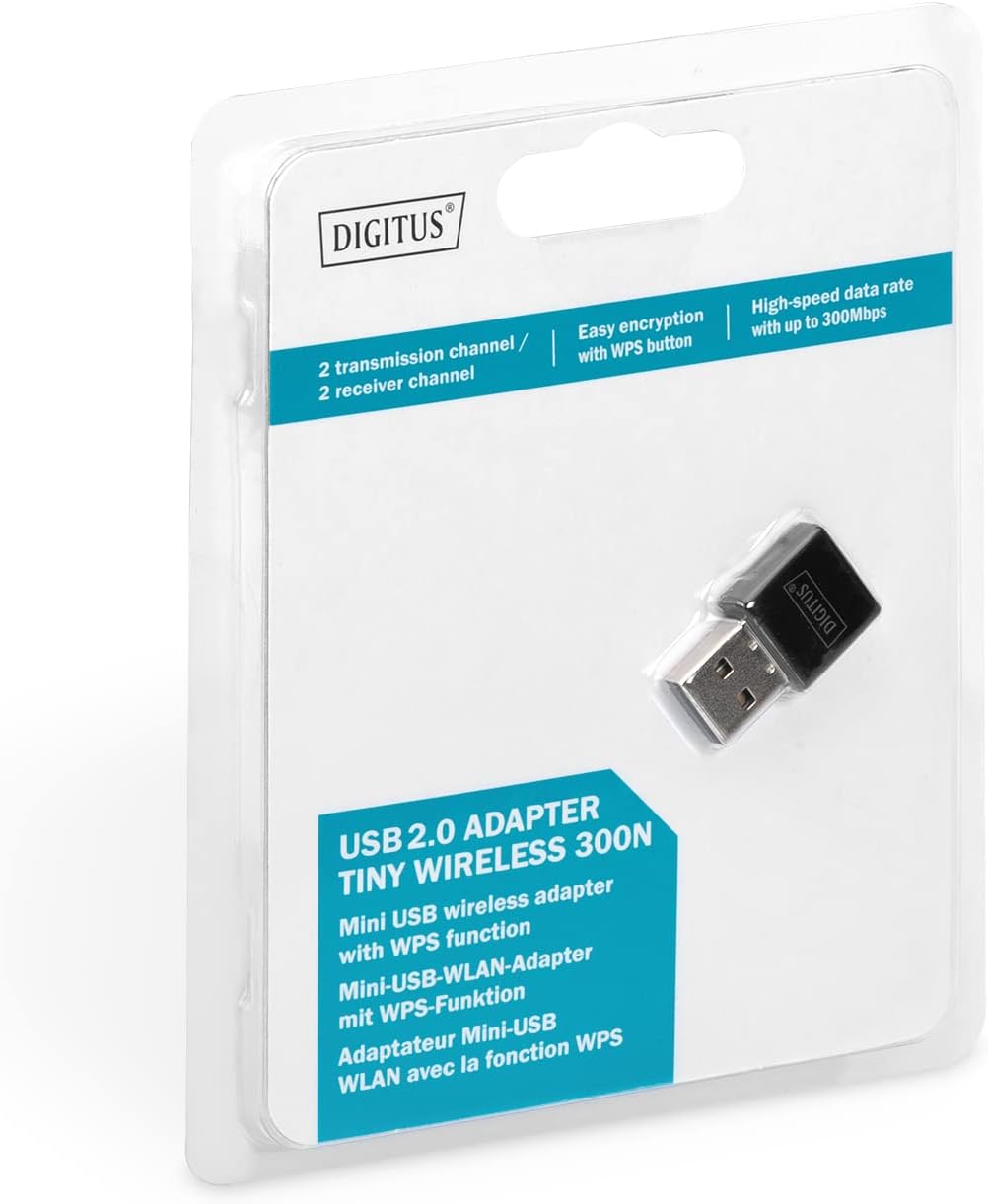
Figure 2.1: Retail packaging of the DIGITUS DN-70542 adapter, showing the adapter and its key features.
3. Guía de configuración
Follow these steps to install your Wireless LAN USB Adapter:
- Instalar controladores: Before connecting the adapter, insert the included Product Support CD-ROM into your computer's optical drive. Follow the on-screen instructions to install the necessary drivers. If your computer does not have an optical drive, or if you encounter issues, please visit the official DIGITUS website to download the latest drivers for your operating system (Windows).
Note: Some operating systems, particularly older versions of Windows, may require driver installation prior to connecting the device. Refer to the Troubleshooting section if you encounter issues during this step.
- Conecte el adaptador: Locate an available USB 2.0 port on your computer. Carefully insert the DIGITUS DN-70542 Wireless LAN USB 2.0 Adapter into the USB port.
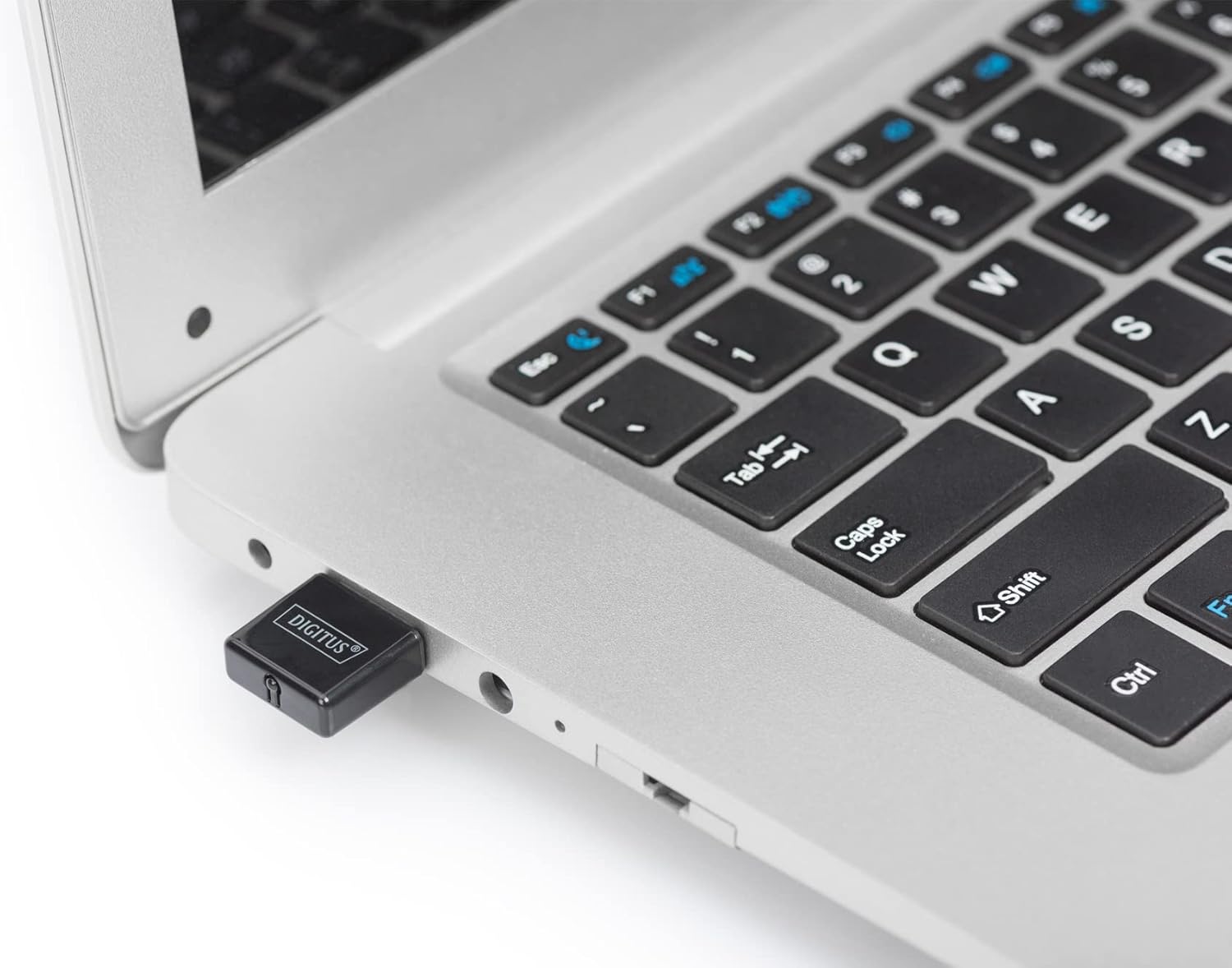
Figure 3.1: The DIGITUS DN-70542 adapter inserted into a laptop's USB port.

Figura 3.2: Una vista más cercana view of the adapter connected to a laptop, showing its compact size.
- Verificar instalación: After connecting, your operating system should detect the new hardware and complete the installation. You can verify the installation by checking your computer's Device Manager (for Windows) to ensure the wireless adapter is listed and functioning correctly.
4. Instrucciones de funcionamiento
Once the adapter is successfully installed, you can connect to a wireless network.
- Conexión a una red inalámbrica:
- Abra la configuración de red inalámbrica de su computadora.
- Busque redes inalámbricas disponibles.
- Seleccione la red deseada (SSID) de la lista.
- Introduzca la clave de seguridad de red (contraseña) si se le solicita.
- Haga clic en “Conectar” para establecer la conexión inalámbrica.
- Usando WPS (Configuración protegida Wi-Fi):
The adapter supports WPS for a simplified and secure connection to compatible routers.
- Presione el botón WPS en su enrutador inalámbrico.
- Within two minutes, press the WPS button on the DIGITUS DN-70542 adapter. The WPS button is a small, recessed button on the side of the adapter.
- El adaptador y el enrutador establecerán automáticamente una conexión segura.

Figure 4.1: The WPS button located on the side of the adapter.
5. Mantenimiento
To ensure optimal performance and longevity of your DIGITUS DN-70542 adapter, follow these guidelines:
- Mantenga el adaptador limpio y sin polvo. Utilice un paño suave y seco para limpiarlo.
- Evite exponer el adaptador a temperaturas extremas, humedad o luz solar directa.
- No intente desmontar ni reparar el adaptador usted mismo. Esto anulará la garantía.
- Guarde el adaptador en un lugar seguro cuando no esté en uso para evitar daños físicos.
6. Solución de problemas
If you encounter issues with your DIGITUS DN-70542 Wireless LAN USB 2.0 Adapter, refer to the following common problems and solutions:
- Adapter Not Detected / Driver Installation Issues:
- Asegúrese de que el adaptador esté completamente insertado en un puerto USB funcional.
- Pruebe con un puerto USB diferente.
- Reinstall the drivers from the provided CD-ROM.
- Download the latest drivers from the official DIGITUS websitio.
- If using Windows 8.1 or newer and encountering issues like "Bluescreen" or "infected file" warnings during driver installation, temporarily disable antivirus software (like Windows Defender) during driver installation, then re-enable it immediately after. Ensure you are downloading drivers from a trusted source (DIGITUS official websitio).
- Check Device Manager to see if the adapter is listed with any error symbols.
- No se puede conectar a la red inalámbrica:
- Verifique que su enrutador inalámbrico esté encendido y transmitiendo una señal.
- Ensure you are entering the correct network security key (password).
- Acérquese al enrutador inalámbrico para mejorar la intensidad de la señal.
- Restart your computer and the wireless router.
- Check if other devices can connect to the same wireless network.
- Velocidad de conexión lenta:
- Ensure your router supports 802.11n for optimal speeds.
- Minimizar la interferencia de otros dispositivos electrónicos (por ejemplo, microondas, teléfonos inalámbricos).
- Actualice el firmware de su enrutador.
- Compruebe si hay otros dispositivos que consumen ancho de banda en su red.
7. Especificaciones
| Característica | Descripción |
|---|---|
| Modelo | DN-70542 |
| Interfaz de hardware | USB 2.0 |
| Estándares inalámbricos | IEEE 802.11n, IEEE 802.11g, IEEE 802.11b |
| Velocidad de transferencia de datos | Hasta 300 Mbps |
| Rango de frecuencia | 2.4 - 2.4835 GHz |
| Características de seguridad | WPS (Wireless Protected Setup) function |
| Compatibilidad con sistemas operativos | Ventanas |
| Dimensiones del producto | 24 x 15 x 2 mm (approximate); 15 g |
| Fabricante | ASSMANN Electronic GmbH PES - BO DE |
8. Garantía y soporte
For warranty information and technical support, please refer to the documentation included with your product or visit the official DIGITUS webLos datos de contacto para el servicio de atención al cliente normalmente se pueden encontrar en el sitio web del fabricante. websitio.
Conserve su comprobante de compra para cualquier reclamo de garantía.


