Producto terminadoview
The Kwikset Kevo Single Cylinder Deadbolt offers advanced smart lock technology, transforming your smartphone into your key. With Touch-to-Open convenience, you can keep your phone in your pocket or purse and simply touch the lock to open. For users without a smartphone, the included fob provides the same touch-to-open functionality. This deadbolt allows you to send electronic keys (eKeys) to family, friends, or visitors with compatible smartphones, enabling them to use their phone as a key. The Kevo mobile app provides notifications of lock activity and allows for management of the lock and eKeys. Security features include the ability to add, delete, or disable eKeys from the mobile app and a Lost Phone Reset function. The Venetian Bronze finish offers a rich and warm aesthetic. Kevo also integrates with smart home systems like Amazon Alexa (requires Kevo Plus hub, sold separately), Ring Doorbell, Skybell, Nest Learning Thermostat, select Honeywell Thermostats, Android Wear, and IFTTT.
Características principales:
- Smartphone as your key: Touch-to-open convenience.
- Free eKeys: Send and manage eKey access via smartphone.
- Bluetooth Smart ready: Compatible with Bluetooth 4.0 enabled devices.
- Wide device compatibility: Works with select iOS and Android devices (check Kevo app for full compatibility).
- History and notifications: Monitor lock activity.
- Smart Home integration: Compatible with Amazon Alexa, Ring Doorbell, Skybell, Nest Learning Thermostat, select Honeywell Thermostats, Android Wear, and IFTTT.
Guía de instalación
This section provides step-by-step instructions for installing your Kwikset Kevo Single Cylinder Deadbolt. Please ensure you have all necessary tools and components before beginning.
Herramientas y componentes necesarios:
- Destornillador Phillips
- Gobernante
- 4 pilas AA
- (Optional, for drive-in latch) Hammer and wood block
- Exterior deadbolt assembly
- Interior assembly (including cover and battery pack)
- Latch and accompanying strike plate
- Placa de montaje
- Adapter ring (if bore hole diameter is 2-1/8 inches)
- Llaves
- Herramienta de aprendizaje SmartKey
- Various bolts and screws
Important: Do not use an electric drill or electric screwdriver to tighten screws.
Video de instalación:
Official Kwikset Kevo Installation Video. This video provides a visual guide for the complete installation process of your Kevo deadbolt.
Instalación paso a paso:
- Instale el pestillo y el cerradero:
- Determine the correct backset setting (2-3/8" or 2-3/4") by measuring the distance from the center of the bore hole to the door edge. Adjust the latch if necessary.
- Ensure the word "UP" on the latch is facing upward.
- Attach the latch to the door using the shorter wood screws provided. For a drive-in latch, use a hammer and wood block to tap it into position.
- Attach the strike plate to the door frame using the longer wood screws provided.
- Instalar el cerrojo exterior:
- Measure the diameter of the bore hole. If it's 2-1/8 inches (54mm), attach the provided adapter ring to the deadbolt. If it's 1-1/2 inches (38mm), the adapter is not needed.
- Hold the deadbolt with the Kwikset logo upright. Route both cables underneath the latch.
- Insert the torque blade through the latch by aligning its D-shape with the crank.
- Firmly position the exterior deadbolt onto the door.
- Rotate the D-shaped torque blade to extend the latch bolt.
- Instalar la placa de montaje:
- Thread the two cables and torque blade through the center hole of the mounting plate.
- Position the mounting plate flush against the door.
- Slide both cables into the small notch off the center hole, with the thicker cable closest to the torque blade.
- Secure the mounting plate to the door so it's parallel with the door edge.
- To determine which mounting bolts to use, measure the door thickness:
- For doors 1-3/4 inches (44mm) thick, use the gold mounting bolts.
- For doors 1-3/8 inches (35mm) thick, use the silver mounting bolts.
- Instale el conjunto interior:
- Ensure the turn piece on the interior assembly is in the vertical position.
- Remove the cover and battery pack from the interior assembly.
- Connect the ends of the thinner cable.
- Holding the connector on the end of the thicker cable with the word "UP" on top, firmly push the connector into the port of the interior assembly.
- Without crossing the thicker cable, tuck the thinner cable behind the interior housing backplate as shown. Route the thicker cable flat against the housing to avoid pinching or excessive bulge.
- Align the torque blade with the turn piece shaft and gently pull the excess portion of the thinner cable toward the connector while pushing the interior assembly flush against the door.
- Insert and tighten the small screws to secure the interior assembly to the mounting plate.
- Handing the Deadbolt (Calibration):
- This step is crucial for proper operation.
- With the batteries properly installed in the battery pack, press and hold the program button while inserting the battery pack.
- Once the battery pack is installed, you will hear a long beep. Press the program button again.
- The lock will perform a door handing process, extending and retracting the deadbolt latch several times to determine proper handing. This takes about 10 seconds.
- The status LED will blink green when the process is complete. If it blinks red, remove the battery pack and repeat this step.
- Slide the cover back onto the interior assembly. Your Kevo deadbolt is now ready to use.
Instrucciones de funcionamiento
The Kwikset Kevo deadbolt offers convenient touch-to-open functionality. Follow these instructions for optimal use.
Touch-to-Open Convenience:
Keep your compatible smartphone or Kevo fob in your pocket or purse. Simply touch the exterior of the deadbolt to lock or unlock your door. The lock will detect if you are inside or outside to prevent unauthorized entry.
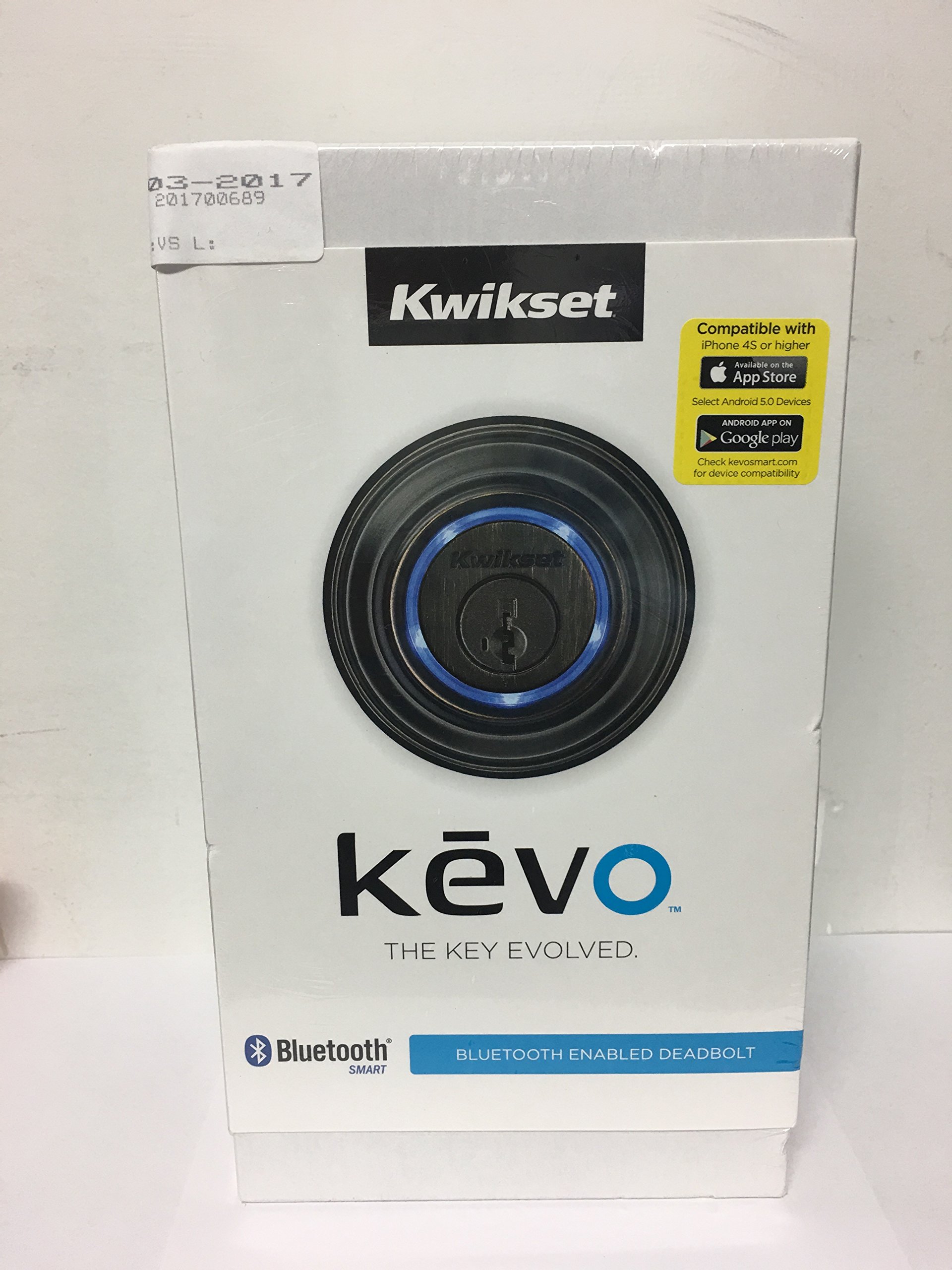
Image: A finger touching the Kwikset Kevo deadbolt, demonstrating the touch-to-open feature. The lock's light ring is illuminated.
Using the Kevo Mobile App:
- Gestión de claves electrónicas: Send, revoke, or manage eKeys for family, friends, or service providers directly from the app.
- Actividad de bloqueo: Recibir notificaciones y view a history of who locked/unlocked the door and when.
- Lost Phone Reset: If your smartphone is lost or stolen, use the app's Lost Phone Reset feature to disable eKeys associated with that device.
Acceso a clave tradicional:
The Kevo deadbolt includes a SmartKey® Re-key Technology cylinder, allowing you to use a traditional physical key as a backup. You can re-key the lock yourself to work with the same key as your other Kwikset locks.
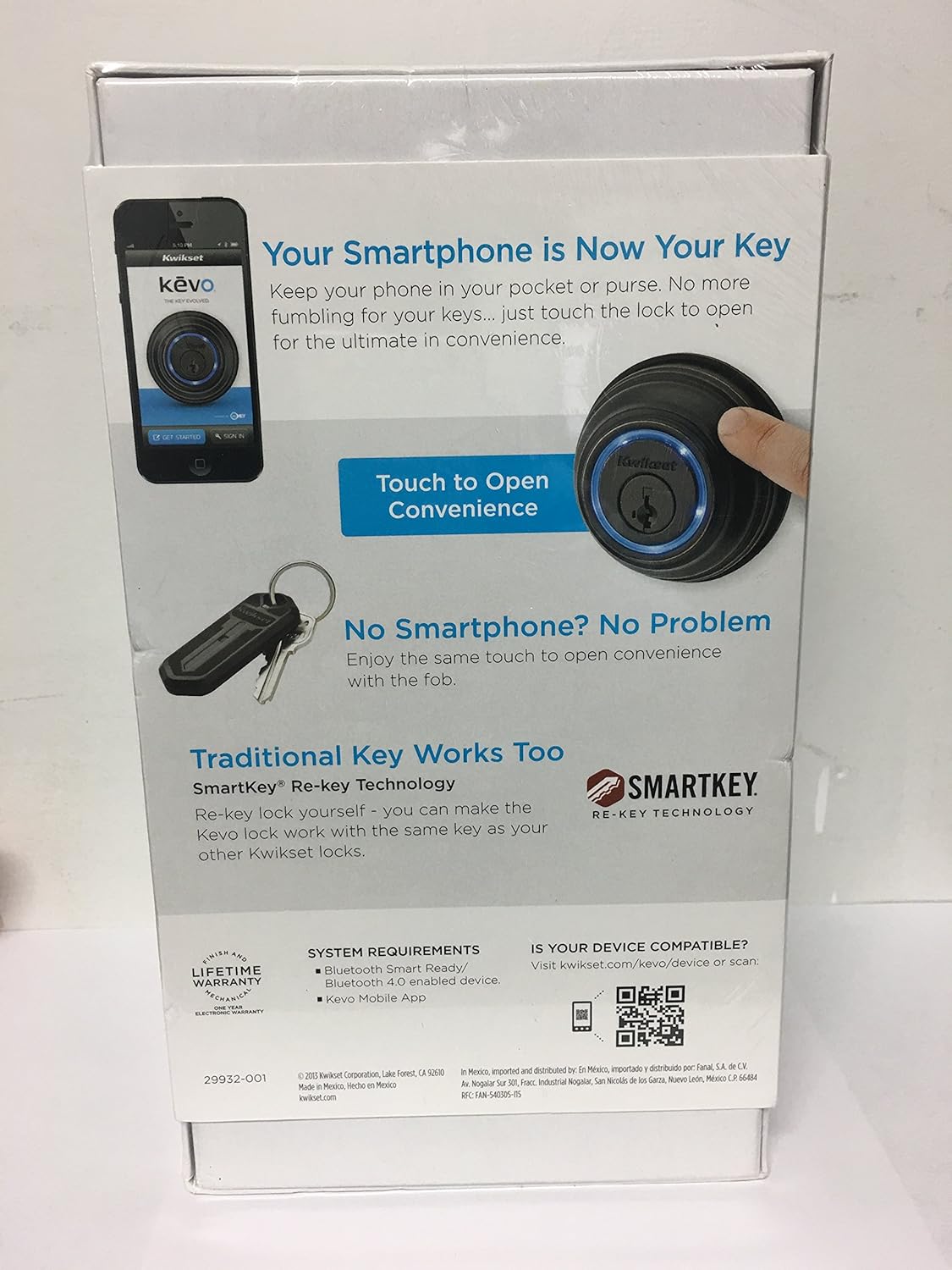
Image: Kwikset Kevo product packaging highlighting smartphone as key, touch-to-open convenience, and traditional key functionality with a fob.
Inside-Outside Sensor Calibration:
Calibration is essential for Kevo's security functionality, ensuring the lock can differentiate between an authorized user inside the home and an unauthorized user outside. This prevents the door from being opened by someone outside when your phone is inside.
Video: This video demonstrates the calibration process for the Kwikset Kevo smart lock, explaining how to enable the inside-outside sensor for secure operation.
Pasos de calibración:
- Ensure your phone has an eKey for the lock.
- Open the Kevo app and navigate to the calibration section (usually via "My Locks" and "Settings").
- Retire la tapa de la batería del conjunto interior.
- Press the calibrate button on the interior assembly.
- Hold your phone close against the back panel of the interior assembly.
- Vuelva a colocar la tapa de la batería.
- Walk outside with your phone and close the door.
- Stand at an extended arm's reach from the lock.
- Touch the deadbolt rose when the light ring is solid green. The light ring will spin.
- Wait for the light ring to turn solid green again, then touch it a second time.
- Repeat this process for a third touch.
- A green flash indicates successful calibration. A red flash means calibration was unsuccessful; try again.
- If repeated attempts fail, check the interior cable connection for damage or pinching.
Mantenimiento
- Reemplazo de batería: The Kevo deadbolt requires 4 AA batteries. Replace them when the low battery indicator appears in the app or on the lock.
- Limpieza: Limpie el exterior de la cerradura con un paño suave.amp paño. Evite limpiadores abrasivos o disolventes que puedan dañar el acabado.
- Actualizaciones de firmware: Regularly check the Kevo mobile app for available firmware updates to ensure optimal performance and security.
- Alineación de la puerta: Ensure your door and frame are properly aligned. Misalignment can cause the deadbolt to bind, affecting performance and battery life.
Solución de problemas
- La cerradura no responde:
- Verifique los niveles de la batería y reemplácela si es necesario.
- Asegúrese de que Bluetooth esté habilitado en su teléfono inteligente.
- Verify the Kevo app is running in the background (for iOS) or actively running (for Android, may require a third-party app like Trigger for auto-restart).
- Perform a calibration as described in the Operating Instructions.
- Inside-Outside Sensor Issues:
- Recalibrate the lock, ensuring proper distance and phone placement.
- Check for any obstructions between your phone and the lock.
- Ensure the interior cable is not pinched or damaged during installation.
- Deadbolt Straining/Not Fully Extending:
- Replace batteries, as low power can affect motor performance.
- Check door alignment and ensure the strike plate is correctly positioned.
- Lubricate the deadbolt mechanism if necessary.
- Unintended Locking/Unlocking:
- Ensure no other Kevo fobs or eKey-enabled smartphones are within range when not intended.
- Perform a factory reset and re-enroll all devices if issues persist.
Presupuesto
| Marca | Conjunto de herramientas |
| Nombre del modelo | SPECTRUM BRANDS |
| Número de modelo del artículo | 99250-003 |
| Finalizar | Bronce veneciano |
| Tipo de bloqueo | Un lado con llave |
| Material | Aluminio |
| Peso del artículo | 3.75 libras |
| Dimensiones del artículo L x W x H | 10.38 x 5.75 x 3.63 pulgadas |
| Fuente de poder | Hand Powered (Battery Operated) |
| Pilas necesarias | 4 pilas AA |
| Protocolo de conectividad | Bluetooth |
| Tipo de controlador | Android, iOS, Nest |
| Requisitos del sistema | Bluetooth Smart Ready/Bluetooth 4.0 enabled device, Kevo Mobile App |
Información de garantía
The Kwikset Kevo Single Cylinder Deadbolt comes with the following warranty:
- Garantía mecánica y de acabado: Vida
- Garantía de electrónica: 1 años
For detailed warranty terms and conditions, please refer to the official Kwikset documentation included with your product or visit the Kwikset websitio.
Soporte y contacto
For further assistance, troubleshooting, or product inquiries, please contact Kwikset customer support:
- Atención al cliente gratuita: 1-800-327-5625
- Websitio: www.kwikset.com/kevo
- Verificación de compatibilidad del dispositivo: http://qrs.ly/kz3cw0b or scan the QR code on the product packaging.


