
Introducción
This manual provides instructions for the proper setup, operation, and maintenance of your Black Box USB to Serial Cable, model IC199A-R3. This cable is designed to facilitate communication between devices with a DB9 serial port and computers equipped with a USB Type-A port. Please read this manual thoroughly before using the product to ensure optimal performance and longevity.
Producto terminadoview
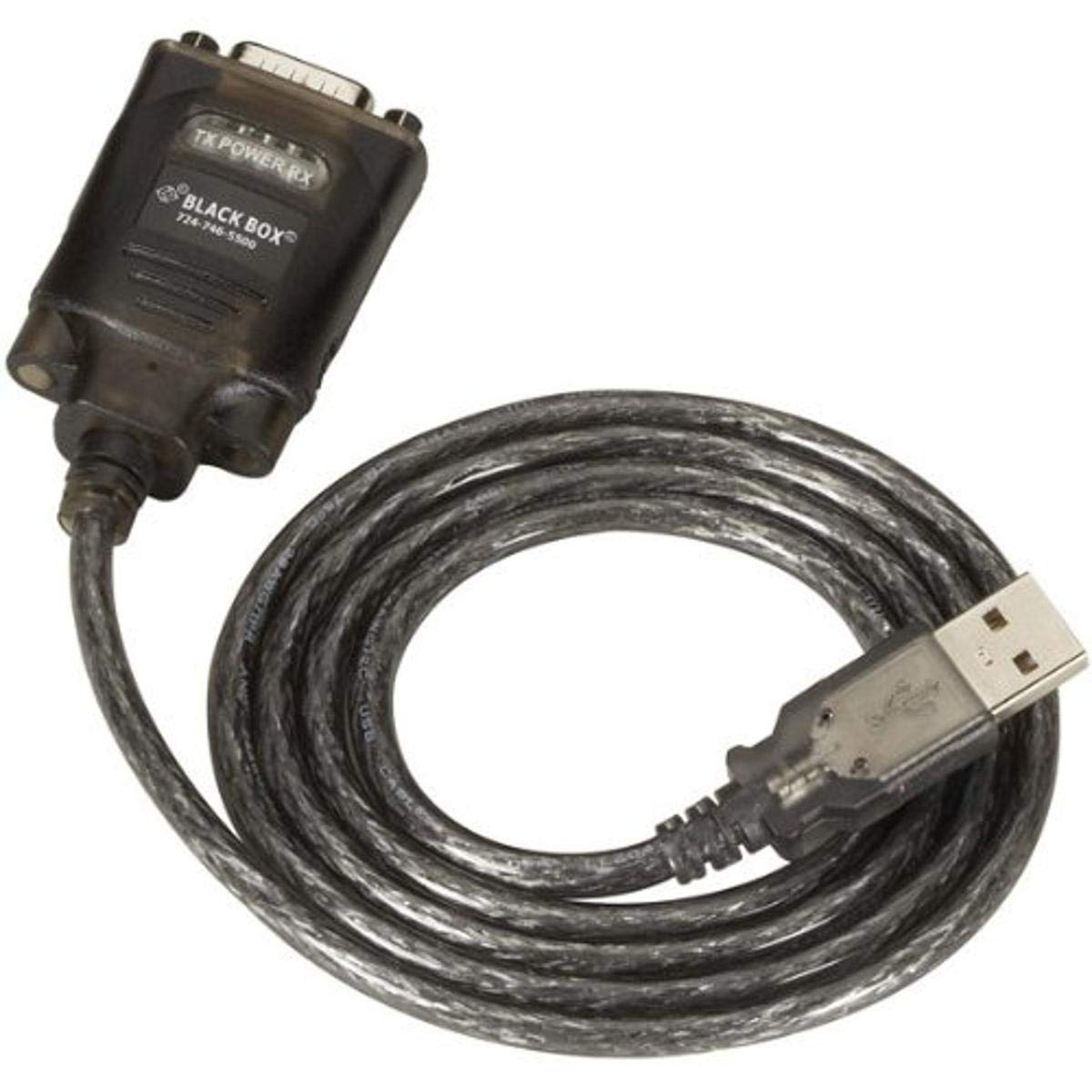
Figure 1: Black Box USB to DB9 Serial Cable (IC199A-R3)
This image displays the Black Box USB to DB9 Serial Cable, featuring a USB Type-A male connector on one end and a DB9 male serial connector on the other. The cable is black and designed for connecting serial devices to a computer's USB port.
The Black Box IC199A-R3 is a reliable solution for connecting legacy serial devices, such as modems, to modern computers that typically lack dedicated serial ports. Its robust design ensures stable data transmission.
Instrucciones de instalación
- Identificar conectores: Locate the USB Type-A male connector and the DB9 male serial connector on the cable.
- Conectar a la computadora: Insert the USB Type-A male connector into an available USB port on your computer.
- Conectarse al dispositivo serial: Connect the DB9 male serial connector to the DB9 female port on your serial device (e.g., modem). Ensure a secure connection.
- Instalación del controlador: In most modern operating systems (Windows 10/11, macOS, Linux), the necessary drivers should install automatically upon connection. If the device is not recognized, you may need to manually install drivers. Refer to your operating system's documentation or the Black Box support website for driver downloads if required.
- Verificar conexión: After connecting, check your computer's Device Manager (Windows) or System Information (macOS/Linux) to confirm that the USB to Serial adapter is recognized and functioning correctly. It typically appears as a "USB Serial Port" or similar entry.
Instrucciones de funcionamiento
Once the Black Box IC199A-R3 cable is properly installed and recognized by your computer, it functions as a standard serial port.
- Configuración de software: Open the serial communication software or application you intend to use (e.g., HyperTerminal, PuTTY, minicom, or specific device configuration software).
- Seleccionar puerto COM: Within your software, select the virtual COM port assigned to the USB to Serial adapter. This port number can usually be found in your computer's Device Manager (under "Ports (COM & LPT)").
- Configurar ajustes seriales: Set the appropriate serial communication parameters (baud rate, data bits, parity, stop bits, flow control) to match the requirements of your connected serial device. Refer to the documentation of your serial device for these settings.
- Iniciar comunicación: Once configured, you can initiate data transfer or communication with your serial device through the software.
Mantenimiento
To ensure the longevity and reliable performance of your Black Box USB to Serial Cable, follow these simple maintenance guidelines:
- Almacenamiento: Guarde el cable en un lugar fresco y seco, alejado de la luz solar directa y de temperaturas extremas cuando no esté en uso.
- Manejo: Evite doblar o torcer bruscamente el cable, especialmente cerca de los conectores, ya que esto puede dañar los cables internos.
- Limpieza: Si es necesario, limpie suavemente el cable y los conectores con un paño suave, seco y sin pelusa. No utilice limpiadores líquidos ni disolventes.
- Conexión / Desconexión: Sujete siempre la carcasa del conector al enchufar o desenchufar el cable, en lugar de tirar del cable mismo.
Solución de problemas
If you encounter issues with your Black Box USB to Serial Cable, consider the following troubleshooting steps:
- Cable no reconocido:
- Asegúrese de que el conector USB esté completamente insertado en el puerto USB de la computadora.
- Pruebe con un puerto USB diferente en su computadora.
- Reinicie su computadora.
- Check Device Manager (Windows) or System Information (macOS/Linux) for any error messages or unrecognized devices. Reinstall drivers if necessary.
- No hay comunicación con el dispositivo serial:
- Verify that the DB9 connector is securely attached to your serial device.
- Confirm that the correct COM port is selected in your serial communication software.
- Double-check that the serial communication parameters (baud rate, data bits, parity, stop bits, flow control) in your software match those of your serial device.
- Ensure the serial device itself is powered on and functioning correctly.
- Try using a different serial communication software to rule out software-specific issues.
- Conexión intermitente:
- Inspect the cable for any visible damage or frayed wires.
- Asegúrese de que todas las conexiones estén firmes y no sueltas.
- Evite colocar el cable cerca de fuentes de fuerte interferencia electromagnética.
Presupuesto
| Marca | Caja negra |
| Número de modelo | IC199A-R3 |
| Tipo de conector (computadora) | USB tipo A macho |
| Connector Type (Device) | DB9 Male Serial |
| Tipo de cable | USB a serie |
| Dispositivos compatibles | Módem |
| Característica especial | Sin enredos |
| Color | Negro |
| Número de pines | 9 (on DB9 connector) |
| Peso del artículo | 0.24 libras (aprox. 3.84 onzas) |
| Dimensiones del producto (embalaje) | 6.75 x 1.5 x 4 pulgadas |
| Fabricante | BLACK BOX CORPORATION |
Garantía y soporte
For information regarding warranty coverage, technical support, or to download the latest drivers, please visit the official Black Box webSitio web o contacte con el servicio de atención al cliente. Conserve el recibo de compra para reclamaciones de garantía.