Introducción
This manual provides essential information for the proper use and care of your Beats Studio Wireless Over-Ear Headphones. Please read these instructions carefully before using your headphones to ensure optimal performance and longevity. The Beats Studio Wireless headphones offer a premium audio experience with wireless connectivity and Adaptive Noise Canceling technology.
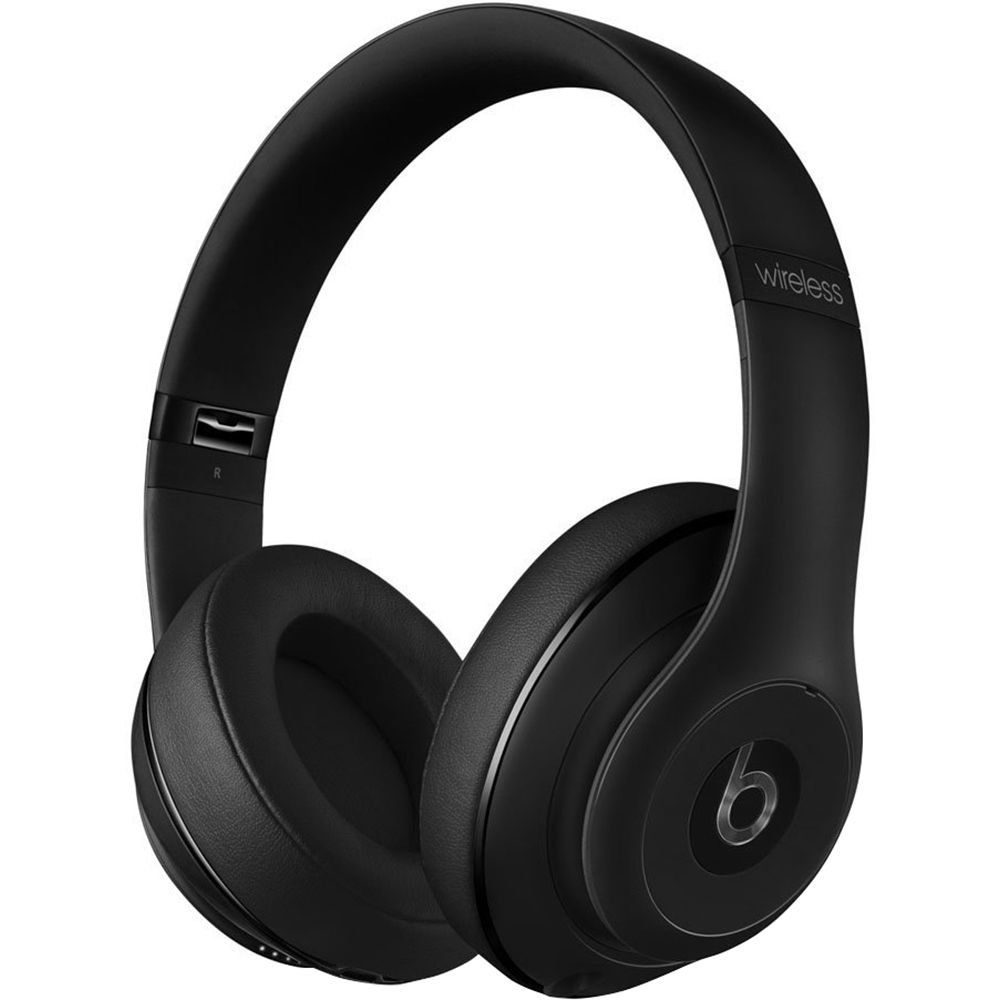
Image: Beats Studio Wireless Over-Ear Headphones in Matte Black, showcasing el diseño elegante.
¿Qué hay en la caja?
Verifique que todos los artículos estén presentes en su paquete:
- Beats Studio Wireless over-ear headphones
- 3.5mm audio cable with RemoteTalk (for wired connection and controls)
- Standard 3.5 mm audio cable (for wired connection without RemoteTalk features)
- USB 2.0 cable (USB-A to USB Micro-B) for charging
- Hard-shell carrying case with carabiner clip

Image: The Beats Studio Wireless headphones, hard-shell carrying case, and various cables laid out from the packaging.
Configuración
1. Carga de los auriculares
Before first use, fully charge your Beats Studio Wireless headphones. A full charge provides approximately 12 hours of wireless playback or 20 hours of wired playback with Adaptive Noise Canceling enabled.
- Connect the small end of the USB 2.0 cable (USB-A to USB Micro-B) to the Micro-USB port on the right earcup of the headphones.
- Connect the larger end of the USB cable to a USB power adapter (not included) or a powered USB port on a computer.
- The Fuel Gauge LEDs on the right earcup will indicate charging status. When all five LEDs are solid white, the headphones are fully charged.
Nota: The headphones cannot be used while charging.
2. Emparejamiento Bluetooth
Empareje sus auriculares con su dispositivo habilitado con Bluetooth para obtener audio inalámbrico.
- Ensure your headphones are charged and powered off.
- Press and hold the power button on the right earcup for 3-5 seconds until the Fuel Gauge LEDs begin to pulse. This indicates pairing mode.
- En su dispositivo, vaya a la configuración de Bluetooth y habilite Bluetooth.
- Select "Beats Studio Wireless" from the list of available devices.
- Once paired, the Fuel Gauge LEDs will turn solid white.
Los auriculares tienen un alcance Bluetooth de hasta 30 pies (9 metros).
3. Conexión por cable
For a wired connection, use the provided 3.5mm audio cables.
- Plug one end of the 3.5mm audio cable into the audio input port on the left earcup.
- Conecte el otro extremo al conector de salida de audio de 3.5 mm de su dispositivo.
The RemoteTalk cable allows for inline control of music and calls when connected to compatible devices.
Instrucciones de funcionamiento
1. Encendido y apagado
- Para encender: Press and hold the power button on the right earcup until the Fuel Gauge LEDs illuminate.
- Para apagar: Press and hold the power button until the Fuel Gauge LEDs turn off.
2. Controls (Wireless Mode)
The "b" button on the left earcup and the volume buttons control playback and calls.
- Reproducir/Pausa: Press the "b" button once.
- Pista siguiente: Press the "b" button twice quickly.
- Pista anterior: Press the "b" button three times quickly.
- Sube el volumen: Presione el botón de volumen superior.
- Bajar volumen: Presione el botón de volumen inferior.
- Responder/Finalizar llamada: Press the "b" button once during an incoming call or active call.
- Rechazar llamada: Press and hold the "b" button for 2 seconds during an incoming call.
- Activar asistente de voz: Press and hold the "b" button for 2 seconds (functionality depends on device).
3. Adaptive Noise Canceling (ANC)
The Beats Studio Wireless headphones feature Dual-Mode Adaptive Noise Canceling. ANC is automatically active when the headphones are powered on. There are two modes:
- Full ANC: Engaged when listening to music or media, providing maximum noise reduction.
- ANC Only: When the audio cable is unplugged and the headphones are powered on, ANC will automatically switch to a more aggressive mode to reduce external noise without playing audio.
Mantenimiento
1. Limpieza
Para mantener la apariencia y el rendimiento de sus auriculares:
- Limpie los auriculares y la diadema con un paño suave, seco y que no suelte pelusa.
- No utilice limpiadores abrasivos, alcohol ni disolventes químicos.
- Evite que entre humedad en las aberturas.
2. Almacenamiento
When not in use, store your headphones in the provided hard-shell carrying case to protect them from damage.
- Fold the headphones carefully to fit into the case.
- Keep headphones away from extreme temperatures and humidity.
3. Cuidado de la batería
Para prolongar la vida útil de la batería:
- Evite descargar completamente la batería con frecuencia.
- Cargue los auriculares periódicamente, incluso si no los utiliza durante períodos prolongados.
- Conservar en un lugar fresco y seco.
Solución de problemas
If you encounter issues with your Beats Studio Wireless headphones, try the following solutions:
Sin energía/No enciende
- Asegúrese de que los auriculares estén completamente cargados. Conéctelos a una fuente de alimentación mediante el cable USB.
- Verifique que el cable USB y el puerto de carga no estén dañados.
Sin sonido / Audio intermitente
- Inalámbrico:
- Asegúrese de que los auriculares estén emparejados y conectados a su dispositivo.
- Verifique los niveles de volumen tanto en los auriculares como en su dispositivo.
- Move closer to your device to avoid interference or exceeding Bluetooth range.
- Intente desvincular y volver a vincular los auriculares con su dispositivo.
- Wired:
- Ensure the 3.5mm audio cable is securely plugged into both the headphones and your audio source.
- Try a different 3.5mm audio cable if available.
Problemas de emparejamiento
- Ensure the headphones are in pairing mode (pulsing Fuel Gauge LEDs).
- Apaga y vuelve a encender el Bluetooth de tu dispositivo.
- Forget "Beats Studio Wireless" from your device's Bluetooth list and attempt to pair again.
- Asegúrese de que ningún otro dispositivo Bluetooth interfiera con el proceso de emparejamiento.
Adaptive Noise Canceling (ANC) Not Working
- Ensure the headphones are powered on. ANC requires power.
- Check for any obstructions around the external microphones on the earcups.
Presupuesto
Key technical specifications for the Beats Studio Wireless Over-Ear Headphones:
- Nombre del modelo: Estudio
- Tecnología de conectividad: Bluetooth (Wireless), 3.5 mm Jack (Wired)
- Tecnología de comunicación inalámbrica: Bluetooth
- Alcance de Bluetooth: Hasta 30 pies (9 metros)
- Control de ruido: Active Noise Cancellation (Dual-Mode Adaptive Noise Canceling)
- Duración de la batería: Approximately 12 hours (wireless), 20 hours (wired with ANC)
- Tipo de batería: 1 batería de iones de litio (recargable)
- Tipo de control: Media Control (on-earcup "b" button, volume buttons)
- Micrófono: Incorporado para llamadas con manos libres
- Factor de forma: Sobre la oreja
- Colocación de la oreja: Sobre la oreja
- Material: Plástico
- Peso del artículo: Aproximadamente 9.2 onzas (0.26 kilogramos)
- Dimensiones del producto: 9.6 x 7.3 x 4.5 pulgadas
- Fabricante: Beats Electrónica, LLC
- Fecha de primera disponibilidad: 1 de diciembre de 2013

Imagen: Un primer plano view of the headphone's inner band, displaying the model number B0501.
Garantía y soporte
For warranty information and customer support, please refer to the official Beats webSitio web o contacte directamente con el servicio de atención al cliente. Conserve su comprobante de compra para reclamaciones de garantía.
Nota: This product is an older model. Specific warranty terms may vary based on purchase date and region. Please consult the manufacturer's official resources for the most accurate and up-to-date information.
Para obtener más ayuda, visite: Soporte Beats