1. Introducción
This manual provides essential instructions for the safe operation and maintenance of your VTech VM333 Safe & Sound Video Baby Monitor. Please read this manual thoroughly before using the product to ensure proper setup and functionality. The VTech VM333 is designed to help you monitor your baby with a high-resolution color LCD screen, automatic night vision, and two-way audio communication.
2. Producto terminadoview
The VTech VM333 system includes a Parent Unit (monitor) and a Baby Unit (camera). Familiarize yourself with the components and controls of each unit.
2.1. Parent Unit
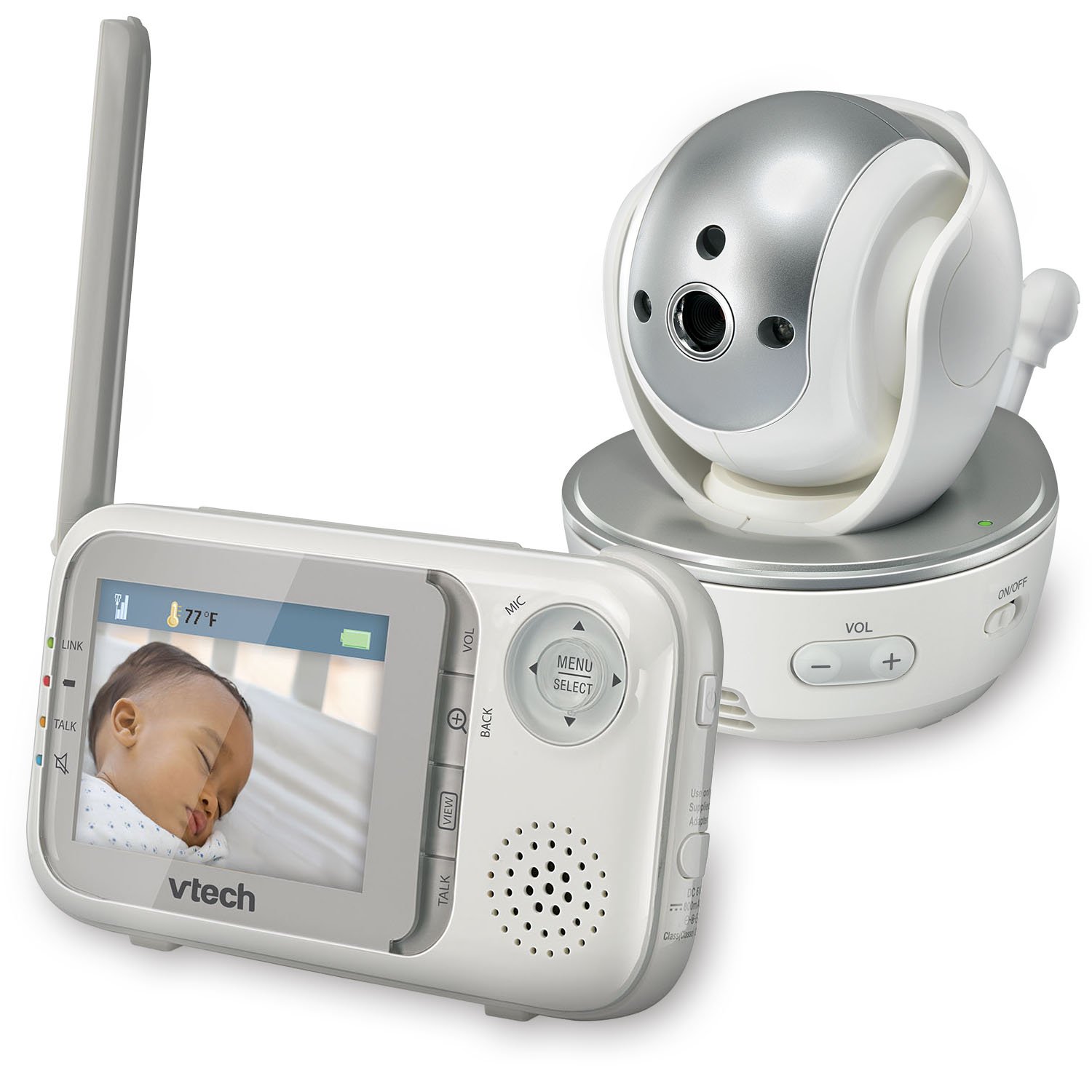
Imagen: Frente view of the VTech VM333 Parent Unit.
- Pantalla LCD a color de 2.8 pulgadas: Displays live video feed from the Baby Unit.
- Botón MENÚ/SELECCIONAR: Accede a las opciones del menú y confirma las selecciones.
- Flechas direccionales (arriba/abajo/izquierda/derecha): Navigates menus and controls camera pan/tilt.
- ZOOM Button (+/-): Magnifies the video image.
- Botón HABLAR: Activa la comunicación de audio bidireccional.
- VOLUME Buttons (+/-): Adjusts the Parent Unit speaker volume.
- Indicador LINK: Shows connection status between units.
- Indicador de batería: Muestra el nivel actual de la batería.
- Pantalla de temperatura: Shows the temperature detected by the Baby Unit.
2.2. Unidad del bebé (Cámara)

Imagen: Frente view of the VTech VM333 Baby Unit camera.
- Lente de la cámara: Captura de video.
- LED infrarrojos: Provide night vision in low light conditions.
- Micrófono: Detects sound from the baby's room.
- Vocero: Para comunicación de audio bidireccional.
- Sensor de temperatura: Monitorea la temperatura ambiente.
- Interruptor de encendido / apagado: Turns the Baby Unit on or off.
- Conector de alimentación: Se conecta al adaptador de corriente.

Imagen: Lateral view of the VTech VM333 Baby Unit, illustrating the wall-mount bracket.
3. Configuración
3.1. Encendido de las unidades
- Conecte la unidad del bebé: Plug the small end of the power adapter into the power jack on the back of the Baby Unit. Plug the large end into a wall outlet.
- Connect the Parent Unit: Plug the small end of the power adapter into the power jack on the side of the Parent Unit. Plug the large end into a wall outlet. The Parent Unit battery will begin charging.
- Encender: Slide the ON/OFF switch on the Baby Unit to the ON position. Press and hold the POWER button on the Parent Unit until the screen turns on.
The units are pre-linked. If they do not link automatically, refer to the "Troubleshooting" section for re-pairing instructions.
3.2. Colocación de la unidad del bebé (cámara)
Place the Baby Unit at least 3 feet (1 meter) away from your baby to avoid potential hazards. Ensure the camera is positioned to capture the desired viewing area. Avoid placing the Baby Unit where it can be easily reached by children.
- For optimal performance, place the Baby Unit on a flat surface or mount it to a wall using the included wall-mount bracket.
- Keep the Baby Unit and Parent Unit within range (up to 1,000 feet / 300 meters in open space). Obstacles like walls and furniture can reduce the range.
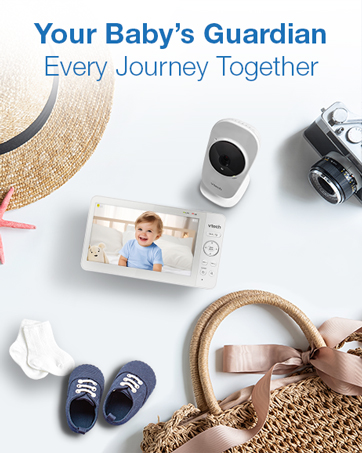
Image: Proper placement of the Baby Unit near a crib.
4. Operación
4.1. Monitoreo básico
Once both units are powered on and linked, the Parent Unit will display live video from the Baby Unit. Adjust the volume using the VOL+ y VOLUMEN - buttons on the Parent Unit.
4.2. Panorámica, inclinación y zoom
La cámara de la Unidad del Bebé se puede controlar de forma remota desde la Unidad de los Padres para ajustar su viewÁngulo de visión y nivel de zoom.
- Panorámica/inclinación: Utilice el Flechas direccionales (Up, Down, Left, Right) on the Parent Unit to move the camera lens horizontally (up to 270 degrees) and vertically (up to 124 degrees).
- Zoom: Presione el AMPLIAR + button to zoom in (2x magnification) and ZOOM - para alejar.
Video: Demonstration of the VTech VM333's pan, tilt, and zoom features, showing remote camera control from the Parent Unit.
4.3. Conversación bidireccional
You can speak to your baby through the Baby Unit's speaker.
- Mantenga pulsado el HABLAR Botón en la unidad para padres.
- Speak clearly into the microphone on the Parent Unit.
- Liberar el HABLAR button to stop speaking and hear your baby again.

Image: Using the two-way talk feature on the Parent Unit.
4.4. Automatic IR Night Vision
The Baby Unit is equipped with infrared LEDs that automatically activate in low light conditions, providing a clear black and white video image of your baby in the dark.
Image: The Baby Unit operating in night vision mode.
4.5. Modo de activación por sonido
This mode allows the Parent Unit screen to turn off automatically to save power and reduce light disturbance, and then turn back on when sounds are detected from the Baby Unit.
- Presione el MENÚ/SELECCIONAR Botón en la unidad para padres.
- Navegar hasta el Sensibilidad VOX or Activación de sonido configuración.
- Select your desired sound sensitivity level. A higher sensitivity will activate the screen with softer sounds.
Image: Parent Unit displaying the sound activation icon.
4.6. Temperature Monitoring and Alerts
The Baby Unit monitors the room temperature and displays it on the Parent Unit screen. You can set alerts for temperature deviations.
- Presione el MENÚ/SELECCIONAR botón.
- Navegar hasta el Alerta de temperatura ajustes.
- Set your desired minimum and maximum temperature thresholds. The Parent Unit will beep if the temperature goes outside this range.
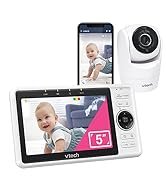
Image: Parent Unit displaying room temperature.
4.7. Multiple Camera Monitoring (Expandable System)
The VM333 system supports up to four cameras (additional cameras sold separately). You can view multiple cameras in different modes.
- Soltero View: Displays video from one camera at a time. Use the VIEW Botón para recorrer las cámaras conectadas.
- Dividir View: Displays video from multiple cameras simultaneously on a split screen.
- Modo patrulla: Automatically cycles through all connected cameras, displaying each for a few seconds.
Video: Demonstration of multi-camera viewing modes, including single view, dividir view, and patrol mode.
5. Mantenimiento
- Limpieza: Clean the surfaces of the Parent Unit and Baby Unit with a soft, damp paño. No utilice aerosoles de limpieza ni limpiadores líquidos.
- Cuidado de la batería: The Parent Unit uses a rechargeable Lithium-Ion battery. For optimal battery life, fully charge the unit before first use. Avoid extreme temperatures. If storing the unit for an extended period, remove the battery.
- Cuidado de la lente: Keep the camera lens clean to ensure clear video quality. Use a soft, lint-free cloth to gently wipe the lens if needed.
6. Solución de problemas
| Problema | Solución |
|---|---|
| No video/audio on Parent Unit. |
|
| Mala calidad de vídeo. |
|
| Parent Unit beeps (low battery, out of range, temperature). |
|
| Interferencia con otros dispositivos. |
|
7. Especificaciones
| Característica | Detalle |
|---|---|
| Número de modelo | VM333 |
| Tamaño de pantalla | 2.8 pulgadas (LCD) |
| Tecnología inalámbrica | 2.4 GHz FHSS digital transmission |
| Rango | Hasta 1,000 pies (300 metros) en espacio abierto |
| Ángulo de giro | Up to 270 degrees horizontal |
| Ángulo de inclinación | Up to 124 degrees vertical |
| Zoom | Zoom digital 2x |
| Visión nocturna | Automatic infrared (IR) |
| Audio bidireccional | Sí |
| Activación de sonido | Sí (VOX) |
| Sensor de temperatura | Sí, con alertas |
| Expandible | Hasta 4 cámaras (cámaras adicionales se venden por separado) |
| Duración de la batería de la unidad para padres | Hasta 3.5 horas (transmisión de vídeo) |
| Fuente de poder | Rechargeable Lithium-Ion battery (Parent Unit), AC power (Baby Unit) |
| Color | Blanco / Plateado |
| Peso del artículo | 2 libras |
8. Garantía y soporte
For warranty information and technical support, please contact VTech customer service.
- Número de atención al cliente: (800) 595-9511
- Websitio: www.vtechbabycare.com
- Correo electrónico: soporte@vtechbabycare.com
Conserve su recibo de compra como comprobante de compra para fines de garantía.


