1. Introducción
This manual provides essential instructions for the proper setup, operation, and maintenance of your AmazonBasics 10-Port USB 3.0 Hub. Please read this manual thoroughly before using the product to ensure optimal performance and safety. Keep this manual for future reference.
2. Instrucciones de seguridad
- No exponga el dispositivo a la humedad, temperaturas extremas o luz solar directa.
- No intente desmontar ni modificar el dispositivo. Esto podría anular la garantía y suponer un riesgo para la seguridad.
- Use only the provided power adapter. Using an incompatible power adapter may damage the device or connected peripherals.
- Mantenga el dispositivo fuera del alcance de los niños.
- Asegúrese de que haya una ventilación adecuada alrededor del cubo durante el funcionamiento.
3. Contenido del paquete
Verifique que todos los artículos que se enumeran a continuación estén presentes en su paquete:
- AmazonBasics 10-Port USB 3.0 Hub
- Adaptador de corriente (DC 15V)
- Cable de datos USB 3.0
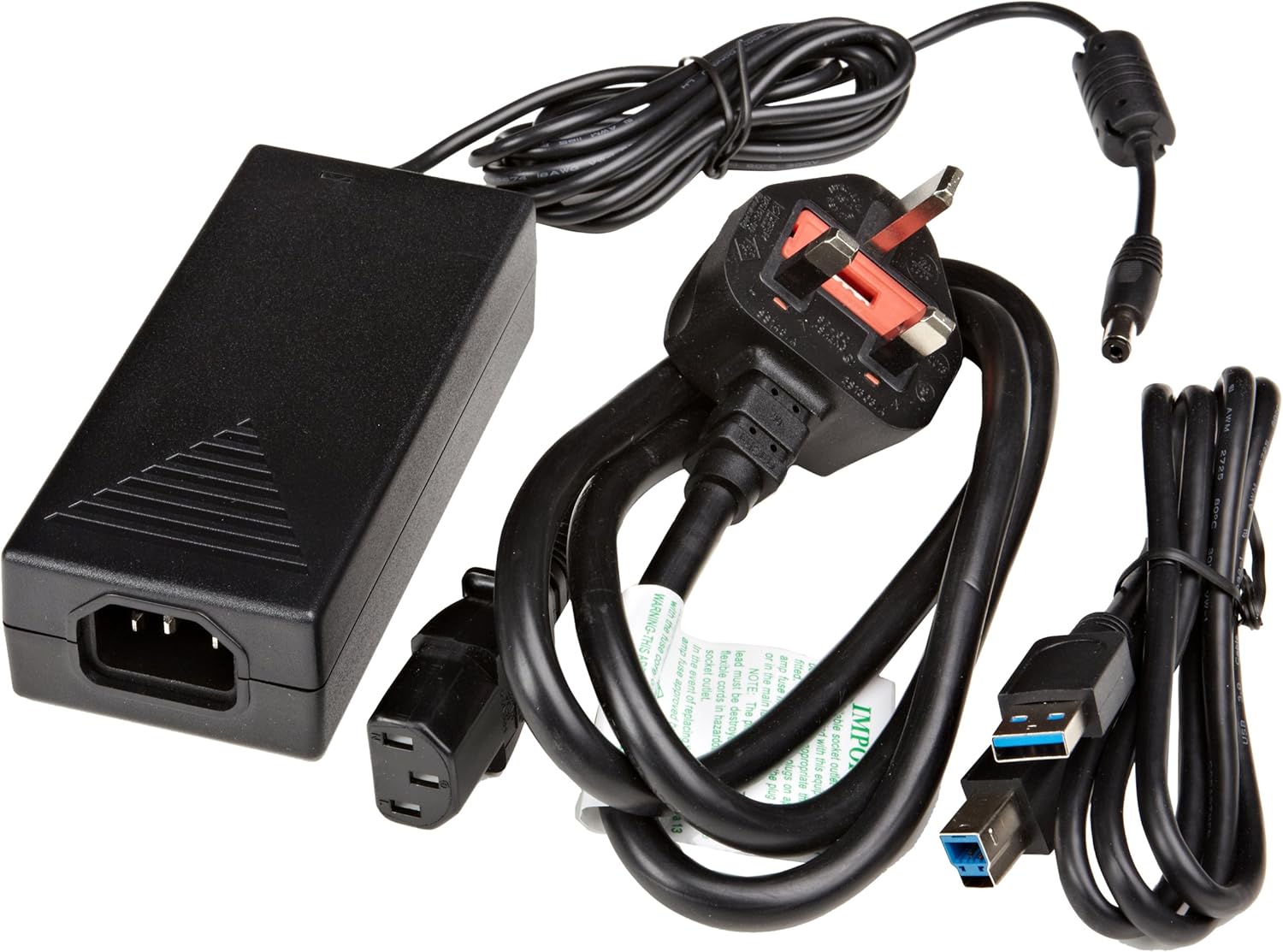
Figura 3.1: The image displays the AmazonBasics 10-Port USB 3.0 Hub, its power adapter, and a USB 3.0 data cable, which are the typical contents found in the product packaging.
4. Producto terminadoview
The AmazonBasics 10-Port USB 3.0 Hub expands your computer's connectivity, offering ten USB 3.0 ports for various peripherals. It supports high-speed data transfer and is backward compatible with USB 2.0 devices.
4.1 Frontal y lateral View

Figura 4.1: This image shows the front and left side of the USB hub. On the front, three USB 3.0 ports are visible, two of which are labeled 'Fast'. The left side features the upstream USB 3.0 port for connecting to a computer and the DC 15V power input.
4.2 Top and Rear View

Figura 4.2: Esta imagen proporciona una vista de arriba hacia abajo. view of the USB hub, highlighting five additional USB 3.0 ports located on the rear panel. An 'ON/OFF' switch is also visible on the side, allowing users to power the hub on or off.
4.3 Parte inferior View

Figura 4.3: El fondo view of the hub shows four rubber feet for stability and a product label containing regulatory information and the model number.
5. Guía de configuración
Follow these steps to set up your USB 3.0 hub:
- Conecte el adaptador de corriente: Plug the provided power adapter into the DC 15V input port on the side of the USB hub. Then, plug the power adapter into a standard electrical outlet.
- Conectar a la computadora: Use the supplied USB 3.0 data cable to connect the upstream USB 3.0 port on the hub (located on the side) to an available USB 3.0 port on your computer.
- Encendido: If the hub has an ON/OFF switch (refer to Figure 4.2), ensure it is in the 'ON' position.
- Conectar periféricos: You can now connect your USB devices (e.g., external hard drives, keyboards, mice, flash drives) to any of the ten available USB 3.0 ports on the hub.
The hub supports automatic switching between self-power and bus-power mode. For optimal performance with multiple high-power devices, ensure the power adapter is connected.
6. Operación
Once connected, the AmazonBasics 10-Port USB 3.0 Hub operates automatically. Your computer should recognize connected devices without requiring additional drivers for most operating systems.
- Velocidad USB 3.0: The hub supports SuperSpeed (5 Gbps), High Speed (480 Mbps), Full Speed (12 Mbps), and Low Speed (1.5 Mbps) data transfer rates, depending on the connected device and your computer's USB port capabilities.
- Compatibilidad del dispositivo: The hub is compatible with both USB 3.0 and USB 2.0 specifications, allowing you to connect a wide range of USB devices.
- Administración de energía: The hub intelligently manages power distribution to connected devices. For devices requiring more power, ensure the external power adapter is connected.
7. Solución de problemas
If you encounter issues with your USB hub, refer to the following common problems and solutions:
| Problema | Posible solución |
|---|---|
| Devices are not recognized. |
|
| Velocidades de transferencia de datos lentas. |
|
| El concentrador no se enciende. |
|
| Intermittent device connection. |
|
8. Especificaciones
- Número de modelo: HU37A0V1-UK
- Puertos: 10 x USB 3.0
- Velocidad de transferencia de datos: Hasta 5 Gbps (USB 3.0 SuperSpeed)
- Compatibilidad con versiones anteriores: USB 2.0, USB 1.1
- Entrada de energía: DC 15 V (a través del adaptador de corriente incluido)
- Dimensiones (LxAnxAl): Aproximadamente 5.71 x 2.96 x 1.06 pulgadas (14.5 x 7.5 x 2.7 cm)
- Peso: Aproximadamente 1.29 libras (0.58 kg)
- Compatibilidad del sistema operativo: Windows, macOS, Linux (driver-free for most systems)
9. Cuidado y mantenimiento
- Limpie el cubo con un paño suave y seco. No utilice limpiadores líquidos ni aerosoles.
- Evite bloquear las aberturas de ventilación.
- Guarde el concentrador en un lugar fresco y seco cuando no esté en uso.
10. Información sobre reciclaje
Dispose of this product according to local regulations. Do not dispose of it with general household waste. For more information on recycling electronic waste, contact your local authorities or the retailer where you purchased the product.
11. Garantía y soporte
For warranty information or technical support, please refer to the AmazonBasics support page or contact Amazon customer service directly. Details can typically be found on the Amazon websitio en las secciones 'Ayuda' o 'Atención al cliente'.


