1. Configuración
This section guides you through the initial setup of your NEC VY24G/D-9 laptop.
1.1 Desembalaje e inspección inicial
Retire con cuidado todos los componentes del embalaje. Compruebe que estén presentes los siguientes elementos:
- NEC VY24G/D-9 Laptop
- Adaptador de CA y cable de alimentación
- Recovery CD
- Any additional software CDs (e.g., WinDVD, Roxio Creator)
Inspect the laptop and accessories for any visible damage. Note that the exterior casing and LCD screen may have minor cosmetic scratches from previous use, which do not affect functionality.
1.2 Conexión del adaptador de CA
Before first use, connect the AC adapter to the laptop and a power outlet to charge the battery and provide power.
- Plug the DC output connector of the AC adapter into the power input port on the side of the laptop.
- Conecte el cable de alimentación al adaptador de CA.
- Enchufe el otro extremo del cable de alimentación en un tomacorriente con conexión a tierra.
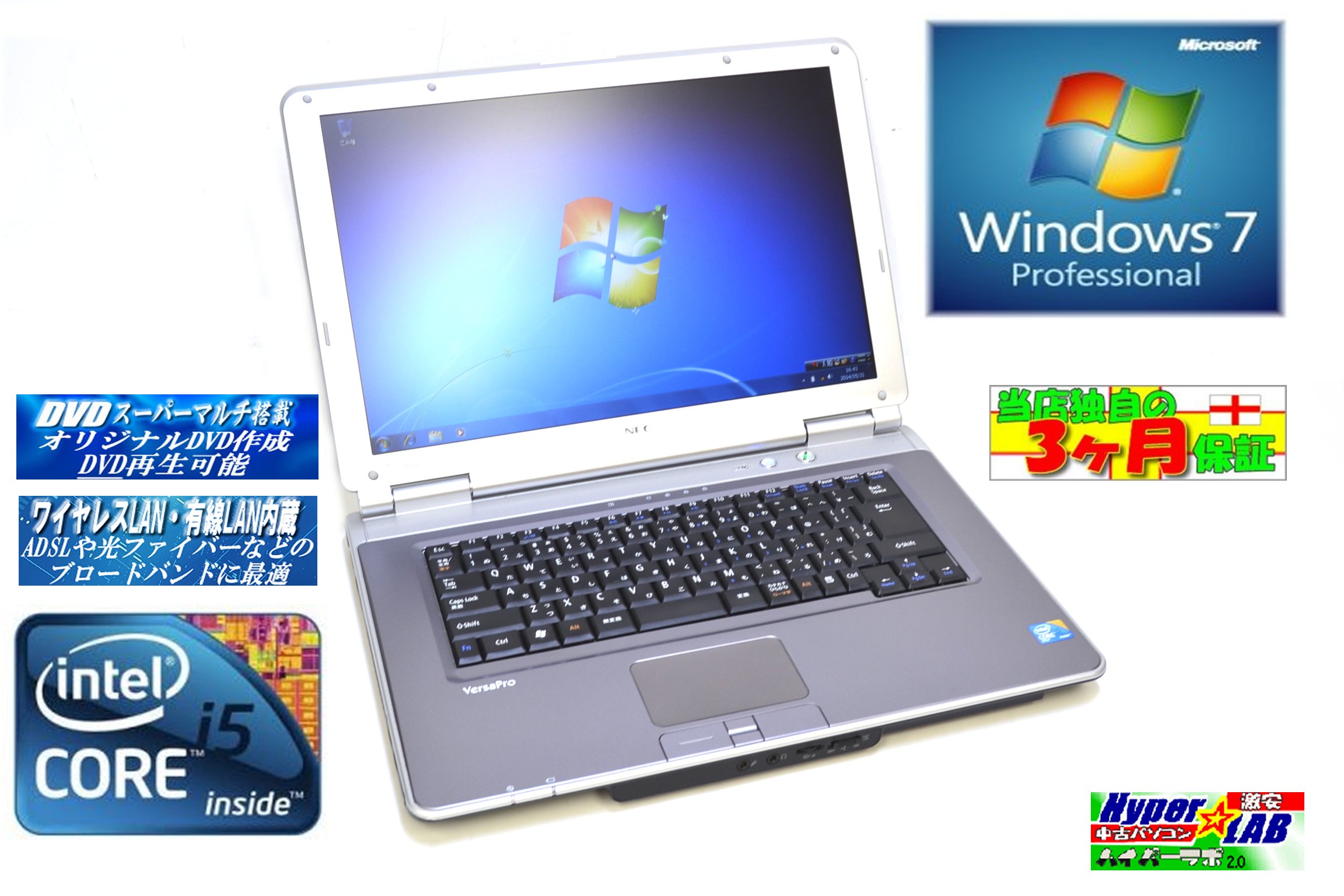
Image 1.1: The NEC VY24G/D-9 laptop shown with its AC adapter and included software/recovery CDs. The laptop is silver with a black base, and the AC adapter is a black rectangular unit with a power cord.
1.3 Encendido inicial y configuración del sistema operativo
Press the power button to turn on the laptop. The system comes with Windows 7 Professional 32-bit pre-installed. Follow the on-screen prompts to complete the initial operating system setup, which may include setting up user accounts, time zone, and network connections.
2. Instrucciones de funcionamiento
This section covers the basic operation of your NEC VY24G/D-9 laptop.
2.1 Encendido y apagado
- Para encender: Presione el botón de encendido ubicado en la computadora portátil.
- Para desconectar: Click the Start button in Windows, then select "Shut Down."
- Para reiniciar: Click the Start button, then select "Restart."
- Para dormir: Click the Start button, then select "Sleep."
2.2 Using the DVD Multi Drive
The laptop is equipped with a DVD Multi optical drive for reading and writing CDs and DVDs.
- Presione el botón de expulsión en la unidad óptica para abrir la bandeja.
- Coloque un CD o DVD en la bandeja con la etiqueta hacia arriba.
- Empuje suavemente la bandeja hacia el interior de la computadora portátil hasta que encaje en su lugar.
- The operating system will typically detect the disc automatically.
2.3 Conexión a una red
The laptop supports both wired and wireless network connections.
- LAN cableada: Connect an Ethernet cable to the LAN port on the side of the laptop.
- Wireless LAN (802.11bgn): Use the Windows network settings to connect to available Wi-Fi networks. Ensure the wireless adapter is enabled (check for a physical switch or function key combination if Wi-Fi is not detected).
2.4 Using USB Ports and PC Card Slot
The laptop features multiple USB 2.0 ports and a PC Card slot for connecting external devices.
- Puertos USB 2.0 (x5): Conecte dispositivos USB como ratones, teclados, discos duros externos o unidades flash.
- PC Card Slot (x1): Insert compatible PC Cards for expanded functionality, such as additional network adapters or storage.

Imagen 2.1: Un lado view of the NEC VY24G/D-9 laptop, illustrating the arrangement of its various ports, including USB, LAN, and potentially VGA or serial ports.
3. Mantenimiento
Un mantenimiento adecuado garantiza la longevidad y el rendimiento óptimo de su computadora portátil.
3.1 Limpieza de la computadora portátil
- Exterior: Utilice un paño suave y sin pelusa ligeramente seco.ampLimpie con agua o una solución de limpieza suave. Evite productos químicos agresivos.
- Pantalla: Use a microfiber cloth specifically designed for electronics screens. Do not spray liquid directly onto the screen.
- Teclado: Utilice aire comprimido para eliminar el polvo y los residuos entre las teclas.
3.2 Actualizaciones de software
Regularly check for and install updates for Windows 7 Professional and any installed applications to ensure security and performance.
3.3 Cuidado de la batería
To maximize battery life, avoid extreme temperatures and allow the battery to discharge partially before recharging. If storing the laptop for an extended period, ensure the battery is charged to about 50%.
4. Solución de problemas
Esta sección proporciona soluciones a problemas comunes que puede encontrar.
4.1 La computadora portátil no se enciende
- Asegúrese de que el adaptador de CA esté conectado de forma segura tanto a la computadora portátil como a una toma de corriente que funcione.
- Verifique que la toma de corriente funcione enchufando otro dispositivo.
- Si utiliza energía de la batería, asegúrese de que la batería esté cargada.
4.2 No hay visualización en la pantalla
- Compruebe si el portátil está encendido.
- Adjust the screen brightness using the function keys (Fn + brightness keys).
- Connect an external monitor to determine if the issue is with the laptop's internal display.
4.3 Problemas de conectividad de red
- Wired: Ensure the Ethernet cable is properly connected and the network router/modem is working.
- Inalámbrico: Verify that Wi-Fi is enabled and you are connecting to the correct network with the correct password. Restart your router/modem.
4.4 Recuperación del sistema
If the operating system becomes unstable or corrupted, you can use the provided Recovery CD to restore the system to its factory settings. Refer to the instructions included with the Recovery CD for detailed steps.
5. Especificaciones
Detailed technical specifications for the NEC VY24G/D-9 laptop.
| Característica | Especificación |
|---|---|
| Marca | Comité ejecutivo nacional |
| Nombre del modelo | VY24G/D-9 (VersaPro VY24G/D-9) |
| Tamaño de pantalla | 15.4 pulgadas |
| Resolución | 1280 x 800 |
| Marca de CPU | Intel |
| Tipo de CPU | Core i5 (520M) |
| Velocidad de la CPU | 2.4 GHz |
| Cantidad de procesadores | 1 |
| Tamaño de RAM | 2 GB |
| Capacidad del disco duro | 160 GB |
| Interfaz de HDD | ATA en serie |
| Unidad óptica | DVD Multi |
| Tipo inalámbrico | 802.11bgn |
| LAN cableada | Sí |
| Puertos USB | USB 2.0 x 5 |
| Ranura para tarjeta de PC | x1 |
| Sistema operativo | Ventanas 7 Profesional (32 bits) |
| Plataforma de hardware | PC |
6. Garantía y soporte
This section provides information regarding the product warranty and how to obtain support.
6.1 Garantía del producto
This NEC VY24G/D-9 laptop comes with a Garantía de 3 meses from the date of purchase. This warranty covers manufacturing defects and hardware malfunctions under normal use. It does not cover damage caused by misuse, accidents, unauthorized modifications, or normal wear and tear.
6.2 Soporte técnico
For technical assistance or warranty claims, please contact your retailer or the authorized NEC service center. Have your purchase receipt and the laptop's serial number ready when contacting support.