1. Introducción
This manual provides detailed instructions for the installation, operation, and maintenance of your D-Link DCS-5030L HD Pan & Tilt Wi-Fi Camera. This camera offers 720p HD video resolution, pan and tilt functionality, night vision, and sound and motion detection for comprehensive surveillance. Remote access is available via the mydlink Lite mobile application.
2. ¿Qué hay en la caja?
Verifique que todos los artículos estén presentes en el paquete:
- HD Pan & Tilt Wi-Fi Camera (DCS-5030L)
- Adaptador de corriente microUSB
- Cable Ethernet
- Kit de montaje
- Guía de instalación rápida (QIG)
3. Producto terminadoview
The D-Link DCS-5030L is designed for indoor surveillance, offering a wide range of features to monitor your home or business effectively.
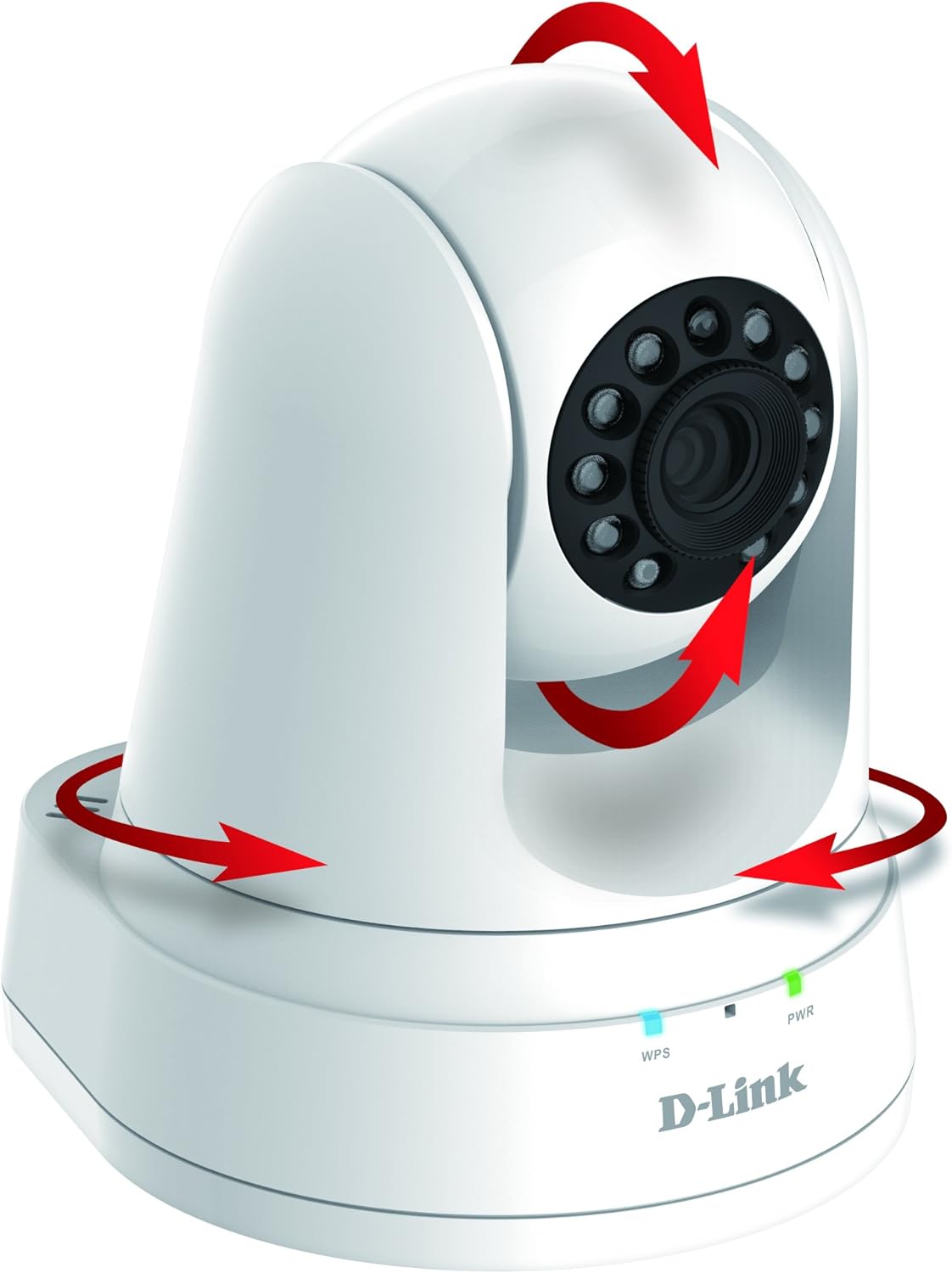
Image 1: D-Link DCS-5030L HD Pan & Tilt Wi-Fi Camera. This image displays the camera unit with red arrows indicating its pan and tilt capabilities.

Imagen 2: Anverso y reverso View of the DCS-5030L Camera. This diagram highlights key components such as the light sensor, camera lens, IR LEDs, microphone, WPS LED, Power LED, Ethernet Port, WPS Button, Reset Button, microSDXC Card Slot, and microUSB Power Connector.
Producto terminadoview Video
Video 1: An official D-Link product overview video demonstrating the camera's features and functionality.
DCS-5030L Features Video
Vídeo 2: Un vídeo muestraasing the D-Link DCS-5030L's key features, including 720p HD resolution, night vision, and remote access capabilities.
4. Configuración
4.1 Ubicación física
Place the camera in a central location within the desired monitoring area. Ensure it is within range of your Wi-Fi network. The camera can be placed on a flat surface or mounted to a wall or ceiling using the included mounting kit.
4.2 Conexión de alimentación
- Connect the MicroUSB Power Adapter to the camera's microUSB port.
- Conecte el adaptador de corriente a una toma de corriente.
- Wait for the Power LED on the camera to turn solid green, indicating it is ready for setup.
4.3 Instalación de la aplicación y configuración inicial
- Descargar el mydlink Lite app from the Apple App Store or Google Play Store on your smartphone or tablet.
- Abrir el mydlink Lite app and follow the on-screen instructions to create a new mydlink account or log in to an existing one.
- Select 'Add a new device' and scan the QR code located on the bottom of your camera or on the Quick Installation Guide.
- Follow the app's prompts to connect the camera to your existing Wi-Fi network. This may involve using the WPS button on your router or manually entering Wi-Fi credentials.
- Once connected, the camera's LED will turn solid green, and you will be able to view live video from the app.
5. Operación de la cámara
5.1 Control de panorámica e inclinación
From the mydlink Lite app, you can remotely control the camera's viewángulo de inclinación:
- Pan: Desliza el dedo hacia la izquierda o hacia la derecha en vivo. view screen to rotate the camera horizontally (up to 340 degrees).
- Inclinación: Desliza hacia arriba o hacia abajo en la transmisión en vivo view screen to adjust the camera's vertical angle.
- Zoom digital: Pinch to zoom in or out on the live video feed for a closer look (4x digital zoom).
5.2 Visión nocturna
The camera is equipped with built-in IR LEDs, enabling it to see up to 16 feet in complete darkness. Night vision activates automatically in low-light conditions, providing continuous surveillance.
5.3 Motion & Sound Detection
The DCS-5030L features integrated motion and sound sensors. When triggered, the camera can:
- Automatically begin recording video to a microSD card (if installed).
- Envía notificaciones push a tu dispositivo móvil.
You can configure detection zones and sensitivity settings within the mydlink Lite app.
5.4 Acceso remoto
Access your camera's live feed and recordings from anywhere using the mydlink Lite app on your iOS or Android device, or through the mydlink web portal on a computer.
5.5 Opciones de grabación
The camera supports local recording to a microSD card (up to 128 GB, not included). You can set up recording schedules or trigger recordings based on motion and sound detection events via the mydlink Lite app.
6. Mantenimiento
- Limpieza: Use a soft, dry cloth to clean the camera lens and exterior. Avoid abrasive cleaners or solvents.
- Actualizaciones de firmware: Periodically check the mydlink Lite app or the D-Link support webSitio para actualizaciones de firmware para garantizar un rendimiento y seguridad óptimos.
- Condiciones ambientales: Operate the camera within the specified temperature range of 32 to 104°F (0 to 40°C) and humidity range of 20% to 80% non-condensing.
7. Solución de problemas
- Issue: Camera not connecting to Wi-Fi.
- Solución: Ensure the camera is within range of your Wi-Fi router. Check Wi-Fi password. Try restarting the camera and router. If using WPS, ensure your router supports it and is activated. For persistent issues, try a factory reset and re-setup.
- Issue: No video feed in the mydlink Lite app.
- Solución: Verify the camera is powered on and connected to the network (solid green LED). Check your internet connection. Ensure the mydlink Lite app is updated to the latest version. Restart the app.
- Issue: Motion/Sound detection alerts are not received.
- Solución: Check the detection settings in the mydlink Lite app to ensure they are enabled and configured correctly. Verify that push notifications are enabled for the mydlink Lite app in your phone's settings. Ensure the camera has a stable internet connection.
- Issue: Night vision is not clear.
- Solución: Ensure there are no obstructions directly in front of the camera lens. Avoid placing the camera facing a window at night, as reflections can impair night vision performance.
8. Especificaciones
| Nombre del modelo | DCS-5030L |
| Resolución de captura de video | 720p |
| Tecnología de conectividad | Inalámbrico (Wi-Fi) |
| Rango de visión nocturna | 16 pies |
| Viewángulo de ing | 94.36 grados |
| Funcionalidad de panorámica e inclinación | Sí |
| Zoom digital | 4x |
| Almacenamiento | microSDXC Card Slot (up to 128 GB) |
| Detección de movimiento/sonido | Sí |
| Fuente de poder | AC/DC (MicroUSB Power Adapter) |
| Temperatura de funcionamiento | De 32 a 104 °F (de 0 a 40 °C) |
| Dimensiones (L x An x Al) | 4.57 x 4.29 x 5.24 pulgadas |
| Peso del artículo | 10.2 onzas |
9. Garantía y soporte
The D-Link DCS-5030L comes with a 1-Year Limited Warranty. For detailed warranty information and to access technical support, please visit the official D-Link support websitio: support.dlink.com/warranty.
For further assistance, you can also refer to the D-Link website for FAQs, product documentation, and contact information for customer service.


