Introducción
Thank you for choosing the Coby Portable CD Player CD191. This device is designed to provide a versatile and enjoyable audio experience, combining classic CD playback with modern features like FM radio and MP3 compatibility. Its compact and shockproof design makes it ideal for both home use and on-the-go listening. Please read this manual thoroughly to understand the proper operation and maintenance of your new CD player.

un frente view of the Coby Portable CD Player, showcasing its compact design, LCD display, control buttons, and the included wired earbuds and Micro USB charging cable.
Información de seguridad
Para garantizar un funcionamiento seguro y evitar daños, tenga en cuenta las siguientes precauciones:
- No exponga la unidad a la lluvia, la humedad o temperaturas extremas.
- Avoid dropping or subjecting the unit to strong impacts, as this may damage internal components.
- No desmonte la unidad. Deje cualquier mantenimiento a personal cualificado.
- Use only the specified battery type (2 AA batteries) and ensure correct polarity.
- Evite escuchar a niveles de volumen excesivamente altos durante períodos prolongados para evitar daños auditivos.
- Keep the CD compartment clean and free of dust or debris.
Contenido del paquete
Verifique que todos los artículos estén presentes en el paquete:
- Coby Portable CD Player CD191
- Auriculares estéreo
- Cable micro USB

The high-fidelity wired stereo earbuds that come with the CD player, providing a personal listening experience.
Producto terminadoview
Componentes y controles
Familiarize yourself with the main components and controls of your CD player:
- Pantalla LCD: Muestra el número de pista, la hora, el modo y el estado de la batería.
- Compartimento de CD: Where the CD is inserted.
- Botón de reproducción/pausa: Inicia o pausa la reproducción.
- Botón Detener: Detiene la reproducción.
- Botones de saltar/buscar (◀◀ / ▶▶): Salta pistas o avanza/retrocede rápidamente.
- Botón de modo: Switches between CD, FM, and MP3 modes.
- Botón de programa: Se utiliza para programar el orden de las pistas.
- Botones de volumen +/-: Ajusta el nivel de salida de audio.
- Toma de auriculares (3.5 mm): Para conectar auriculares o dispositivos de audio externos.
- Puerto micro USB: Para fuente de alimentación externa.
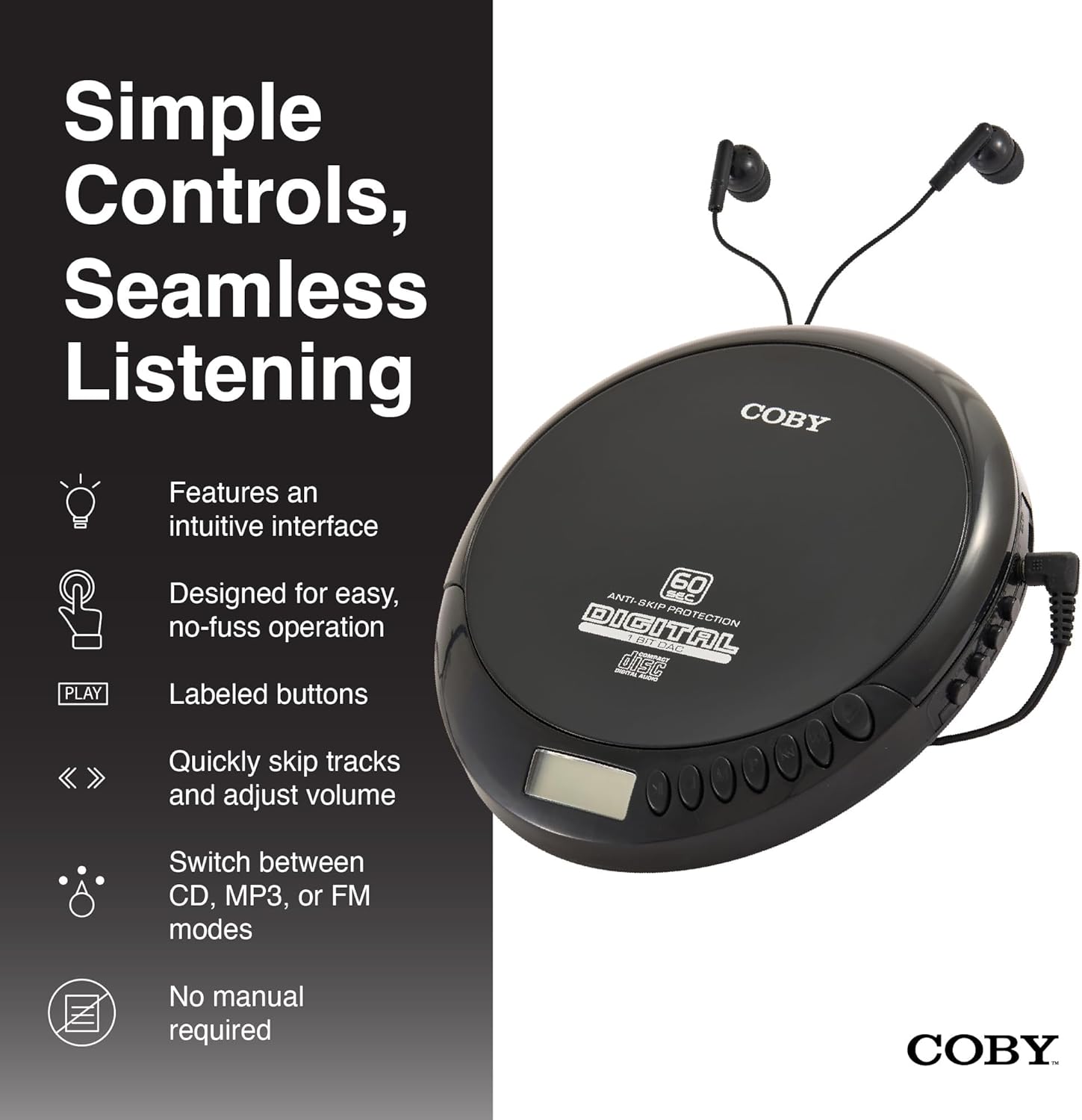
An illustration of the Coby CD Player highlighting its simple controls and intuitive interface.

Un detallado view of the player's LCD screen, which displays the current track number, elapsed time, and battery status.

A close-up of the player's intuitive control buttons, including Play/Pause, Stop, Skip/Search, Mode, and Program functions, designed for easy operation.
Configuración
Encender el dispositivo
The Coby CD Player can be powered by 2 AA batteries (not included) or via the included Micro USB cable.
- Instalación de la batería: Open the battery compartment cover on the back of the unit. Insert 2 AA batteries, ensuring correct polarity (+/-). Close the cover securely.
- Energía del USB: Connect the Micro USB cable to the Micro USB port on the CD player and the other end to a USB power source (e.g., USB wall adapter, computer USB port).

An image showing a user enjoying music with the Coby CD player, highlighting its versatility with both battery and USB power options.

The included Micro USB cable, used for powering the CD player when not using batteries.
Conexión de auriculares
Inserte el enchufe de 3.5 mm de sus auriculares en el conector para auriculares ubicado en el costado del reproductor de CD.
Insertar un CD
- Presione el botón ABRIR para abrir la tapa del compartimiento del CD.
- Carefully place the CD onto the center spindle with the label side facing up.
- Presione suavemente el CD hacia abajo hasta que encaje en su lugar.
- Cierre firmemente la tapa del compartimiento del CD hasta que encaje.
Instrucciones de funcionamiento
Reproducción de CD
- Insert a CD (CD, CD-R, CD-RW, or CD-MP3).
- Presione el REPRODUCIR/PAUSA Botón para iniciar la reproducción. La pantalla LCD mostrará el número de pista y el tiempo transcurrido.
- Para pausar la reproducción, presione REPRODUCIR/PAUSA de nuevo. Presiónelo una vez más para reanudar.
- Para detener la reproducción, presione el DETENER botón.
The player features 60-second anti-skip protection to ensure continuous audio during movement.
Seguimiento de navegación
- Prensa ▶▶ para saltar a la siguiente pista.
- Prensa ◀◀ to return to the beginning of the current track. Press it twice quickly to go to the previous track.
- Mantenga pulsado ▶▶ to fast-forward through the current track.
- Mantenga pulsado ◀◀ to rewind through the current track.
Control de volumen
Utilice el VOLUMEN + y VOLUMEN - buttons to adjust the listening volume to a comfortable level.
Funcionamiento de la radio FM
- Presione el MODO button until 'FM' appears on the LCD display.
- The player will automatically scan and tune to available FM stations.
- Utilice el ◀◀ y ▶▶ buttons to manually tune to specific frequencies or to scan for the next/previous strong station.

This image illustrates the built-in FM radio feature of the Coby CD player, allowing users to tune into their favorite radio stations.
MP3 reproducción
The Coby CD Player supports MP3 files burned onto CD-R or CD-RW discs. When an MP3 CD is inserted, the player will automatically detect the format and begin playback.
Connecting to External Audio Systems
You can connect your Coby CD Player to external speakers or a car audio system using a 3.5mm AUX cable (not included).
- Connect one end of the 3.5mm AUX cable to the headphone jack on the CD player.
- Connect the other end to the AUX input of your external speaker or car audio system.
- Asegúrese de que el dispositivo externo esté configurado en su modo de entrada AUX.

The CD player connected to an external speaker, demonstrating its ability to deliver enhanced sound with features like Super Bass and Crystal Clear Sound when connected to compatible audio systems.

The portable CD player integrated into a car's audio system via an AUX connection, allowing for on-the-go music playback through car speakers.
Mantenimiento
Limpieza de la unidad
- Limpie el exterior de la unidad con un paño suave y seco. No utilice limpiadores abrasivos ni disolventes.
- To clean the CD lens, use a specialized CD lens cleaning disc (not included).
Cuidado y almacenamiento de la batería
- Retire las baterías si la unidad no se utilizará durante un período prolongado para evitar fugas.
- Guarde la unidad en un lugar fresco y seco, alejado de la luz solar directa y de temperaturas extremas.
Solución de problemas
| Problema | Posible causa | Solución |
|---|---|---|
| La unidad no se enciende. | Batteries are dead or incorrectly inserted. USB cable not connected properly. | Reemplace las pilas por unas nuevas, asegurándose de que la polaridad sea correcta. Compruebe la conexión del cable USB. |
| Disc skipping or distorted sound. | Disc is dirty, scratched, or damaged. Unit is subjected to excessive vibration. | Clean the disc with a soft, lint-free cloth. Try a different disc. Ensure the anti-skip protection is active. Avoid strong impacts. |
| No hay sonido en los auriculares. | Los auriculares no están bien enchufados. El volumen está demasiado bajo. Los auriculares están defectuosos. | Ensure headphones are fully inserted into the jack. Increase the volume. Try a different pair of headphones. |
| Radio FM estática o mala recepción. | Señal débil. Interferencia. | Adjust the position of the unit. Try moving to a different location. |
| MP3 CD not recognized. | Disc format not supported or disc is corrupted. | Asegúrese de que el MP3 files are properly encoded and the disc is finalized. Try a different MP3 CD. |
Presupuesto
| Característica | Detalle |
|---|---|
| Dimensiones del producto | 5.5 x 1 x 5 pulgadas |
| Peso del artículo | 7 onzas |
| Número de modelo | CD-191-BLK |
| Fuente de poder | 2 AA batteries (not included), Micro USB |
| Tecnología de conectividad | Auxiliar, USB |
| Característica especial | Portable, FM Radio, MP3 Compatible |
| Protección Anti-Salto | 60 segundos |
| Formatos de disco compatibles | CD, CD-R, CD-RW, CD-MP3 |
Vídeo oficial del producto
Un video oficial del producto muestraasing the features and benefits of the Coby Portable CD Player with Stereo Earbuds.
Garantía y soporte
Para obtener información sobre la garantía y atención al cliente, consulte la documentación incluida con su compra o visite el sitio web oficial de Coby. webSitio. Los datos de contacto para soporte técnico suelen encontrarse en la página del producto del fabricante o en la tarjeta de garantía.
Coby Oficial Websitio: Visita la tienda Coby en Amazon


