Producto terminadoview
The Muse M-1280 BT is a versatile Bluetooth tower speaker designed to deliver clear audio with multiple connectivity options. It features A2DP Bluetooth for wireless streaming, a powerful 120W output, a PLL FM radio tuner, and ports for USB and SD card playback. Additionally, it includes a USB charging function and an auxiliary input for wired connections. The speaker is housed in a stylish wooden cabinet and stands approximately 100cm tall, making it a prominent addition to any room.
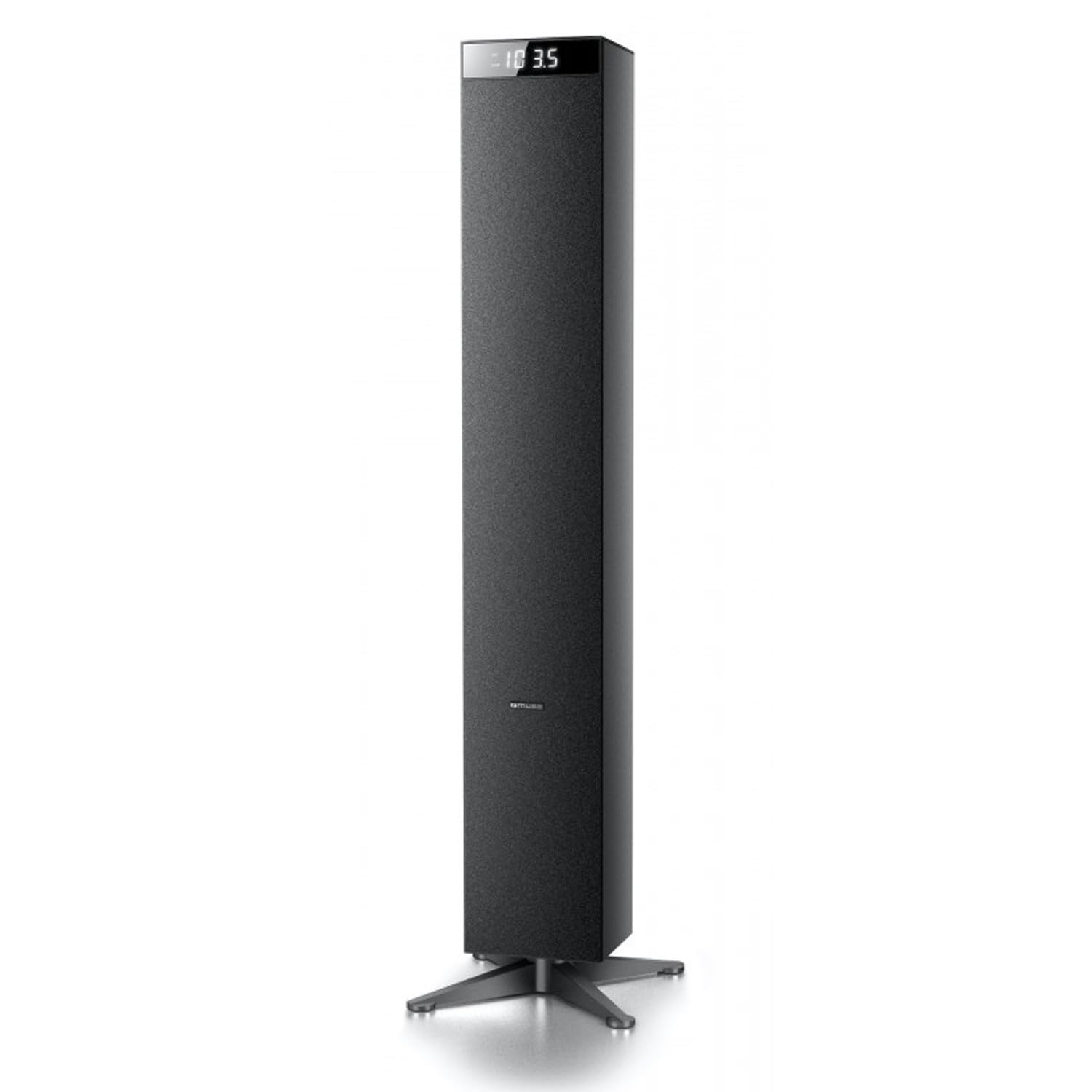
Imagen: Frente view of the Muse M-1280 BT Bluetooth Tower Speaker, showcasing su elegante diseño negro y pantalla integrada.
Contenido del paquete
Antes de la instalación, asegúrese de que todos los elementos estén presentes en el paquete:
- Muse M-1280 BT Bluetooth Tower Speaker
- Mando a distancia
- Cable de entrada auxiliar
- Guía de inicio rápido
- Cable de alimentación
Instrucciones de instalación
- Desembalaje: Retire con cuidado el altavoz y todos los accesorios del embalaje.
- Colocación: Position the M-1280 BT speaker on a stable, flat surface. Ensure it is placed in a location with good ventilation and away from direct sunlight, heat sources, or moisture. The speaker is designed for floor standing.
- Conecte la electricidad: Insert the power cable into the AC IN port on the back of the speaker, then plug the other end into a standard wall outlet.
- Encendido inicial: Press the Power button on the top panel or the remote control to turn on the speaker. The display will illuminate.

Image: The Muse M-1280 BT speaker positioned in a room, with a detailed view of its top control panel and phone dock.
Instrucciones de funcionamiento
1. Selecting a Source
Presione el FUENTE button on the top panel or remote control to cycle through available input modes: Bluetooth, FM Radio, USB, SD, and AUX.
2. Modo Bluetooth
- Seleccionar Bluetooth mode using the SOURCE button. The display will show "BT" and flash, indicating it's in pairing mode.
- On your smartphone, tablet, laptop, or PC, enable Bluetooth and search for available devices.
- Seleccionar "M-1280BT" from the list of devices. Once paired, the speaker will emit a confirmation sound, and "BT" on the display will stop flashing.
- You can now play audio from your connected device. Use the playback controls on your device or the speaker's top panel/remote (Play/Pause, Next/Previous Track) to manage your music.
3. Modo de radio FM
- Seleccionar Radio FM mode using the SOURCE button.
- Para escanear y guardar estaciones automáticamente, mantenga presionada la tecla REPRODUCIR/PAUSA button (often labeled as "SCAN" or "AUTO" in radio mode). The speaker will scan for available FM stations and store them.
- Utilice el PISTA SIGUIENTE/ANTERIOR Botones para navegar a través de las estaciones guardadas.
- For manual tuning, briefly press the PISTA SIGUIENTE/ANTERIOR Botones para ajustar la frecuencia paso a paso.
4. Reproducción de tarjeta USB/SD
- Inserte una unidad flash USB en el Puerto USB o una tarjeta SD en el Ranura para tarjeta SD.
- Seleccionar USB or SD mode using the SOURCE button. The speaker will automatically begin playing compatible audio files.
- Use the playback controls (Play/Pause, Next/Previous Track) on the speaker or remote to control playback.
- Note: The speaker supports common audio file formats. Unsupported file types will not play.
5. Entrada AUX
- Connect one end of the provided Aux-In cable to the AUX IN port on the speaker and the other end to the audio output (e.g., headphone jack) of your external audio device.
- Seleccionar Auxiliar mode using the SOURCE button.
- Reproduce audio desde tu dispositivo externo. El volumen se puede controlar mediante el altavoz o el dispositivo externo.
6 Carga USB
The USB port on the speaker can also be used to charge compatible devices. Connect your device's USB charging cable to the speaker's USB port.

Image: Close-up of the Muse M-1280 BT speaker's top panel, highlighting the control buttons, digital display, and integrated dock for mobile devices.
Mantenimiento
- Limpieza: Utilice un paño suave y seco para limpiar el exterior del altavoz. No utilice limpiadores líquidos ni productos abrasivos, ya que podrían dañar el acabado.
- Almacenamiento: Si va a almacenar el altavoz durante un período prolongado, desconéctelo de la alimentación y guárdelo en un lugar fresco y seco.
- Ventilación: Asegúrese de que las aberturas de ventilación del altavoz no estén bloqueadas para evitar el sobrecalentamiento.
Solución de problemas
| Problema | Posible causa | Solución |
|---|---|---|
| Sin poder | Cable de alimentación no conectado; toma de corriente no activa | Ensure power cable is securely connected to both the speaker and a working wall outlet. |
| Sin sonido | Volume too low; Incorrect source selected; Device not paired (Bluetooth) or connected (AUX) | Increase volume. Select the correct input source. For Bluetooth, ensure device is paired. For AUX, ensure cable is fully inserted. |
| El emparejamiento de Bluetooth falla | El altavoz no está en modo de emparejamiento; Dispositivo demasiado lejos; Interferencia | Ensure speaker is in Bluetooth pairing mode (BT flashing). Move device closer to speaker. Avoid strong electromagnetic interference. |
| Mala recepción de radio FM | Señal débil; Antena no extendida | Adjust the position of the speaker. Ensure the FM antenna (if external) is fully extended. |
Presupuesto
- Nombre del modelo: M-1280BT
- Marca: MUSA
- Tipo de altavoz: Torre
- Tecnología de conectividad: Bluetooth (A2DP), USB, SD, AUX
- Potencia de salida: 120 Watts (Max)
- Sintonizador de radio: PLL FM
- Puerto USB: Yes (for playback and charging)
- Lector de tarjetas SD: Sí
- Fuente de energía: Cable eléctrico
- Material: Madera
- Color: Negro
- Dimensiones (L x An x Al): 20 x 18 x 101.2 cm (7.87 x 7.09 x 39.84 pulgadas)
- Peso: 5.3 kilogramos (11.68 libras)
- Componentes incluidos: Aux-In Cable, Quick Start Guide, Remote Control
- Dispositivos compatibles: Smartphone, Laptop, PC
Garantía y soporte
This Muse M-1280 BT speaker comes with a Garantía del fabricante por 1 año A partir de la fecha de compra. Conserve el comprobante de compra para reclamaciones de garantía.
For technical support, service, or warranty inquiries, please refer to the contact information provided in the Quick Start Guide or visit the official Muse website for your region. Do not attempt to repair the device yourself, as this may void the warranty.