1. Producto terminadoview
The House of Marley Rebel BT On-Ear Headphones offer a blend of superior sound quality and sustainable design. Featuring powerful 40mm drivers and Bluetooth technology, these headphones provide a continuous audio experience. They are crafted with eco-friendly materials, including Regrind silicone rubber and bio-plastic ear housings, reflecting a commitment to environmental responsibility. The design prioritizes comfort and durability, making them suitable for extended use.

Figura 1: Frente view of the House of Marley Rebel BT On-Ear Headphones.
2. ¿Qué hay en la caja?
Upon unboxing your Rebel BT headphones, ensure all components are present:
- Rebel BT On-Ear Headphones
- Removable Audio Cable with In-Line Microphone and 1-Button Remote
- Cable de carga USB (Micro-USB)
- Manual de instrucciones (este documento)
3. Características del producto
- Sonido superior: Equipped with 40mm dynamic drivers for balanced audio and enhanced bass.
- Conectividad inalámbrica: Bluetooth technology for seamless pairing with compatible devices.
- Conectividad dual: Use wirelessly via Bluetooth or wired with the included 3.5mm audio cable.
- Controles integrados: On-ear controls for volume adjustment, track navigation (play, pause, skip), and power.
- Micrófono incorporado: For hands-free calls, available both wirelessly and via the removable cable.
- Batería de larga duración: Rechargeable lithium-ion battery provides up to 10 hours of continuous Bluetooth playback.
- Diseño sustentable: Constructed with Regrind silicone rubber and 70% bio-plastic ear housings.
- Ajuste cómodo: Lightweight on-ear design with a durable polymer headband for extended wear.

Figure 2: Key features of the headphones, including durable construction, wireless controls, and extended playtime.
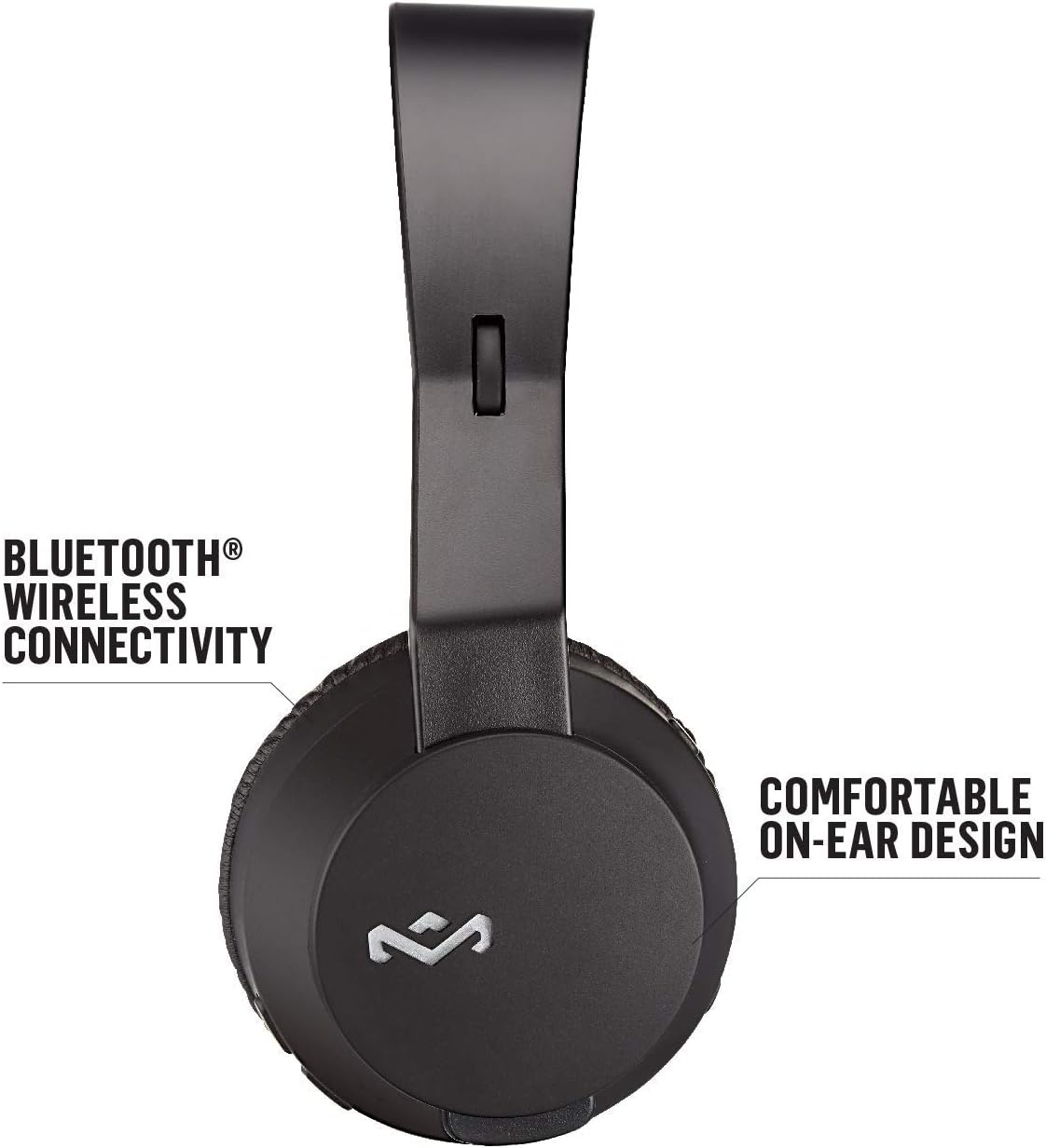
Figure 3: Illustrates the Bluetooth wireless connectivity and comfortable on-ear design of the headphones.

Figure 4: Details the sustainable materials used in the headphones, including Regrind silicone rubber and bio-based polymer.
4. Configuración
4.1 Carga de los auriculares
Before first use, fully charge your Rebel BT headphones. Connect the micro-USB end of the provided USB charging cable to the charging port on the headphone ear cup. Connect the USB-A end to a compatible USB power source (e.g., computer USB port, USB wall adapter). The LED indicator will show charging status and turn off when fully charged.
4.2 Encendido / Apagado
- Para encender: mantenga presionado el botón de encendido hasta que se encienda el indicador LED.
- Para apagar: mantenga presionado el botón de encendido hasta que el indicador LED se apague.
4.3 Emparejamiento Bluetooth
- Asegúrese de que los auriculares estén apagados.
- Mantenga presionado el botón de encendido durante aproximadamente 5 a 7 segundos hasta que el indicador LED parpadee en azul y rojo, lo que indica el modo de emparejamiento.
- En su dispositivo (teléfono inteligente, tableta, computadora), habilite Bluetooth y busque los dispositivos disponibles.
- Select "Rebel BT" from the list of found devices.
- Una vez emparejados, el indicador LED de los auriculares se volverá azul fijo o parpadeará en azul lentamente.
Nota: Los auriculares intentarán reconectarse automáticamente al último dispositivo emparejado cuando se enciendan.
5. Instrucciones de funcionamiento
5.1 Controles de reproducción de música
- Reproducir/Pausa: Presione el botón multifunción una vez.
- Pista siguiente: Mantenga presionado el botón para subir el volumen.
- Pista anterior: Mantenga presionado el botón para bajar el volumen.
- Sube el volumen: Presione brevemente el botón para subir el volumen.
- Bajar volumen: Presione brevemente el botón para bajar el volumen.
5.2 Gestión de llamadas
- Responder/Finalizar llamada: Presione el botón multifunción una vez.
- Rechazar llamada: Mantenga presionado el botón multifunción.
5.3 conexiones cableadas
To use the headphones in wired mode, connect the 3.5mm audio cable to the audio input port on the headphone ear cup and the other end to your audio device's 3.5mm output. The in-line microphone and 1-button remote on the cable can be used for basic controls (play/pause, answer/end call) when connected via wire.
Video 1: Official product video for House of Marley Rebel Wireless Headphones. This video provides an overview of the headphones' features and usage.
6. Mantenimiento
- Limpieza: Utilice un paño suave y seco para limpiar los auriculares. No utilice limpiadores abrasivos ni disolventes.
- Almacenamiento: Guarde los auriculares en un lugar fresco y seco, alejado de la luz solar directa y de temperaturas extremas.
- Cuidado de la batería: Para prolongar la vida útil de la batería, evite descargarla por completo con frecuencia. Cárguela regularmente, incluso si no la usa durante períodos prolongados.
- Evite la humedad: These headphones are not water-resistant. Avoid exposure to water or excessive moisture.
7. Solución de problemas
| Problema | Posible causa | Solución |
|---|---|---|
| Los auriculares no se encienden | Batería baja | Cargue completamente los auriculares. |
| No se puede emparejar a través de Bluetooth | Los auriculares no están en modo de emparejamiento; el Bluetooth del dispositivo está desactivado; demasiado lejos del dispositivo | Asegúrate de que los auriculares estén en modo de emparejamiento (LED rojo/azul parpadeante). Activa el Bluetooth en tu dispositivo. Acerca los auriculares al dispositivo (a menos de 10 metros). |
| Sin sonido | Volumen demasiado bajo; fuente de audio incorrecta; auriculares no conectados | Increase volume on headphones and device. Check if the correct audio source is selected on your device. Re-pair Bluetooth or ensure wired connection is secure. |
| Mala calidad de sonido | Interference; low battery; damaged audio cable | Move away from other wireless devices. Charge the headphones. Try using the wired connection or a different audio cable. |
8. Especificaciones
- Nombre del modelo: Rebelde
- Número de modelo: EM-JH101-BK
- Marca: Marley
- Color: Negro
- Colocación de la oreja: En la oreja
- Tecnología de conectividad: Bluetooth, conector de 3.5 mm
- Tamaño del controlador de audio: 40 mm
- Batería: 1 batería de polímero de litio (incluida)
- Reproducción continua: Up to 10 hours (Bluetooth)
- Material: Regrind Silicone Rubber, 70% Bio-Plastic Ear Housings
- Dimensiones del producto: 2.5 x 7.5 x 7.5 pulgadas
- Peso del artículo: 7.1 onzas (200 gramos)
- Tipo de control: Media Control, Music, Touch Control
- Nivel de resistencia al agua: No resistente al agua
- Código postal: 846885007266

Figure 5: Dimensions of the headphones in comparison to a standard smartphone.
9. Garantía y soporte
Para obtener información sobre la garantía y atención al cliente, consulte el sitio web oficial de House of Marley. webSitio web o contacte directamente con el servicio de atención al cliente. Conserve su comprobante de compra para cualquier reclamación de garantía.
Oficial Websitio: www.lacasademarley.com
For additional support and resources, you may also visit the Tienda Marley en Amazon.


