1. Introducción
This manual provides comprehensive instructions for the installation, operation, and maintenance of the HP Aruba 2930F 24G 4SFP+ Switch (Model JL253A). Please read this manual thoroughly before using the device to ensure proper setup and optimal performance. Retain this manual for future reference.
2. Producto terminadoview
The HP Aruba 2930F 24G 4SFP+ Switch is a high-performance network switch designed for enterprise edge deployments. It features 24 Gigabit Ethernet ports and 4 SFP+ ports for high-speed uplinks, providing reliable and secure connectivity.

Figura 2.1: Frente view of the HP Aruba 2930F 24G 4SFP+ Switch, showing 24 RJ45 Gigabit Ethernet ports, 4 SFP+ uplink ports, and LED indicators.

Figura 2.2: Angulado view of the HP Aruba 2930F 24G 4SFP+ Switch, highlighting its compact design suitable for rack mounting.
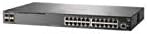
Figura 2.3: Lado view of the HP Aruba 2930F 24G 4SFP+ Switch, showing ventilation slots for heat dissipation.
3. Configuración
3.1 Desembalaje y verificación del contenido
Desembale con cuidado el conmutador y verifique que todos los componentes estén presentes. El paquete debe incluir:
- HP Aruba 2930F 24G 4SFP+ Switch (Model JL253A)
- Cable de alimentación
- Kit de montaje en bastidor
- Cable de consola
Si falta algún artículo o está dañado, comuníquese con su proveedor de inmediato.
3.2 Instalación física
- Montaje en bastidor: Use the provided rack-mount kit to secure the switch in a standard 19-inch equipment rack. Ensure adequate ventilation around the switch.
- Conexión de energía: Connect the power cable to the switch's power input and then to a grounded AC power outlet.
- Conexión de red inicial: Connect a computer to the switch's console port using the console cable for initial configuration, or connect to any RJ45 port for network access if DHCP is available.
Ensure all cables are securely connected and routed to prevent accidental disconnections.
4. Instrucciones de funcionamiento
4.1 Encendido y arranque inicial
Once the power cable is connected, the switch will automatically power on. Observe the LED indicators on the front panel. The Power LED should illuminate, indicating the device is receiving power. Other LEDs will indicate port status and activity.
4.2 Conectividad del puerto
- RJ45 Ports (10/100/1000BASE-T): Connect standard Ethernet cables (Cat5e or higher) to these ports for connecting network devices such as computers, servers, and other switches. These ports support auto-negotiation for speed and duplex settings.
- SFP+ Ports (10 Gigabit Ethernet): Use compatible SFP+ transceivers and fiber optic cables for high-speed uplinks to core switches or servers.
- PoE+ (Alimentación a través de Ethernet Plus): If your model supports PoE+, these ports can provide power to compatible devices like IP phones, wireless access points, and security cameras, eliminating the need for separate power supplies.
4.3 Indicadores LED
Los LED del panel frontal proporcionan el estado visual del conmutador y sus puertos:
- LED de encendido: Indica el estado de energía (Encendido/Apagado).
- LED de fallo: Indicates system errors or malfunctions.
- Port Link/Activity LEDs: Indicate link status (solid green for link) and network activity (flashing green). Different colors or patterns may indicate different speeds (e.g., amber for 100Mbps, green for 1Gbps). Refer to the device's specific LED guide for detailed interpretation.
5. Mantenimiento
5.1 Limpieza
Limpie periódicamente el exterior del interruptor con un paño suave y seco. No utilice limpiadores líquidos ni en aerosol. Asegúrese de que las aberturas de ventilación estén libres de polvo y obstrucciones para mantener un flujo de aire adecuado.
5.2 actualizaciones de firmware
Periodically check the Hewlett Packard (Aruba) support webSitio para actualizaciones de firmware. Mantener el firmware actualizado garantiza un rendimiento óptimo, seguridad y acceso a nuevas funciones. Siga atentamente las instrucciones incluidas con el paquete de actualización de firmware.
6. Solución de problemas
This section addresses common issues you might encounter with your HP Aruba 2930F switch.
- Sin energía:
- Verify the power cable is securely connected to both the switch and a working power outlet.
- Compruebe la toma de corriente con otro dispositivo para asegurarse de que funciona.
- No hay enlace en un puerto:
- Asegúrese de que el cable Ethernet esté conectado correctamente en ambos extremos.
- Pruebe con un cable Ethernet diferente.
- Test the connected device with another port or switch to isolate the issue.
- Verifique que el dispositivo conectado esté encendido y funcionando correctamente.
- Slow Network Connection:
- Check for excessive network traffic or bottlenecks.
- Ensure cables are Cat5e or higher for Gigabit speeds.
- Verify duplex settings on connected devices match the switch's auto-negotiated settings.
- Consider updating the switch firmware.
For more advanced troubleshooting or persistent issues, consult the official Hewlett Packard (Aruba) support documentation or contact technical support.
7. Especificaciones
| Característica | Valor |
|---|---|
| Marca | Hewlett Packard |
| Número de modelo | JL253A |
| Peso del artículo | 2.4 kilogramos (5.28 libras) |
| Dimensiones del producto (LxAnxAl) | 17.42 x 7.88 x 1.73 pulgadas |
| Volumentage | 200 voltios |
| Tipo de interfaz | RJ45, SFP+, PoE+ |
| Velocidad de transferencia de datos | 100 Megabits Per Second (per port, supports Gigabit on RJ45 and 10 Gigabit on SFP+) |
| RAM | 1024 MB |
| Número de puertos | 24 Gigabit Ethernet, 4 SFP+ (Total 28 logical ports) |
| Componentes incluidos | Cable de alimentación, kit de montaje en rack, cable de consola |
| Color | Negro |
| Dispositivos compatibles | Desktop (general network devices) |
Note: Data Transfer Rate of "100 Megabits Per Second" may refer to a baseline or specific port type; the switch supports Gigabit Ethernet on RJ45 ports and 10 Gigabit Ethernet on SFP+ ports.
8. Garantía y soporte
This HP Aruba 2930F 24G 4SFP+ Switch is manufactured by HEWLETT PACKARD. For warranty information, please refer to the warranty card included with your product or visit the official Hewlett Packard Enterprise (Aruba) website. Technical support and additional resources can be found on their support portal.
Para obtener ayuda, visite: Soporte de redes de Aruba


