1. Producto terminadoview
The Makita MT01R1 12V max CXT Lithium-Ion Cordless Multi-Tool Kit is designed for a variety of applications including cutting, sanding, scraping, and grout removal. This compact tool offers performance and superior ergonomics, making it suitable for work in tight spaces.
Las características principales incluyen:
- Variable speed control dial (6,000-20,000 OPM) for matching speed to the application.
- 3.2° oscillation angle engineered for faster cutting and more aggressive sanding.
- Large on/off slide switch with lock-on button for operator convenience.
- Built-in L.E.D. light at the tip of the tool to illuminate the work area.
- Hex wrench storage on the tool for easy accessory changes.
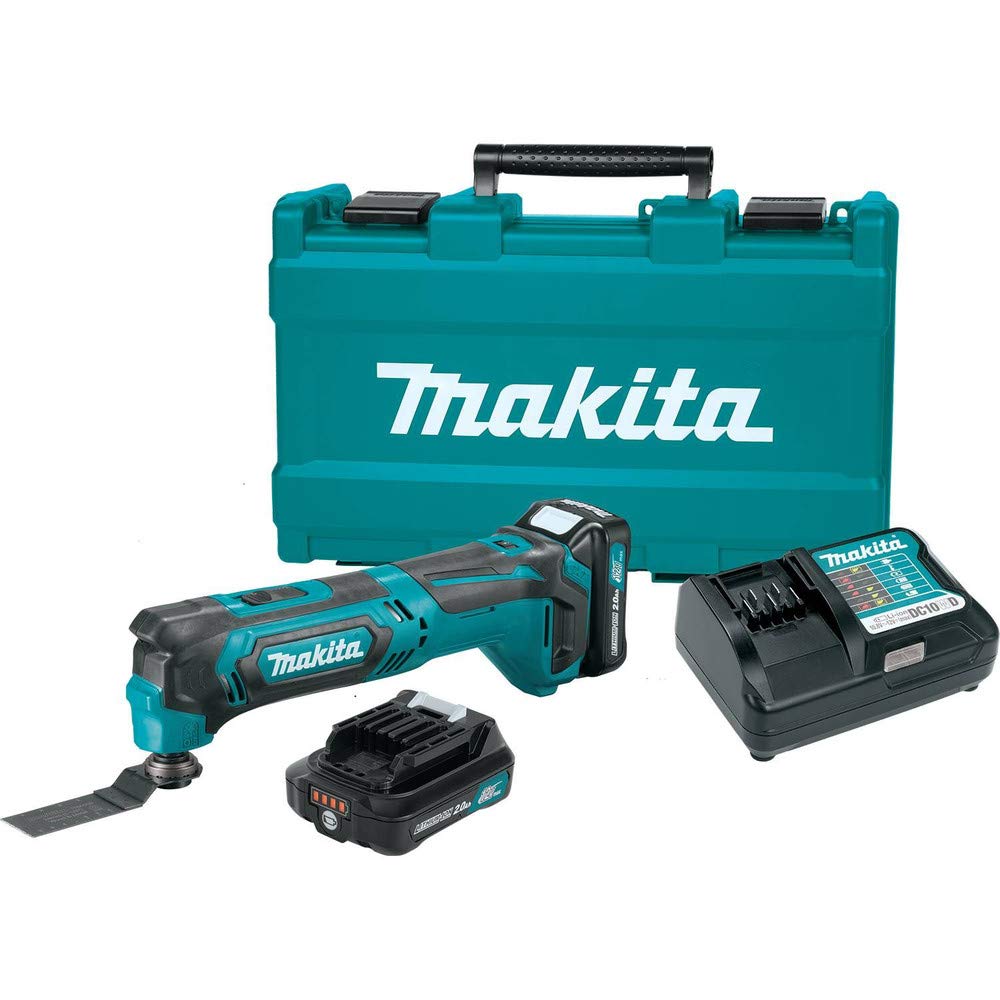
Figure 1: Makita MT01R1 Multi-Tool with battery installed.
2. Información de seguridad
Observe siempre las precauciones básicas de seguridad para reducir el riesgo de incendio, descarga eléctrica y lesiones personales al utilizar herramientas eléctricas. Lea y comprenda todas las instrucciones antes de usarlas.
Advertencias generales de seguridad para herramientas eléctricas
- Seguridad en el área de trabajo: Mantenga el área de trabajo limpia y bien iluminada. Las áreas desordenadas u oscuras pueden provocar accidentes. No opere herramientas eléctricas en atmósferas explosivas, como en presencia de líquidos, gases o polvo inflamables.
- Seguridad eléctrica: Evite el contacto corporal con superficies conectadas a tierra. No exponga las herramientas eléctricas a la lluvia ni a la humedad.
- Seguridad personal: Use siempre protección para los ojos. Use protección auditiva al trabajar durante periodos prolongados. Vístase adecuadamente; evite ropa holgada y joyas. Recójase el cabello largo.
- Uso y cuidado de herramientas: No fuerce la herramienta eléctrica. Utilice la herramienta eléctrica correcta para su aplicación. Desconecte el enchufe de la fuente de alimentación o retire la batería antes de realizar ajustes, cambiar accesorios o guardar la herramienta eléctrica.
- Uso y cuidado de la herramienta a batería: Recargue únicamente con el cargador especificado por el fabricante. Utilice herramientas eléctricas únicamente con baterías específicamente diseñadas.
3. Componentes incluidos
The Makita MT01R1 kit typically includes the following items:
- (2) 12V Max CXT Lithium-Ion 2.0Ah Battery (BL1021B)
- 1-1/4" Plunge Blade (Bim) (A-95255)
- 12V Max CXT Lithium-Ion Charger (DC10WD)
- Multi-Tool Adapter (196271-6)
- Multi-Tool Adapter (313249-6)
- Maletín para herramientas
4. Configuración
4.1 Instalación y carga de la batería
Ensure the battery is fully charged before first use. Insert the battery pack into the charger, ensuring proper alignment. The charger indicator light will show the charging status. Once charged, slide the battery pack into the tool until it clicks securely into place.
Video 1: Demonstration of a Makita battery charging. This short clip shows the indicator light on the charger changing from red to green, indicating a full charge.
4.2 Instalación de accesorios
To install an accessory (e.g., a saw blade or sanding pad), locate the hex bolt on the tool head. Use the included hex wrench to loosen the bolt. Align the accessory with the tool's mounting interface and secure it by tightening the hex bolt firmly. The tool includes on-board storage for the hex wrench.

Figure 2: A hand demonstrating the use of the hex wrench to change the multi-tool accessory.

Figure 3: The Makita multi-tool with a cutting blade securely attached.
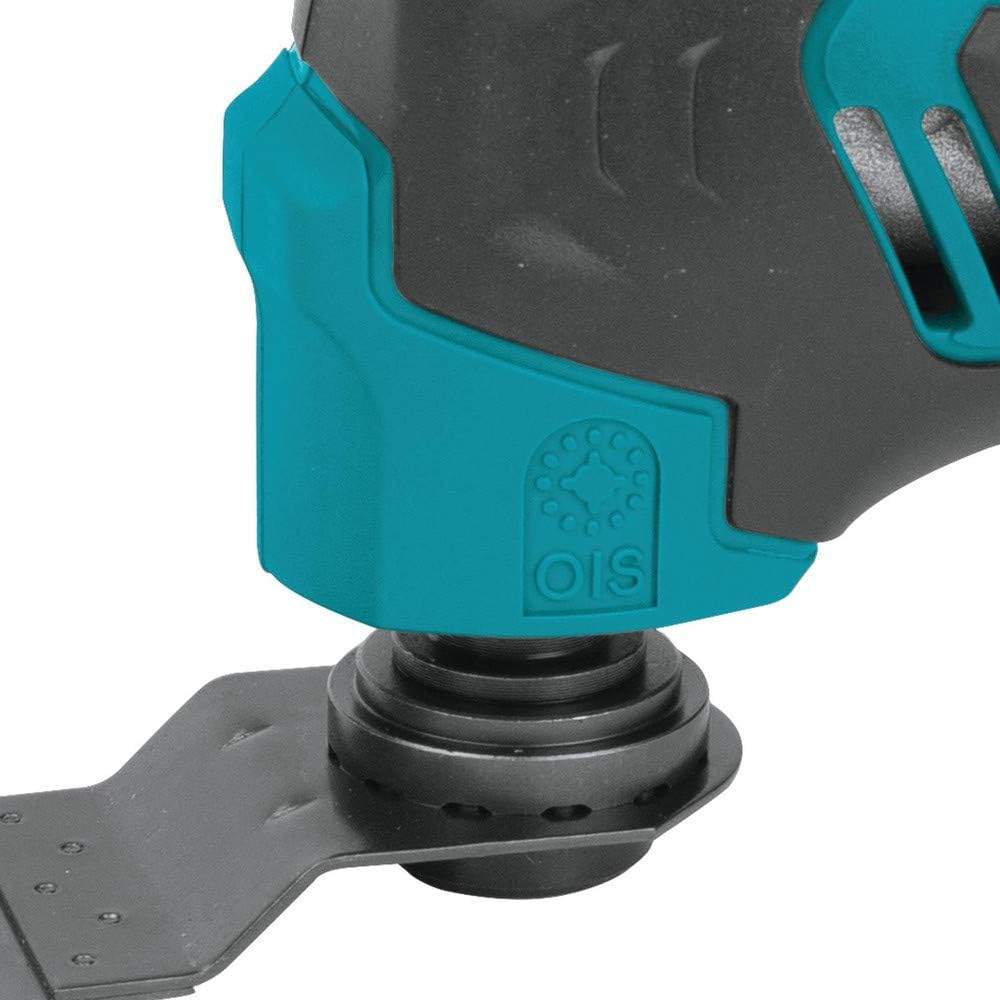
Figura 4: Una vista detallada view of the blade attachment mechanism on the multi-tool.
Video 2: This video demonstrates how to change the blade on the Makita oscillating multi-tool, showing the use of the hex wrench and the different types of blades available.
5. Instrucciones de funcionamiento
5.1 Encendido / Apagado
To turn the tool ON, slide the large on/off switch forward. To turn it OFF, slide the switch backward. The switch includes a lock-on button for continuous operation, enhancing user convenience during prolonged tasks.

Figure 5: A hand demonstrating the operation of the on/off slide switch.
5.2 Control de velocidad variable
The tool features a variable speed control dial, allowing adjustment of oscillations per minute (OPM) from 6,000 to 20,000. Rotate the dial to select the appropriate speed for your specific application, ensuring optimal performance and control.

Figure 6: A hand adjusting the variable speed control dial on the multi-tool.
5.3 Iluminación del área de trabajo
A built-in L.E.D. light is located at the tip of the tool. This light illuminates the work area, providing improved visibility, especially in dimly lit conditions or tight spaces.

Figure 7: The integrated LED light illuminating the work surface.
5.4 Uso general
The 3.2-degree oscillation angle is designed for efficient material removal during cutting and sanding tasks. The compact size and small barrel grip allow for easy handling and maneuverability, particularly in confined areas. The tool's adapter is compatible with most competitor's accessories, offering versatility.

Figure 8: A hand holding the Makita multi-tool during operation, demonstrating its ergonomic design.
6. Mantenimiento
El mantenimiento regular garantiza la longevidad y el rendimiento óptimo de su multiherramienta.
- Limpieza: Keep the tool's ventilation openings clean to prevent overheating. Regularly wipe down the tool with a dry cloth to remove dust and debris.
- Inspección de accesorios: Before each use, inspect accessories for wear, damage, or dullness. Replace worn or damaged accessories immediately to maintain cutting efficiency and safety.
- Cuidado de la batería: Guarde las baterías en un lugar fresco y seco, alejado de la luz solar directa. No las guarde descargadas durante períodos prolongados.
- Hex Wrench Storage: Always return the hex wrench to its designated storage slot on the tool after use to prevent loss.
7. Solución de problemas
If you encounter issues with your Makita MT01R1 multi-tool, refer to the following common troubleshooting steps:
- La herramienta no arranca: Ensure the battery is fully charged and properly inserted. Check the on/off switch for proper engagement.
- Rendimiento reducido: Verify that the accessory is securely attached and not dull or damaged. Adjust the variable speed dial to a higher setting if necessary for the material being worked on.
- Vibración/ruido excesivo: Check for loose accessories or components. Ensure the accessory is correctly installed and not bent or damaged.
- La batería no se carga: Confirm the charger is properly plugged into a working power outlet and the battery is correctly seated in the charger. Check for any damage to the battery or charger.
If problems persist after attempting these steps, contact Makita customer support or an authorized service center.
8. Especificaciones
| Característica | Especificación |
|---|---|
| Marca | Makita |
| Número de modelo | MT01R1 |
| Volumentage | 12 voltios |
| Fuente de poder | Funciona con pilas |
| Velocidad máxima de rotación | 20000 RPM |
| Velocidad mínima | 6000 RPM |
| Ángulo de oscilación | 3.2 grados |
| Peso del artículo | 2.4 libras |
| Dimensiones del producto | 5.2 x 19.3 x 13 pulgadas |
| Tipo de celda de la batería | Iones de litio |
| Número de baterías | 2 (incluido) |
| Características especiales | Compact, Cordless, Variable Speed, Built-in LED |
9. Garantía
The Makita MT01R1 12V CXT Lithium-Ion Cordless Multi-Tool Kit comes with a Garantía limitada de 3 años on the tool, battery, and charger. Please retain your proof of purchase for warranty claims. For detailed terms and conditions, refer to the official Makita warranty documentation or contact Makita customer service.
10. Soporte
Para obtener más ayuda, soporte técnico o para localizar un centro de servicio autorizado, visite el sitio web oficial de Makita. websitio o contacte con su departamento de atención al cliente. La información de contacto normalmente se encuentra en el sitio web de Makita. websitio o en los materiales de embalaje incluidos con su producto.


