1. Información de seguridad
Read and understand all safety warnings and instructions before using this product. Failure to follow the warnings and instructions may result in electric shock, fire, and/or serious injury.
- Utilice siempre protección ocular adecuada cuando trabaje con baterías.
- Asegúrese de que el vehículo esté en un área bien ventilada.
- Mantenga el probador alejado del calor, chispas, llamas abiertas y otras fuentes de ignición.
- Do not touch hot engine parts or moving components.
- Asegúrese de que los terminales de la batería estén limpios y libres de corrosión para obtener lecturas precisas.
- Do not immerse the tester in water or expose it to rain.
- This device is designed for 12V automotive batteries only. Do not use on other voltagy sistemas.
2. Producto terminadoview
The Sealey BT105 is a compact digital device designed for accurately testing 12V automotive batteries, cranking systems, and alternator charging systems. It provides quick and reliable results without generating heat or sparks, minimizing the risk of misdiagnosis. The tester operates without an internal battery, drawing power from the battery being tested, and can test batteries with a residual charge as low as 8V. Results are displayed on an LCD screen and can be printed via PC software.
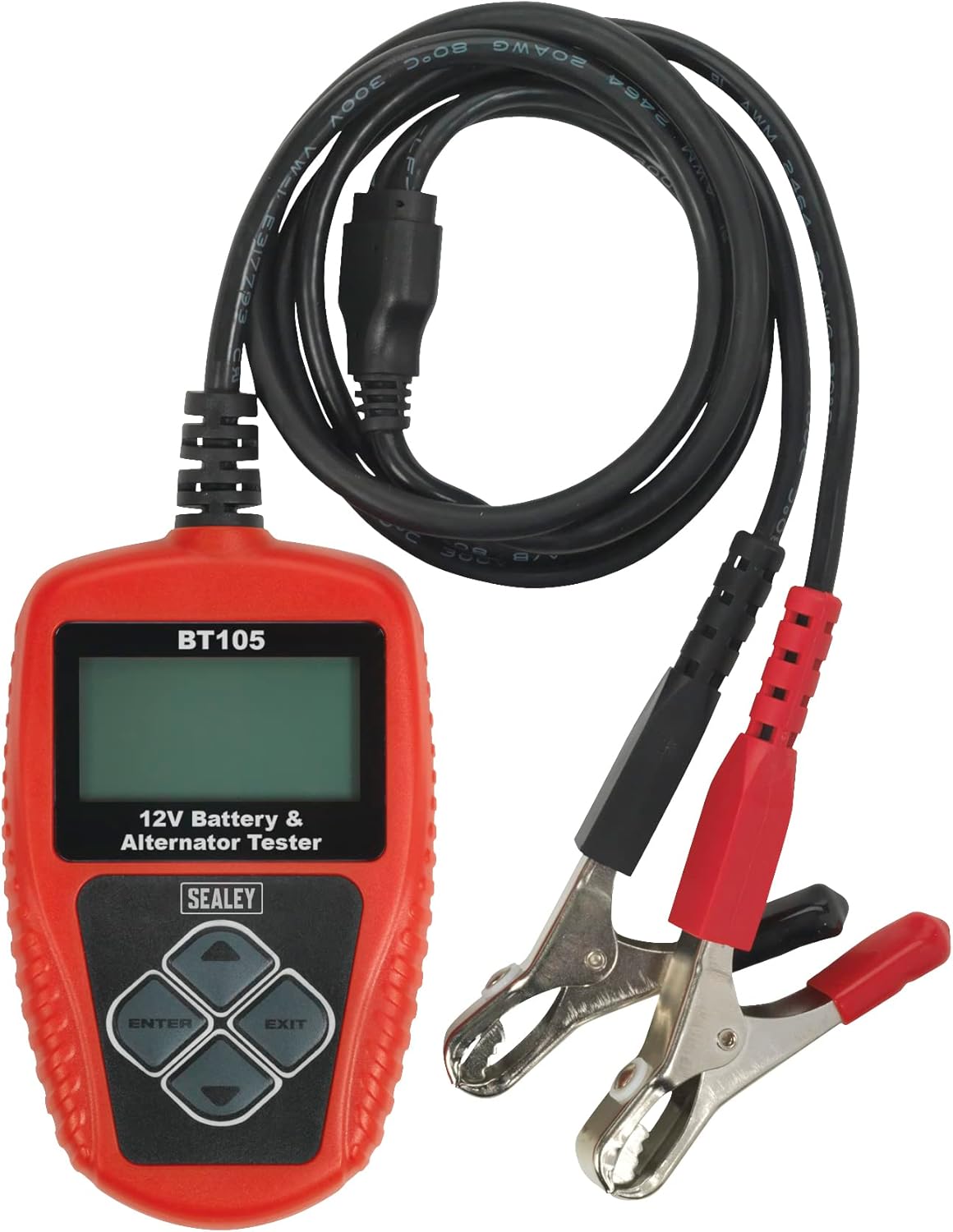
Figure 1: Sealey BT105 Digital Battery & Alternator Tester with attached cables.
Características principales:
- Accurately tests 12V batteries, cranking, and alternator systems.
- No heat, no sparks, and no misdiagnosis.
- LCD screen for clear display of results.
- Operates without an internal battery, powered by the tested battery.
- Capable of testing batteries with a residual charge of just 8V.
- Includes PC software for printing test results.
3. Configuración
The Sealey BT105 is ready for use directly out of its storage pouch. No assembly or internal battery charging is required as the unit is powered by the battery it is testing.
Conexión del comprobador:
- Ensure the vehicle ignition is off and all accessories are turned off.
- Conectar el rojo positivo (+) clamp al terminal positivo (+) de la batería de 12 V.
- Conectar el negro negativo (-) clamp al terminal negativo (-) de la batería de 12 V.
- El probador se encenderá automáticamente una vez conectado correctamente.
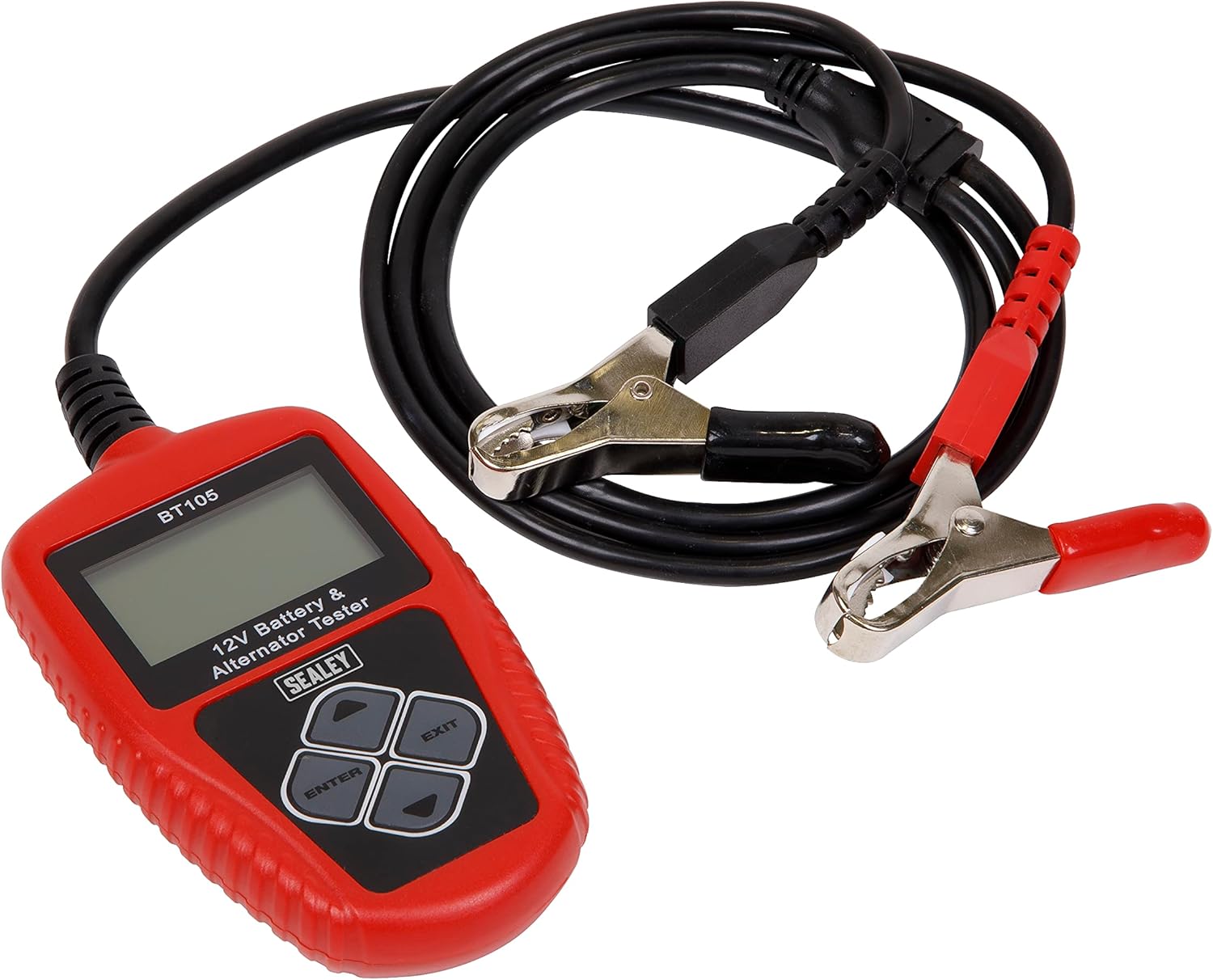
Figure 2: The BT105 tester with its red and black clamps ready for connection to a 12V battery.
4. Instrucciones de funcionamiento
The BT105 features a simple menu-driven interface. Use the arrow buttons to navigate and the ENTER button to select options. The EXIT button typically returns to the previous menu or cancels an operation.

Figure 3: Close-up of the BT105's LCD screen and control buttons (Up, Down, Left, Right, ENTER, EXIT).
Navegación del menú principal:
Upon powering on, the tester will display the main menu. Options typically include:
- Examen rápido: Performs a rapid assessment.
- Battery In Vehicle: For testing batteries installed in a vehicle.
- Battery Out Of Vehicle: For testing standalone batteries.
- Review Datos: View resultados de pruebas guardados previamente.
- Datos de impresión: Initiate printing of results via PC connection.
- Configuración del sistema: Configure language, time, and other settings.

Figure 4: The BT105 displaying its Main Menu with various testing and utility options.
Performing a Battery Test (In Vehicle):
- En el menú principal, seleccione 'Battery In Vehicle' y presione ENTER.
- The tester will prompt you to input the battery rating (e.g., CCA, Ah). Refer to the battery label for this information. Use the arrow keys to adjust the value and ENTER to confirm.
- The tester will then perform the test and display results such as battery health percentage, volumen de cargatage, internal resistance, and a recommendation (e.g., 'Good', 'Charge', 'Replace').
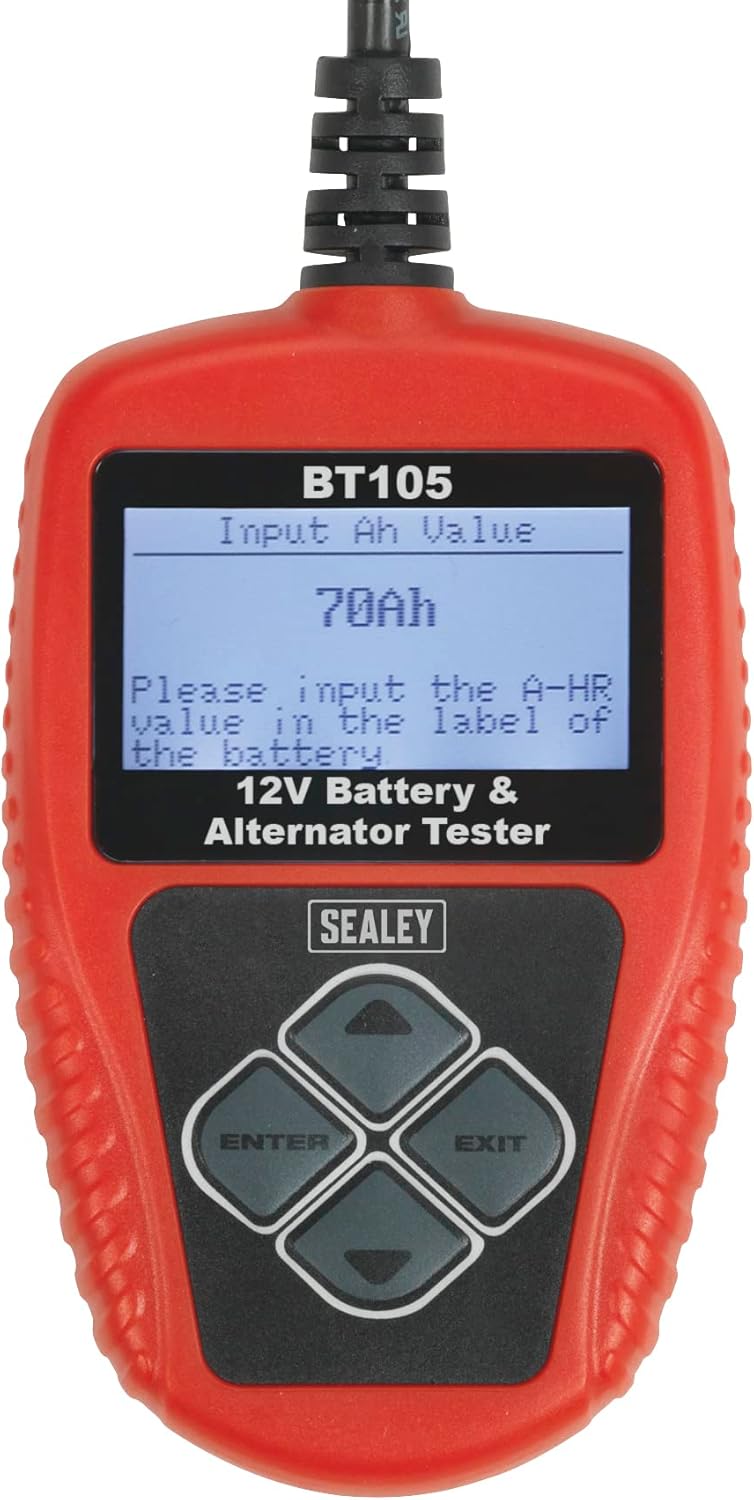
Figure 5: The BT105 screen prompting the user to input the battery's Ah (Amp-hour) value.
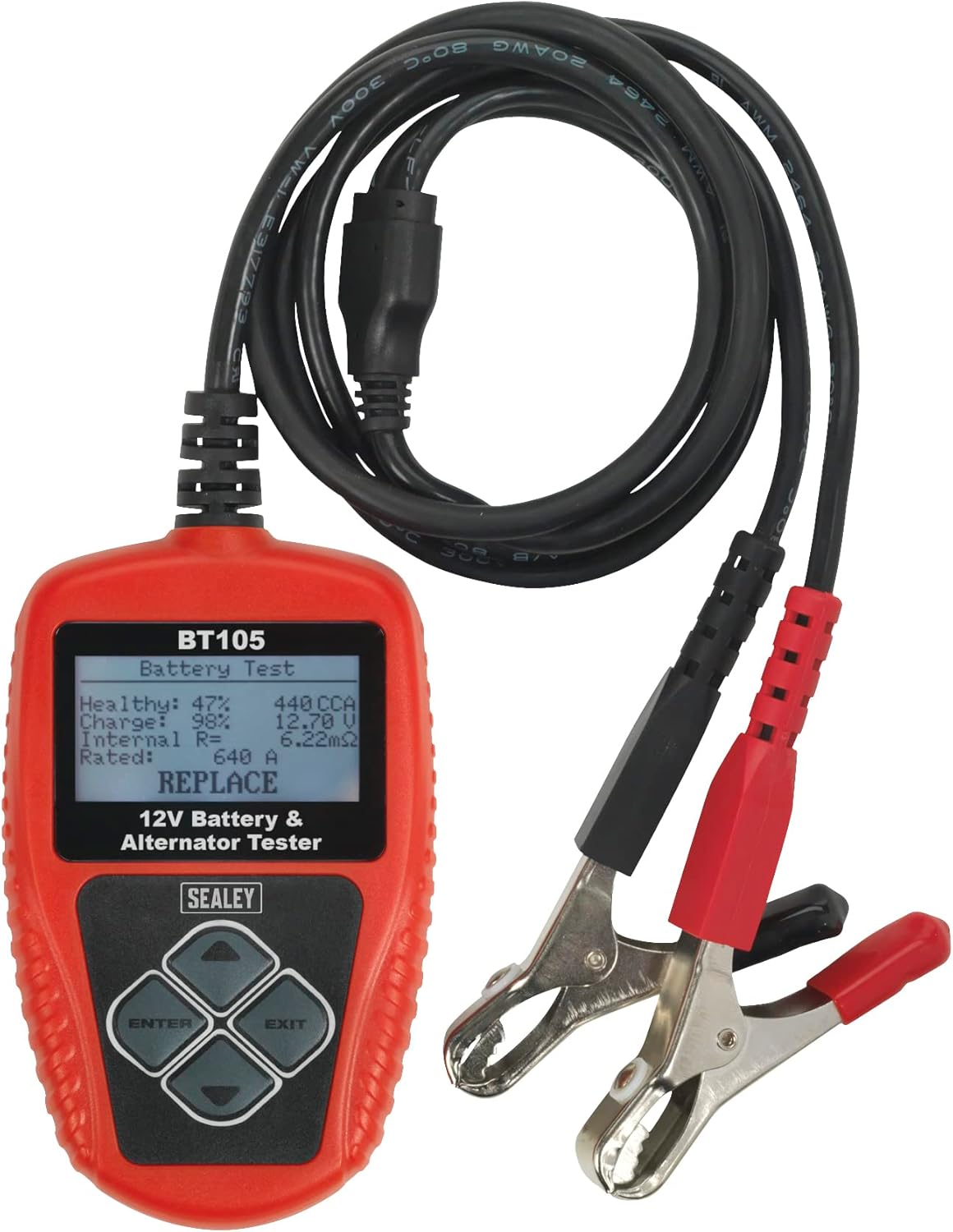
Figura 6: Example of battery test results displayed on the BT105, showing 'Healthy', 'Charge', 'Internal Res', 'Rated', and a 'REPLACE' recommendation.
Performing Cranking and Charging Tests:
After selecting 'Battery In Vehicle', you will typically be presented with options for further tests:
- Prueba de arranque: Follow on-screen prompts to start the vehicle engine. The tester will measure the cranking voltage y tiempo para evaluar el rendimiento del sistema de arranque.
- Prueba de carga: Follow on-screen prompts to run the engine at specified RPMs. The tester will measure the alternator's output voltage and ripple to evaluate the charging system.

Figure 7: The BT105 displaying the 'Test In Vehicle' menu, offering options for Battery, Cranking, and Charging tests.
Resultados de impresión:
The BT105 can connect to a PC to print test results. Install the provided PC software on your computer. Connect the tester to your PC using a USB cable (not always included, check packaging). Select 'Print Data' from the Main Menu on the tester and follow the software instructions on your PC.

Figure 8: The BT105 connected to a laptop, demonstrating the print function for test results.

Figura 9: Un usuario reviewing a printed report generated by the Sealey BT105 tester.
5. Mantenimiento
- Limpieza: Wipe the tester's casing con un suave, damp Paño. No utilice limpiadores abrasivos ni disolventes.
- Almacenamiento: Store the tester in its original pouch in a dry, cool place, away from direct sunlight and extreme temperatures.
- Inspección de cables: Inspeccione periódicamente los cables yampVerifique si hay signos de daño, desgaste o corrosión. Reemplácelo si es necesario.
6. Solución de problemas
| Problema | Posible causa | Solución |
|---|---|---|
| El probador no se enciende. | Mala conexión a los terminales de la batería; vol. de la bateríatage demasiado bajo (por debajo de 8 V). | Asegúrese de clamps are securely attached and terminals are clean. Charge battery if voltage está por debajo de 8V. |
| Lecturas inexactas. | Corroded battery terminals; Incorrect battery rating input. | Clean battery terminals. Verify the correct CCA or Ah value from the battery label. |
| Cannot print results. | PC software not installed; USB cable not connected; Driver issues. | Install the PC software. Ensure USB cable is securely connected to both tester and PC. Check PC device manager for driver issues. |
7. Especificaciones
- Modelo: BT105
- Marca: Sealey
- Vol de funcionamientotage: 12 V
- Vol. Mínimo de funcionamientotage: 8V
- Fuente de energía: Alimentado por batería (de batería probada)
- Dimensiones del producto: 5 x 23 x 17 cm
- Peso del artículo: 440 gramos
- Conectividad: USB for PC software
8. Garantía y soporte
This Sealey BT105 Digital Battery & Alternator Tester is covered by a Garantía de 1 años. For specific terms and conditions, please refer to the documentation included with your product or visit the official Sealey websitio.

Figure 10: Sealey 1 Year Guarantee.
For technical support, spare parts, or warranty claims, please contact your authorized Sealey dealer or visit the Sealey customer support portal.
Websitio: www.sealey.co.uk


