1. Introducción
The Sleepace Sn902-B Nox Music Smart Sleep Light is designed to enhance your sleep quality through a combination of soothing light and sound. This device monitors, tracks, and aims to improve your sleep experience, offering features such as a natural wake-up light, Bluetooth speaker functionality, and customizable lighting options.
2. Producto terminadoview
The Sleepace Nox Smart Sleep Light integrates several functions into a single device to support your sleep cycle.
Características principales:
- Sleep Aid Music and Light: Facilitates falling asleep with calming sounds and adjustable lighting.
- Luz de despertador: Simulates sunrise to gently wake you up naturally.
- Bocina Bluetooth: Allows wireless audio streaming from your devices.
- Iluminación personalizable: Offers 16 million LED light colors for selection.
- Control de gestos: Enables changing LED colors with simple hand gestures.
- Control inteligente de aplicaciones: Provides comprehensive control and sleep tracking via a dedicated mobile application.
Componentes:
El paquete del producto normalmente incluye:
- 1 x Sleepace Nox Music Smart Sleep Light unit
- Power Adapter (not explicitly listed but implied for a device of this type)
- Manual de usuario (este documento)


3. Configuración
- Desempaquetado: Carefully remove the Sleepace Nox Smart Sleep Light and all accessories from its packaging.
- Conexión de energía: Conecte el adaptador de corriente incluido al dispositivo y conéctelo a una toma de corriente estándar. El dispositivo se encenderá automáticamente.
- Descarga de la aplicación: Download the Sleepace companion application from your smartphone's app store (available for iOS and Android). Buscar "Sleepace" or "Nox".
- Emparejamiento de dispositivos:
- Open the Sleepace app on your smartphone.
- Follow the on-screen instructions within the app to create an account or log in.
- Select "Add Device" or a similar option and choose the Sleepace Nox from the list of available devices.
- Ensure your smartphone's Bluetooth is enabled for successful pairing. The device connects via Bluetooth 3.0 and above.
- Configuracion inicial: Once paired, the app will guide you through initial settings such as time, alarm preferences, and light/sound preferences.
4. Instrucciones de funcionamiento
4.1. Basic Controls (Touch & Gesture)
The Sleepace Nox features a central button and gesture recognition for quick adjustments.
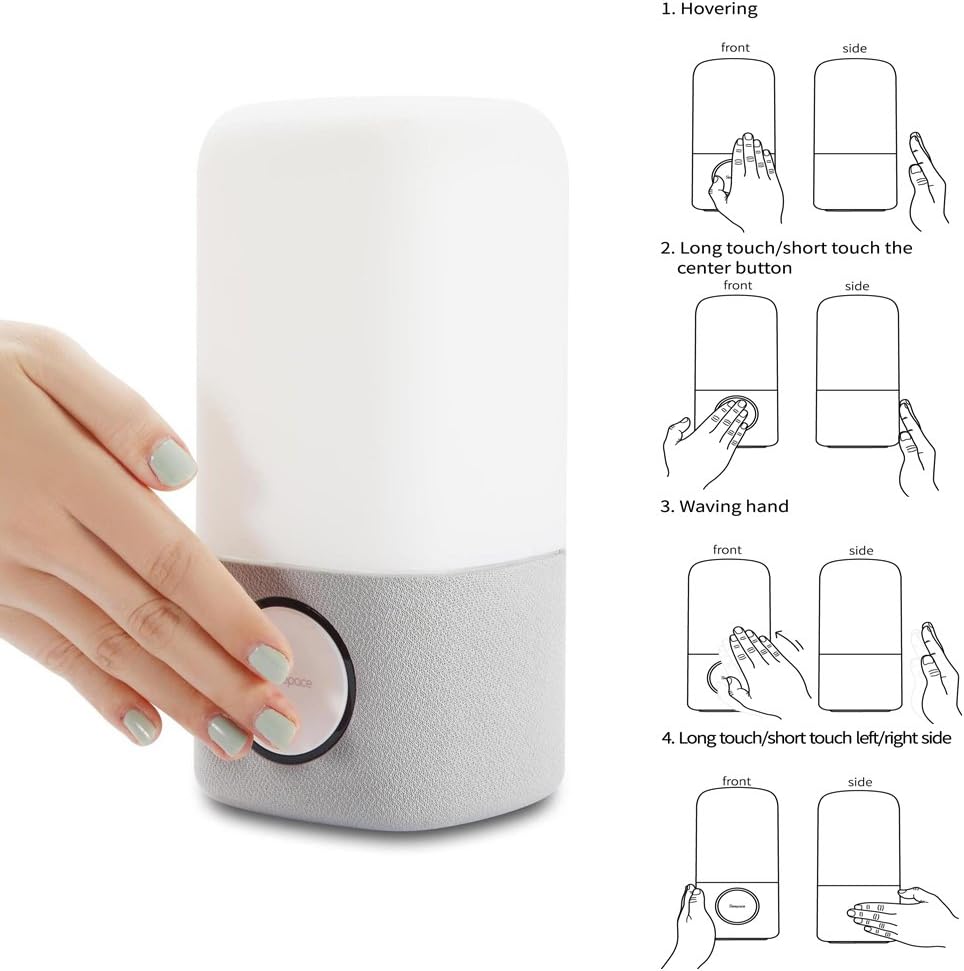
- Botón central: A short press typically toggles the light on/off or cycles through modes. A long press may activate pairing mode or other functions.
- Flotando: Moving your hand near the top of the light may activate certain features or change light settings.
- Waving Hand: Waving your hand across the device can be used to change light colors or modes.
- Left/Right Touch: Touching the sides of the device may adjust brightness or volume.
Refer to the Sleepace app for detailed customization of gesture controls.
4.2. Sleep Aid Function
The Nox light can help you fall asleep with soothing light and sound programs.
- Activación: Use the Sleepace app to select a sleep aid program.
- Luz y sonido: The device will emit calming light colors and sounds designed to promote relaxation.
- Duración: Set the duration of the sleep aid program through the app.

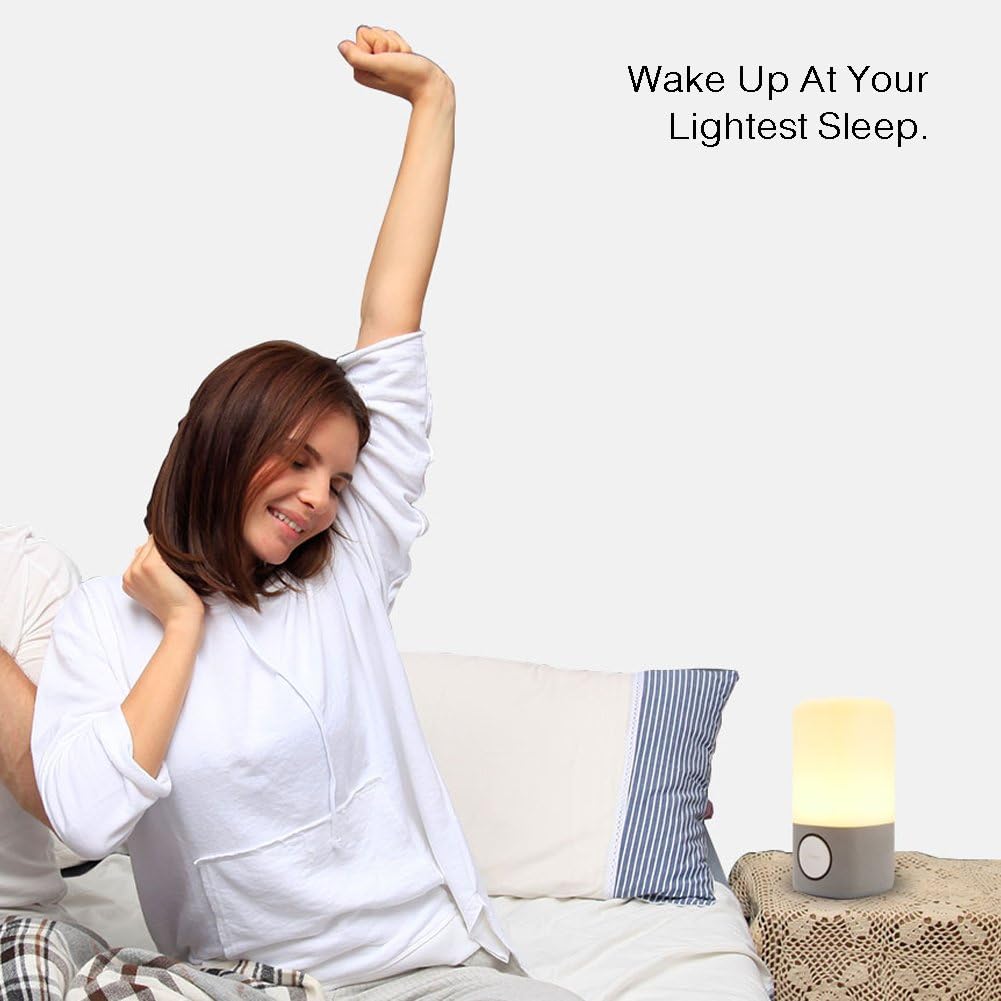
4.3. Función de luz de despertador
Experience a natural awakening with the simulated sunrise feature.
- Configuración de alarmas: Configure your wake-up time and alarm preferences within the Sleepace app.
- Simulación del amanecer: The light will gradually brighten before your set alarm time, mimicking a natural sunrise.
- Sonido de alarma: Choose from various alarm sounds or use your own music via the Bluetooth speaker function.
4.4. Altavoz Bluetooth
Connect your smartphone or other Bluetooth-enabled devices to play music or audio.
- Emparejamiento: Ensure the Nox is in Bluetooth pairing mode (usually indicated by a blinking light or voice prompt). Select "Sleepace Nox" from your device's Bluetooth settings.
- Reproducción de audio: Once paired, play audio from your device, and it will stream through the Nox's speaker.
- Control de volumen: Adjust volume via your connected device or potentially through gesture controls on the Nox.

5. Funciones avanzadas
5.1. 16 Million LED Light Colors
The Sleepace Nox offers a vast spectrum of colors to match your mood or environment.
- Selección de colores: Use the Sleepace app to choose from 16 million colors.
- Modos dinámicos: The app may offer dynamic lighting modes, such as color cycling or mood-based presets.
- Control de gestos: Certain gestures can be configured to cycle through favorite colors or activate specific lighting effects.

5.2. Sleep Tracking and Advice
While the product description mentions monitoring and tracking sleep quality, the primary mechanism for this is through the companion app, which processes data to provide insights and advice.
- Recopilación de datos: The device works in conjunction with the app to collect sleep-related data.
- Análisis: The app analyzes your sleep patterns and provides a sleep score.
- Personalized Advice: Based on your sleep data, the app offers personalized recommendations to improve your sleep habits.
6. Mantenimiento
- Limpieza: Use un suave, seco o ligeramente damp cloth to clean the exterior of the device. Avoid abrasive cleaners, solvents, or harsh chemicals.
- Desconexión de energía: Always unplug the device from the power source before cleaning or when not in use for extended periods.
- Colocación: Place the device on a stable, flat surface away from direct sunlight, heat sources, and moisture. The device is not waterproof.
- Almacenamiento: Guarde el dispositivo en un lugar fresco y seco cuando no esté en uso.
7. Solución de problemas
| Asunto | Posible causa | Solución |
|---|---|---|
| El dispositivo no se enciende. | No está conectado correctamente a la corriente; problema con la toma de corriente. | Asegúrese de que el adaptador de corriente esté bien conectado tanto al dispositivo como a una toma de corriente que funcione. Pruebe con otra toma de corriente. |
| No se puede conectar a través de Bluetooth. | Bluetooth is off on your device; Nox is not in pairing mode; interference. |
|
| Light is not changing colors or responding to gestures. | Gesture control disabled; app settings; sensor obstruction. |
|
| Sleep tracking data is inaccurate or not recording. | Device placement; app synchronization issues. |
|
8. Especificaciones
| Nombre del modelo: | Sn902-B |
| Marca: | As de sueño |
| Número de modelo del artículo: | 6956116200084 |
| Dimensiones del producto: | 10 profundidad x 10 ancho x 25 alto centímetros |
| Peso del artículo: | 1.16 kilogramos |
| Material: | Plástico |
| Fuente de energía: | Battery Powered (Note: Typically implies rechargeable internal battery or adapter, check product for specifics) |
| Tecnología de conectividad: | Bluetooth |
| Dispositivos compatibles: | Bluetooth 3 and above enabled devices |
| Método de control: | Toque, aplicación |
| Potencia máxima de salida del altavoz: | 10 vatios |
| Modo de salida de audio: | Estéreo |
| Características especiales: | Colour Changing, Sleep Aid, Wake Up Light, Bluetooth Speaker, Gesture Control |
| Es resistente al agua: | No |
9. Garantía y soporte
The Sleepace Sn902-B Nox Music Smart Sleep Light comes with a Garantía limitada. For specific details regarding warranty coverage, duration, and terms, please refer to the warranty card included with your product or contact Sleepace customer support.
For technical assistance, troubleshooting beyond this manual, or warranty claims, please contact the manufacturer's customer support. Contact information can typically be found on the product packaging, the official Sleepace website, or within the Sleepace mobile application.


