Introducción
This manual provides detailed instructions for the setup, operation, maintenance, and troubleshooting of your Aula Moon Slasher SI-2008 Mechanical Keyboard. Please read this manual thoroughly before using the product to ensure proper function and longevity.
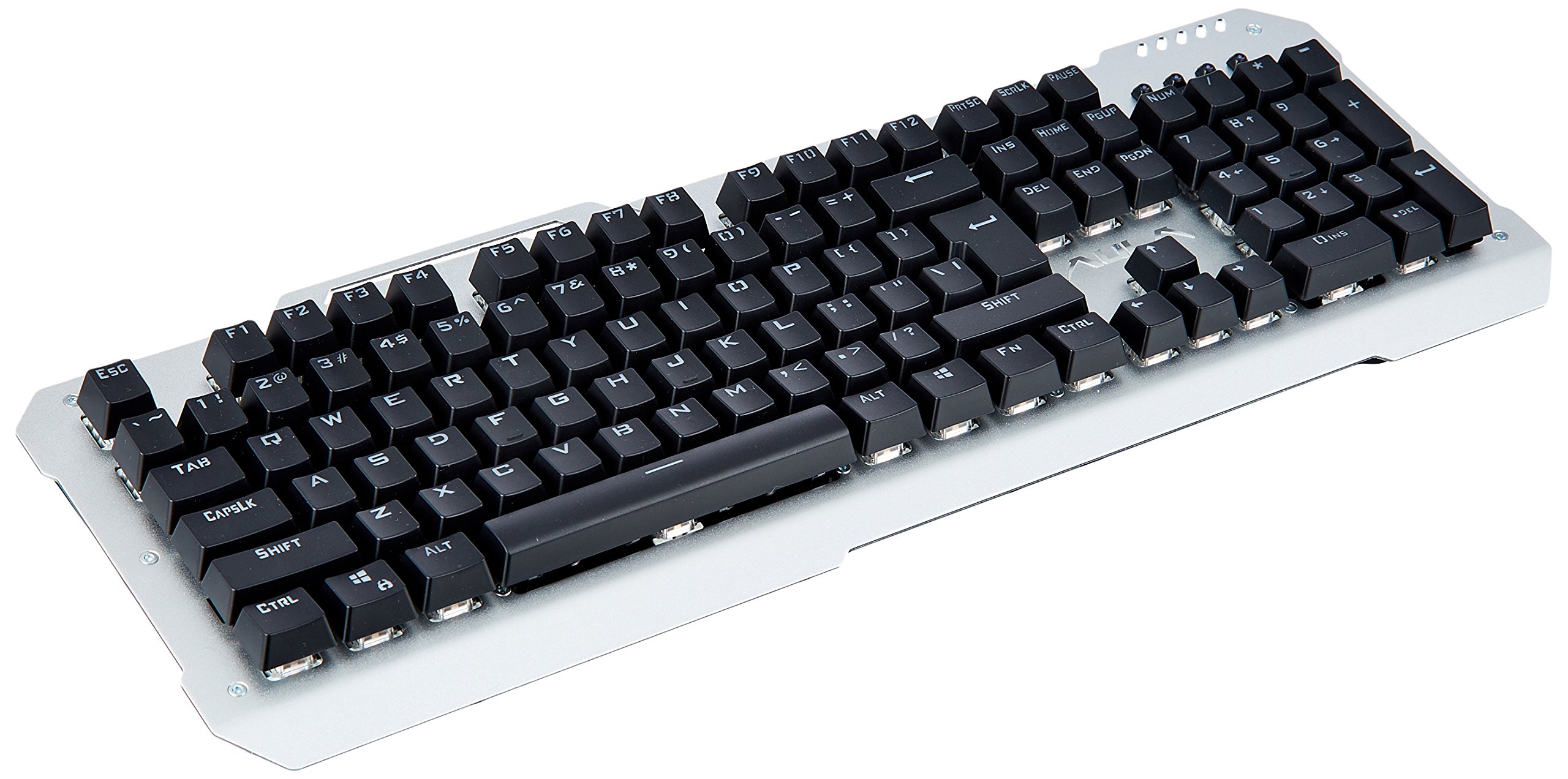
Imagen: de arriba hacia abajo view of the Aula Moon Slasher SI-2008 Mechanical Keyboard. It features a silver-colored metal frame with black keys, a standard 104-key layout including a numeric keypad, function keys, and navigation keys. The Aula logo is visible above the arrow keys.
Instrucciones de instalación
- Desembalaje del teclado: Carefully remove the keyboard from its packaging. Ensure all components, including the manual and warranty card, are present.
- Conectar a la computadora: Locate an available USB port on your computer. Insert the gold-plated USB connector of the keyboard into the USB port.
- Instalación del controlador: The keyboard is typically plug-and-play. Your operating system (e.g., Windows 10) should automatically detect and install the necessary drivers. No additional software installation is usually required.
- Prueba inicial: Once connected, open a text editor or word processor and test typing to ensure all keys are functioning correctly.
Operación del teclado
Características principales:
- Interruptores mecánicos: The keyboard features blue mechanical switches, providing tactile feedback and an audible click.
- Luz de fondo arcoíris: The keyboard is equipped with a rainbow backlight.
- Diseño a prueba de agua: The keyboard is designed to be waterproof, offering protection against accidental spills.
Control de luz de fondo:
The keyboard features various backlight modes and brightness levels. Use the Fn key in combination with specific function keys (F1-F12) or other designated keys to cycle through lighting effects, adjust brightness, or turn the backlight on/off. Refer to the included physical manual for specific key combinations, as these can vary by model revision.
Teclas de función:
Standard function keys (F1-F12) perform their usual operations. In combination with the Fn key, they may activate multimedia controls or other system functions. For exampel, Fn + F1 podría silenciar el audio, Fn + F2 / F3 might adjust volume, etc. Consult the physical manual for exact mappings.
Mantenimiento y cuidado
- Limpieza: Para limpiar el teclado, desconéctelo del ordenador. Utilice un paño suave.amp Paño para limpiar la superficie. Para eliminar el polvo y la suciedad entre las teclas, utilice aire comprimido. Evite productos químicos agresivos o limpiadores abrasivos.
- Resistencia a derrames: While the keyboard is waterproof, it is recommended to clean up any spills promptly to prevent long-term damage or residue buildup. Do not immerse the keyboard in water.
- Almacenamiento: Cuando no utilice el teclado durante períodos prolongados, guárdelo en un lugar seco y fresco, alejado de la luz solar directa.
Solución de problemas
| Problema | Solución |
|---|---|
| Teclado no responde |
|
| Certain keys are not working |
|
| Backlight is not working or flickering |
|
Especificaciones del producto
| Característica | Detalle |
|---|---|
| Marca | Aula |
| Número de modelo | SI-2008 |
| Serie | Moon Slasher |
| Color | Negro |
| Tipo de teclado | Mecánico |
| Tipo de interruptor | Blue switch |
| Conectividad | Wired (Gold-plated USB connector) |
| Iluminar desde el fondo | Luz de fondo de arco iris |
| Característica especial | Diseño resistente al agua |
| Dispositivos compatibles | Computadora portátil |
| Sistema operativo | Ventanas 10 |
| Peso del artículo | 1.27 kilogramos |
| Dimensiones del paquete | 50.3 x 22 x 6.3 cm |
Garantía y soporte
Este producto viene con un Garantía de 1 años. Please refer to the included warranty card for detailed terms and conditions. For technical support or warranty claims, please contact your retailer or the manufacturer directly. Keep your purchase receipt as proof of purchase.
Componentes incluidos: Manual, Warranty Card.


