Introducción
Gracias por la compraasing the Gemini AS-12BLU Professional Audio Bluetooth PA Loudspeaker. This manual provides essential information for the safe and efficient operation of your new audio system. Please read this manual thoroughly before use and retain it for future reference.
Características principales
- 12-inch 1500W Peak Class AB Built-In Amplifier for crisp, concert-quality sound.
- Impedance at 4 Ohms with a linear frequency response between 30Hz-20Khz.
- Pure titanium 1" HF Compression Driver and Wide Dispersion Horn.
- Integrated MP3 player with USB, SD card, Bluetooth, and FM Radio capabilities.
- Two input channels with separate gain controls.
- Multiple input options: Mic and Line XLR, 1/4’’, 1/8’’, and RCA inputs.
- Mix Output for connecting to other audio devices.
- High/Low Equalization Controls for precise audio adjustment.
- Durable ABS Impact Resistant Nylon Fiber Cabinet.
- Top and side handles for easy transport.
- Flyable and stand-mountable design for versatile placement.
- Clip LED Alert to prevent overheating.
Contenido del paquete
Por favor, marque la casilla correspondiente a los siguientes artículos:
- Gemini AS-12BLU PA Loudspeaker
- Adaptador de corriente
- Manual de usuario (este documento)
Si falta algún elemento o está dañado, comuníquese con su distribuidor de inmediato.
Controles y conexiones
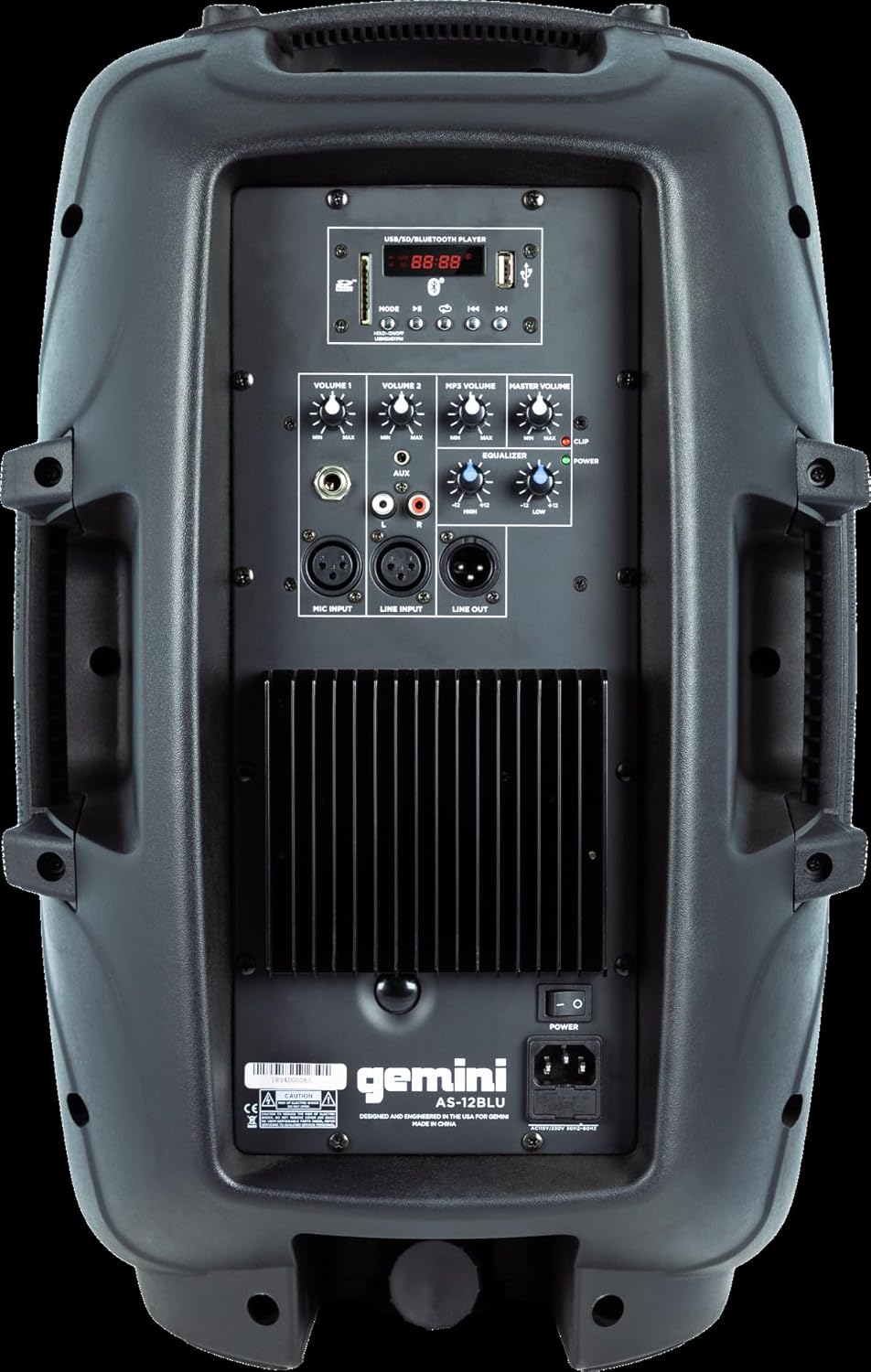
Image: Rear panel of the AS-12BLU loudspeaker. This view highlights the comprehensive control interface, including the USB/SD/Bluetooth player, volume controls, equalization knobs, and various input/output jacks.
Frente View
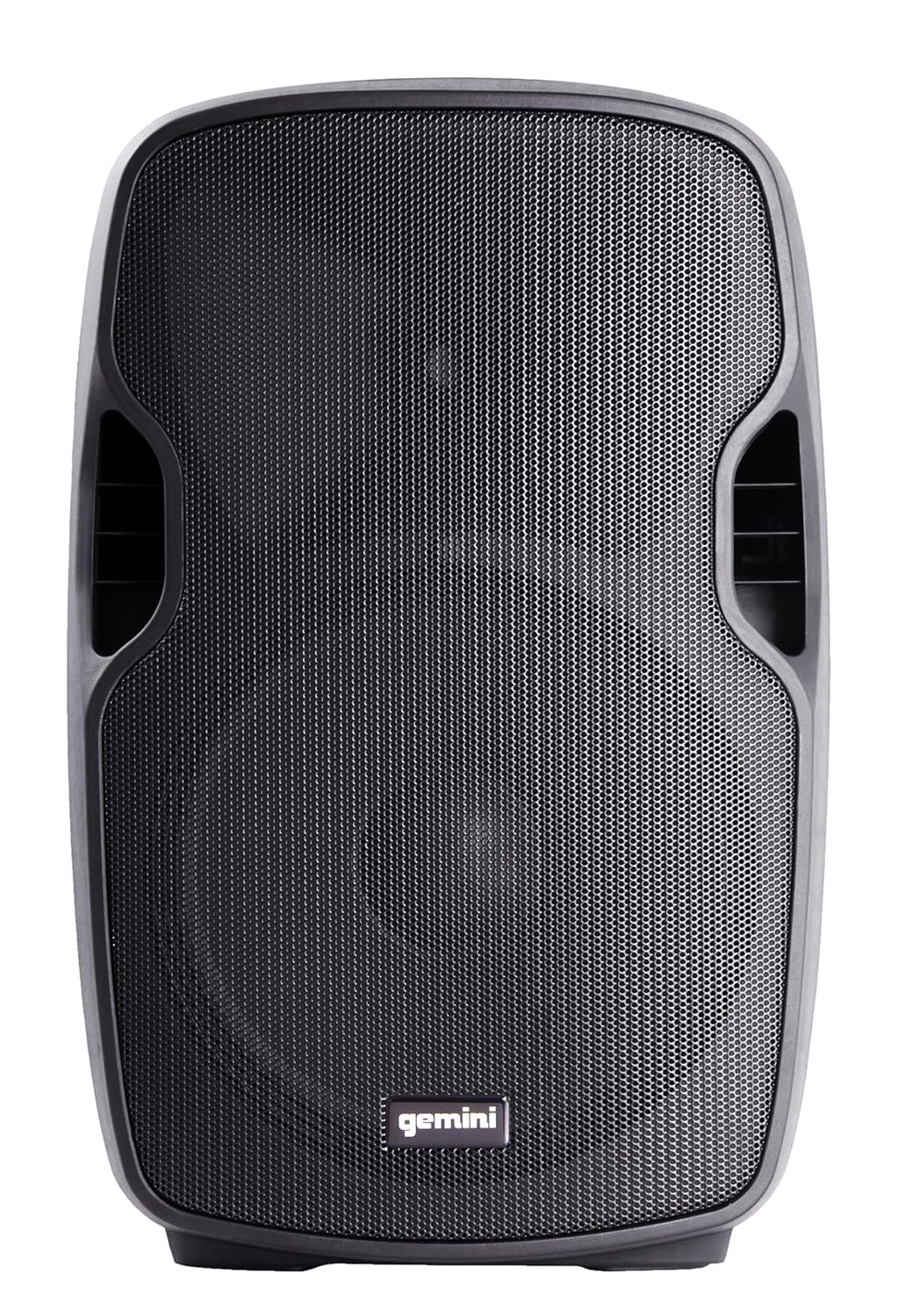
Imagen: Frente view of the AS-12BLU loudspeaker. This image displays the speaker's robust grille and integrated side handles, designed for both protection and portability.
Angular View
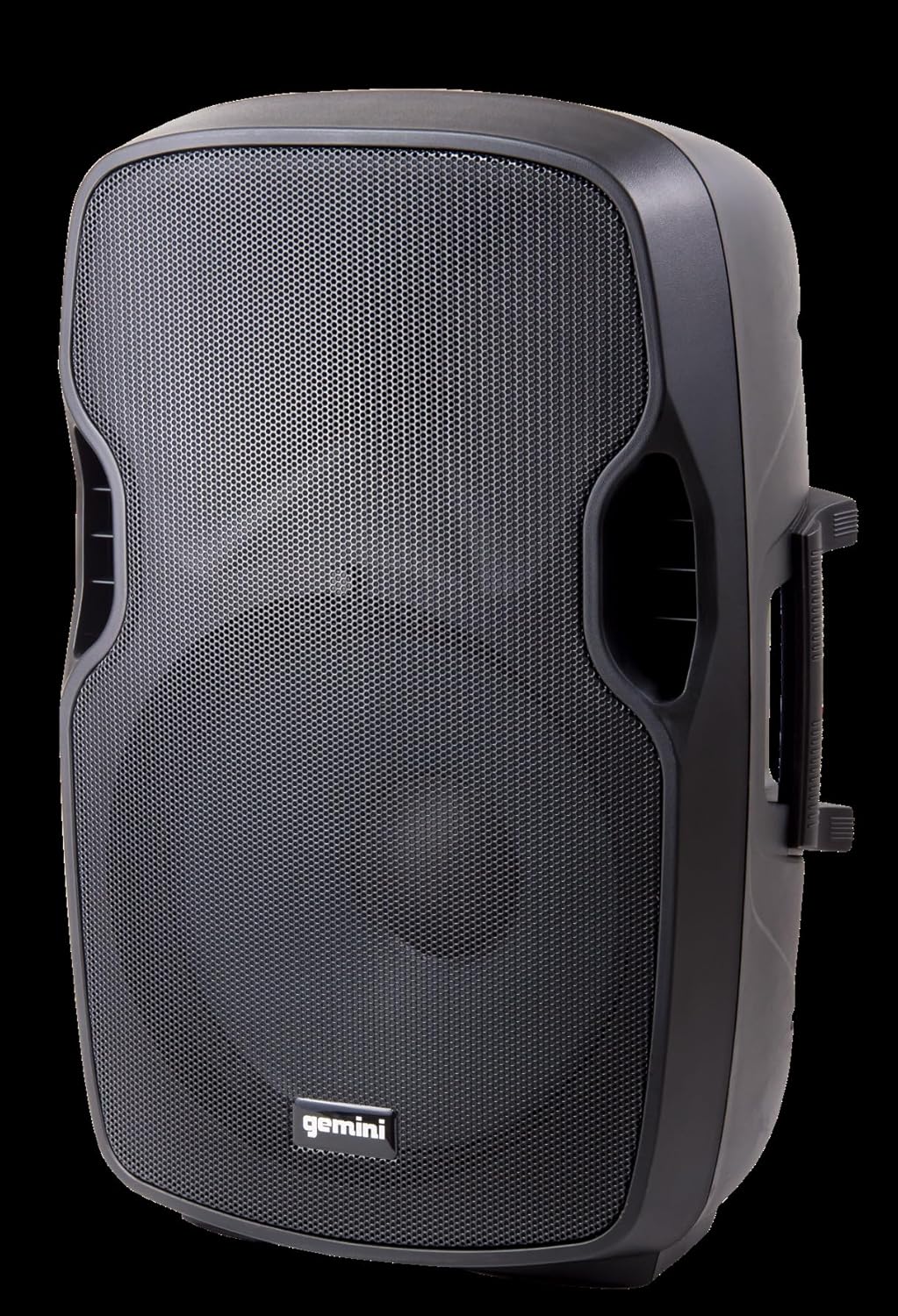
Imagen: En ángulo view of the AS-12BLU loudspeaker. This perspective highlights the speaker's ergonomic design, including the integrated handles on both sides, facilitating easy transport and setup.
Sobre el panel traseroview:
- USB/SD/Bluetooth Player: Digital media playback interface.
- Botón de modo: Switches between USB, SD, Bluetooth, and FM Radio modes.
- Volumen 1 y 2: Independent gain controls for Mic and Line inputs.
- Volumen del MP3: Controla el volumen del reproductor multimedia integrado.
- Volumen principal: Control de volumen de salida general.
- High/Low Equalization: Adjusts treble and bass frequencies.
- Mic Input (XLR & 1/4"): Para conectar micrófonos.
- Line Input (XLR, 1/4", 1/8", RCA): For connecting line-level audio sources (e.g., mixers, instruments, media players).
- Line Out (XLR): For connecting to additional PA speakers or recording devices.
- Interruptor de alimentación: Enciende y apaga la unidad.
- Entrada de CA: Connects the power adaptor.
- LED de clip: Illuminates when the audio signal is clipping, indicating potential distortion.
Configuración
- Colocación: Position the AS-12BLU on a stable, flat surface or mount it on a compatible speaker stand. Ensure adequate ventilation around the unit.
- Conexión de energía: Connect the provided power adaptor to the AC Input on the rear panel of the speaker, then plug the other end into a suitable power outlet.
- Encendido inicial: Ensure all volume controls are set to minimum before turning on the power switch.
- Conexión de fuentes de audio:
- Micrófono: Connect your microphone to the Mic Input (XLR or 1/4").
- Dispositivos de nivel de línea: Connect mixers, instruments, or other audio players to the Line Input (XLR, 1/4", 1/8", or RCA).
- Connecting Additional Speakers (Optional): Use the Line Out (XLR) to connect to the input of another powered PA speaker for expanded sound coverage.
Instrucciones de funcionamiento
Operación básica:
- After connecting all sources and powering on, slowly increase the Master Volume to a desired listening level.
- Adjust individual input volumes (Volume 1, Volume 2, MP3 Volume) as needed for proper balance.
- Use the High/Low Equalization controls to fine-tune the audio's treble and bass response.
- Monitor the Clip LED. If it illuminates frequently, reduce the input gain or volume to prevent distortion and potential speaker damage.
Emparejamiento Bluetooth:
- Press the "Mode" button on the USB/SD/Bluetooth Player until "BLUE" or "BT" appears on the display, indicating Bluetooth mode.
- En su dispositivo con Bluetooth (teléfono inteligente, tableta, etc.), habilite Bluetooth y busque los dispositivos disponibles.
- Select "GEMINI AS-12BLU" from the list of devices.
- Una vez emparejado, podrás reproducir audio desde tu dispositivo a través del altavoz.
Reproducción USB/SD:
- Inserte una unidad flash USB o una tarjeta SD que contenga audio MP3 files into the corresponding slot on the USB/SD/Bluetooth Player.
- The unit should automatically switch to USB or SD mode and begin playback. If not, press the "Mode" button to select the correct source.
- Use the playback controls (Play/Pause, Next/Previous Track) on the player to navigate your music.
Radio FM:
- Presione el botón “Mode” hasta que aparezca “FM” en la pantalla.
- The unit will automatically scan and store available FM radio stations.
- Use the Next/Previous Track buttons to cycle through the stored stations.
Mantenimiento
- Limpieza: Utilice un paño suave y seco para limpiar el exterior del altavoz. No utilice limpiadores abrasivos, ceras ni disolventes.
- Almacenamiento: Cuando no esté en uso, guarde el altavoz en un lugar fresco y seco, alejado de la luz solar directa y de temperaturas extremas.
- Ventilación: Asegúrese de que las rejillas de ventilación del altavoz no estén bloqueadas para evitar el sobrecalentamiento.
- Cable de alimentación: Regularly inspect the power cord for any damage. If damaged, replace it with an authorized Gemini part.
Solución de problemas
| Problema | Posible causa | Solución |
|---|---|---|
| Sin poder | Cable de alimentación no conectado; Toma de corriente no activa; Interruptor de encendido apagado. | Ensure power cord is securely connected. Check power outlet with another device. Turn power switch ON. |
| Sin salida de sonido | Master Volume too low; Input volume too low; Incorrect input selected; Audio source issue. | Increase Master Volume. Increase relevant input volume. Press "Mode" to select correct input. Check audio source device. |
| Sonido distorsionado | Volume levels too high (clipping); Damaged cable; Speaker overload. | Reduce Master Volume or input gain until Clip LED no longer illuminates. Replace faulty cables. Do not exceed speaker's rated power. |
| Bluetooth no se empareja | El altavoz no está en modo Bluetooth; el dispositivo está demasiado lejos; el dispositivo ya está emparejado con otro altavoz. | Ensure speaker is in Bluetooth mode ("BLUE" or "BT" on display). Move device closer to speaker. Disconnect device from other Bluetooth speakers. |
| USB/SD no reproduce | Incorrecto file formato; tarjeta USB/SD dañada; modo incorrecto seleccionado. | Asegurar files are MP3 format. Try a different USB/SD card. Press "Mode" to select USB or SD. |
Presupuesto
| Característica | Detalle |
|---|---|
| Número de modelo | AS-12BLU |
| Tipo de altavoz | 12-inch Portable Active PA Loudspeaker |
| Potencia máxima de salida | 1500 vatios |
| Ampclase más viva | Clase AB |
| Impedancia | 4 ohmios |
| Respuesta de frecuencia | 30Hz - 20KHz |
| Conductor de HF | 1" Pure Titanium Compression Driver |
| Conectividad | Bluetooth, USB, SD Card, FM Radio, XLR, 1/4", 1/8", RCA |
| Modo de salida de audio | Estéreo |
| Dimensiones del producto | 14.57 x 11.81 x 22.83 pulgadas |
| Peso del artículo | 11.42 libras |
| Material del gabinete | ABS Impact Resistant Nylon Fiber |
Garantía y soporte
Gemini products are designed for reliability and performance. For information regarding warranty coverage, technical support, or service, please visit the official Gemini websitio o comuníquese con su departamento de servicio al cliente.
Official Gemini Websitio: www.geminisound.com
Conserve su comprobante de compra para reclamos de garantía.


