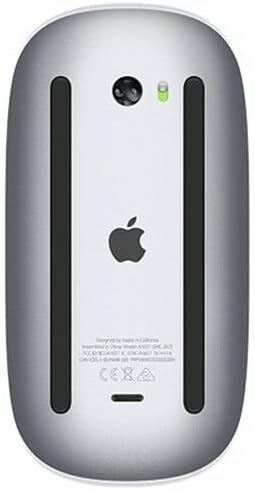
Producto terminadoview
The Apple Magic Mouse 2 is a wireless, rechargeable mouse designed for seamless integration with Mac OS X. It features a multi-touch surface for intuitive gestures and an ambidextrous design for comfortable use by both left and right-handed users. Its optimized foot design allows for smooth gliding across surfaces, enhancing precision and ease of use.
Características principales
- Conectividad inalámbrica: Connects wirelessly via Bluetooth for convenient, clutter-free use.
- Multi-Touch Surface: Supports intuitive gestures like swiping and scrolling directly on the mouse surface.
- Batería recargable: Features a built-in rechargeable battery, eliminating the need for disposable batteries.
- Diseño ambidiestro: Ergonomically designed for comfortable use in either hand.
- Optimized Foot Design: Ensures smooth and effortless gliding across your desk.
Mantenimiento
Cleaning Your Magic Mouse 2
To keep your Magic Mouse 2 clean and functioning optimally:
- Turn off the mouse using the switch on the bottom.
- Utilice un paño suave y sin pelusa ligeramente seco.ampSe limpia con agua las superficies exteriores.
- Avoid getting moisture in any openings. Do not use window cleaners, household cleaners, aerosol sprays, solvents, alcohol, ammonia, or abrasives to clean your mouse.
Cuidado de la batería
To maximize the lifespan of your Magic Mouse 2's rechargeable battery:
- Evite descargar completamente la batería con frecuencia.
- Guarde el ratón a temperatura ambiente cuando no lo utilice durante períodos prolongados.
- Si lo va a guardar durante un tiempo prolongado, cargue la batería hasta aproximadamente el 50 % antes de apagarlo.
Garantía y soporte
Garantía del producto
Apple products typically come with a one-year limited warranty against defects in materials and workmanship. For detailed warranty information, please refer to the official Apple warranty documentation included with your product or visit the Apple Support websitio.
Atención al cliente
Para obtener más ayuda, soporte técnico o consultas de servicio, visita el soporte técnico oficial de Apple. website or contact Apple Customer Service:
- Soporte técnico de Apple Websitio: soporte.apple.com
- Soporte telefónico: Consulta el manual de usuario de Apple de tu región. webSitio para números de contacto locales.