Introducción
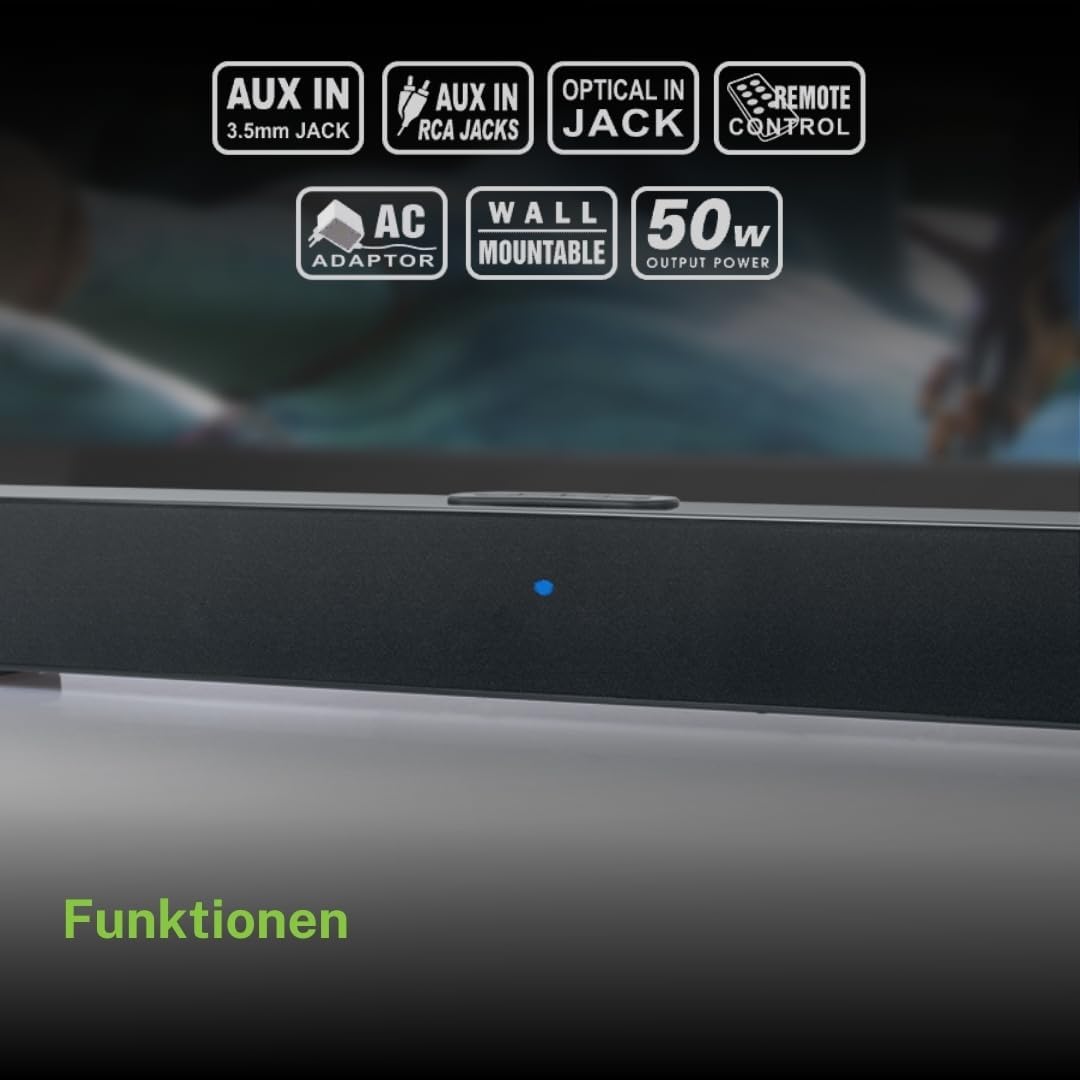
Gracias por la compraasing the Muse M-1520 SBT Soundbar. This device is designed to enhance your audio experience with 50W of power and versatile connectivity options including Bluetooth, AUX-IN, RCA, and Optical inputs. Please read this manual carefully before use to ensure proper setup and operation.

The Muse M-1520 SBT Soundbar integrated into a home entertainment setup.
Instrucciones de seguridad
- No exponga la unidad a la lluvia ni a la humedad.
- No abra la casing; delegue cualquier servicio a personal calificado.
- Asegure una ventilación adecuada alrededor de la unidad.
- Mantenga la unidad alejada de la luz solar directa, fuentes de calor y campos magnéticos fuertes.
- Utilice únicamente el adaptador de corriente proporcionado.
- No coloque objetos pesados sobre la barra de sonido.
- Deseche las baterías de manera responsable.
Contenido del paquete
Compruebe que todos los artículos enumerados a continuación estén incluidos en su paquete:
- Muse M-1520 SBT Soundbar
- Adaptador de corriente alterna
- Cable RCA
- 3.5 mm Aux-In Cable
- Mando a distancia
- 2 pilas AA (para control remoto)

All accessories included with the Muse M-1520 SBT Soundbar.
Controles y conexiones
Conexiones del panel trasero

Detallado view of the soundbar's rear input ports.
- AUX 1 (3.5 mm): Conecte dispositivos de audio externos mediante un cable de audio de 3.5 mm.
- AUX 2 (RCA L/R): Connect external audio devices using an RCA stereo cable.
- ÓPTICO: Connect to a TV or other device with an optical digital audio output.
- 12 V CC: Conecte el adaptador de corriente CA proporcionado.
Top Panel Controls and Indicators
Top panel controls and LED indicator for the soundbar.
The top panel features buttons for power, volume control, and source selection. A blue LED indicator shows the current status or selected input.
Configuración
1 Colocación
Place the soundbar on a stable, flat surface in front of your television, or mount it on the wall below your TV. Ensure there are no obstructions blocking the sound.
2. Conexión de alimentación
- Connect the AC power adapter to the DC 12V input on the rear of the soundbar.
- Conecte el adaptador de corriente CA a una toma de pared.
3. Conexión de audio
Elija uno de los siguientes métodos para conectar la barra de sonido a su fuente de audio (por ejemplo, TV, reproductor de DVD):
- Conexión óptica: For best audio quality, connect an optical cable (not included) from your TV's optical output to the OPTICAL input on the soundbar.
- Conexión RCA: Connect the supplied RCA cable from your audio source's RCA L/R output to the AUX 2 (RCA) input on the soundbar.
- 3.5mm AUX-IN Connection: Connect the supplied 3.5mm Aux-In cable from your audio source's headphone jack or AUX output to the AUX 1 (3.5mm) input on the soundbar.
Instrucciones de funcionamiento
Encendido/apagado
- Presione el FUERZA Botón en el control remoto o en el panel superior de la barra de sonido para encender o apagar la unidad.
Selección de fuente
- Presione el FUENTE button on the remote control or the soundbar's top panel repeatedly to cycle through input sources: Bluetooth, AUX 1, AUX 2, Optical.
- The LED indicator will change color or pattern to indicate the selected source.
Control de volumen
- Presione el VOL+ or vol- buttons on the remote control or the soundbar's top panel to adjust the volume.
Emparejamiento Bluetooth
- Turn on the soundbar and select the Bluetooth input source. The LED indicator will flash, indicating it is in pairing mode.
- Habilite Bluetooth en su dispositivo móvil (teléfono inteligente, tableta, etc.).
- Buscar available Bluetooth devices. The soundbar will appear as "M-1520 SBT".
- Select "M-1520 SBT" to pair. Once connected, the LED indicator will stop flashing and remain solid.
- Ahora puedes reproducir audio desde tu dispositivo a través de la barra de sonido.
Nota: Si se le solicita una contraseña, ingrese "0000".
Montaje en pared
The Muse M-1520 SBT Soundbar is designed to be wall-mountable. Mounting hardware (screws, anchors) is not typically included and must be purchased separately based on your wall type.
Importante: Ensure the wall can support the weight of the soundbar (approximately 1.2 kg). Consult a professional if you are unsure about wall mounting.
Mantenimiento
- Limpieza: Utilice un paño suave y seco para limpiar la superficie de la barra de sonido. No utilice limpiadores líquidos ni productos abrasivos.
- Almacenamiento: Si va a almacenar la unidad durante un período prolongado, desconéctela de la toma de corriente y guárdela en un lugar fresco y seco.
Solución de problemas
| Problema | Posible causa | Solución |
|---|---|---|
| Sin poder | Power adapter not connected or wall outlet not active. | Asegúrese de que el adaptador de corriente esté conectado de forma segura a la barra de sonido y a una toma de pared que funcione. |
| Sin sonido | Fuente de entrada incorrecta seleccionada, volumen demasiado bajo o cable de audio no conectado correctamente. | Select the correct input source. Increase the volume. Check all audio cable connections. Ensure the TV/source audio output is enabled. |
| El emparejamiento de Bluetooth falla | La barra de sonido no está en modo de emparejamiento, el dispositivo está demasiado lejos o hay interferencias. | Ensure the soundbar is in Bluetooth pairing mode (flashing LED). Move your device closer to the soundbar. Turn off other Bluetooth devices to reduce interference. |
| El control remoto no funciona | Batteries are dead or inserted incorrectly, or line of sight is blocked. | Replace the batteries (2 x AA). Ensure batteries are inserted with correct polarity. Remove any obstructions between the remote and the soundbar. |
Presupuesto
| Nombre del modelo | M-1520 SBT |
| Potencia de salida | 50 vatios |
| Conectividad | Bluetooth, AUX-IN (3.5mm), RCA, Optical |
| Tecnología inalámbrica | Bluetooth |
| Dispositivos compatibles | TV, smartphone, PC, tablet |
| Dimensiones (L x An x Al) | 66 x 6 x 5.9 cm (25.98 x 2.36 x 2.32 pulgadas) |
| Peso | 1.2 kg (2.65 libras) |
| Método de control | Mando a distancia |
| Fuente de poder | AC Adapter (12V DC) |
| Color | Negro |

Dimensional diagram of the Muse M-1520 SBT Soundbar.
Garantía y soporte
Specific warranty information for the Muse M-1520 SBT Soundbar is not available in the provided product details. Please refer to the warranty card included in your product packaging or contact your retailer for details regarding warranty coverage and customer support.


