1. Introducción
The HyperX Cloud Flight is a wireless gaming headset designed for extended use and immersive audio experiences. It features a robust 2.4GHz wireless connection, a long-lasting battery, and comfortable memory foam earcups. This manual provides essential information for setting up, operating, and maintaining your headset.
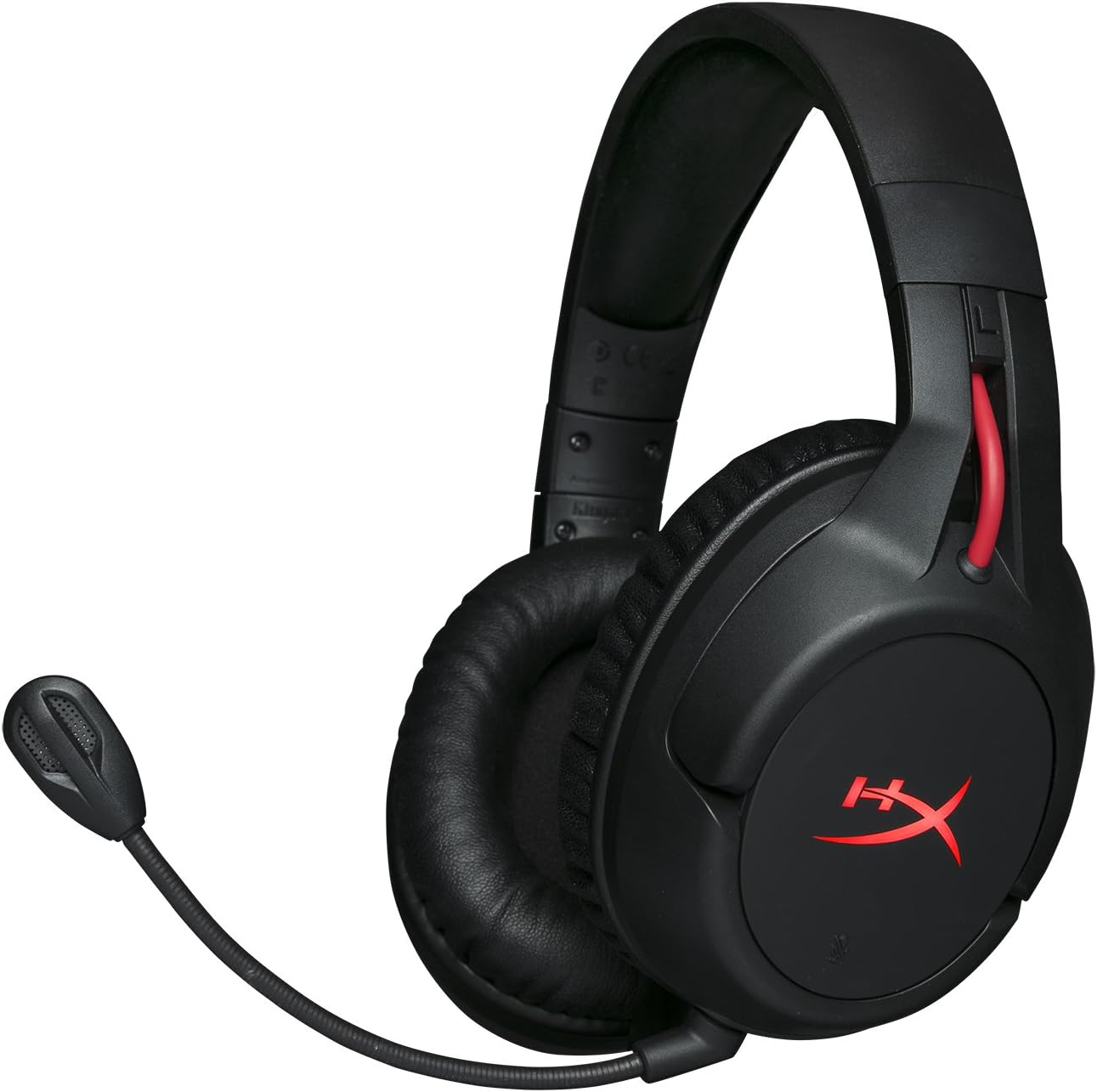
Figure 1.1: HyperX Cloud Flight Wireless Gaming Headset.
2. Contenido del paquete
Asegúrese de que todos los artículos estén presentes en el paquete:
- HyperX Cloud Flight Headset
- Micrófono desmontable con cancelación de ruido
- Cable de carga USB
- Adaptador inalámbrico USB
- Manual de usuario

Figure 2.1: Included components of the HyperX Cloud Flight headset.
3. Características del producto
- Gaming-Grade Wireless: Utilizes a stable 2.4GHz wireless connection for reliable audio transmission.
- Mayor duración de la batería: Up to 30 hours of battery life with LED lights off, allowing for prolonged gaming sessions.
- Comodidad exclusiva de HyperX: Features comfortable memory foam earcups and a durable, adjustable steel slider for a secure and pleasant fit.
- Compatibilidad multiplataforma: Compatible with PC, PlayStation 4, and PlayStation 5.
- Rotating Ear Cups: Ear cups rotate 90 degrees for comfortable resting around your neck and feature LED lighting effects.
- Intuitive On-Board Controls: Convenient controls for LED effects, microphone mute, power, and volume are located on the ear cups.
- Micrófono desmontable con cancelación de ruido: Ensures clear communication and can be removed when not needed. The microphone functions only in wireless mode and is compatible with PC and PS4.
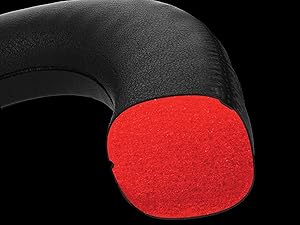
Figure 3.1: Headset designed for comfort during extended use.

Figure 3.2: Durable steel slider for adjustability and longevity.
4. Instrucciones de configuración
- Cargar los auriculares: Before first use, fully charge the headset using the provided USB charging cable. Connect the micro-USB end to the headset and the USB-A end to a powered USB port.
- Connect USB Wireless Adapter: Insert the USB wireless adapter into an available USB port on your PC, PS4, or PS5.
- Encender los auriculares: Press and hold the power button on the left earcup for 3-5 seconds until the LED indicator lights up. The headset will automatically pair with the USB adapter.
- Conectar el micrófono: Insert the detachable noise-cancelling microphone into the port on the left earcup. Ensure it clicks securely into place.
- Adjust Settings (PC/PS4/PS5):
- ORDENADOR PERSONAL: Go to Sound Settings and select "HyperX Cloud Flight" as the default playback and recording device.
- PS4/PS5: Go to Sound/Audio Devices settings and ensure "HyperX Cloud Flight" is selected for both input and output.
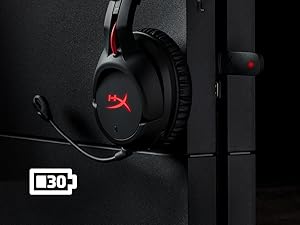
Figure 4.1: Connecting the USB adapter to a console for wireless operation.
5. Instrucciones de funcionamiento
- Encendido/apagado: Press and hold the power button on the left earcup for 3-5 seconds.
- Control de volumen: Use the volume wheel located on the bottom of the right earcup to adjust audio output.
- Silencio del micrófono: Press the button on the left earcup to mute/unmute the microphone. An audible indicator will confirm the status.
- Efectos LED: Briefly press the power button to cycle through LED lighting effects (Solid LED, Breathing LED, LED Off).
- Chat Mixer (PC/PS4): The headset features a chat mixer on the left earcup. The front button prioritizes game volume, while the rear button prioritizes chat volume.
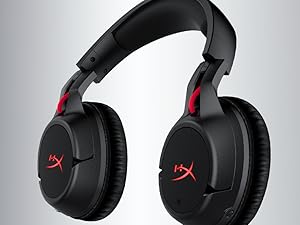
Figure 5.1: On-board controls for volume and microphone mute.
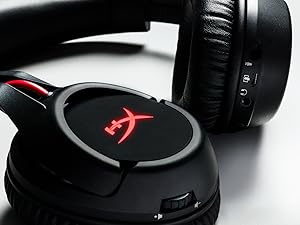
Figure 5.2: Detachable microphone for clear voice communication.
6. Carga y duración de la batería
The HyperX Cloud Flight headset offers impressive battery performance:
- Llevar afuera: Hasta 30 horas
- LED de respiración: Hasta 18 horas
- LED fijo: Hasta 13 horas
Battery life is tested at 50% headset volume. Audible indicators will notify you of low battery status. Use the provided USB charging cable to recharge the headset.
Vídeo 6.1: Producto terminadoview mostrarasing features including battery life.
7. Mantenimiento y cuidado
- Store the headset in a clean, dry place when not in use.
- Clean earcups and headband with a soft, damp paño. Evite los productos químicos agresivos.
- No exponga los auriculares a temperaturas extremas ni a la luz solar directa.
- Evite dejar caer o someter los auriculares a impactos fuertes.
8. Solución de problemas
- Sin audio/micrófono:
- Asegúrese de que los auriculares estén encendidos y completamente cargados.
- Verify the USB wireless adapter is securely connected to your device.
- Check your device's sound settings to ensure "HyperX Cloud Flight" is selected as the default audio input/output.
- Confirm the microphone is properly attached and not muted.
- Mala conexión inalámbrica:
- Ensure the headset is within the 20-meter wireless range of the USB adapter.
- Minimize obstructions between the headset and the adapter.
- Evite interferencias de otros dispositivos de 2.4 GHz.
- Los auriculares no se cargan:
- Verify the USB charging cable is correctly connected to both the headset and a powered USB port.
- Pruebe con un puerto USB o cable de carga diferente.
9. Especificaciones
| Característica | Detalle |
|---|---|
| Nombre del modelo | Cloud Flight |
| Tecnología de conectividad | Inalámbrico (2.4 GHz) |
| alcance inalámbrico | Hasta 20 metros |
| Dispositivos compatibles | PC, PS4, PS5 |
| Conductor | Dinámico, 50 mm con imanes de neodimio. |
| Tipo de auriculares | Circumaural, cerrado de vuelta |
| Respuesta de frecuencia | 20Hz - 20,000Hz |
| Impedancia | 32 ohmios |
| Nivel de presión sonora | 106 dBSPL/mW at 1kHz |
| Distorsión armónica total | <2% |
| Peso de los auriculares | 300 g (315 g con micrófono) |
| Elemento de micrófono | Micrófono de condensador electret |
| Patrón polar del micrófono | Cancelación de ruido |
| Respuesta de frecuencia del micrófono | 100Hz - 7000Hz |
| Sensibilidad del micrófono | -45 dBV (0 dB = 1 V/Pa, 1 kHz) |
| Battery Life (LED off) | 30 horas |
| Battery Life (Breathing LED) | 18 horas |
| Battery Life (Solid LED) | 13 horas |
| Material | Memory Foam, Premium Leatherette, Steel |
| Dimensiones del artículo (LxWxH) | 7.48 x 3.43 x 7.36 pulgadas |
| Código Postal | 196188048207 |
10. Garantía y soporte
The HyperX Cloud Flight headset typically comes with a 2-year manufacturer's warranty. For technical support, warranty claims, or additional product information, please visit the official HyperX support websitio o póngase en contacto con su servicio de atención al cliente.
Puede encontrar más información y recursos de apoyo en Tienda HyperX en Amazon.