
1. Introducción
This manual provides essential instructions for the proper setup, operation, and maintenance of your Black Box EVNDVI01-0010 DVI-A to VGA HD15 Cable. Please read this manual thoroughly before using the product to ensure optimal performance and longevity.
2. Producto terminadoview
The Black Box EVNDVI01-0010 is a DVI-A to VGA HD15 cable designed to connect a digital DVI-A output from a source device to an analog VGA input on a display device. This cable facilitates the transmission of analog video signals, allowing compatibility between DVI-A enabled devices and traditional VGA monitors or projectors.
Características principales:
- Connects digital DVI-A display outputs to analog VGA device inputs.
- Supports resolutions up to 1600 x 1200.
- Features a 17-pin single link configuration for DVI-A.
- Male-to-Male connector gender.
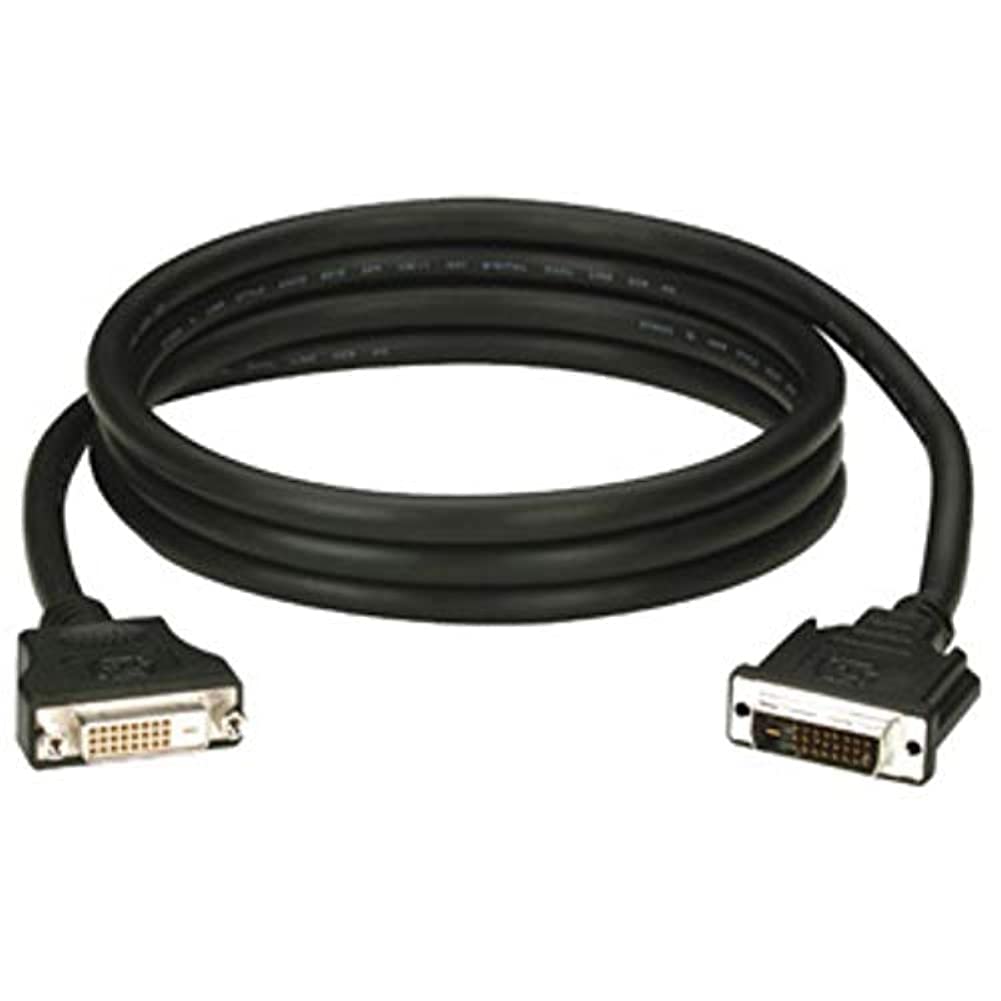
Figure 1: Black Box DVI-A to VGA HD15 Cable. This image displays the cable with its DVI-A (white) and VGA (blue) connectors, illustrating its male-to-male configuration.
3. Configuración
Follow these steps to properly connect your DVI-A to VGA cable:
- Identificar puertos: Locate the DVI-A output port on your source device (e.g., computer graphics card) and the VGA input port on your display device (e.g., monitor, projector). The VGA port is typically blue.
- Connect DVI-A: Carefully insert the DVI-A connector of the cable into the DVI-A output port of your source device. Ensure the pins align correctly and gently push until it is fully seated.
- Conectar VGA: Insert the VGA HD15 connector of the cable into the VGA input port of your display device. Tighten the thumbscrews on the VGA connector to secure the connection and prevent accidental disconnections.
- Dispositivos de encendido: Encienda tanto el dispositivo fuente como el dispositivo de visualización.
- Seleccionar entrada: On your display device, select the correct input source (e.g., 'VGA', 'PC', 'Input 1') using the display's menu or input selection button.
A proper connection should result in the display device showing the video output from the source device.
4. Operando
Once the Black Box EVNDVI01-0010 cable is correctly connected, its operation is passive. The cable transmits the analog video signal directly from the source to the display. No additional software or drivers are required for the cable itself.
- Configuración de resolución: Ensure your source device's display settings are configured to a resolution supported by both the source and the display device, up to 1600 x 1200.
- Modos de visualización: If using a computer, you may need to configure your display mode (e.g., duplicate, extend, second screen only) through your operating system's display settings.
5. Mantenimiento
To ensure the longevity and reliable performance of your Black Box DVI-A to VGA cable, follow these maintenance guidelines:
- Tratar con cuidado: Evite doblar bruscamente el cable o aplicar fuerza excesiva a los conectores.
- Manténlo limpio: Limpie periódicamente el cable y los conectores con un paño suave y seco para eliminar el polvo y la suciedad. No utilice limpiadores líquidos directamente sobre los conectores.
- Conservar adecuadamente: When not in use, coil the cable loosely and store it in a clean, dry environment away from extreme temperatures.
- Inspeccionar si hay daños: Revise periódicamente el cable y los conectores para detectar signos de desgaste, desgaste o daños. Suspenda su uso si observa algún daño.
6. Solución de problemas
If you encounter issues with your DVI-A to VGA cable, consider the following troubleshooting steps:
- No hay señal en la pantalla:
- Asegúrese de que ambos extremos del cable estén bien conectados.
- Verifique que tanto el dispositivo de origen como el de visualización estén encendidos.
- Confirme que la fuente de entrada correcta esté seleccionada en su dispositivo de visualización.
- Test with another cable if available to rule out a faulty cable.
- Mala calidad de imagen (parpadeo, imagen distorsionada):
- Check for loose connections at both ends of the cable. Tighten VGA thumbscrews.
- Adjust the display resolution on your source device to a lower setting to see if the issue resolves.
- Ensure there are no strong electromagnetic interference sources near the cable.
- Inspect the cable for any physical damage.
- Colores incorrectos:
- Verify the cable is fully seated and not bent or damaged.
- Check the color settings on your display device and source device.
7. Especificaciones
| Marca | Caja negra |
| Número de modelo | EVNDVI01-0010 |
| Tipo de conector | DVI-A Male, VGA HD15 Male |
| Tipo de cable | DVI-A to VGA |
| Resolución admitida | Hasta 1600 x 1200 |
| Género del conector | Macho a macho |
| Color | Negro, Azul |
| Peso del artículo | 0.35 kilogramos (12.3 onzas) |
| Uso en interiores y exteriores | Interior, exterior |
| Código Postal | 822088058960 |
8. Garantía y soporte
For specific warranty information regarding your Black Box EVNDVI01-0010 DVI-A to VGA HD15 Cable, please refer to the official Black Box webSitio web o contacte directamente con el servicio de atención al cliente. Los términos y condiciones de la garantía pueden variar.
If you require technical assistance or have questions not covered in this manual, please contact Black Box customer support through their official channels.