1. Introducción
Thank you for choosing the EDM 00780 Remote Control. This manual provides essential information for the proper setup, operation, and maintenance of your remote control, specifically designed for use with EDM Model 07214. Please read these instructions carefully before using the product to ensure optimal performance and longevity.
Información de seguridad importante: Always handle batteries with care. Do not mix old and new batteries, or different types of batteries. Remove batteries if the remote will not be used for an extended period.
2. Producto terminadoview
2.1 Componentes
The EDM 00780 remote control features an ergonomic design for comfortable handling and intuitive push-button operation. Key components include:
- Botones de control: Various buttons for specific functions of the EDM Model 07214.
- Emisor de infrarrojos: Located at the front, transmits signals to the device.
- Compartimento de la batería: Ubicado en la parte posterior, para la instalación de la batería.
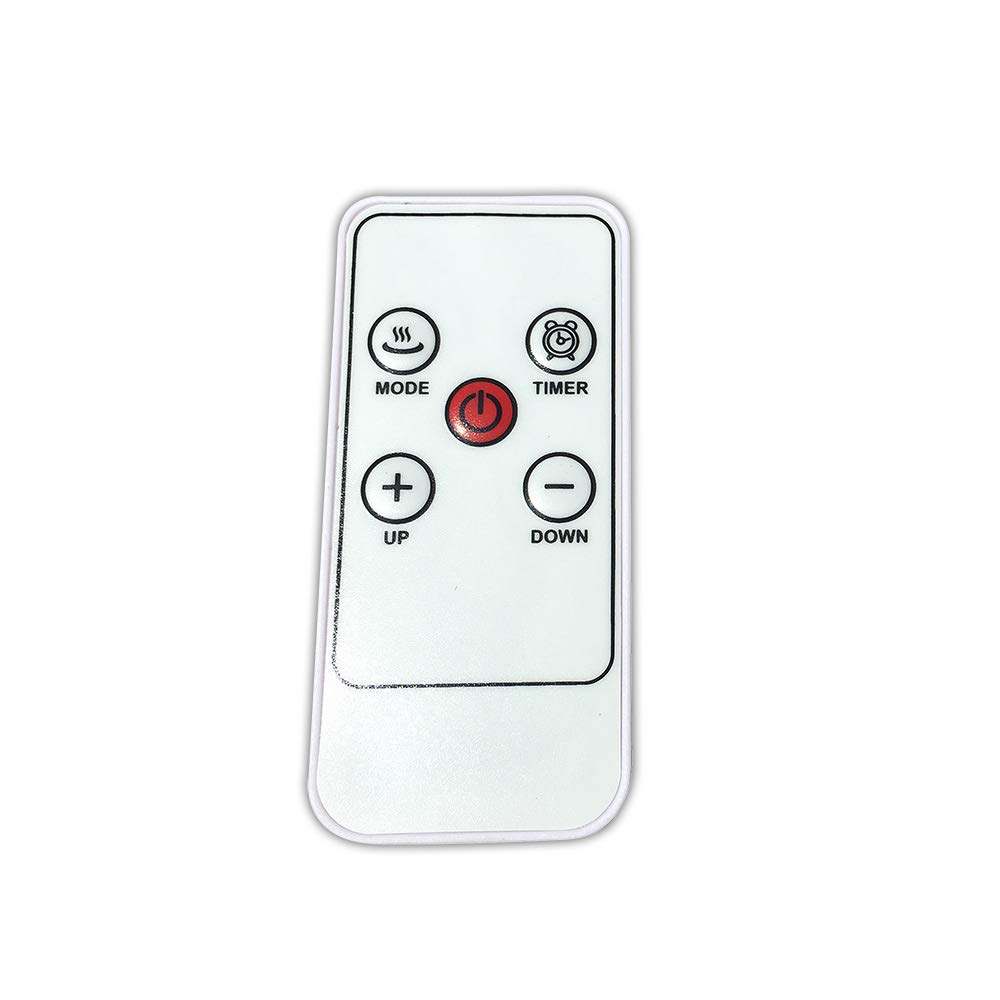
Imagen 1: Frente view of the EDM 00780 Remote Control, showing its ergonomic shape and button layout.
3. Configuración
3.1 Instalación de la batería
- Ubique la tapa del compartimiento de la batería en la parte posterior del control remoto.
- Slide or gently press and lift the cover to open the compartment.
- Insert the required batteries (typically AAA, refer to the compartment for specific type and polarity) ensuring the positive (+) and negative (-) terminals align correctly with the markings inside the compartment.
- Vuelva a colocar la tapa del compartimiento de la batería, asegurándose de que encaje firmemente en su lugar.
3.2 Primer uso
After installing the batteries, the remote control is ready for use. Point the infrared emitter directly towards the EDM Model 07214 device you wish to control. Ensure there are no obstructions between the remote and the device.
4. Operación
4.1 Funciones básicas
The EDM 00780 remote control operates via infrared technology, providing a maximum range of 10 meters under optimal conditions. To operate, simply press the desired button while pointing the remote at the EDM Model 07214.
4.2 Funciones de los botones
Specific button functions will correspond to the features of your EDM Model 07214. Common button types include:
- Botón de encendido: Para encender o apagar el dispositivo.
- Botones de función: For specific operations (e.g., mode selection, timer, light control).
- Botones de navegacion: If applicable, for menu navigation.
Refer to the user manual of your EDM Model 07214 for detailed descriptions of each button's function.
5. Mantenimiento
5.1 Limpieza
Para limpiar el control remoto, utilice un paño suave y seco. Para la suciedad difícil, frote ligeramente.ampen the cloth with water or a mild cleaning solution. Do not use abrasive cleaners, alcohol, or solvents, as these can damage the surface or internal components.
5.2 Reemplazo de batería
Replace batteries when the remote control's response becomes sluggish or stops working. Follow the battery installation steps outlined in Section 3.1. Always replace all batteries at the same time with new ones of the same type.
5.3 Almacenamiento
Store the remote control in a cool, dry place away from direct sunlight and extreme temperatures. If storing for an extended period, remove the batteries to prevent leakage and potential damage.
6. Solución de problemas
6.1 Problemas comunes
| Problema | Posible causa | Solución |
|---|---|---|
| El control remoto no responde | Baterías muertas o instaladas incorrectamente. | Reemplace las baterías, asegurándose de la polaridad correcta. |
| Alcance limitado o respuesta intermitente | Weak batteries, obstruction, or remote not pointed correctly. | Replace batteries. Ensure a clear line of sight to the device. Point directly at the device. |
| El botón específico no funciona | Button malfunction or device not recognizing command. | Clean the remote. Test other buttons. If only one button fails, contact support. |
7. Especificaciones
| Característica | Especificación |
|---|---|
| Número de modelo | 00780 |
| Marca | Electroerosión |
| Tecnología de conectividad | Infrarrojo |
| Tipo de controlador | Push-button Control |
| Alcance máximo | 10 metros |
| Característica especial | Diseño ergonómico |
| Dimensiones (L x An x Al) | 10 x 10 x 10 cm |
| Peso | 20 gramos |
| Color | Multicolor |
| País natal | España |
8. Garantía y soporte
This product is covered by a standard manufacturer's warranty. For specific warranty terms and conditions, please refer to the documentation provided with your EDM Model 07214 device or contact EDM customer support directly. For technical assistance or further inquiries, please visit the official EDM websitio o comuníquese con su departamento de servicio al cliente.