1. Producto terminadoview
The KERUI J008 is a wireless outdoor strobe siren designed to enhance the security of your premises. It features an intelligent microprocessor, a high-decibel siren, and a high-brightness LED flash light to provide an effective deterrent and alert system. This siren can operate as a standalone on-site alarm or integrate with other wireless accessories like remote controls, magnetic door contacts, and PIR detectors.
When integrated into an alarm system and armed, the J008 activates with both sound and light upon detection of a triggered sensor. Its robust design makes it suitable for outdoor installation, offering reliable performance in various environments.

Figura 1: Frente view of the KERUI J008 Wireless Outdoor Strobe Siren.
2. Información de seguridad
- Asegúrese de que la fuente de alimentación voltage coincide con las especificaciones del producto (110-240V).
- Do not open the siren casing unless instructed for maintenance. Refer to qualified personnel for repairs.
- Mantenga el dispositivo alejado de temperaturas extremas, luz solar directa y humedad excesiva.
- Install the siren securely to prevent it from falling.
- The siren produces a loud sound (110dB). Avoid prolonged exposure to prevent hearing damage.
- Deshazte de las baterías de acuerdo a las regulaciones locales.
3. Contenido del paquete
Verifique que todos los artículos estén presentes en el paquete:
- 1 x KERUI J008 Wireless Outdoor Flash Siren
- 1 x control remoto
- 1 x EU Power Adapter
- 3 pilas CR123A.
- Herrajes de montaje (tornillos, tacos)
4. Configuración e instalación
4.1 Identificación de componentes

Figura 2: Atrás view of the J008 siren showing the power adapter interface, ON/OFF switch, SET button, 300mAh backup battery, and siren speaker.
- Power Adapter Interface: Connect the EU power adapter here.
- Interruptor de encendido / apagado: Controls the main power to the siren.
- Botón de ajuste: Used for pairing with wireless accessories.
- Backup Battery (300mAh): Provides power during outages.
- Siren Speaker: Emits the audible alarm.
4.2 Power Connection and Battery Installation
- Ensure the Power ON/OFF switch is in the OFF position.
- If not already installed, insert the 3 CR123A batteries into the designated battery compartment. Ensure correct polarity.
- Connect the EU power adapter to the Power Adapter Interface on the back of the siren.
- Conecte el adaptador de corriente a una toma de corriente CA de 110-240 V adecuada.
- Switch the Power ON/OFF switch to the ON position. The siren will perform a self-test, and the LED indicator may flash.
The built-in Ni-MH rechargeable battery will automatically charge when the siren is connected to mains power and will provide backup power during power failures.
4.3 Montaje de la sirena
The J008 siren is designed for wall mounting, suitable for both indoor and outdoor environments.
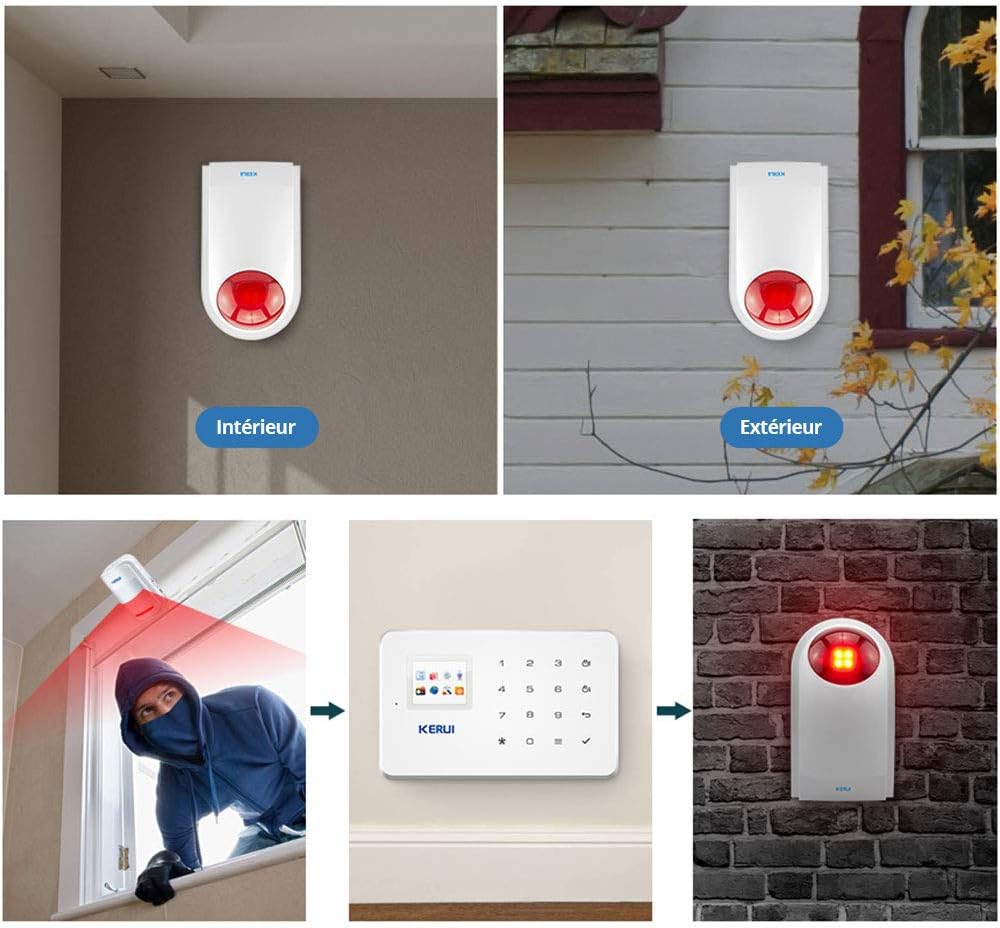
Figura 3: Examples of indoor and outdoor mounting, and a diagram illustrating the alarm system flow: sensor triggers, signal sent to control panel, control panel activates siren.
- Choose a suitable location for mounting. For outdoor use, select a spot that provides good visibility for the strobe light and allows the siren sound to be heard effectively, while also being protected from direct heavy rain if possible.
- Use the siren's back plate as a template to mark the drilling points on the wall.
- Perfore agujeros e inserte tacos de pared si es necesario.
- Secure the siren to the wall using appropriate screws.
- Ensure the siren is firmly attached and the power cable is routed safely.
4.4 Pairing with Wireless Accessories
The J008 siren is compatible with standard PT2262 encoding and millions of group detectors and remote controls. To pair a new accessory (e.g., remote control, door sensor, PIR detector):
- Presione el COLOCAR button on the back of the siren. The siren will enter pairing mode, indicated by a specific light or sound cue (refer to specific accessory manual for exact cues).
- Within a few seconds, trigger the accessory you wish to pair (e.g., press a button on the remote control, open a door with a door sensor, or trigger a PIR detector).
- The siren will emit a confirmation sound or flash to indicate successful pairing.
- Repeat for all additional accessories.
- Exit pairing mode by pressing the COLOCAR button again or waiting for a timeout.
5. Instrucciones de funcionamiento
5.1 Armado y Desarmado
The J008 siren is typically armed and disarmed via a paired remote control or a connected alarm control panel.
- Para armar: Press the 'Arm' button on your remote control or activate the arm function on your alarm control panel. The siren may emit a confirmation beep.
- Para desarmar: Press the 'Disarm' button on your remote control or deactivate the disarm function on your alarm control panel. The siren may emit a confirmation beep.
5.2 Activación de alarma
When the system is armed and a paired detector (e.g., door sensor, motion detector) is triggered, the J008 siren will activate:
- It will emit a loud audible alarm at 110dB.
- The integrated LED flash light will activate, providing a visual deterrent and alert.
The alarm will continue for a preset duration or until the system is disarmed.
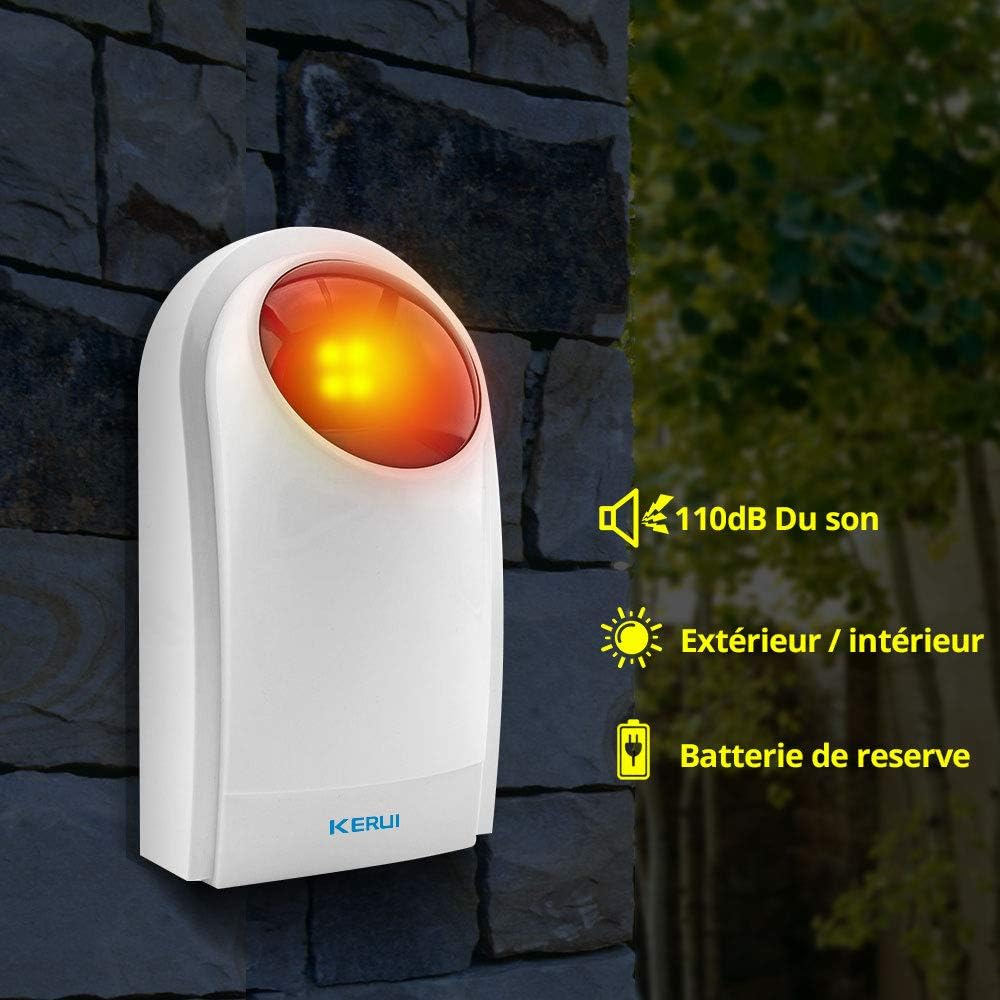
Figure 4: The J008 siren in active alarm state, highlighting its 110dB sound output, suitability for both indoor and outdoor use, and backup battery feature.
6. Mantenimiento
6.1 Cuidado de la batería
- The J008 has a built-in Ni-MH rechargeable battery for backup power. Ensure the siren is regularly connected to mains power to keep this battery charged.
- The 3 CR123A batteries are typically for initial setup or specific functions. Check their status periodically. If the siren indicates low battery (e.g., through a specific flash pattern or sound), replace the CR123A batteries.
- When replacing batteries, ensure the siren is powered off and disconnect the main power adapter.
6.2 Limpieza
Clean the exterior of the siren with a soft, damp Paño. No utilice limpiadores abrasivos ni disolventes. Asegúrese de que no entre humedad en el dispositivo.
7. Solución de problemas
| Problema | Posible causa | Solución |
|---|---|---|
| La sirena no se enciende. | No power from adapter; ON/OFF switch is off; backup battery depleted. | Check power adapter connection and outlet. Ensure ON/OFF switch is in the ON position. Allow time for backup battery to charge or replace CR123A batteries. |
| Siren does not sound when a sensor is triggered. | System is not armed; sensor not paired; sensor malfunction; siren not receiving signal. | Ensure the system is armed. Verify the sensor is correctly paired with the siren/control panel. Check sensor battery. Ensure siren is within range of the control panel/sensor. |
| Falsas alarmas. | Sensor sensitivity too high; environmental factors (e.g., pets, wind); interference. | Adjust sensor sensitivity if applicable. Reposition sensors to avoid environmental triggers. Check for sources of wireless interference. |
| Cannot pair new accessories. | Siren not in pairing mode; accessory not compatible; accessory not triggered correctly. | Ensure the siren is in pairing mode (press SET button). Verify accessory compatibility (PT2262 encoding). Trigger the accessory promptly after entering pairing mode. |
8. Especificaciones
| Modelo: | J008 |
| Marca: | KERUI |
| Frecuencia de transmisión: | 433 MHz |
| Nivel de sonido: | 110 dB (+3dB or -3dB) |
| Potencia operativa: | 110-240 V AC |
| Batería de respaldo: | Built-in Ni-MH rechargeable battery (300mAh) |
| Baterías adicionales: | 3 x CR123A (incluida) |
| Método de control: | Mando a distancia |
| Tipo de montaje: | Montaje en pared |
| Dimensiones (L x An x Al): | 20.1 x 11.2 x 7 cm |
| Peso: | 420 gramos |
| Compatibilidad: | PT2262 encoding (Resistance 1.5M-4.7M), millions of group detectors (Resistance 150K-470K) |
| Color: | Blanco |
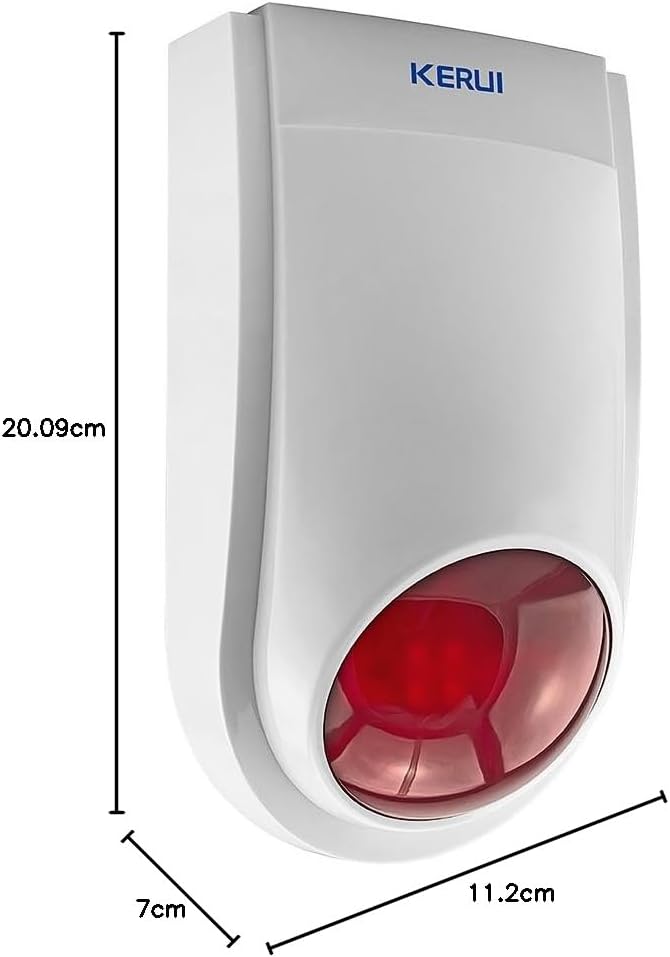
Figure 5: Detailed dimensions of the KERUI J008 siren.
9. Garantía y soporte
Specific warranty information for the KERUI J008 Wireless Outdoor Strobe Siren is not provided in the product details. Please refer to your purchase documentation or contact the retailer/manufacturer directly for warranty terms and customer support.
For technical assistance or further inquiries, please visit the official KERUI websitio o comuníquese con su departamento de servicio al cliente.


