Introducción
Thank you for choosing the Monarch Specialties Computer Desk. This desk combines industrial design with rustic charm, offering a functional and stylish solution for your home office. Featuring a spacious tabletop, two side drawers with metal pulls, and a wide middle drawer with a leather pull, this desk is designed to accommodate your computer and other office essentials. This manual provides detailed instructions for assembly, operation, maintenance, and troubleshooting to ensure a long-lasting and satisfying experience with your new furniture.

Image: Monarch Specialties Computer Desk in a home office setting, showcasing su diseño y funcionalidad.
Información de seguridad
Lea atentamente todas las instrucciones antes de ensamblar y usar. El incumplimiento de estas directrices podría causar lesiones o daños al producto.
- Mantenga todas las piezas pequeñas y los materiales de embalaje fuera del alcance de los niños y las mascotas para evitar riesgos de asfixia.
- Assemble the desk on a soft, clean surface (e.g., carpet or cardboard) to prevent scratching.
- Asegúrese de que todos los tornillos y fijaciones estén bien apretados antes de usar el escritorio. Revíselos periódicamente y ajústelos según sea necesario.
- Do not overload the desk or drawers. Refer to the specifications for weight capacities.
- Evite colocar objetos calientes directamente sobre la superficie del escritorio sin un acolchado protector.
- No se pare ni se siente sobre el escritorio.
- Si falta alguna pieza o está dañada, no proceda al montaje. Contacte con atención al cliente inmediatamente.
Lista de piezas
Before beginning assembly, verify that all components are present and undamaged. The following is a general list of parts you should expect:
- Panel superior del escritorio
- Side Drawer Units (2)
- Middle Drawer Unit (1)
- Patas de metal (4)
- Metal Crossbar (1)
- Drawer Pulls (3 - 2 metal, 1 leather)
- Herrajes de montaje (tornillos, pernos, arandelas, llave Allen)

Image: Detailed diagram showing the dimensions of the Monarch Specialties Computer Desk and its individual drawer components.
Configuración y montaje
Este producto requiere ensamblaje. Se recomienda que lo hagan dos personas para un montaje más sencillo y seguro. Siga estos pasos generales:
- Desembalaje e identificación de las piezas: Carefully remove all components from the packaging. Lay them out on a clean, soft surface. Refer to the parts list and diagrams to identify each piece.
- Attach Legs to Desk Top: Secure the metal legs to the underside of the desk top panel using the provided screws and an Allen wrench. Ensure the legs are oriented correctly as per the diagram.
- Instalar Crossbar: Attach the metal crossbar between the legs to provide additional stability.
- Ensamblar cajones: Follow the specific instructions for assembling the drawer boxes. This typically involves attaching the front, back, and side panels, and then the bottom panel.
- Instalar guías para cajones: Attach the drawer glides to the inside of the desk frame and to the sides of the assembled drawers. Ensure they are aligned for smooth operation.
- Insertar cajones: Deslice con cuidado los cajones ensamblados en sus respectivos compartimentos.
- Attach Drawer Pulls: Secure the metal and leather drawer pulls to the front of each drawer.
- Comprobación final: Once assembled, gently lift and move the desk to its desired location. Ensure all connections are tight and the desk is stable.

Image: The Monarch Specialties Computer Desk fully assembled, showcasing its taupe wood-look finish and black metal legs.
Instrucciones de funcionamiento
The Monarch Specialties Computer Desk is designed for straightforward use in a home office environment.
- Superficie del escritorio: Use the spacious tabletop for your computer, laptop, monitor, and other work essentials. Consider using a desk pad to protect the surface from scratches and spills.
- Calzoncillos: The desk features two side drawers and one wide middle drawer. Pull the respective handles to open and push to close. Ensure drawers are fully closed when not in use to prevent accidental opening or damage.
- Distribución del peso: Distribute weight evenly across the desk surface and within the drawers to maintain stability and prevent tipping.
- Sistema de organización de cables: While not explicitly designed with cable management features, you can use adhesive cable clips or ties (not included) to organize wires behind the desk for a tidy workspace.
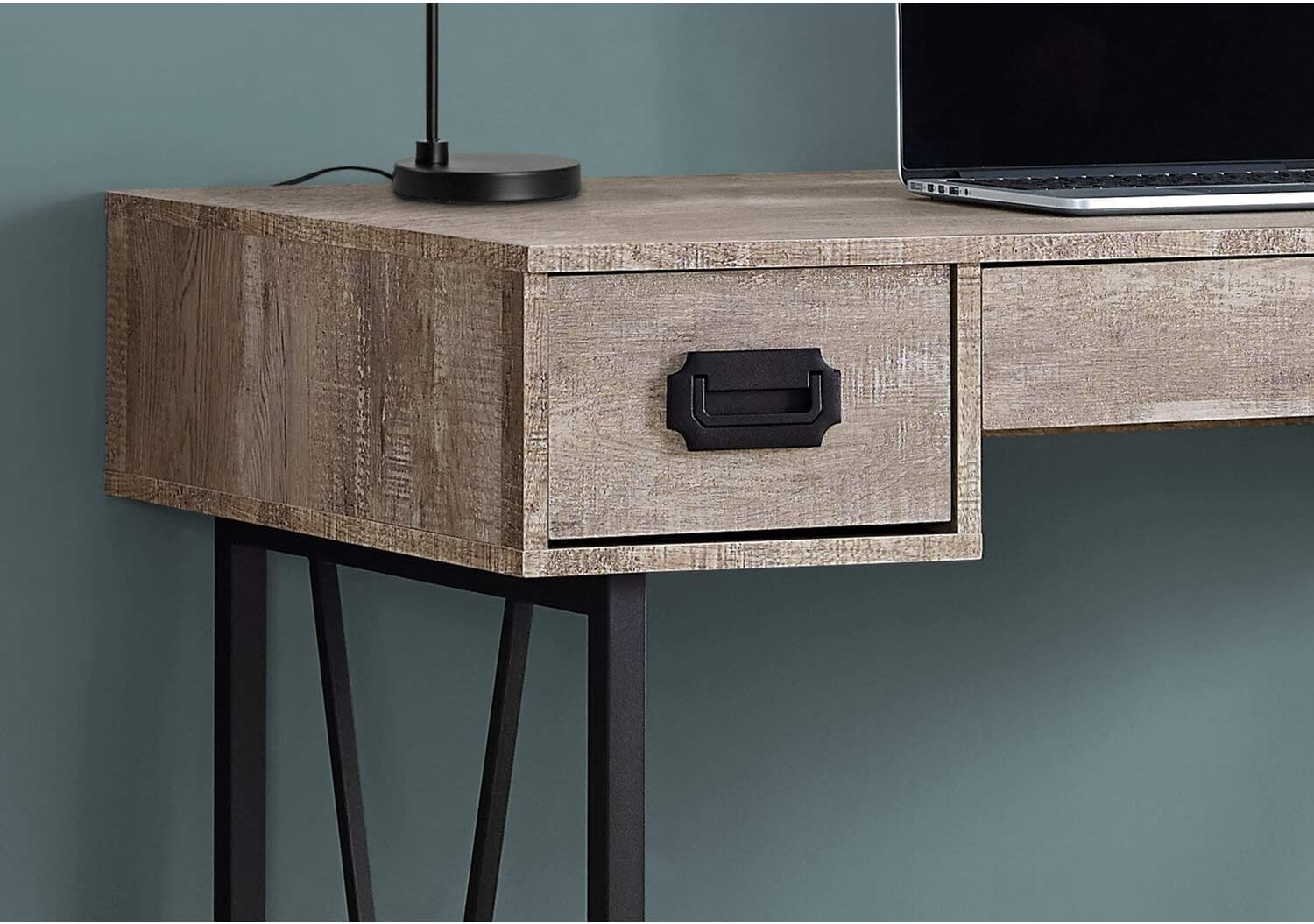
Imagen: Un primer plano view of one of the side drawers on the Monarch Specialties Computer Desk, highlighting the metal pull handle and wood-look finish.
Cuidado y mantenimiento
El cuidado adecuado prolongará la vida y la apariencia de su escritorio.
- Limpieza: Limpie la superficie del escritorio y las patas con un paño suave.amp paño. Evite utilizar productos químicos agresivos, limpiadores abrasivos o pulimentos que puedan dañar el acabado.
- Derrames: Immediately wipe up any spills to prevent staining or damage to the laminate finish.
- Calor y humedad: Proteja la superficie del calor y la humedad extremos. Use posavasos para bebidas y almohadillas térmicas para alimentos calientes.
- Luz del sol: Evite la exposición prolongada a la luz solar directa, que puede provocar decoloración o decoloración con el tiempo.
- Hardware: Revise periódicamente todos los tornillos y fijaciones para asegurarse de que estén bien apretados. Vuelva a apretarlos según sea necesario para mantener la estabilidad.
- Emocionante: Al mover el escritorio, levántelo en lugar de arrastrarlo para evitar dañar las patas y el marco.
Solución de problemas
Aquí encontrará soluciones a problemas comunes que podría encontrar:
- El escritorio se tambalea:
Solución: Ensure all assembly screws and bolts are securely tightened. Check that the desk is on a level surface. If not, use furniture glides or shims under the legs to stabilize it. - Los cajones se atascan o no se deslizan con suavidad:
Solución: Check that the drawer glides are properly aligned and free of obstructions. Ensure the drawers are not overloaded. A small amount of silicone spray on the glides can improve smoothness. - Piezas faltantes o dañadas:
Solución: Do not attempt to assemble the product with missing or damaged parts. Contact Monarch Specialties customer support with your model number and a description of the issue to request replacement parts. - Rayaduras superficiales:
Solución: For minor scratches, furniture repair markers or wax sticks matching the finish color may help. Always use a desk pad or protective mat to prevent future scratches.
Presupuesto
| Característica | Detalle |
|---|---|
| Marca | Especialidades de la mariposa monarca |
| Número de modelo | Yo 7414 |
| Dimensiones del producto (Pr. x An. x Al.) | 23.75" de profundidad x 47.25" de ancho x 30.75" de alto |
| Color | Gris pardo |
| Estilo | CONTEMPORARY, INDUSTRIAL, MODERN |
| Material base | Metal |
| Tipo de acabado | Madera de ingeniería |
| Característica especial | Compacto |
| Numero de cajones | 3 (2 side, 1 middle) |
| Peso del artículo | 61 libras |
| Requiere ensamblaje | Sí |
Garantía y soporte
Monarch Specialties products are manufactured to high standards. For specific warranty information, please refer to the documentation included with your purchase or visit the official Monarch Specialties website. If you require assistance with assembly, have questions about your product, or need to report missing/damaged parts, please contact Monarch Specialties customer support directly. Keep your purchase receipt and model number handy for faster service.
Para obtener más información, puede visitar el Monarch Specialties Store on Amazon.


