1. Producto terminadoview
The Rii Wired RGB LED Backlight Gaming Keyboard and Mouse Combo (Model: 8541666920) provides an ergonomic and responsive input solution for various computing environments. This combo features multi-color LED backlighting for the keyboard and mouse, dedicated multimedia keys, and adjustable mouse DPI settings. It is designed for plug-and-play compatibility with a wide range of operating systems.
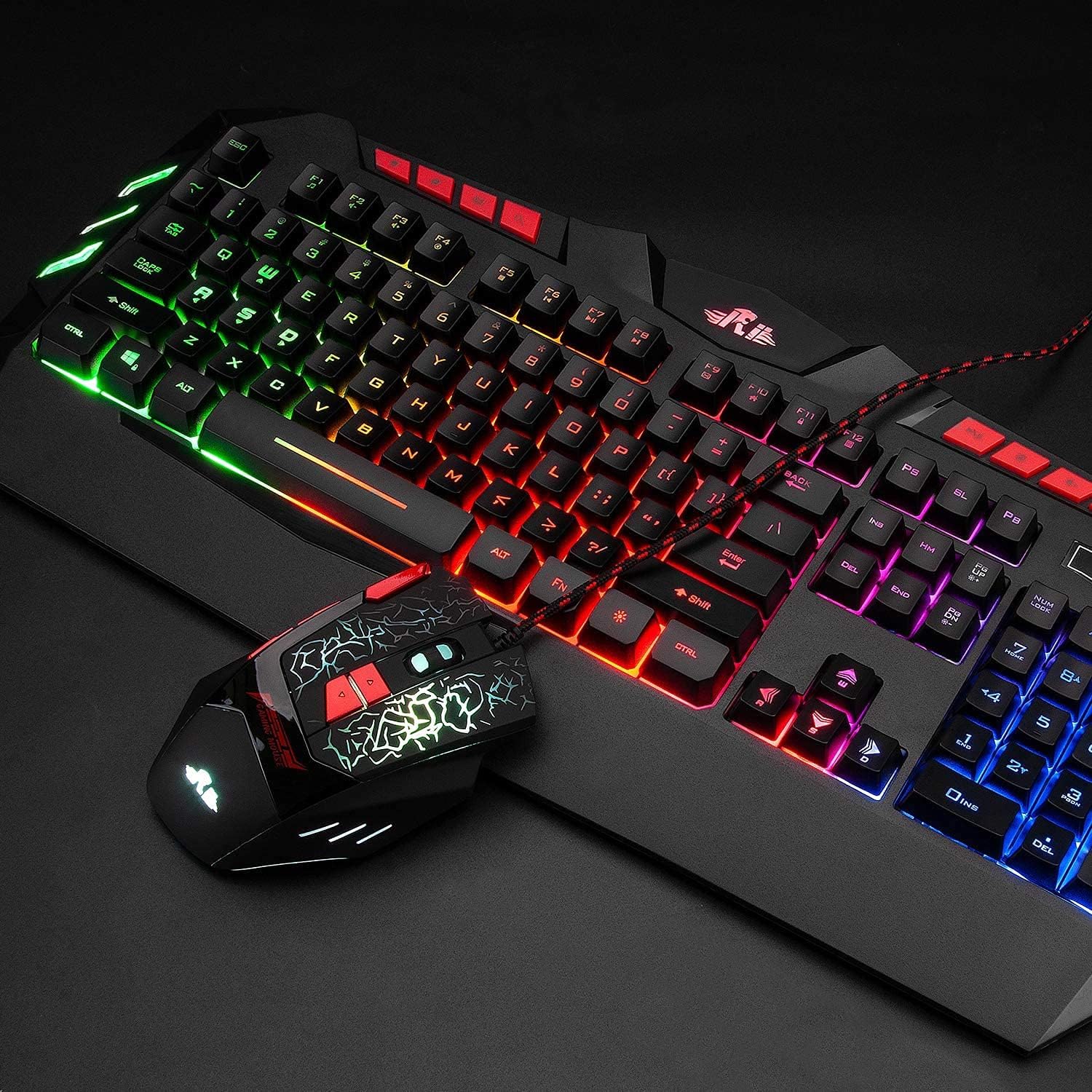
Image: The Rii Wired RGB LED Backlight Gaming Keyboard and Mouse Combo, showcasing both devices connected via USB.
2. Contenido del paquete
- Rii Wired RGB LED Backlight Gaming Keyboard
- Rii Wired RGB LED Backlight Gaming Mouse
- Manual de usuario (este documento)
3. Instrucciones de configuración
The Rii Wired RGB LED Backlight Gaming Keyboard and Mouse Combo is designed for simple plug-and-play operation. No additional drivers are typically required for basic functionality.
- Conectar el teclado: Locate an available USB port on your computer (PC, Laptop, Gaming Console, Smart TV, etc.). Insert the USB connector of the keyboard firmly into the USB port.
- Conectar el ratón: Localice otro puerto USB disponible en su computadora. Inserte firmemente el conector USB del mouse en el puerto USB.
- Reconocimiento del sistema: Your operating system should automatically detect and install the necessary drivers for the keyboard and mouse. This process may take a few moments.
- Verificar funcionalidad: Once detected, the keyboard and mouse should be ready for use. Test by typing and moving the mouse to ensure proper operation.
Nota: While the keyboard and mouse are compatible with various operating systems including Windows, Mac OS, Chrome OS, and Android, the RGB backlight functionality on the keyboard may not be fully supported on Mac OS systems.
4. Instrucciones de funcionamiento
4.1 Control de la retroiluminación del teclado
The keyboard features multi-color RGB LED backlighting. Use the following key combinations to control the backlight:
- Ajuste de brillo: Prensa FN + Página arriba Para aumentar el brillo de la luz de fondo. Presione FN + Página abajo para disminuir el brillo de la luz de fondo.
- Interruptor de modo de luz de fondo: Prensa FN + Light Icon Key (usually located near the right Shift key) to cycle through different backlight modes.
- Encendido/apagado de la luz de fondo: Presione el Light Icon Key (without FN) to turn the backlight on or off.

Image: Illustration of multimedia keys and backlight control functions on the keyboard, including brightness adjustment and mode switching.
4.2 Ajuste de DPI del ratón
The mouse features 4 adjustable DPI (Dots Per Inch) settings, allowing you to change cursor sensitivity on the fly. The available DPI values are 1000, 1600, 2000, and 2400.
- Change DPI: Presione el Botón DPI (typically located behind the scroll wheel) to cycle through the available DPI settings. The mouse's LED lighting may change to indicate the current DPI level.

Image: Close-up of the ergonomic mouse, highlighting the DPI adjustment button and precise optical sensor.
4.3 Teclas multimedia
The keyboard includes dedicated multimedia keys for quick access to common functions:
- Control volume (increase, decrease, mute)
- Manage music playback (play/pause, previous, next)
- Quick access to email and web navegador
4.4 WASD and Arrow Key Swap
For certain gaming preferences, you can swap the functionality of the WASD keys with the Arrow keys.
- Swap Keys: Prensa FN + W to toggle between WASD and Arrow key functionality.

Image: Diagram illustrating how to switch between WASD and arrow key functions using the FN + W key combination.
4.5 Modo de reposo automático
To conserve energy, the keyboard automatically enters a sleeping mode after 10 minutes of inactivity, and its backlights will turn off. To awaken the keyboard and reactivate the backlights, simply press any key.
5. Mantenimiento
Proper maintenance ensures the longevity and optimal performance of your Rii keyboard and mouse combo.
- Limpieza: Utilice un paño suave y seco para limpiar las superficies del teclado y el ratón. Para la suciedad difícil, utilice un paño ligeramente seco.amp Se puede utilizar un paño con jabón suave, asegurándose de que no entre líquido en los dispositivos.
- Evite los líquidos: Do not expose the keyboard or mouse to excessive moisture or liquids, as this can cause damage to internal components.
- Almacenamiento: Cuando no utilice los dispositivos durante períodos prolongados, guárdelos en un lugar fresco y seco, alejado de la luz solar directa.
- Cuidado de cables: Evite doblar o torcer excesivamente los cables USB para evitar dañar los cables internos.
6. Solución de problemas
If you encounter issues with your Rii keyboard and mouse combo, refer to the following common solutions:
- El teclado y el mouse no responden:
- Asegúrese de que los conectores USB estén bien conectados a los puertos USB de la computadora.
- Intente conectar los dispositivos a diferentes puertos USB de su computadora.
- Reinicie su computadora.
- Test the devices on another computer to determine if the issue is with the devices or your system.
- La luz de fondo no funciona:
- Ensure the backlight is turned on using the Light Icon Key.
- Ajuste el brillo usando FN + Página arriba/abajo.
- If using Mac OS, note that backlight functionality may be limited or unsupported.
- El movimiento del cursor del mouse es errático o lento:
- Ajuste la configuración de DPI utilizando el Botón DPI en el ratón.
- Asegúrese de que el sensor del mouse esté limpio y libre de obstrucciones.
- Utilice el ratón sobre una superficie adecuada (por ejemplo, un mouse pad).
- Teclas multimedia no funcionan:
- Ensure your operating system and media player are properly configured to respond to standard multimedia key commands.
- Some systems may require specific software or settings to fully utilize multimedia keys.
7. Especificaciones

Image: Detailed dimensions of the Rii keyboard and mouse.
| Característica | Detalle |
|---|---|
| Marca | Rii |
| Número de modelo | 8541666920 |
| Tecnología de conectividad | USB con cable |
| retroiluminación del teclado | RGB LED (Multiple mixed colors) |
| Configuración de DPI del mouse | 1000-1600-2000-2400 (Ajustable) |
| Tipo de teclado | Membrane (Mechanical feel) |
| Ergonomía | Ergonomic design for both keyboard and mouse |
| Sistemas operativos compatibles | Windows 8/7/Vista/XP/Me/NT, PC, Laptop, Google Android TV Box, HTPC, IPTV, Smart TV, Mac IOS, Chrome OS, Raspberry Pi |
| Dimensiones del teclado (aprox.) | 480 mm (largo) x 215 mm (ancho) x 32 mm (alto) |
| Dimensiones del ratón (aprox.) | 128 mm (largo) x 81 mm (ancho) x 40 mm (alto) |
| Peso del artículo | Aproximadamente 2.2 libras (combinadas) |
| Características especiales | Multimedia keys, Non-slip stand, Automatic sleep mode |
8. Información de garantía
Rii products are manufactured to high-quality standards. This product is covered by a manufacturer's warranty against defects in materials and workmanship. The specific terms and duration of the warranty may vary by region and retailer. Please retain your proof of purchase for warranty claims.
For detailed warranty information, please refer to the warranty card included with your product or contact Rii customer support.
9. Soporte
If you require further assistance or have questions not covered in this manual, please contact Rii customer support through the following channels:
- Soporte en línea: Visit the official Rii webSitio para preguntas frecuentes, descargas de controladores y formularios de contacto de soporte.
- Soporte por correo electrónico: Refer to your product packaging or the Rii websitio para obtener la dirección de correo electrónico de soporte adecuada.
- Soporte para minoristas: For purchase-related issues, contact the retailer from whom you purchased the product.


