Introducción
This manual provides detailed instructions for the assembly, operation, and maintenance of your Tempur-Pedic TP4000 Fabric Task Chair. Please read this manual thoroughly before use to ensure proper function and longevity of your product.
Información importante de seguridad
- Assembly may require tools and caution.
- No exceda el límite de peso máximo de 242.5 libras.
- Be cautious when using armrests to avoid injury.
- Use the tilting mechanism with care to prevent falls.
- Asegúrese de que todos los componentes estén bien sujetos antes de su uso.
Configuración y montaje
While specific step-by-step assembly instructions are not provided here, general assembly for the Tempur-Pedic TP4000 chair typically involves:
- Desembalaje: Carefully remove all components from the packaging. Verify all parts are present against the included parts list (not provided in this manual).
- Conjunto base: Fije las ruedas a la base de cinco estrellas.
- Instalación de elevación por gas: Insert the gas lift cylinder into the center of the assembled base.
- Mecanismo del asiento: Secure the seat mechanism to the underside of the seat cushion using the provided hardware.
- Fijación del reposabrazos: Attach the armrests to the seat assembly. Ensure they are oriented correctly.
- Fijación del respaldo: Conecte el respaldo al conjunto del asiento.
- Montaje final: Coloque el asiento y el respaldo ensamblados sobre el cilindro de elevación de gas.
- Inspección: Before first use, inspect all connections to ensure they are tight and secure.
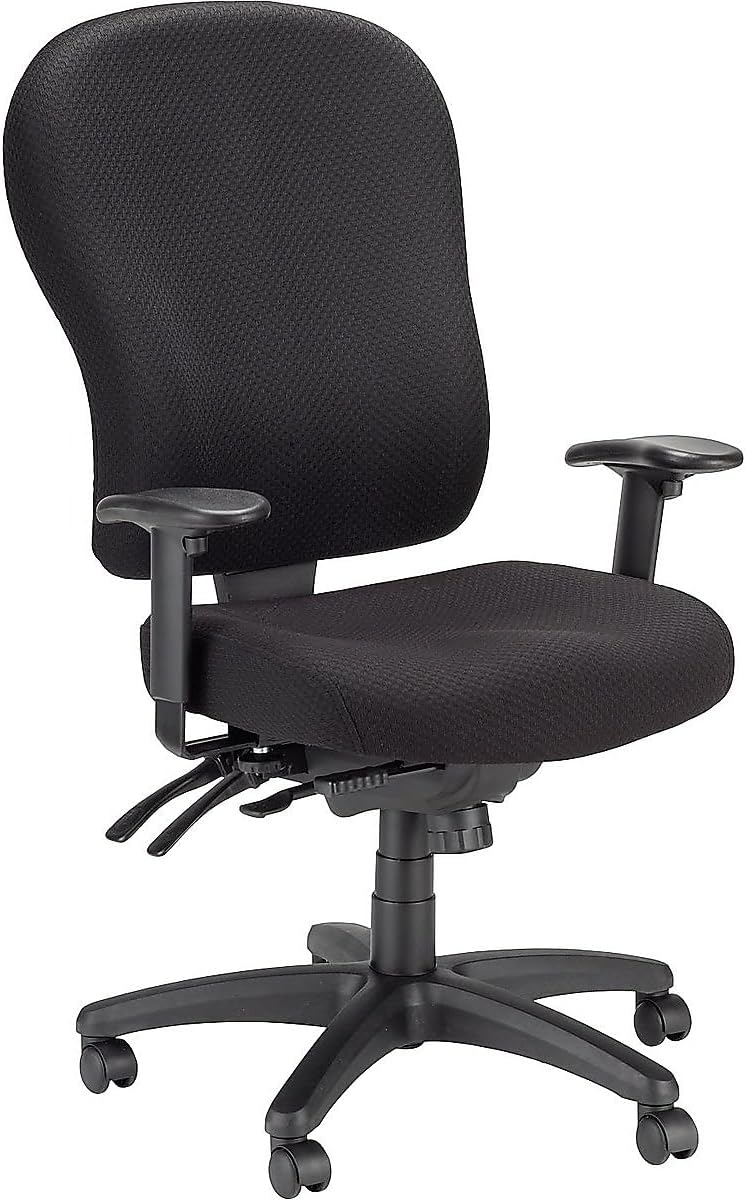
Imagen: Frente view of the assembled Tempur-Pedic TP4000 Fabric Task Chair. This image shows the overall design and appearance of the chair.
Operación y ajustes
The Tempur-Pedic TP4000 chair offers multiple adjustment features to customize your seating experience for optimal comfort and support.
- Ajuste neumático de la altura del asiento:
Locate the lever on the right side, beneath the seat. Pull the lever upwards to raise the seat. While seated, pull the lever upwards to lower the seat. Release the lever at the desired height.
- Armrest Adjustments:
The armrests are width and height adjustable. To adjust height, locate the button or lever on the side of the armrest support. Press it and move the armrest up or down. To adjust width, the armrests can be moved outward to accommodate larger frames. Specific mechanism details may vary, refer to visual cues on your chair.
- Tilt Control Options:
This chair features a range of tilt-control options including independent pan tilt, back tilt, and a forward tilt option. Levers located beneath the seat control these functions. Experiment with each lever to find your preferred recline and tilt settings. One lever typically locks/unlocks the tilt, while another adjusts the tension.
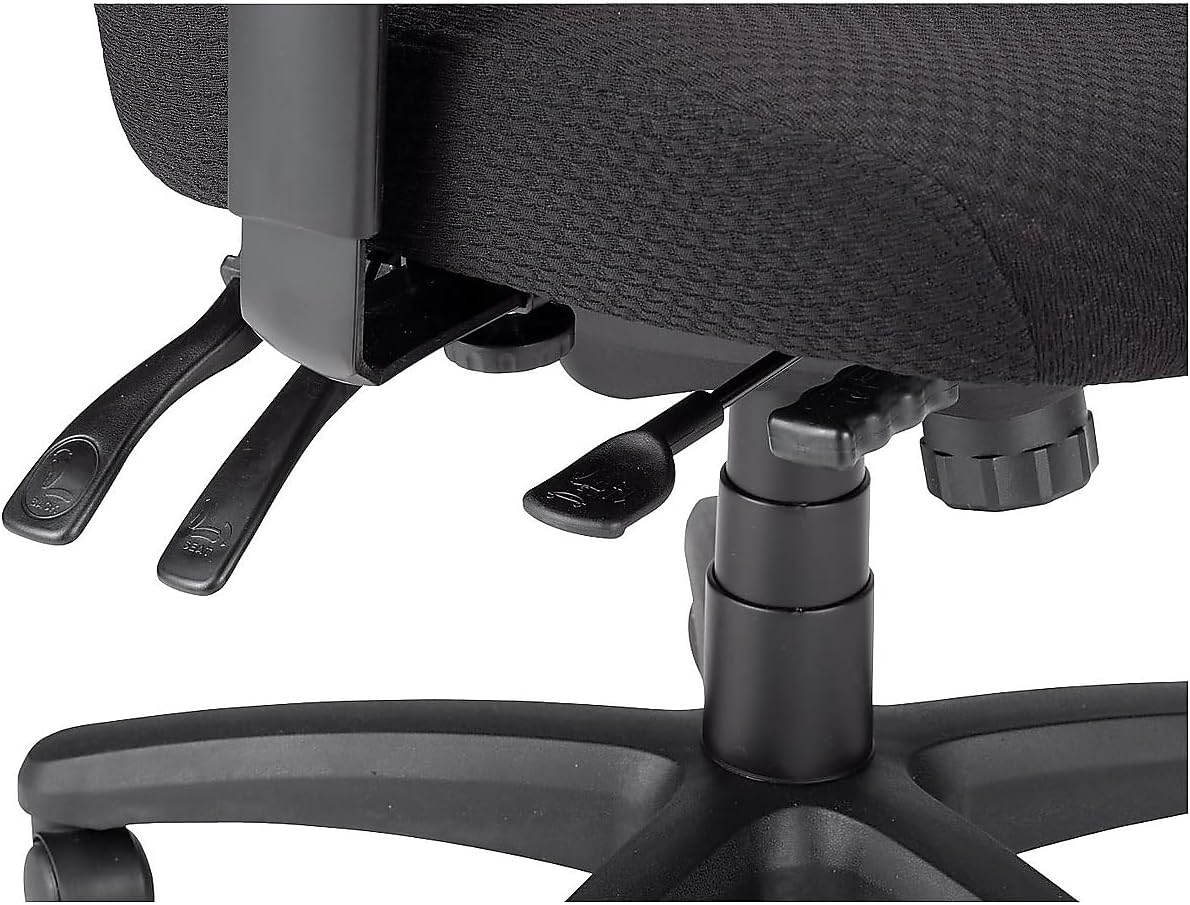
Imagen: Primer plano view of the adjustment levers located on the left side beneath the seat. These levers control various chair functions such as tilt and recline.

Imagen: Primer plano view of the adjustment levers located on the right side beneath the seat. These levers typically control seat height and tilt lock.
- Ajuste de altura del respaldo:
The backrest can be adjusted in height, often through a 5-step ratcheting assembly. To adjust, lift the backrest firmly upwards until it clicks into the next desired position. To reset to the lowest position, lift it to its highest point, then it will drop down. Then you can re-adjust upwards.
Mantenimiento
Proper maintenance ensures the longevity and appearance of your Tempur-Pedic TP4000 chair.
- Limpieza: The fabric upholstery should be spot cleaned. Use a mild detergent and a damp cloth to gently clean soiled areas. Avoid harsh chemicals or abrasive cleaners.
- Ruedas: Periodically check the casters for hair or debris that may impede smooth rolling. Clean as necessary.
- Sujetadores: Routinely check all screws and bolts to ensure they are tight. Tighten any loose fasteners to maintain stability and safety.
Solución de problemas
If you encounter issues with your chair, refer to the following common troubleshooting tips:
- La silla se hunde o no mantiene la altura:
This typically indicates an issue with the gas lift cylinder. Contact customer support for assistance or replacement parts.
- Difficulty Adjusting Levers:
Ensure no weight is applied to the seat or backrest when attempting to adjust. Check for any obstructions around the levers. If levers remain stiff, a small amount of silicone lubricant may be applied to moving parts, avoiding contact with fabric.
- La silla se tambalea o se siente inestable:
Check all assembly bolts and screws, especially those connecting the seat to the mechanism and the base to the gas lift. Tighten any loose connections. Ensure the casters are fully inserted into the base.
- Las ruedas no giran con suavidad:
Remove any hair, dust, or debris wrapped around the caster wheels. Clean the wheels and axles. If the issue persists, casters may need replacement.
Presupuesto
| Marca | Tempur-Pedic |
| Número de modelo | TP4000 |
| Color | Negro |
| Dimensiones del producto | 26.8" de profundidad x 26" de ancho x 36.2" de alto |
| Estilo de espalda | Respaldo alto |
| Características especiales | Arm Rest, Foldable (Note: 'Foldable' may refer to armrests or a general feature, not the entire chair) |
| Usos recomendados | Oficina |
| Estilo | Authentic Tempur Material |
| Peso del artículo | 91.8 libras |
| Capacidad máxima de peso | 242.5 libras |
| Código Postal | 669245994279 |
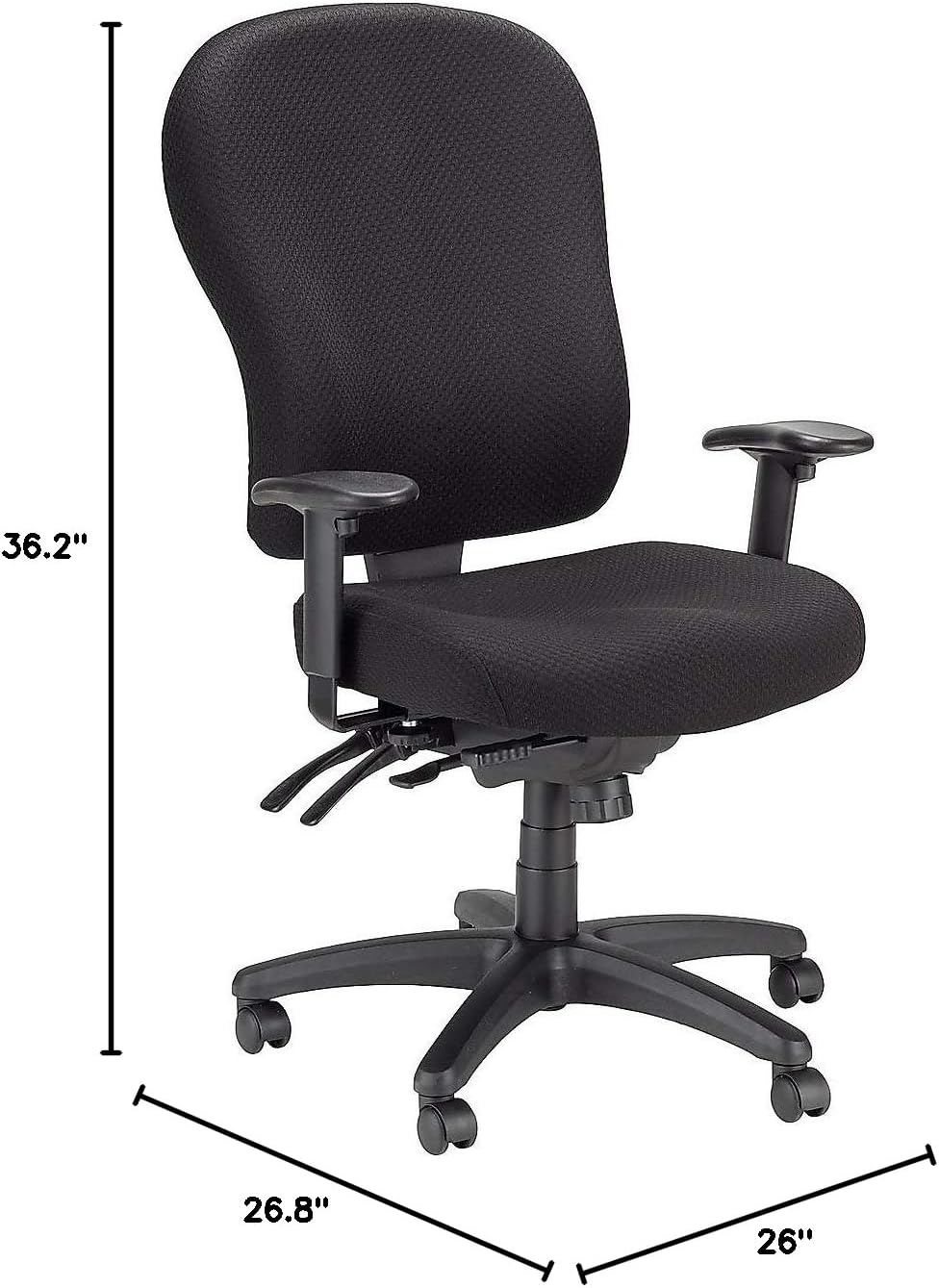
Image: Diagram showing the dimensions of the Tempur-Pedic TP4000 Fabric Task Chair, including height, depth, and width.
Garantía y soporte
For warranty information or technical support, please refer to the documentation included with your purchase or contact Tempur-Pedic customer service directly. Keep your proof of purchase for warranty claims.
For further assistance, you may visit the official Tempur-Pedic store online: Tempur-Pedic Store


