1. Información importante de seguridad
Before assembling or operating your Toorx SRX-50S Indoor Cycle, please read and understand all instructions in this manual. Keep this manual for future reference.
- Siempre consulte con un médico antes de comenzar cualquier programa de ejercicios.
- Asegúrese de que todos los pernos, tuercas y conexiones estén bien apretados antes de cada uso.
- Place the indoor cycle on a flat, stable surface. Use a mat underneath to protect flooring and enhance stability.
- Mantenga a los niños y mascotas alejados del equipo durante su uso.
- Use ropa y calzado deportivo adecuados. Evite la ropa suelta que pueda engancharse en las piezas móviles.
- El peso máximo del usuario para este equipo es de 125 kg.
- Deje de hacer ejercicio inmediatamente si se siente débil, mareado o experimenta dolor.
2. Configuración y montaje
The Toorx SRX-50S Indoor Cycle requires some assembly. Follow these general steps for proper setup. Refer to the included assembly diagram for detailed instructions.
2.1 Desembalaje
Carefully remove all components from the packaging. Check against the parts list to ensure all items are present and undamaged. Do not discard packaging until assembly is complete.
2.2 Montaje del marco
Attach the front and rear stabilizers to the main frame using the provided bolts and tools. Ensure they are firmly secured to provide a stable base for the cycle.

Image: Close-up of the stabilizer foot, showing the adjustable knob for leveling the bike on uneven surfaces.
2.3 Instalación de pedales
Identify the left (L) and right (R) pedals. The left pedal typically tightens counter-clockwise, and the right pedal clockwise. Apply a small amount of grease to the threads before installation to prevent seizing. Ensure pedals are fully tightened.
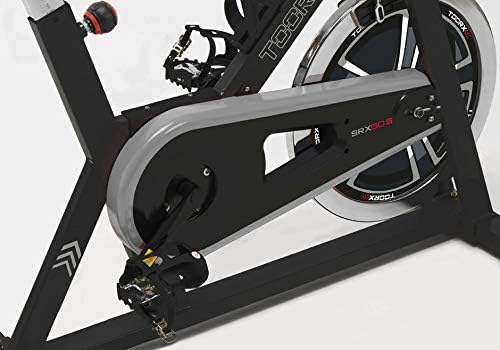
Imagen: Una más amplia view of the Toorx SRX-50S flywheel and chain cover, with the pedals clearly visible and attached to the crank arms.
2.4 Ajuste del sillín
The saddle can be adjusted both vertically and horizontally to find your optimal riding position. Loosen the adjustment knobs, slide the saddle to the desired position, and securely tighten the knobs.
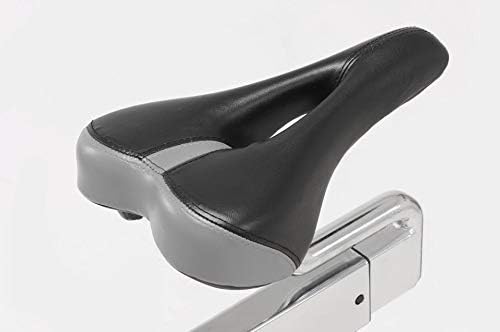
Image: Close-up of the ergonomic, two-tone black and grey saddle, designed for comfort during workouts.
2.5 Instalación y ajuste del manillar
Attach the handlebar post to the main frame and then secure the handlebars. Adjust the handlebar height to a comfortable level, ensuring your back remains straight during your workout. Tighten all adjustment knobs firmly.
2.6 Console Installation
Mount the console onto the designated bracket on the handlebars. Connect any necessary sensor cables from the bike to the console. Ensure the console is securely attached and cables are not pinched.

Image: Close-up of the digital console, showing the display screen and control buttons. The screen currently reads '0:00'.
3. Instrucciones de funcionamiento
Familiarize yourself with the functions of your Toorx SRX-50S Indoor Cycle before beginning your workout.
3.1 Comenzar un entrenamiento
Sit on the saddle and place your feet securely in the pedal straps. Begin pedaling at a comfortable pace. The console will automatically activate and begin displaying your workout data.
3.2 Ajuste de la resistencia
The SRX-50S features a manual micrometric resistance adjustment system. Turn the resistance knob clockwise to increase resistance and counter-clockwise to decrease it. Adjust the resistance to match your desired workout intensity.
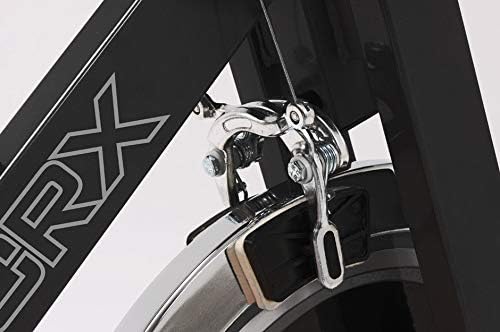
Image: Close-up of the brake system, highlighting the felt pads that apply resistance to the flywheel.
3.3 Funciones de la consola
The digital console displays various workout metrics:
- Velocidad: Velocidad de ciclismo actual.
- Tiempo: Duración de tu entrenamiento.
- Distancia: Distancia total recorrida durante el entrenamiento.
- Legumbres: Your heart rate, measured by the integrated pulse sensors.
- Calorías: Estimación de calorías quemadas.
- Podómetro: Counts steps or revolutions.
Use the button on the console to cycle through different display modes or reset values as needed.
3.4 Sensores de pulso
Grip the pulse sensors located on the handlebars with both hands to measure your heart rate. Ensure a firm, consistent grip for accurate readings. Your pulse will be displayed on the console.
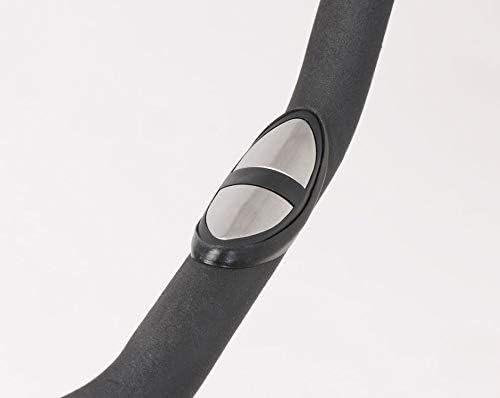
Image: Close-up of the metallic pulse sensor pad, seamlessly integrated into the foam-covered handlebar for heart rate monitoring.
3.5 Parada de emergencia
In case of an emergency or if you need to stop the flywheel quickly, press down firmly on the resistance knob. This will engage the emergency brake, bringing the flywheel to a rapid stop.
3.6 Soporte para botella de agua
Un práctico soporte para botella de agua está integrado en el marco, lo que le permite mantenerse hidratado durante su entrenamiento.

Image: Close-up of the black plastic water bottle holder, securely attached to the main frame of the Toorx SRX-50S Indoor Cycle.
4. Mantenimiento
Regular maintenance ensures the longevity and safe operation of your Toorx SRX-50S Indoor Cycle.
- Limpieza: Limpie el equipo con publicidad.amp Limpie el paño después de cada uso para eliminar el sudor y el polvo. Evite los limpiadores abrasivos.
- Lubricación: Periodically check the chain and moving parts for smooth operation. Apply a light lubricant if necessary, following manufacturer recommendations for bicycle chains.
- Sistema de frenos: Inspect the felt brake pads for wear. Replace them if they become excessively worn to maintain effective braking.
- Comprobación estructural: Regularly inspect the thick steel structure for any signs of damage or loose connections. Tighten any loose bolts or nuts.
- pedales: Check pedals for tightness and smooth rotation.
- Console Batteries: If the console display becomes dim or unresponsive, replace the batteries (power source is battery-driven).
5. Solución de problemas
This section addresses common issues you might encounter with your indoor cycle.
- La consola no se muestra:
- Check if the console batteries are correctly installed and have sufficient charge. Replace if necessary.
- Ensure all sensor cables are securely connected to the console. - Sin resistencia o resistencia inconsistente:
- Verify that the resistance knob is functioning correctly and turning freely.
- Inspect the felt brake pads for wear or misalignment. - Ruidos inusuales durante el funcionamiento:
- Check all bolts and nuts for tightness, especially around the flywheel and crank arms.
- Inspect the chain for proper tension and lubrication. - Saddle or Handlebars Wobble:
- Ensure all adjustment knobs for the saddle and handlebars are fully tightened.
Si encuentra problemas que no aparecen aquí o si las soluciones no resuelven el problema, comuníquese con atención al cliente.
6. Especificaciones del producto
| Nombre del modelo | SRX-50S |
| Peso del volante | 20 kilogramos |
| Sistema de transmisión | Fixed Chain |
| Sistema de frenos | Almohadillas de fieltro |
| Ajuste de resistencia | Manual Micrometric |
| Pantalla de consola | Speed, Time, Distance, Pulse, Calories, Pedometer |
| Sensores de pulso | Integrated on handlebars |
| Ajuste del sillín | Vertical y horizontal |
| Material del marco | Thick Alloy Steel |
| Dimensiones del producto (L x An x Al) | 107 x 51 x 115 cm |
| Peso neto | 41 kilogramos |
| Peso máximo del usuario | 125 kilogramos |
| Fuente de alimentación (consola) | Impulsado por batería |
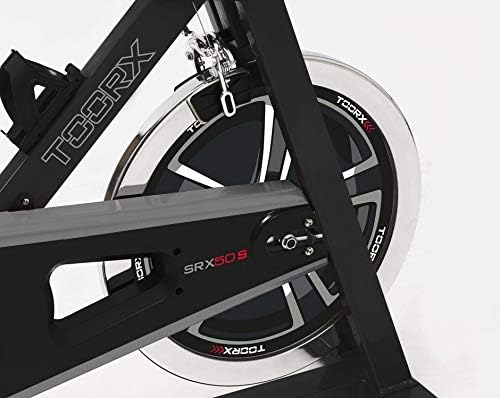
Imagen: Primer plano view of the Toorx SRX-50S flywheel and the protective chain cover, showcasing el diseño robusto.
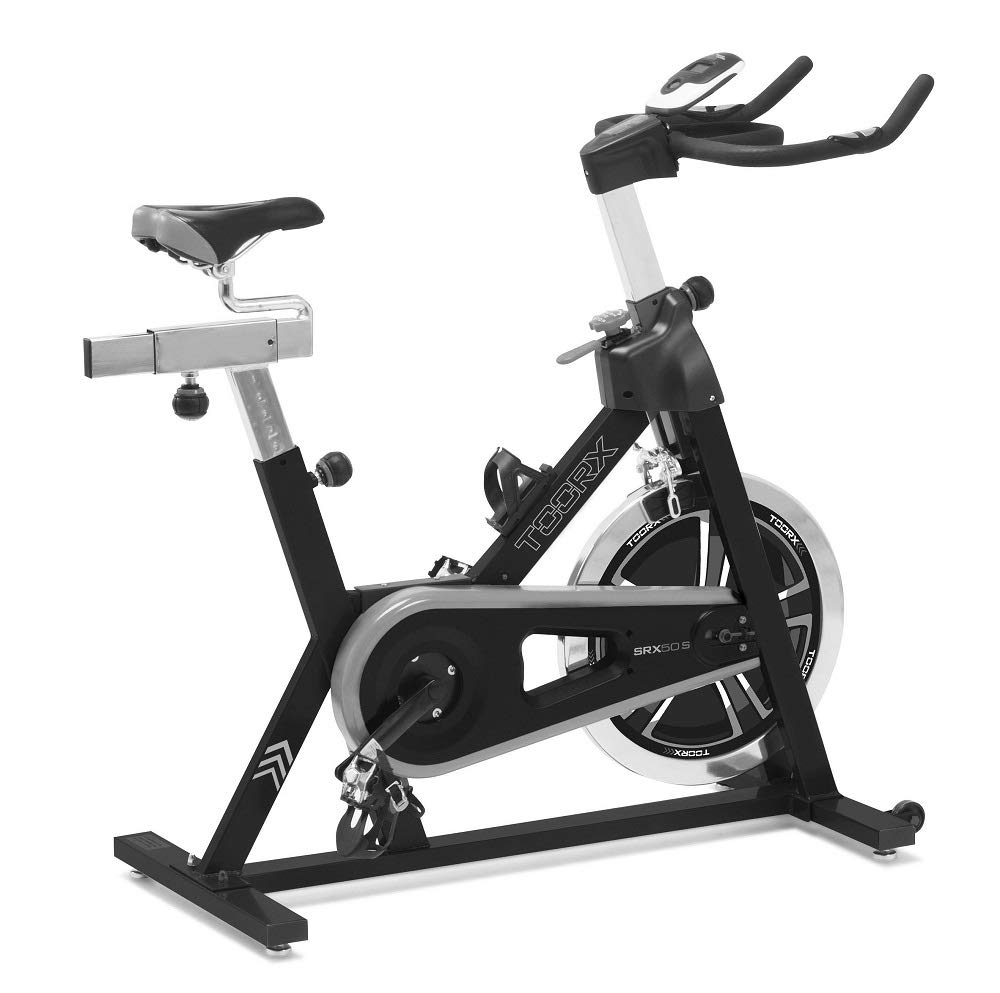
Imagen: Una imagen completa view of the Toorx SRX-50S Indoor Cycle, highlighting its overall structure and design.
7. Garantía y soporte
For information regarding the warranty period and terms for your Toorx SRX-50S Indoor Cycle, please refer to the warranty card included with your purchase or contact your retailer. Keep your proof of purchase for any warranty claims.
If you require technical assistance, spare parts, or have any questions not covered in this manual, please contact Toorx customer support or your authorized dealer. Contact details can typically be found on the manufacturer's websitio web o su documentación de compra.


