1. Introducción
Gracias por la compraasing the Marathon CL030050P Digital Desk Clock. This compact and versatile clock is designed for convenience, offering a clear digital display with a soft blue backlight, an alarm with snooze function, temperature display, and multi-language day of the week display. This manual provides detailed instructions for setup, operation, and maintenance to ensure optimal performance.
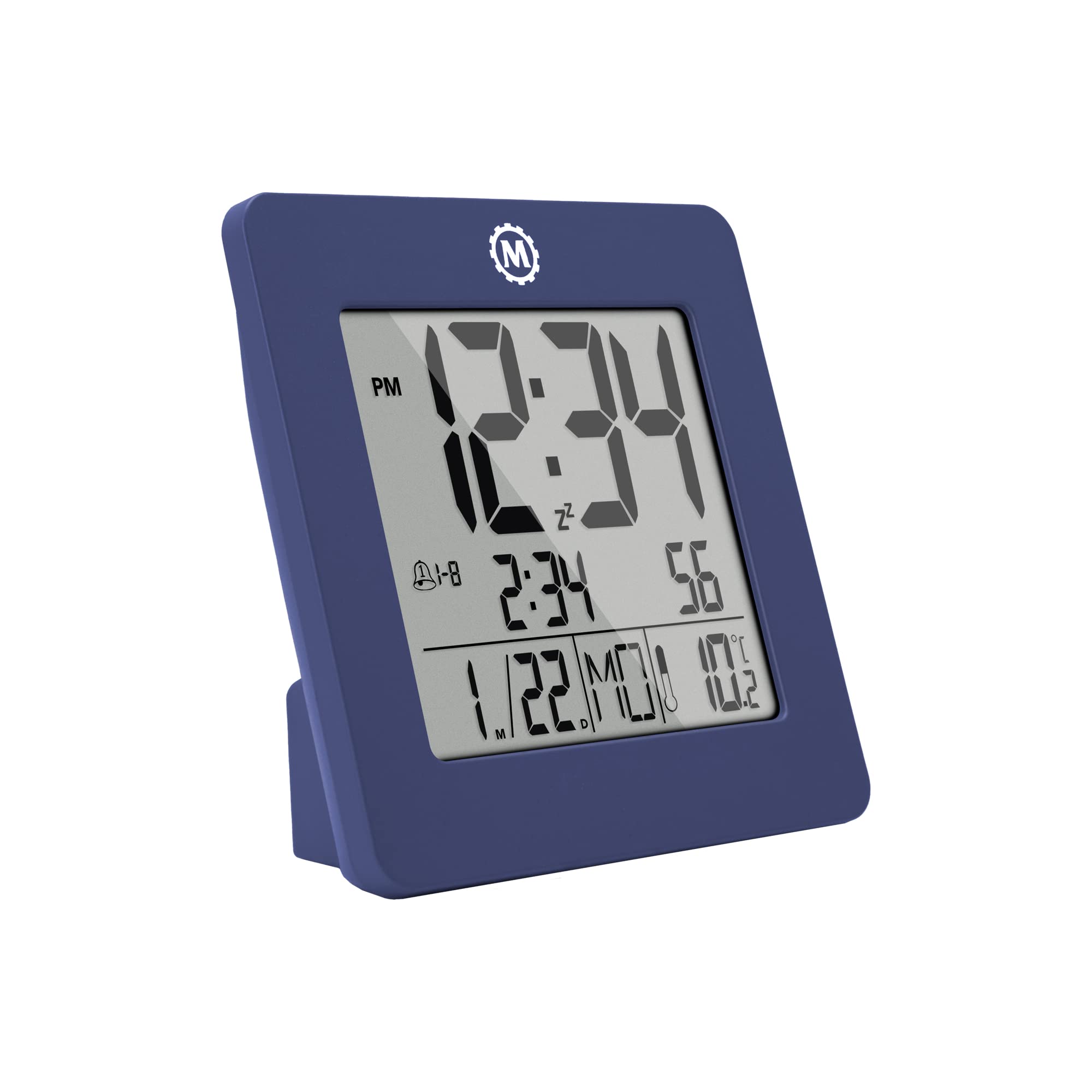
Figura 1: Frente view of the Marathon CL030050P Digital Desk Clock.
2. Contenido del paquete
- Marathon CL030050P Digital Desk Clock
- Manual de usuario (este documento)
- Baterías (preinstaladas o incluidas por separado)
3. Configuración
3.1 Instalación de la batería
The clock operates on batteries. If batteries are not pre-installed, open the battery compartment cover on the back of the clock and insert the required batteries, ensuring correct polarity (+/-). Close the cover securely.
3.2 Initial Settings (Time, Date, Language, Temperature Unit)
The back of the clock features several buttons for configuration:
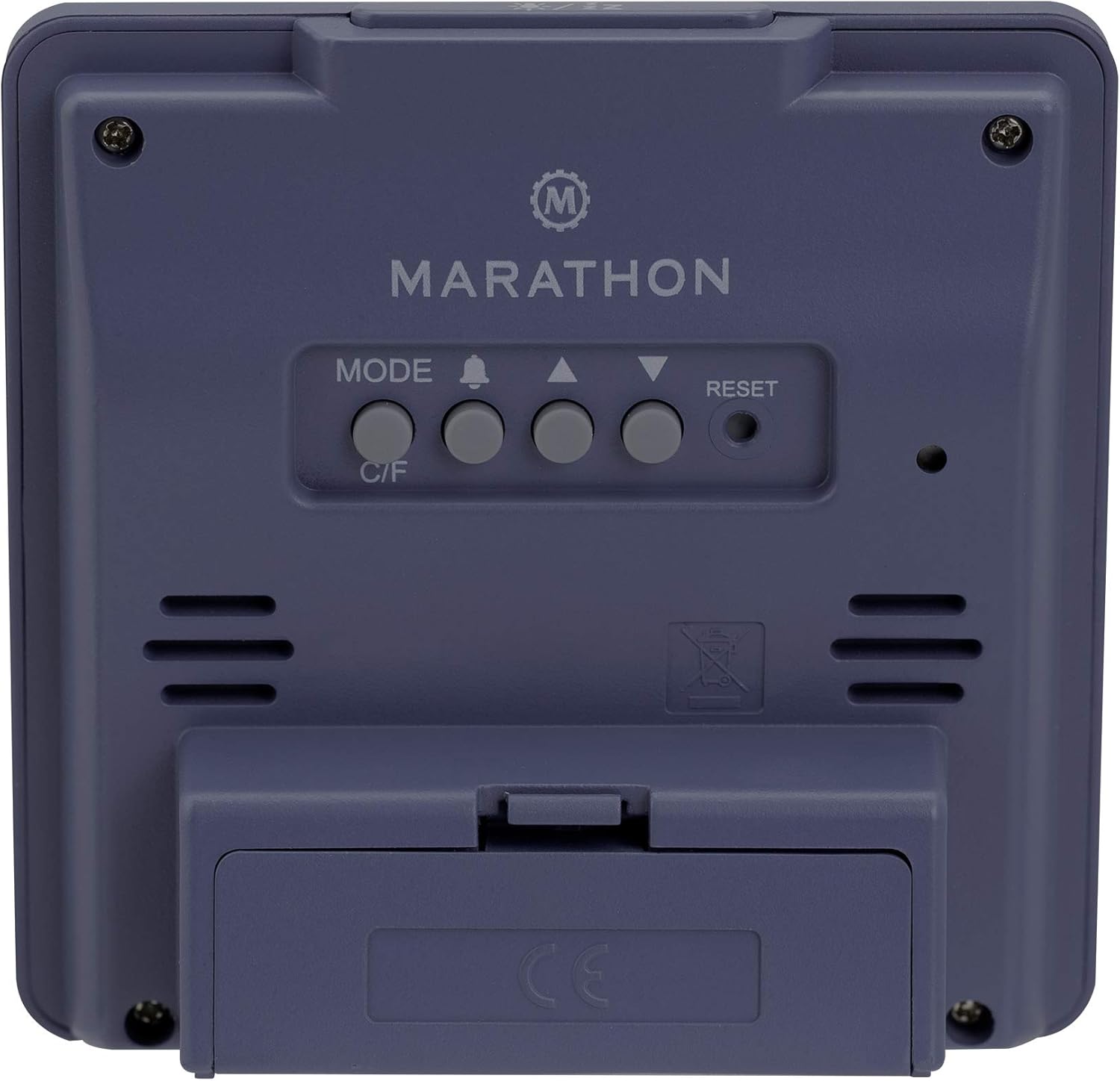
Figura 2: Posterior view del reloj con botones de control.
- Establecer hora y fecha: Mantenga pulsado el MODO Botón para entrar en el modo de ajuste de la hora. Utilice el ARRIBA (▲) y ABAJO (▼) buttons to adjust the flashing value (e.g., hour, minute, year, month, day). Press MODO nuevamente para confirmar y pasar a la siguiente configuración.
- Formato de 12/24 horas: While in time setting mode, press the ARRIBA (▲) Botón para alternar entre formatos de 12 horas (con indicador AM/PM) y 24 horas.
- Día de la semana Idioma: The day of the week can be displayed in 7 languages (English, Dutch, French, Spanish, Italian, Danish, German). This setting is typically adjusted within the date setting sequence. Use ARRIBA (▲) or ABAJO (▼) to select your preferred language when the day of the week is flashing.
- Temperature Unit (C/F): Presione el C / F button on the back of the clock to switch between Celsius (℃) and Fahrenheit (℉) temperature display.
4. Instrucciones de funcionamiento
4.1 modos de visualización
The clock continuously displays time, date, and temperature. The large, high-contrast display ensures readability.
4.2 Activación de la luz de fondo
The clock features a soft blue Nightglow Super Glow backlight. To activate the backlight, press any button on the clock. The backlight will illuminate for a few seconds, providing temporary visibility in low-light conditions.
4.3 Configuración de alarma
- Presione el ALARM (🔔) botón una vez para view la hora actual de la alarma.
- Mantenga pulsado el ALARM (🔔) button to enter alarm setting mode. The hour digit will flash.
- Utilice el ARRIBA (▲) y ABAJO (▼) Botones para ajustar la hora. Presione ALARM (🔔) para confirmar y pasar al ajuste de minutos.
- Ajuste los minutos utilizando el ARRIBA (▲) y ABAJO (▼) botones. prensa ALARM (🔔) para confirmar y salir del modo de configuración de alarma.
- Para activar/desactivar la alarma, presione el botón ALARM (🔔) Presione brevemente el botón fuera del modo de configuración. Aparecerá o desaparecerá un icono de alarma en la pantalla.
4.4 Función de repetición
Cuando suene la alarma, presione cualquier botón (excepto REINICIAR) to activate the snooze function. The alarm will temporarily stop and sound again after a few minutes (snooze duration is typically fixed and cannot be adjusted). To turn off the alarm completely, press the REINICIAR button or let it ring for its full duration.

Figure 3: The clock is compact and fits comfortably in hand.
5. Mantenimiento
5.1 Limpieza
Limpie el reloj con un paño suave y seco. No utilice limpiadores abrasivos ni disolventes, ya que pueden dañar la pantalla o el cristal.asing.
5.2 Reemplazo de batería
When the display becomes dim or the clock functions erratically, it is time to replace the batteries. Open the battery compartment on the back, remove the old batteries, and insert new ones, observing correct polarity. Dispose of old batteries responsibly.
6. Solución de problemas
- La pantalla está en blanco o tenue: Verifique la instalación de las baterías. Reemplácelas si es necesario.
- Hora/fecha incorrecta: Vuelva a ingresar la configuración de fecha y hora como se describe en la Sección 3.2.
- La alarma no suena: Ensure the alarm is activated (alarm icon visible on display). Check alarm volume if adjustable (this model may not have adjustable volume).
- Clock unresponsive: Presione el REINICIAR button on the back of the clock using a pointed object (e.g., a paperclip). This will reset the clock to factory defaults, and you will need to set the time and date again.
7. Especificaciones
| Modelo | CL030050P |
| Marca | Maratón |
| Color | French Blue |
| Tamaño | Pequeño |
| Material | Plástico |
| Tipo de pantalla | Digital |
| Características | Alarma, visualización de temperatura |
| Fuente de poder | Funciona con pilas |
| Dimensiones del producto | 9.4 x 3.81 x 9.4 cm (3.7 x 1.5 x 3.7 pulgadas) |
| Peso del artículo | 0.1 kilogramos (100 g) |
| Uso interior/exterior | Interior |

Figure 4: Product dimensions for the Marathon CL030050P Digital Desk Clock.
8. Garantía y soporte
For warranty information or technical support, please refer to the warranty card included with your product or visit the official Marathon webSitio. Si encuentra algún problema no contemplado en este manual, comuníquese con el servicio de atención al cliente para obtener ayuda.