1. Introducción
The SONOFF 4CH PRO R3 is a 4-gang Wi-Fi smart switch designed to integrate your traditional home appliances into a smart home system. It allows you to remotely control up to four connected devices independently via the eWeLink app on your iOS or Android device. This smart switch supports various working modes including self-locking, interlock, and inching, providing flexible control options for different applications. It is also compatible with voice assistants like Amazon Alexa and Google Home for convenient voice control.
This manual provides essential information for the safe and effective use of your SONOFF 4CH PRO R3 smart switch, covering product overview, especificaciones, instalación, operación, mantenimiento y solución de problemas.
2. Información de seguridad
Please read and understand all safety instructions before installing or operating the device. Failure to follow these instructions may result in electric shock, fire, or other serious injury or damage.
- Seguridad eléctrica: Installation should only be performed by a qualified electrician or professional. Ensure the main power supply is turned off at the circuit breaker before any wiring work.
- Volumentage y carga: Do not exceed the maximum load ratings of 10A/2200W per gang or 40A/8800W total. The device operates on 100-240V AC (50/60Hz) or 9-23V DC.
- Ambiente: Do not expose the device to moisture, extreme temperatures, or direct sunlight. Use indoors only.
- Alambrado: Ensure all wire connections are secure and correctly terminated according to the wiring diagrams provided. The recommended wire diameter is ̘ 0.5-1.5mm (24-14AWG).
- Desmontaje: No intente desmontar ni modificar el dispositivo. No contiene piezas que el usuario pueda reparar.
3. Producto terminadoview
The SONOFF 4CH PRO R3 is a versatile smart switch designed for various applications. It features four independent channels, allowing you to control multiple devices from a single unit. The device supports both AC and DC power inputs and can be mounted on a DIN rail for easy integration into electrical boxes.

Figura 3.1: Frente view of the SONOFF 4CH PRO R3 Smart Switch, showing the four gang buttons, LED indicators, and input/output terminals. The model number and electrical specifications are also visible on the label.
Características principales:
- Control de 4 canales: Independently control up to four connected devices.
- Múltiples modos de trabajo: Supports self-locking, interlock, and inching modes configurable via the eWeLink app.
- Control de voz: Compatible con Amazon Alexa y Google Home para funcionamiento manos libres.
- Mando a distancia: Control devices from anywhere using the eWeLink app on your smartphone.
- Montaje en carril DIN: Diseñado para una fácil instalación en cajas de distribución eléctrica.
- Seguridad mejorada: Durable flame-retardant PC shell provides maximum safety.
- Dry Contact Support: Offers dry contact output for specific applications.
4. Especificaciones
| Parámetro | Valor |
|---|---|
| Marca | SONOFF |
| Modelo | 4CH PRO R3 |
| Material | PC V0 (Flame-retardant) |
| Vol de entradatage | 100-240V AC, 50/60Hz (DC: 9-23V) |
| Max. Load (per Gang) | 10A / 2200W |
| Carga máxima (total) | 40A / 8800W |
| Frecuencia inalámbrica | WiFi 2.4G |
| Estándar inalámbrico | IEEE802.11 b/g/n, 2.4G (2400M-2483.5M) |
| Modo de seguridad | WPA/WPA2 |
| Compatibilidad | Android 4.1 o posterior, iOS 9.0 o posterior |
| Camino del cableado | N (Neutral) y L (Vivo) |
| Diámetro del alambre | ̘ 0.5-1.5mm (24-14AWG) |
| Pandillas | 4 |
| Control remoto de 433 MHz | Sí |
| Contacto seco | Sí |
| Entrada de CA | Sí |
| Entrada de CC | Sí |
| Registros de operaciones | 3-Month (via App) |
| Modo de enclavamiento | App Configurable |
| Modo de avance lento | App Configurable |
| Tamaño del artículo | 14.5 9 x x 3.4 cm (5.7 3.54 x x 1.33 in) |
| Peso del artículo | 202 g (7.12 onzas) |
| Número de pieza | CXQ4994757908399EM |
| Código Postal | 755431189069 |
Figura 4.1: Comparison of features across different SONOFF 4CH models, including 4CH PRO R3, highlighting differences in remote control, dry contact, AC/DC input, operation records, and control modes.
5. Configuración e instalación
Before beginning installation, ensure the main power supply is disconnected at the circuit breaker to prevent electric shock.
5.1 Instrucciones de cableado
The SONOFF 4CH PRO R3 supports both AC and DC input. Refer to the wiring diagram on the device and below for correct connections. Ensure all wires are securely fastened in their respective terminals.
- Input Terminals (Left Side): Connect your main power supply (Live 'L' and Neutral 'N') to the input terminals.
- Output Terminals (Right Side): Connect your appliances or lights to the output terminals (L1, L2, L3, L4 for Live outputs, and N for Neutral output). Each output corresponds to a specific channel.
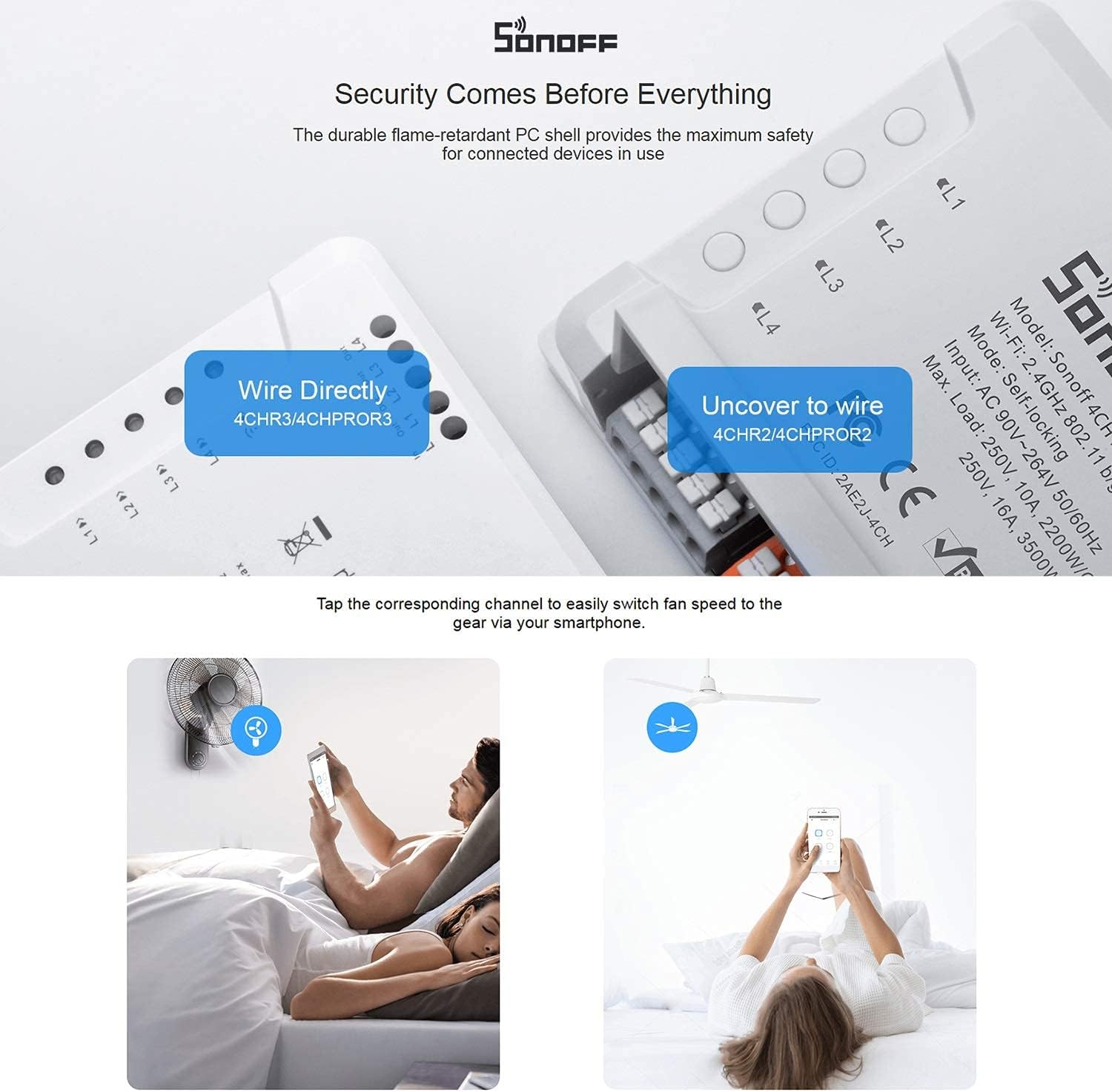
Figura 5.1: Illustration of wiring the SONOFF 4CH PRO R3. The image shows the direct wiring method for the 4CHR3/4CHPROR3 models, where wires are inserted directly into the terminals.
5.2 Montaje en carril DIN
The 4CH PRO R3 is designed for easy installation on a standard DIN rail, commonly found in electrical distribution boxes.
- Install the switch: Align the switch with the DIN rail.
- Slide into place: Gently slide the switch onto the rail until it clicks into position.
- Seguro: Press the mounting brackets until they click, ensuring the switch is firmly secured on the rail.

Figura 5.2: Step-by-step guide for mounting the SONOFF 4CH PRO R3 onto a DIN rail, showing the process of installing, sliding, and securing the device.
5.3 Emparejamiento de aplicaciones
To control the switch via your smartphone, you need to pair it with the eWeLink app.
- Descargar la aplicación eWeLink: Descargue la aplicación eWeLink desde la App Store (iOS) o Google Play Store (Android).
- Registrarse/Iniciar sesión: Cree una cuenta o inicie sesión en su cuenta eWeLink existente.
- Agregar dispositivo: Follow the in-app instructions to add a new device. This typically involves putting the switch into pairing mode (refer to the device's LED indicator for status) and connecting to your 2.4GHz Wi-Fi network.
6. Operación del dispositivo
The SONOFF 4CH PRO R3 offers multiple ways to control your connected devices.
6.1 Control de aplicaciones (eWeLink)
Once paired, you can control each of the four channels independently through the eWeLink app. The app also allows you to configure different working modes:
- Modo de autobloqueo: Each channel operates independently. Turning one channel ON/OFF does not affect others.
- Modo de enclavamiento: Only one channel can be ON at a time. Turning one channel ON will automatically turn OFF any other currently ON channels. This is useful for controlling devices like garage doors or blinds where only one state should be active.
- Modo de avance lento: A channel will automatically turn OFF after a set duration (e.g., 0.5-3600s) once it's turned ON. This is ideal for momentary actions.

Figura 6.1: Screenshots of the eWeLink app demonstrating the configuration and control of self-locking, interlock, and inching modes for the SONOFF 4CH PRO R3.

Figura 6.2: Examples of interlock mode application, showing how it can be used to control a garage door (open/close) or blinds (up/down) ensuring only one action is active at a time.
6.2 Control por voz (Alexa y Google Home)
The SONOFF 4CH PRO R3 can be integrated with Amazon Alexa and Google Home for convenient voice control. Ensure your eWeLink account is linked to your Alexa or Google Home app.
- Amazon Alexa: Enable the 'eWeLink Smart Home' skill in the Alexa app. Discover devices, and then you can use commands like "Alexa, turn on [device name]" or "Alexa, turn off [device name]".
- Página principal de Google: Link your eWeLink account in the Google Home app. Use commands such as "Hey Google, turn on [device name]" or "Hey Google, turn off [device name]".

Figura 6.3: Illustration of using voice commands with Amazon Alexa to control the smart switch, demonstrating the ease of integrating with popular voice assistants.
6.3 Other Control Methods
- Botones físicos: Each channel has a physical button on the device for manual ON/OFF control.
- 433MHz RF Remote Control: The 4CH PRO R3 supports 433MHz RF remote control for local operation (remote sold separately).
- Programación y temporizadores: Set schedules and timers within the eWeLink app to automate your devices.
- Escenas inteligentes: Create custom smart scenes to trigger actions based on various conditions (e.g., turn on lights when motion is detected).
7. Mantenimiento
Proper maintenance ensures the longevity and optimal performance of your SONOFF 4CH PRO R3 smart switch.
- Limpieza: Use a soft, dry cloth to clean the device. Do not use abrasive cleaners, solvents, or wet cloths, as these can damage the device or cause electrical hazards.
- Ambiente: Mantenga el dispositivo en un ambiente seco, alejado de la luz solar directa, altas temperaturas y humedad.
- Actualizaciones de firmware: Regularly check for and install firmware updates via the eWeLink app to ensure the device has the latest features and security patches.
- Inspección: Inspeccione periódicamente las conexiones del cableado para asegurarse de que permanezcan seguras.
8. Solución de problemas
If you encounter issues with your SONOFF 4CH PRO R3, refer to the following common problems and solutions:
- Dispositivo sin conexión en la aplicación:
- Compruebe si el dispositivo está encendido.
- Asegúrese de que su red Wi-Fi esté activa y estable.
- Verify the device is within Wi-Fi range.
- Reinicie el dispositivo y su enrutador Wi-Fi.
- Si el problema persiste, intente volver a emparejar el dispositivo con la aplicación.
- No se puede emparejar el dispositivo:
- Asegúrese de que su red Wi-Fi sea de 2.4 GHz. El dispositivo no es compatible con Wi-Fi de 5 GHz.
- Comprueba que tu contraseña de Wi-Fi sea correcta.
- Make sure the device is in pairing mode (refer to the LED indicator status).
- Reduce the distance between the device and your Wi-Fi router during pairing.
- El dispositivo no responde a los comandos de voz:
- Verify that your eWeLink account is correctly linked to your Alexa or Google Home app.
- Ensure the device name in the eWeLink app is recognized by your voice assistant. Try renaming it to something simpler.
- Comprueba tu conexión a Internet.
- Physical Buttons Not Working:
- Ensure the device has power.
- If the device is in a specific mode (e.g., interlock), button behavior might be affected.
Para obtener más ayuda, consulte los recursos de soporte oficiales de SONOFF o comuníquese con el servicio de atención al cliente.
9. Garantía y soporte
For warranty information, please refer to the warranty card included with your product or visit the official SONOFF webSitio. Los términos y condiciones de la garantía pueden variar según la región y el minorista.
Atención al cliente:
- For technical support, FAQs, and product updates, please visit the official SONOFF websitio: https://sonoff.tech
- You can also contact SONOFF customer service through the contact information provided on their website or within the eWeLink app.


