Introducción
This manual provides essential instructions for the safe and efficient operation of your Hama TH50 Thermo/Hygrometer. This device is designed to accurately measure and display indoor temperature and humidity levels. Please read this manual thoroughly before using the device and keep it for future reference.
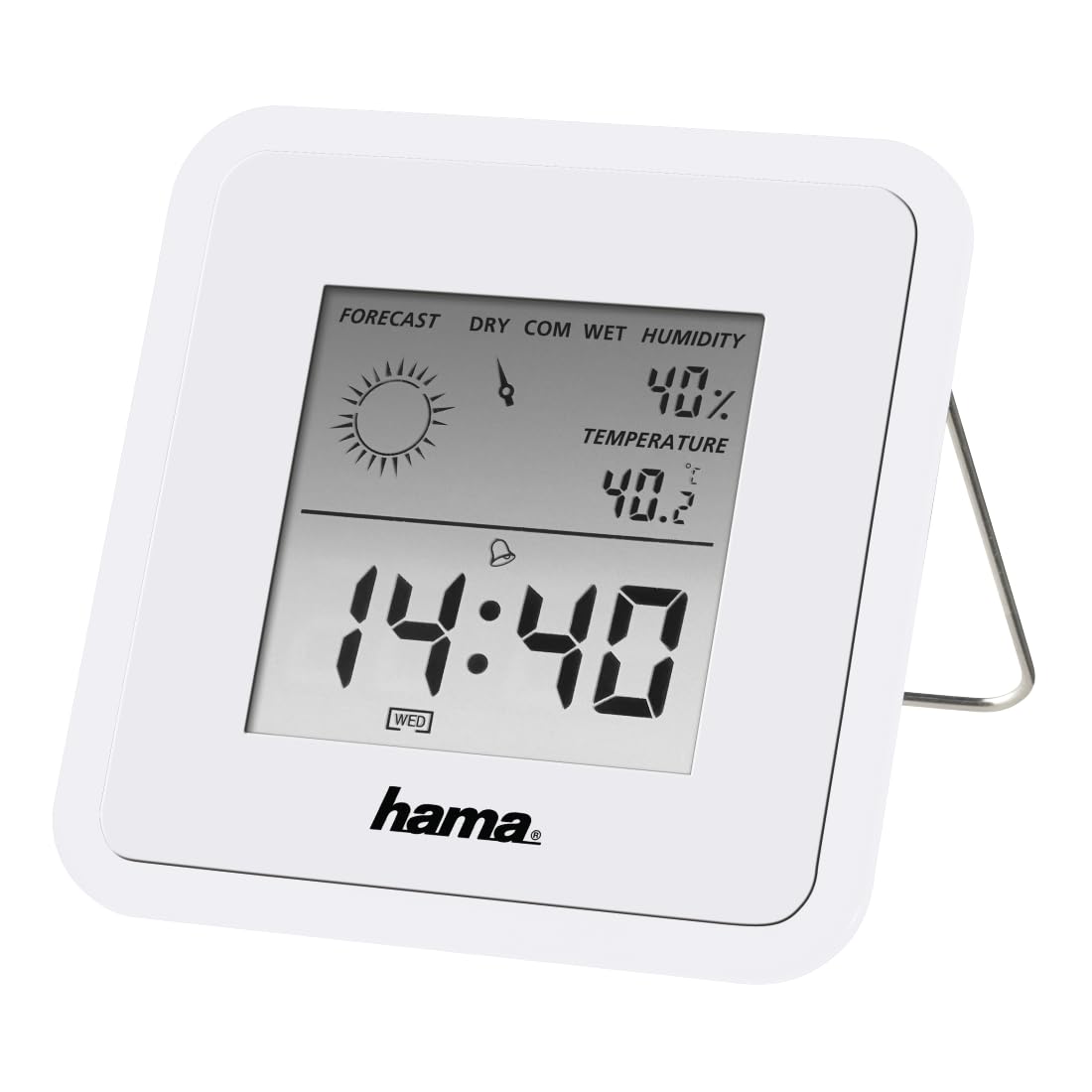
Image: The Hama TH50 Thermo/Hygrometer, a compact white device displaying digital temperature and humidity readings.
Instrucciones de seguridad
- No exponga el dispositivo a temperaturas extremas, luz solar directa o humedad alta.
- Evite dejar caer el dispositivo o someterlo a fuertes impactos.
- No abra el dispositivo casino intente repararlo usted mismo. Solicite cualquier servicio técnico a personal cualificado.
- Mantenga el dispositivo fuera del alcance de los niños.
- Deshazte de las baterías de acuerdo a las regulaciones locales.
Contenido del paquete
Por favor, compruebe que todos los artículos estén presentes y en buen estado:
- Hama TH50 Thermo/Hygrometer
- 1 Lithium Metal Battery (pre-installed or separate)
- Este manual de instrucciones
Configuración
1. Instalación de la batería
The Hama TH50 requires one Lithium Metal battery for operation. If the battery is not pre-installed, follow these steps:
- Localice la tapa del compartimiento de la batería en la parte posterior del dispositivo.
- Abra la tapa del compartimiento de la batería.
- Inserte la batería de Metal Litio, asegurándose de la polaridad correcta (+/-) como se indica dentro del compartimento.
- Cierre bien la tapa del compartimento de la batería.
2 Colocación
The Hama TH50 is designed for tabletop mounting. For accurate readings, place the device in a central location within the room, away from direct heat sources, air conditioning vents, or open windows that could affect temperature and humidity measurements.

Image: The Hama TH50 Thermo/Hygrometer displayed on a small table in a modern living room setting, demonstrating typical placement.
Operación del dispositivo
Información de la pantalla
Once the battery is installed, the device will automatically power on and begin displaying the current temperature and humidity. The display typically shows:
- Temperatura: Measured in degrees Celsius (°C). The accuracy is ±1°C.
- Humedad: Medido como porcentajetagmi (%).
- Tiempo: The current time may also be displayed, depending on the model's features.
There are no user-adjustable settings or buttons on this model for changing units or modes. The device operates automatically.
Mantenimiento
Limpieza
To clean the device, use a soft, dry, lint-free cloth. Do not use abrasive cleaners, solvents, or chemical agents, as these can damage the display or casing. Evite que entre humedad en el dispositivo.
Reemplazo de batería
When the display becomes dim or the readings appear inaccurate, it may be time to replace the battery. Follow the battery installation steps outlined in the "Setup" section to replace the Lithium Metal battery. Ensure proper disposal of the old battery.
Solución de problemas
| Problema | Posible causa | Solución |
|---|---|---|
| Device does not power on / Display is blank. | Battery is not installed or is depleted. Incorrect battery polarity. | Check battery installation and polarity. Replace with a new Lithium Metal battery if necessary. |
| Lecturas inexactas de temperatura y humedad. | Device placed near heat sources, vents, or in direct sunlight. Battery low. | Relocate the device to a more central and stable environment. Replace the battery. |
| La pantalla es tenue. | Batería baja. | Reemplace la batería de metal de litio. |
Presupuesto
- Número de modelo: 00186371
- Marca: Hama
- Dimensiones del producto: 10.5 x 8.6 x 3.2 cm
- Peso del artículo: 66 gramos
- Color: Blanco
- Tipo de montaje: Superficie de la mesa
- Precisión de lectura de temperatura: ±1 °C
- Baterías: 1 batería de litio metálico (incluida)
Garantía y soporte
Hama provides a limited warranty for this product. For detailed warranty information, technical support, or service inquiries, please refer to the official Hama webSitio web o contacte con el departamento de atención al cliente. Conserve su recibo de compra como comprobante.
Nota: Las especificaciones y la apariencia del producto están sujetas a cambios sin previo aviso.


