Introducción
This manual provides detailed instructions for the safe and effective operation of your Donner DJ Par Light. Please read this manual thoroughly before use and retain it for future reference. This device is designed to produce various lighting effects for events, parties, and stage actuaciones.
Información de seguridad
- Asegúrese de que la fuente de alimentación voltage coincide con los requisitos del dispositivo.
- Do not expose the device to rain or moisture to prevent electric shock or fire.
- Desconecte siempre de la fuente de alimentación antes de limpiar o realizar cualquier mantenimiento.
- Evite la exposición directa de los ojos a la fuente de luz, ya que puede causar daños oculares.
- Asegúrese de que haya una ventilación adecuada para evitar el sobrecalentamiento. No bloquee las aberturas de ventilación.
- Manipule el dispositivo con cuidado. Evite dejarlo caer o someterlo a impactos fuertes.
- Mantener fuera del alcance de los niños.
Contenido del paquete
Verifique que todos los artículos estén presentes al desembalar:
- Donner DJ Par Light (1 unit)
- Mando a distancia (1 unidad)
- Soporte de montaje (1 unidad)
- Cable de alimentación (1 unidad)
- Manual de usuario (este documento)
Características del producto
- 18 RGB LEDs: Features 18 x 3W RGB LED lights (6 Red, 6 Green, 6 Blue) for a wide range of color effects.
- Operación multimodo: Includes Static Color, Color Changing, Color Fade, Auto, Sound-activated, Master-slave, and DMX modes.
- Mando a distancia: Easy control via the included IR remote.
- Compatible con DMX512: For professional lighting control.
- Ventilador de refrigeración incorporado: Ensures stable operation and extends lifespan.
- Adjustable Dual Brackets: Allows for flexible mounting on trusses, walls, or standing on the floor.
Configuración
- Desembalaje: Retire con cuidado la luz y todos los accesorios del embalaje.
- Instalación del soporte: Attach the dual brackets to the sides of the light using the provided screws and knobs. Ensure they are securely fastened.
- Montaje:
- Soporte de suelo: Position the light on a flat, stable surface using the brackets as a stand. Adjust the angle as desired.
- Hanging/Truss Mount: Use cl apropiadoamps (not included) to secure the light to a truss or ceiling. Always use a safety cable (not included) when hanging the unit.
- Conexión de energía: Connect the power cable to the light's power input and then to a suitable power outlet.

Modos de funcionamiento
The Donner DJ Par Light offers multiple operating modes, selectable via the remote control or the control panel on the back of the unit.

- Modo de color estático: Displays a single, constant color. Use the remote's color buttons (Red, Green, Blue) or the control panel to select specific colors or mix RGB values.
- Color Changing (Jump) Mode: The light rapidly switches between different colors. The speed of the color change can be adjusted.
- Color Fade (Gradual) Mode: The light smoothly transitions from one color to another. The transition speed can be adjusted.
- Modo automático: The light cycles through various pre-programmed lighting effects automatically.
- Modo activado por sonido: The light reacts to ambient sound or music, changing colors and patterns in sync with the beat. Ensure the built-in microphone is not obstructed.
- Modo maestro-esclavo: Connect multiple lights using DMX cables. One unit acts as the master, controlling all connected slave units, ensuring synchronized lighting effects.
- Modo DMX: For advanced control using a DMX512 controller. This mode allows precise control over individual light parameters such as color intensity, strobe, and mode selection.
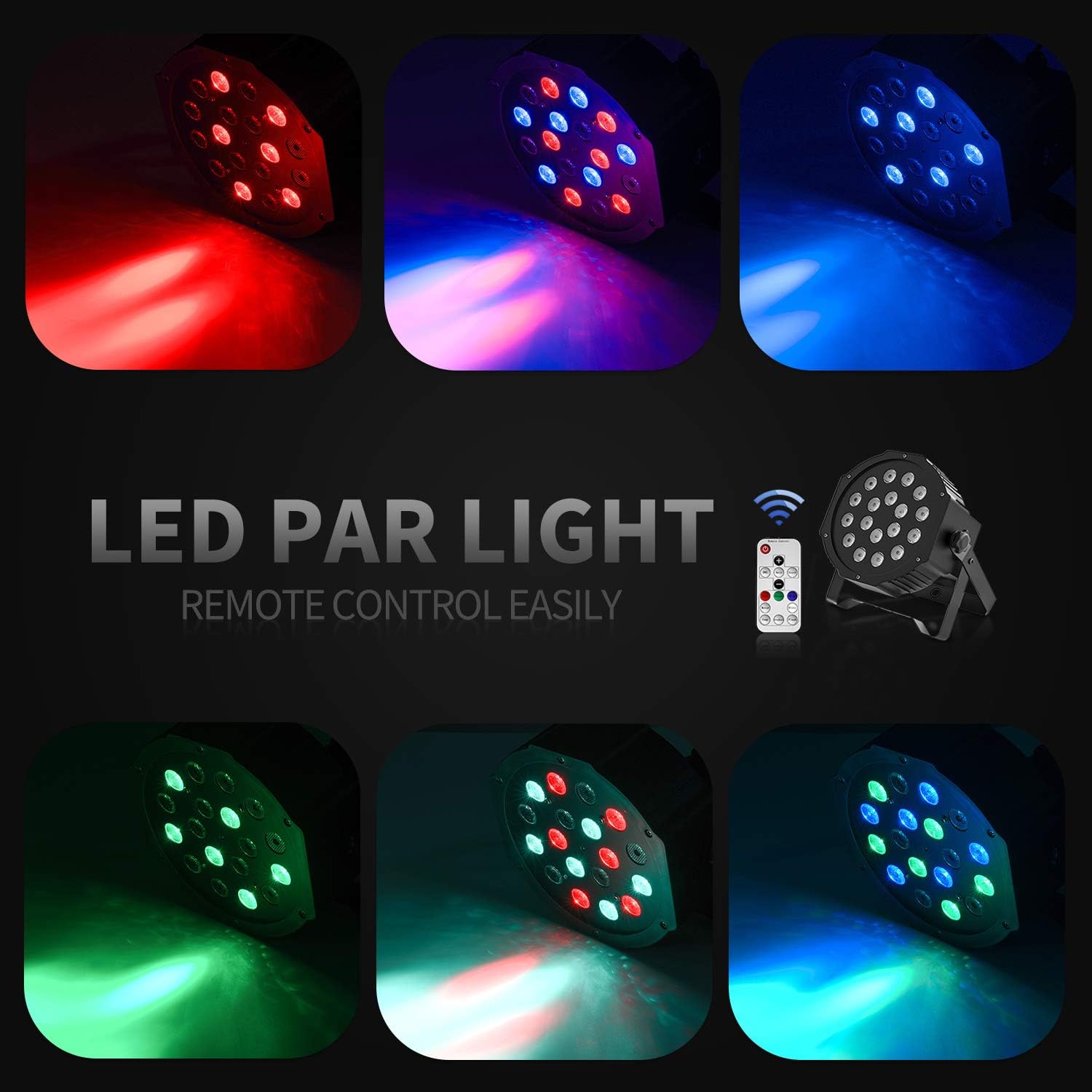
Operación por control remoto
The included IR remote control provides convenient access to the light's functions:
- EN MODO DE ESPERA: Press to power on or put the device in standby mode.
- DMX: Activates DMX mode. Use '+' and '-' to adjust the DMX address.
- Auto: Activates Auto mode.
- Sonido: Activates Sound-Activated mode.
- Rojo verde azul: Selects static red, green, or blue color.
- Blanco: Selects static white color.
- Saltar: Activates Color Changing (Jump) mode.
- Gradual: Activates Color Fade (Gradual) mode.
- Destello: Activa el modo estroboscópico.
- Botones +/-: Adjust speed in Jump/Gradual/Flash modes, or DMX address in DMX mode.
Control DMX
The Donner DJ Par Light supports DMX512 protocol for professional control. Connect a DMX controller to the DMX IN port using a 3-pin XLR cable. For multiple units, daisy-chain them by connecting the DMX OUT of one unit to the DMX IN of the next.
Funciones del canal DMX (Ej.ample for 7-channel mode):
| Canal | Función | Rango de valores | Descripción |
|---|---|---|---|
| 1 | Amortiguador maestro | 0-255 | Overall brightness (0=off, 255=max) |
| 2 | Intensidad roja | 0-255 | Red LED brightness (0=off, 255=max) |
| 3 | Intensidad Verde | 0-255 | Green LED brightness (0=off, 255=max) |
| 4 | Intensidad azul | 0-255 | Blue LED brightness (0=off, 255=max) |
| 5 | Luz estroboscópica | 0-255 | Strobe speed (0=off, 255=fastest) |
| 6 | Selección de modo | 0-255 | Selects various internal programs (Auto, Sound, Jump, Gradual) |
| 7 | Velocidad del programa | 0-255 | Adjusts speed of selected program (0=slow, 255=fast) |
Mantenimiento
- Limpieza: Regularly clean the lens and housing with a soft, lint-free cloth. Do not use abrasive cleaners.
- Almacenamiento: Guarde el dispositivo en un entorno seco y libre de polvo cuando no esté en uso.
- Inspección: Periodically check the power cable and DMX connections for any signs of damage.
Solución de problemas
| Problema | Posible causa | Solución |
|---|---|---|
| La luz no se enciende. | No power, faulty cable, device in standby. | Check power connection. Ensure outlet is functional. Press ON/STANDBY button on remote or control panel. |
| El control remoto no funciona. | Low battery, remote not aimed correctly, IR sensor blocked. | Replace remote battery. Point remote directly at the IR sensor on the front of the light. Ensure no obstructions. |
| Light not responding in DMX mode. | Incorrect DMX address, faulty DMX cable, incorrect DMX mode selected. | Verify DMX address matches controller. Check DMX cable connections. Ensure DMX mode is active on the light. |
| El modo activado por sonido no funciona. | Microphone obstructed, sound level too low. | Ensure the microphone on the back panel is clear. Increase music volume or move the light closer to the sound source. |
Presupuesto
| Modelo: | Remote Control/DMX |
| Fuente de luz: | 18 x 3W RGB LEDs (6 Red, 6 Green, 6 Blue) |
| Fuente de energía: | Eléctrico con cable |
| Modos de control: | Static Color, Color Changing, Color Fade, Auto, Sound-activated, Master-slave, DMX512 |
| Material: | Plástico |
| Dimensiones del producto: | 7.48" de largo x 5.12" de ancho x 7.48" de alto |
| Peso del artículo: | 1.45 libras |
Garantía y soporte
Donner provides a 12-month warranty for this product, covering manufacturing defects from the date of purchase. For warranty claims, technical support, or service inquiries, please contact Donner customer service through the retailer where the product was purchased or visit the official Donner websitio para información de contacto.


