1. Introducción
This manual provides detailed instructions for the installation, operation, and maintenance of your IMOU LOOC C26E/IPC-C26E Outdoor Wi-Fi Security Camera. Please read this manual carefully before using the product and retain it for future reference. The IMOU LOOC C26E is designed for outdoor surveillance, offering 2MP resolution, Wi-Fi connectivity, and advanced features for enhanced security.
2. Producto terminadoview
2.1 Contenido del paquete
The IMOU LOOC C26E/IPC-C26E package includes the following items:
- 1 x IMOU LOOC C26E/IPC-C26E Camera
- 1 x Guía de inicio rápido (QSG)
- 1 x adaptador de corriente
- 1 x Soporte de montaje
- 1 x Paquete de tornillos (para montaje)
- 1 x Position Card (for drilling template)
- 1 x Cable Clip Pack
2.2 Funciones de la cámara
The IMOU LOOC C26E/IPC-C26E camera offers a range of features to ensure comprehensive outdoor surveillance:
- 2 Megapixel (MP) Resolution: Provides clear 1080p video recording.
- Integrated Microphone and Speaker: Permite la comunicación de audio bidireccional.
- Conectividad Wi-Fi: Para conexión de red inalámbrica.
- Diseño resistente a la intemperie IP65: Ensures reliable operation in various outdoor conditions.
- Visión nocturna infrarroja (IR): Up to 10 meters (33 feet) for clear visibility in complete darkness.
- Detección de movimiento PIR: Passive Infrared sensor reduces false alarms by detecting heat signatures.
- White LED Alarm: Activates upon motion detection to deter intruders.
- Sirena incorporada: A 110 dB siren can be triggered to scare away unwanted visitors.
- Ranura para tarjeta microSD: Admite almacenamiento local de hasta 128 GB (tarjeta MicroSD no incluida).
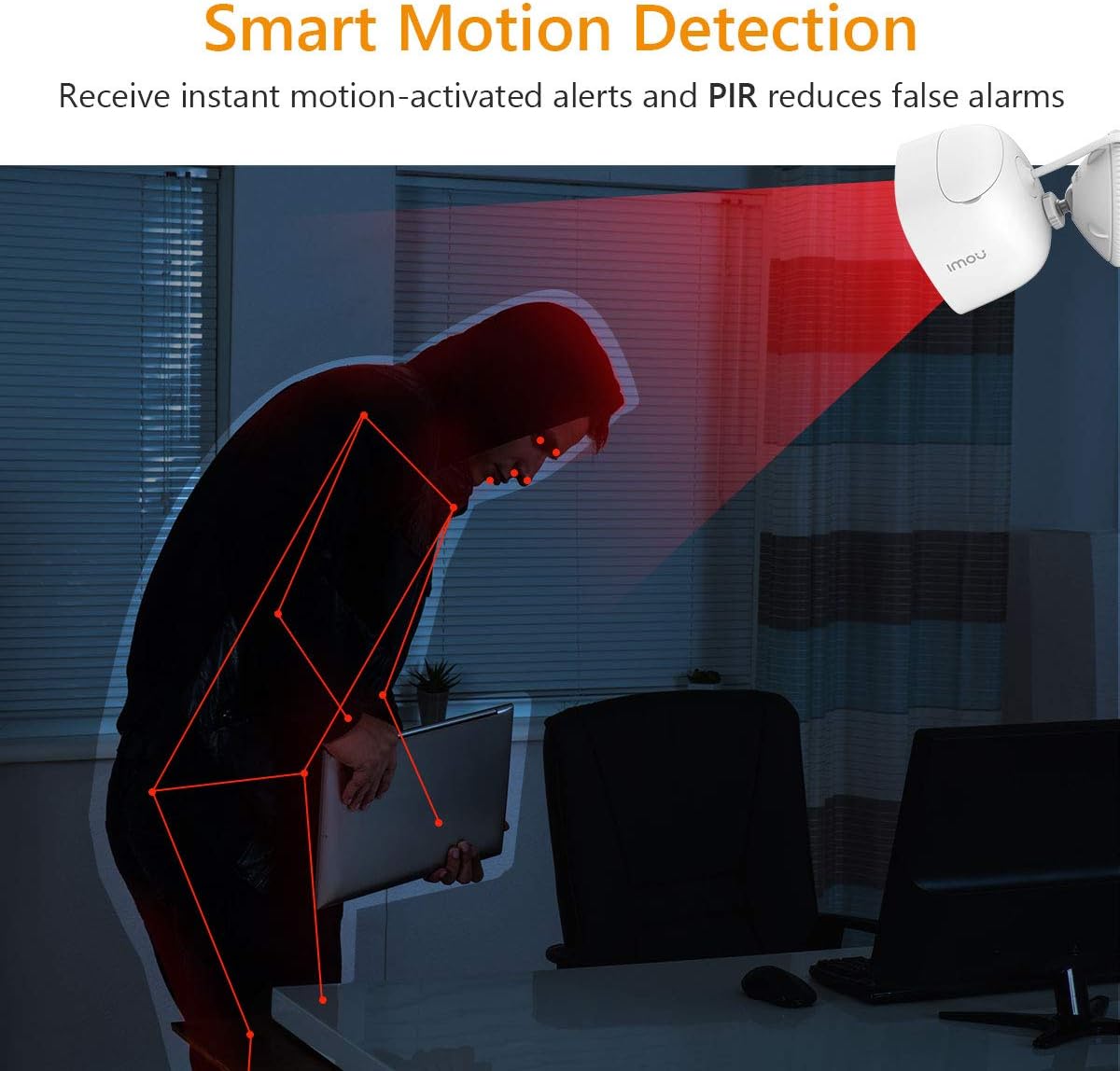
Figure 2.2.1: IMOU LOOC C26E/IPC-C26E Outdoor Wi-Fi Security Camera. This image shows the overall design of the camera, highlighting its compact and robust build suitable for outdoor use.
3. Guía de configuración
3.1 Antes de comenzar
- Asegúrese de que su red Wi-Fi sea de 2.4 GHz. La cámara no es compatible con Wi-Fi de 5 GHz.
- Tenga a mano el nombre de su red Wi-Fi (SSID) y la contraseña.
- Download the IMOU Life app from your smartphone's app store (iOS or Android).
- Elija una ubicación de montaje adecuada que proporcione un espacio libre view y está dentro del alcance de Wi-Fi.
3.2 Configuración inicial de la cámara
- Encendido: Connect the camera to the power adapter and plug it into an electrical outlet. The camera's indicator light will turn on.
- Instalación de la aplicación: Open the IMOU Life app on your smartphone and create an account or log in.
- Agregar dispositivo: Toca el icono "+" en la app para añadir un nuevo dispositivo. Escanea el código QR que se encuentra en la cámara o en su embalaje.
- Configuración de la red: Follow the on-screen prompts in the app to connect the camera to your Wi-Fi network. Ensure your phone is connected to the same 2.4 GHz Wi-Fi network.
- Nomenclatura del dispositivo: Assign a name to your camera (e.g., "Front Door Camera", "Backyard Camera").
3.3 Montaje de la cámara
The camera is designed for wall or ceiling mounting. Use the provided mounting bracket and screw pack.
- Posicionamiento: Hold the position card against the desired mounting surface and mark the screw holes.
- Perforación: Drill pilot holes at the marked positions. Insert wall anchors if mounting on masonry.
- Adjuntar soporte: Fije el soporte de montaje a la superficie utilizando los tornillos proporcionados.
- Adjuntar cámara: Mount the camera onto the bracket and adjust its angle for optimal viewing. Ensure the camera is securely fastened.
- Sistema de organización de cables: Use the cable clips to neatly route the power cable, protecting it from damage and weather elements.
4. Instrucciones de funcionamiento
4.1 en vivo View y reproducción
- Vivir View: Open the IMOU Life app and select your camera to view la transmisión en vivo.
- Reproducción: Acceder a foo grabadotage from the app. Recordings are triggered by motion detection and stored on the MicroSD card (if installed) or cloud storage (if subscribed).
4.2 Detección de movimiento y alertas

Figure 4.2.1: Smart Motion Detection. The camera utilizes PIR technology to detect human-like motion, reducing false alarms from environmental factors. When motion is detected, the camera can send instant alerts to your smartphone.
- Habilitar detección de movimiento: In the IMOU Life app settings for your camera, enable motion detection.
- Ajustar la sensibilidad: Customize the motion detection sensitivity to minimize false alarms. The PIR sensor helps in accurate detection.
- Establecer zonas de detección: Define áreas específicas dentro de la cámara. view donde la detección de movimiento debe estar activa.
- Recibir alertas: The app will send push notifications to your smartphone when motion is detected.
4.3 Conversación bidireccional
The integrated microphone and speaker allow for two-way communication:
- Iniciar conversación: mientras esta en vivo view, tap the microphone icon in the IMOU Life app to speak through the camera's speaker.
- Escuchar: El micrófono de la cámara captará el audio de su entorno, que podrás escuchar a través de tu teléfono inteligente.
4.4 Visión nocturna
La cámara cambia automáticamente al modo de visión nocturna en condiciones de poca luz, lo que proporciona imágenes nítidas en blanco y negro.tage up to 10 meters (33 feet) using its IR LEDs.
4.5 Disuasión activa
Upon detecting motion, the camera can activate its built-in white LED light and 110 dB siren to deter potential intruders. This feature can be configured in the IMOU Life app settings.
5. Mantenimiento
5.1 Limpieza
- Regularly clean the camera lens with a soft, dry cloth to ensure optimal image quality.
- No utilice productos químicos agresivos ni limpiadores abrasivos.
5.2 actualizaciones de firmware
- Periodically check for firmware updates via the IMOU Life app. Updates often include performance improvements and security enhancements.
- Ensure the camera has a stable power supply and internet connection during firmware updates.
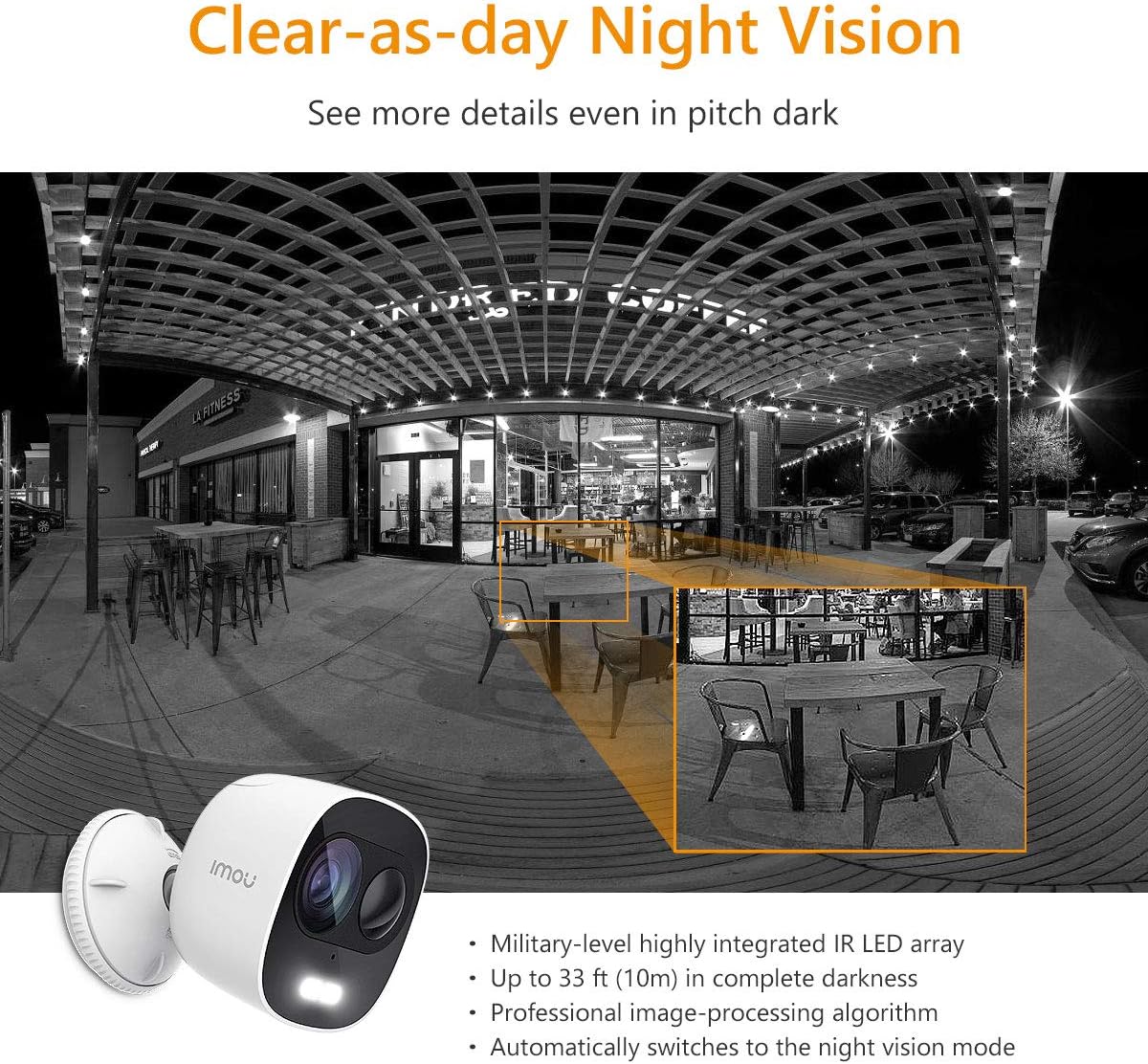
Figure 5.3.1: IP65 Weatherproof Design. The camera is built to withstand outdoor elements, including rain and dust, ensuring continuous operation in various weather conditions.
5.3 Protección contra la intemperie
While the camera is IP65 rated for weather resistance, ensure its power connections are protected from direct exposure to heavy rain or prolonged moisture to prevent damage.
6. Solución de problemas
6.1 Problemas de conectividad
- Cámara sin conexión: Check if the camera is powered on and if your Wi-Fi router is working correctly. Ensure the camera is within range of your Wi-Fi signal.
- Error al conectarse a Wi-Fi: Verify your Wi-Fi password. Ensure your router is broadcasting a 2.4 GHz network. Try resetting the camera and repeating the setup process.
6.2 Problemas de detección de movimiento
- Sin alertas de movimiento: Check if motion detection is enabled in the app and if notification permissions are granted for the IMOU Life app on your phone.
- Demasiadas falsas alarmas: Ajuste la sensibilidad de detección de movimiento en la app. Defina zonas de detección específicas para excluir áreas con movimiento irrelevante frecuente (p. ej., árboles que se balancean).
6.3 Problemas de calidad de la imagen
- Imagen borrosa: Limpie la lente de la cámara. Asegúrese de que no haya obstrucciones delante de la lente.
- Mala visión nocturna: Ensure the IR LEDs are not obstructed. Check for reflective surfaces close to the camera that might interfere with IR illumination.
7. Especificaciones
| Característica | Especificación |
|---|---|
| Número de modelo | IPC-C26E-IMOU |
| Resolución | 2 MP (1080p) |
| Lente | 2.8 milímetros |
| Rango de visión nocturna | Hasta 10 metros (33 pies) |
| Audio | Micrófono y altavoz integrados (conversación bidireccional) |
| Sirena | 110 dB |
| Almacenamiento | MicroSD Card Slot (up to 128GB), Cloud Storage (subscription required) |
| Conectividad inalámbrica | Wi-Fi (2.4 GHz) |
| Resistencia a la intemperie | IP65 |
| Fuente de alimentación | 5V DC (Power Adapter Included) |
| Dimensiones (L x An x Al) | 8 x 9 x 10 cm |
| Peso | 510 gramos |
| Temperatura de funcionamiento | Not explicitly stated, but typical for outdoor cameras. |
8. Garantía y soporte
IMOU cameras are guaranteed by Dahua TP and are subject to their RMA (Return Merchandise Authorization) warranty policy. This process is designed to facilitate and expedite any necessary repairs or replacements.
For detailed warranty information, technical support, or service requests, please refer to the official IMOU webSitio web o contacte directamente con el servicio de atención al cliente. Conserve su recibo de compra como comprobante para reclamaciones de garantía.
Nota: These devices do not have a WEB interface. The IMOU series records data only after motion detection (no continuous recording). Recordings typically last 1 to 1.5 minutes, depending on the duration of motion in front of the camera.


