Introducción
This manual provides instructions for the Digitus USB to Serial Adapter (Model DA-70167). This device enables data exchange between a personal computer with a USB port and various serial peripherals, such as machine controls, modems, and sensors. It is compliant with the USB 2.0 standard and features a PL2303GT chipset, offering customizable data transfer rates.
The adapter includes one USB 2.0 Male A connector and one D-SUB 9-Pin Male (RS232) connector, with gold-plated contacts for reliable connection. An 80 cm USB extension cable is also included for convenience.
Contenido del paquete
- 1 x Digitus USB to Serial Adapter (DA-70167)
- 1 x 80 cm USB Extension Cable
Producto terminadoview

Figura 1: Digitus USB to Serial Adapter. This image shows the main view of the adapter, highlighting its compact design and the D-SUB 9-pin connector.

Figura 2: Connection points of the adapter. This diagram illustrates the RS232 (D-SUB 9-pin) and USB A 2.0 connectors on the adapter.

Figura 3: De cerca view of the D-SUB 9-pin (RS232) male connector, showing the pin configuration.

Figura 4: View of the USB-A male connector, which plugs into the computer's USB port.
Configuración
Follow these steps to set up your Digitus USB to Serial Adapter:
- Instalación del controlador: Before connecting the adapter, it is recommended to install the necessary drivers for the PL2303GT chipset. Drivers are typically available on the Digitus support website or can be automatically installed by your operating system upon first connection.
- Conectar a la computadora: Plug the USB-A male connector of the adapter into an available USB 2.0 port on your computer. You may use the included 80 cm USB extension cable if needed.
- Conectarse al dispositivo serial: Connect the D-SUB 9-pin male (RS232) connector of the adapter to the serial port of your peripheral device (e.g., modem, machine control, label printer, barcode scanner, POS system, cash register, network switch). Ensure the screws on the D-SUB connector are tightened to secure the connection.

Figura 5: Diagram showing a one-to-one connection setup, illustrating the adapter connecting a label printer or other RS-232 device to a laptop/PC.

Figura 6: The USB to Serial Adapter connected to a network switch and a laptop, demonstrating a typical application.
Instrucciones de funcionamiento
Once the adapter is physically connected and drivers are installed, your computer should recognize the new serial port. You can then use software applications that require serial communication to interact with your connected peripheral device.
- Identifying the COM Port: After installation, check your computer's Device Manager (Windows) or System Information (macOS/Linux) to identify the assigned COM port number for the USB to Serial Adapter. This port number will be used by your serial communication software.
- Configuring Software: Open your serial communication software (e.g., PuTTY, Tera Term, HyperTerminal) and configure it to use the identified COM port. Set the appropriate communication parameters such as baud rate (data transfer rate), data bits, parity, stop bits, and flow control, matching the requirements of your serial peripheral device. The adapter supports customizable data transfer rates between 75 bit and 128,000 bit per second.
- Intercambio de datos: Initiate data exchange through your software. The adapter will facilitate the communication between your computer's USB port and the serial device.
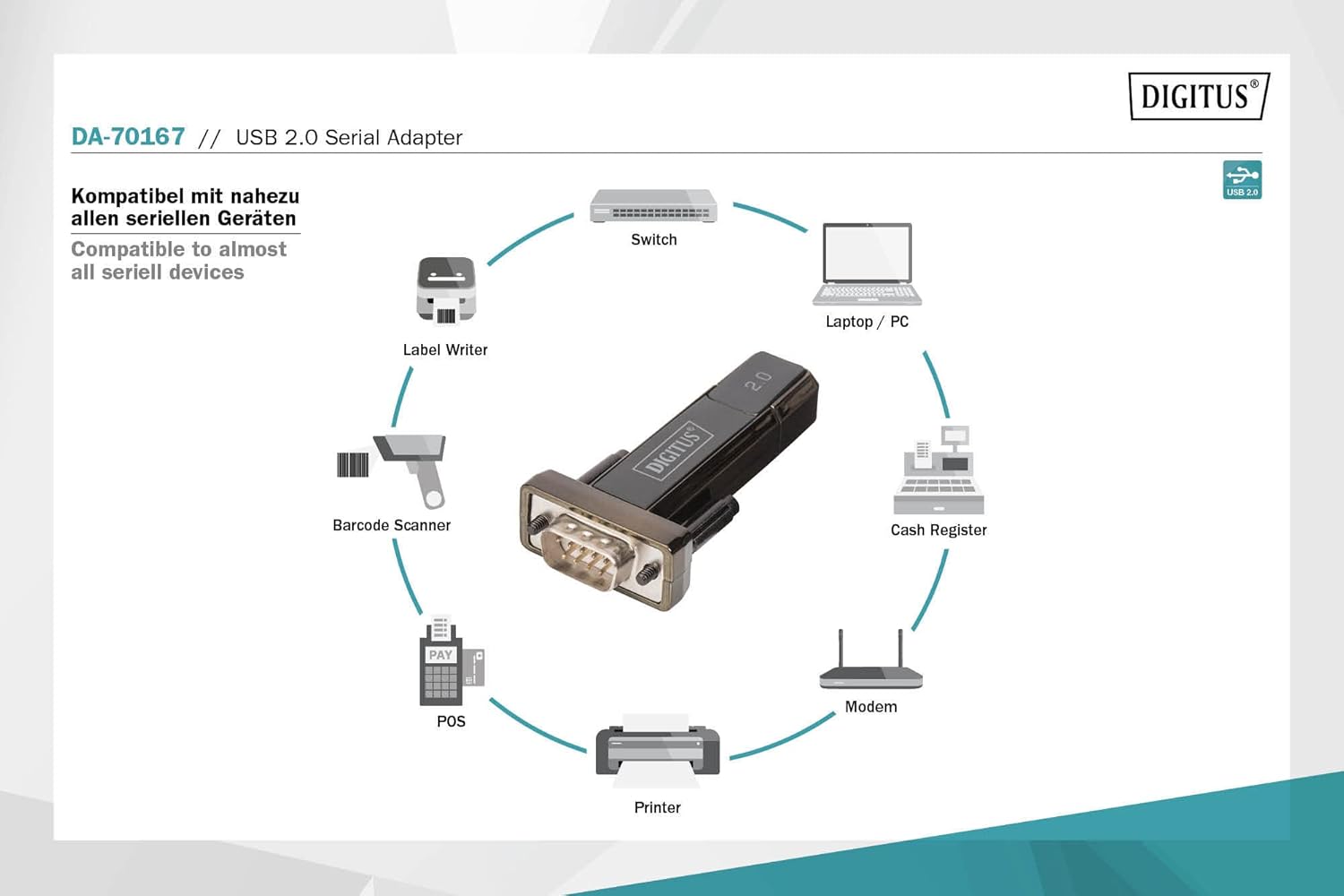
Figura 7: Diagram illustrating the wide range of devices compatible with the USB to Serial Adapter, including switches, laptops/PCs, label writers, barcode scanners, POS systems, printers, modems, and cash registers.
Mantenimiento
The Digitus USB to Serial Adapter requires minimal maintenance. Follow these guidelines to ensure its longevity:
- Limpieza: Use a soft, dry cloth to clean the exterior of the adapter. Do not use liquid cleaners or solvents.
- Almacenamiento: Guarde el adaptador en un lugar fresco y seco, alejado de la luz solar directa y de temperaturas extremas cuando no esté en uso.
- Manejo: Evite dejar caer el adaptador o someterlo a impactos fuertes. No doble ni retuerza el cable excesivamente.
- Cuidado del conector: Keep the connectors free from dust and debris. If necessary, use compressed air to clean the ports.
Solución de problemas
| Problema | Posible causa | Solución |
|---|---|---|
| Adaptador no reconocido por la computadora. |
|
|
| Communication errors with serial device. |
|
|
| Transferencia de datos lenta. |
|
|
Presupuesto
| Número de modelo | DA-70167 |
| Marca | dígito |
| Conectores | 1x USB 2.0 Male A, 1x D-SUB 9-Pin Male (RS232) |
| Conjunto de chips | PL2303GT |
| Estándar USB | Compatible con USB 2.0 |
| Velocidad de transferencia de datos | 75 bit to 128,000 bit per second (customizable) |
| Longitud del cable | 80 cm (USB extension cable included) |
| Color | Negro |
| Peso del artículo | 2.82 onzas |
| Dimensiones del producto (LxAnxAl) | 3.94 x 5.91 x 1.57 pulgadas |
| Dispositivos compatibles | PC, various serial peripherals (machine controls, modems, sensors, etc.) |
Garantía y soporte
Para obtener información sobre la garantía y soporte técnico, consulte el sitio web oficial de Digitus. webSitio web o contacte con el servicio de atención al cliente. Conserve el recibo de compra como comprobante para reclamaciones de garantía.
Digitus Oficial Websitio: www.digitus.info


