
Introducción
The GENAI Wireless Bluetooth Headset B112 provides a convenient and hands-free communication experience. This manual offers detailed instructions for setting up, operating, maintaining, and troubleshooting your headset to ensure optimal performance and longevity.
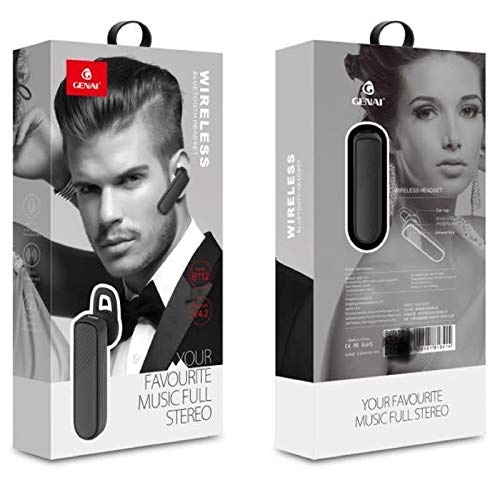
Image: GENAI Wireless Bluetooth Headset B112, main unit with ear hook.
¿Qué hay en la caja?
El paquete del producto incluye los siguientes elementos:
- GENAI Wireless Bluetooth Headset B112
- Almohadillas para los oídos
- Cable de carga (Micro USB)
Configuración
1. Cargar los auriculares
- Conecte el cable de carga Micro USB al puerto de carga del auricular.
- Conecte el otro extremo del cable de carga a una fuente de alimentación USB compatible (por ejemplo, puerto USB de computadora, adaptador de pared USB).
- La luz indicadora se iluminará durante la carga.
- Una carga completa suele tardar aproximadamente 2 horas.
- Una vez cargada por completo, la luz indicadora puede cambiar de color o apagarse, según el modelo. Desconecte el cable de carga.
2. Emparejamiento con un dispositivo Bluetooth
- Asegúrese de que los auriculares estén completamente cargados.
- Encendido: Press and hold the multi-function button (usually the main button) on the headset until the indicator light flashes, typically alternating blue and red, indicating pairing mode.
- Activar Bluetooth: On your mobile phone or other Bluetooth-enabled device, go to the Bluetooth settings and ensure Bluetooth is turned on.
- Buscar Dispositivos: Your device will scan for available Bluetooth devices. Look for "B112" or "GENAI B112" in the list.
- Conectar: Select "B112" or "GENAI B112" to initiate the pairing process. If prompted for a password, enter "0000" (four zeros).
- Once successfully paired, the indicator light on the headset will typically flash blue slowly, and you may hear a voice prompt confirming the connection.
3. Cómo usar los auriculares
The GENAI B112 headset is designed for comfortable wear. Attach the ear hook if desired, and adjust it to fit securely over your ear. The ear cushions can be changed for a better fit.
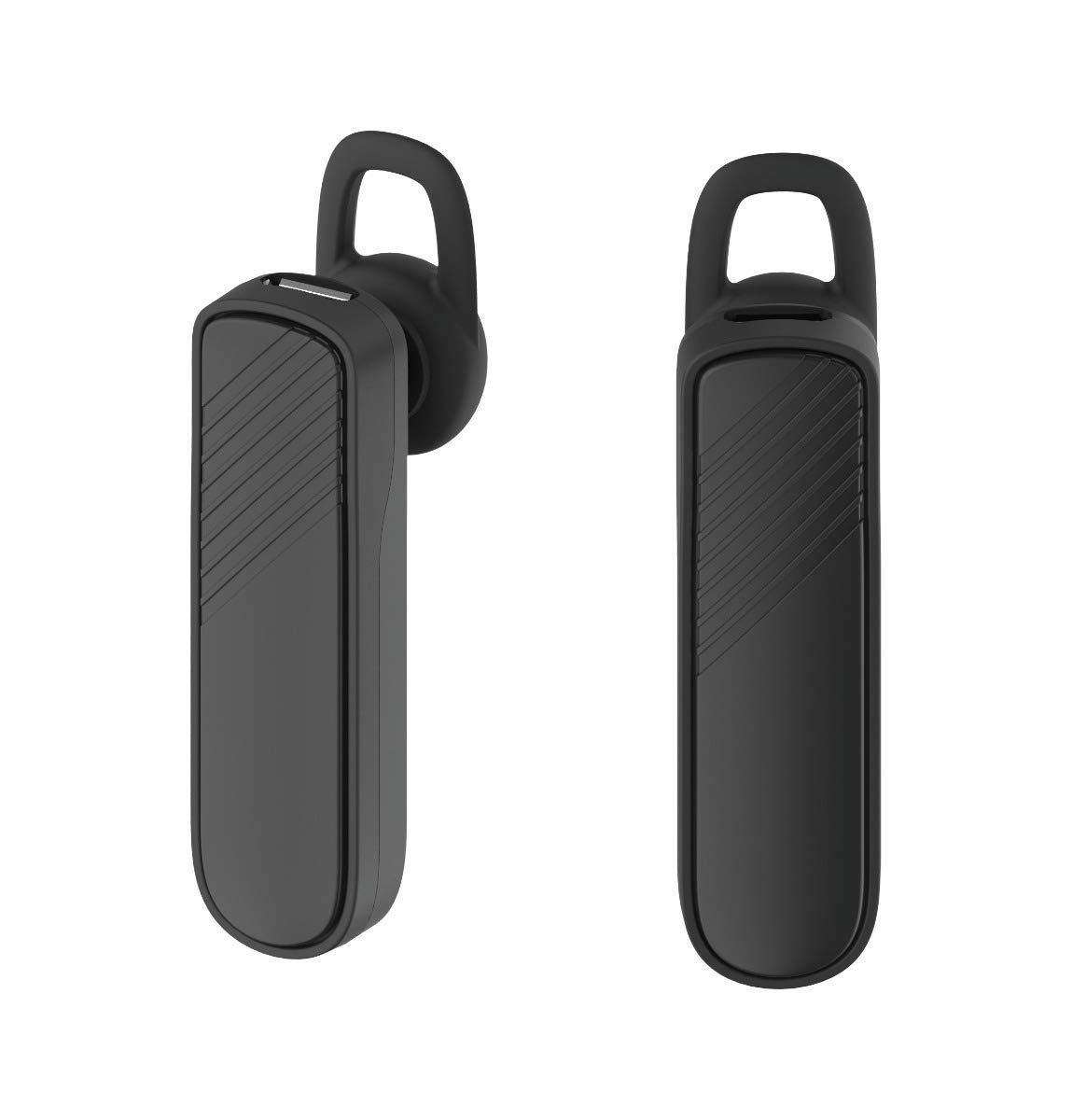
Imagen: Dos views of the GENAI Wireless Bluetooth Headset B112, illustrating its design.
Instrucciones de funcionamiento
- Encendido/apagado: Press and hold the multi-function button for approximately 3-5 seconds to power on or power off the headset. A voice prompt will confirm the action.
- Responder / finalizar llamadas: Press the multi-function button once to answer an incoming call. Press it again to end an active call.
- Rechazar llamadas: Mantenga presionado el botón multifunción durante aproximadamente 2 segundos para rechazar una llamada entrante.
- Volver a marcar el último número: Presione dos veces el botón multifunción para volver a marcar el último número marcado.
- Control de volumen: Use the dedicated volume buttons (if present) or the multi-function button (depending on model variation) to adjust the call or music volume. Refer to your device's manual for specific button functions.
- Reproducción de música: When connected, you can play music from your paired device. The multi-function button may also control play/pause.
- Indicaciones de voz: The headset provides voice alerts for power on/off and pairing status.
Mantenimiento
- Limpieza: Utilice un paño suave, seco y sin pelusa para limpiar los auriculares. No utilice productos químicos agresivos, disolventes de limpieza ni detergentes fuertes.
- Almacenamiento: When not in use, store the headset in a cool, dry place, away from extreme temperatures and direct sunlight.
- Cuidado de la batería: Para prolongar la vida útil de la batería, evite descargarla por completo con frecuencia. Cargue los auriculares regularmente, incluso si no los usa durante períodos prolongados.
- Exposición al agua: Estos auriculares no son resistentes al agua. Evite la exposición al agua, la humedad o la lluvia.
Solución de problemas
- Los auriculares no se encienden:
- Asegúrese de que los auriculares estén completamente cargados. Conéctelos a una fuente de alimentación y déjelos cargar durante al menos 30 minutos antes de volver a encenderlos.
- Cannot pair the headset with my device:
- Ensure the headset is in pairing mode (indicator light flashing blue/red).
- Asegúrese de que Bluetooth esté habilitado en su dispositivo.
- Keep the headset and your device within close proximity (within 1 meter) during pairing.
- Apague y encienda tanto el auricular como el dispositivo, luego intente emparejarlos nuevamente.
- If previously paired, try "forgetting" or "unpairing" the headset from your device's Bluetooth list and then re-pair.
- No hay sonido o el volumen es bajo:
- Check the volume levels on both the headset and your paired device.
- Ensure the headset is properly connected to your device. Sometimes, the audio output might switch to the phone speaker.
- Intente reiniciar ambos dispositivos.
- Los auriculares se desconectan con frecuencia:
- Asegúrese de que no haya obstáculos entre los auriculares y el dispositivo.
- Acérquese al dispositivo emparejado para reducir la interferencia.
- Compruebe si hay otros dispositivos Bluetooth activos que puedan estar causando interferencias.
- Asegúrese de que los auriculares estén suficientemente cargados.
Presupuesto
| Nombre del modelo | B112 |
| Tecnología de conectividad | Bluetooth V4.2 |
| Puerto de carga | Micro USB |
| Tiempo de carga | Aproximadamente 2 horas |
| Tiempo de conversación | Hasta 20 horas |
| Tiempo de reproducción de música | Aproximadamente 20 horas |
| Tiempo de espera | Hasta 1000 horas |
| Peso del artículo | 30 gramos |
| Material | Plástico |
| Característica especial | Gancho para la oreja |
| Componentes incluidos | Almohadillas para los oídos |
| Dispositivos compatibles | Android, iOS, Mi devices (Bluetooth-enabled smartphones) |
Información de garantía
This GENAI Wireless Bluetooth Headset B112 comes with a Garantía de reemplazo de 3 meses from the date of purchase. Please retain your proof of purchase for warranty claims. This warranty covers manufacturing defects. Please note that this warranty does not include refunds.
Apoyo
For further assistance, technical support, or warranty claims, please contact your retailer or the GENAI customer service department. Refer to the product packaging or the official GENAI websitio para detalles de contacto.