Introducción
Thank you for choosing the MEDION P66096 Shower Radio. This device is designed to provide entertainment and convenience in your bathroom environment, featuring FM radio, Bluetooth connectivity, and an IPX6 waterproof rating. Please read this manual carefully before using the product to ensure proper operation and to maximize its lifespan.
Información de seguridad
Tenga en cuenta las siguientes pautas de seguridad para evitar dañar el dispositivo o lesionarse usted mismo.
- Resistencia al agua: The MEDION P66096 is IPX6 rated, meaning it is protected against strong jets of water. It is suitable for use in a shower environment but should not be submerged in water.
- Seguridad de la batería: The device contains a built-in lithium-polymer battery. Do not attempt to replace the battery yourself. Do not expose the device to extreme temperatures, direct sunlight, or fire.
- Limpieza: Utilice un paño suave y seco.amp trapo para limpiar. No use limpiadores abrasivos o solventes.
- Colocación: Ensure the suction cup is securely attached to a clean, smooth, non-porous surface to prevent the radio from falling.
- Cargando: Only use the provided micro USB charging cable. Ensure the charging port is dry before connecting the cable.

The MEDION P66096 shower radio is designed for use in wet environments, offering IPX6 water protection against strong water jets.
Contenido del paquete
Por favor, compruebe que todos los artículos estén presentes en el paquete:
- MEDION P66096 Shower Radio
- Cable de carga micro USB
- Manual de usuario (este documento)
- Tarjeta de garantía
Producto terminadoview
Familiarize yourself with the buttons, display, and ports of your shower radio.

Frente view of the shower radio, highlighting the LED display and control buttons.

Detallado view of the LED display, showing the current time and battery status.
Controles y pantalla:
- Botón de encendido (⑁): Press and hold to turn the device on or off. Short press to change display brightness.
- Botón de modo (M): Short press to switch between FM radio and Bluetooth modes.
- Botón de llamada (☎): In Bluetooth mode, short press to answer/end calls. Long press to reject a call.
- Play/Pause Button (⏸/⏸): In FM mode, long press to auto-scan and save stations. In Bluetooth mode, short press to play/pause music.
- Previous/Volume Down (⏪): Short press to go to the previous station/track. Long press to decrease volume.
- Next/Volume Up (⏩): Short press to go to the next station/track. Long press to increase volume.
- Pantalla LED: Shows time, current mode (FM/BT), frequency, and battery level.
Ports and Suction Cup:

Lado view of the shower radio, illustrating the micro USB charging port and the removable suction cup.
- Puerto micro USB: Used for charging the internal battery. Located on the side, protected by a waterproof cover.
- Ventosa: Detachable suction cup for mounting the radio on smooth, non-porous surfaces.
Configuración
1. Carga inicial
Before first use, fully charge the shower radio. Open the waterproof cover on the side and connect the micro USB charging cable to the port. Connect the other end to a USB power adapter (not included) or a computer USB port. The LED display will indicate charging status. A full charge takes approximately 3-4 hours.
2. Montaje de la radio
Ensure the surface where you intend to mount the radio is clean, dry, and smooth (e.g., tile, glass). Press the suction cup firmly against the surface until it adheres securely. You can also place the radio on a flat surface without using the suction cup.
Instrucciones de funcionamiento
Encendido/apagado
Mantenga pulsado el Botón de encendido (⑁) durante aproximadamente 3 segundos para encender o apagar la radio.
Selección de modo
Presione brevemente el Botón de modo (M) to switch between FM radio mode and Bluetooth mode.
Funcionamiento de la radio FM
- Cambie al modo FM usando el Botón de modo (M).
- Para escanear y guardar automáticamente las estaciones de FM disponibles, mantenga presionado el botón Play/Pause Button (⏸/⏸). The radio will scan and store stations automatically.
- To navigate through saved stations, short press the Anterior (⏪) or Next (⏩) botones.
- To adjust the volume, long press the Anterior (⏪) (volume down) or Next (⏩) (volume up) buttons.
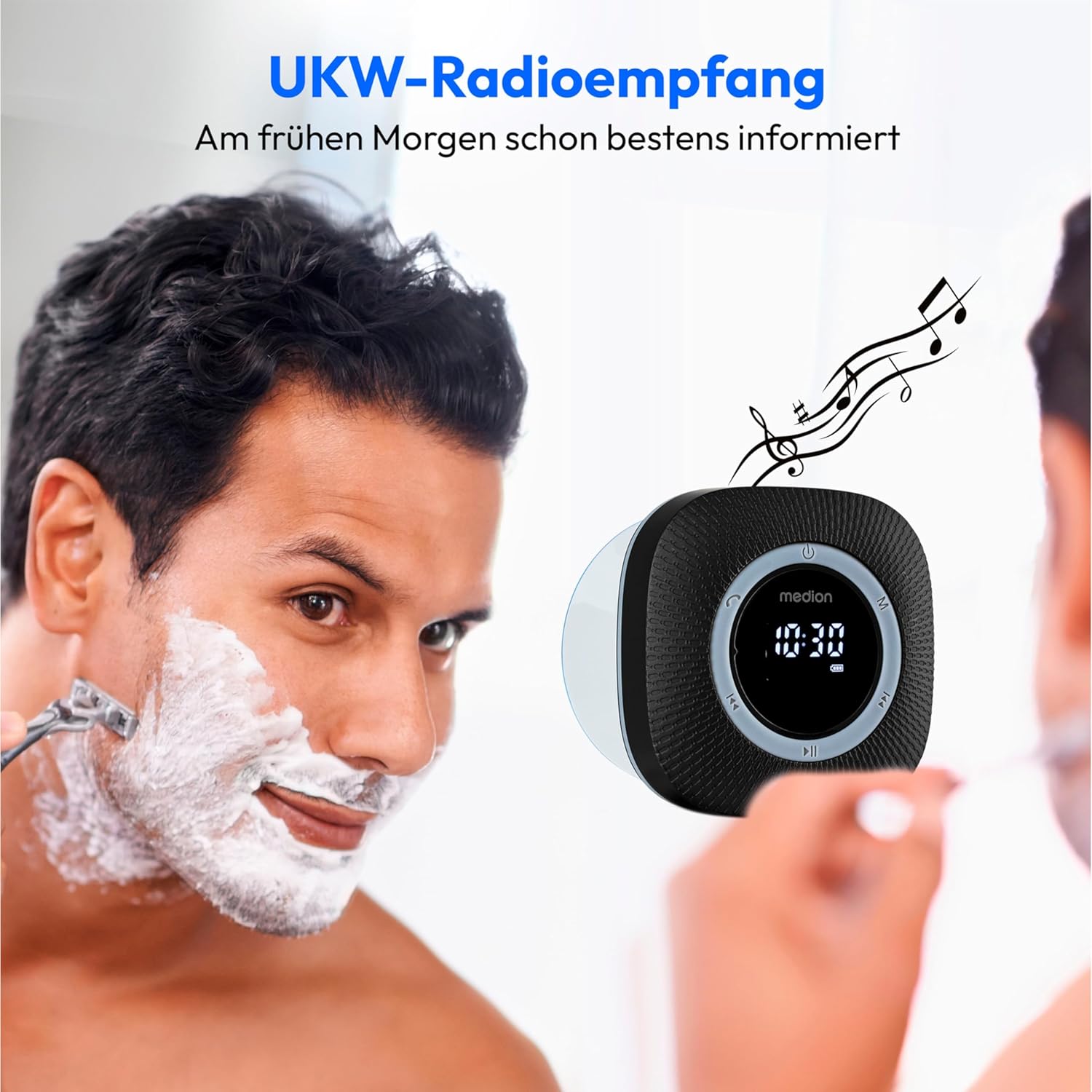
Enjoy FM radio reception with clear sound, perfect for your morning routine.
Funcionamiento de Bluetooth
- Cambie al modo Bluetooth usando el Botón de modo (M). The display will show 'BT' and the radio will enter pairing mode, indicated by a flashing Bluetooth icon.
- On your smartphone or tablet, enable Bluetooth and search for available devices. Select 'MEDION P66096' from the list.
- Once paired, the Bluetooth icon on the radio's display will stop flashing. You can now stream audio from your device to the shower radio.
- Utilice el Play/Pause Button (⏸/⏸) to control playback. Use the Anterior (⏪) y Next (⏩) buttons to skip tracks. Adjust volume by long pressing these buttons.

Wirelessly stream your favorite music from your smartphone or tablet via Bluetooth 5.0.
Llamadas manos libres
When connected via Bluetooth to your smartphone, the radio can be used for hands-free calls:
- Responder/Finalizar llamada: Presione brevemente el Botón de llamada (☎).
- Rechazar llamada: Mantenga pulsado el Botón de llamada (☎).
Setting Clock and Alarm
The radio features an LED clock display and an alarm function. Refer to the detailed instructions in the included printed manual for specific steps on setting the time and alarm, as button combinations may vary.
Cargando la batería
The MEDION P66096 has a built-in rechargeable lithium-polymer battery, providing up to 12 hours of music playback on a full charge.
- When the battery is low, the battery icon on the LED display will flash.
- Connect the micro USB charging cable to the radio's charging port and a USB power source.
- The battery icon will show charging progress. Once fully charged, the icon will indicate a full battery.
- Ensure the waterproof cover for the USB port is securely closed after charging to maintain water resistance.

The integrated lithium-polymer battery provides up to 12 hours of continuous music playback.
Mantenimiento
- Limpieza: Limpie la radio con un paño suave yamp paño. No utilice productos químicos agresivos ni materiales abrasivos.
- Almacenamiento: Cuando no utilice la radio durante períodos prolongados, guarde la radio en un lugar fresco y seco.
- Cuidado de la batería: Para prolongar la vida útil de la batería, evite descargarla por completo con frecuencia. Cárguela regularmente, incluso si no la usa constantemente.
Solución de problemas
| Problema | Posible causa | Solución |
|---|---|---|
| La radio no se enciende. | La batería está descargada. | Cargue la batería con el cable micro USB. |
| No hay sonido o volumen bajo. | El volumen es demasiado bajo o silenciado. | Aumente el volumen usando el Next (⏩) button. Check volume on connected Bluetooth device. |
| No se puede conectar a través de Bluetooth. | Radio is not in pairing mode or too far from device. | Ensure radio is in Bluetooth mode (flashing 'BT'). Move device closer to the radio. Forget device on your phone and re-pair. |
| Mala recepción de radio FM. | Señal débil o interferencia. | Try repositioning the radio. Perform an auto-scan again. |
| La ventosa no se sostiene. | Surface is not clean, smooth, or non-porous. | Clean the surface and the suction cup. Ensure the surface is completely smooth and dry. |
Presupuesto
| Característica | Detalle |
|---|---|
| Marca | MEDION |
| Número de modelo | P66096 |
| Color | Negro |
| Tecnología de conectividad | Bluetooth 5.0 |
| Tecnología de ajuste | FM |
| Bandas de radio compatibles | FM (87.5 MHz) |
| Características especiales | Integrated Battery, Bluetooth, Microphone, LED Display, Clock with Alarm Function, Suction Cup |
| Clasificación de protección del agua | IPX6 (Protegido contra fuertes chorros de agua) |
| Fuente de poder | Battery Powered (1 Lithium-polymer battery, included) |
| Duración de la batería | Hasta 12 horas |
| Dispositivos compatibles | Smartphones, tabletas |
| Componentes incluidos | Shower Radio, Micro USB Charging Cable |
Garantía y soporte
Your MEDION P66096 Shower Radio comes with a warranty. Please refer to the included warranty card for detailed information regarding warranty terms and conditions, including the duration and coverage. For technical support or service inquiries, please contact MEDION customer service through the contact information provided on your warranty card or the official MEDION websitio.


