Introducción
Gracias por la compraasing the Havit IX-102 Wired In-Ear Headphones with Microphone. This manual provides essential information for the proper setup, operation, and maintenance of your new earphones. Please read this guide thoroughly before use to ensure optimal performance and longevity of your product.
Producto terminadoview
The Havit IX-102 headphones are designed for clear audio and convenient communication. Familiarize yourself with the components:
- In-Ear Earphones (Left and Right)
- Integrated Microphone and Control Module (on cable)
- 3.5mm Audio Jack
- Multiple Sizes of Ear Cushions
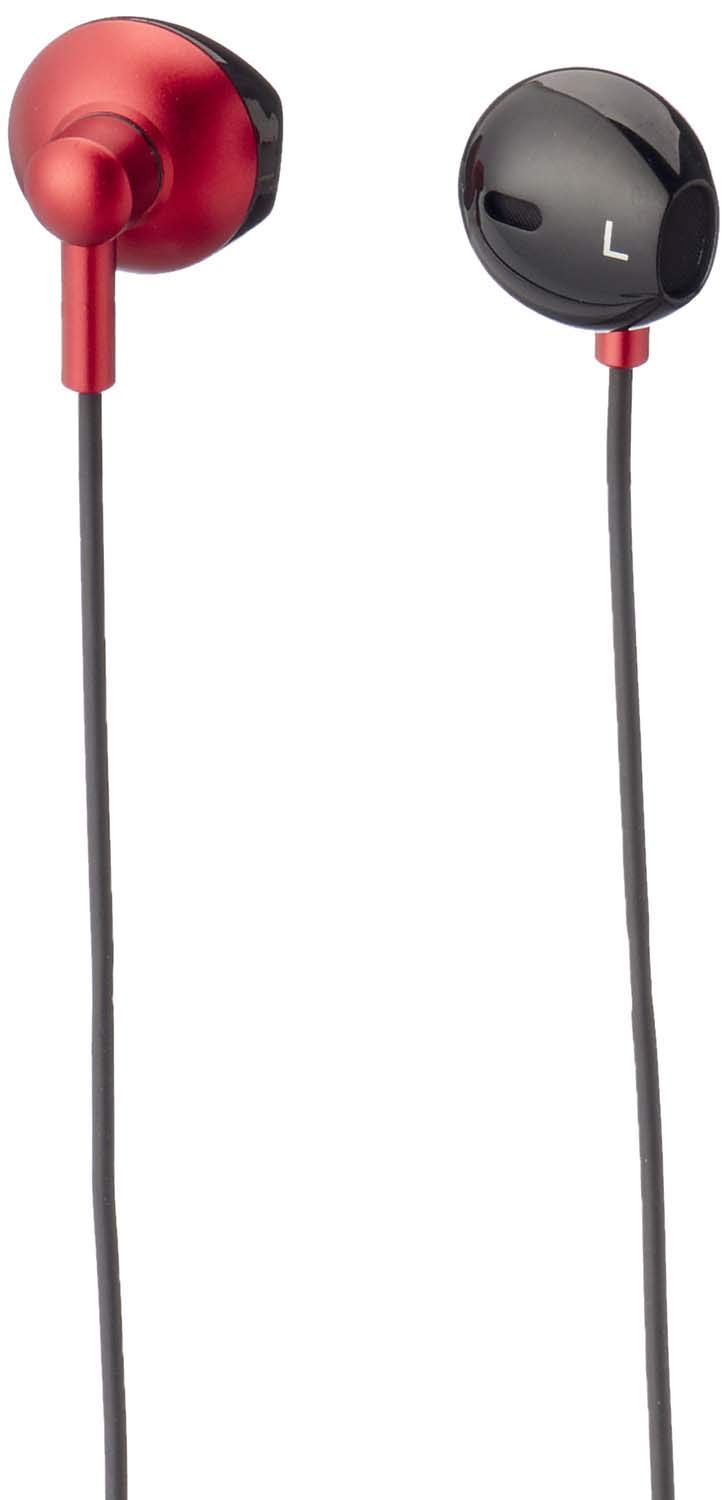
Figura 1: Havit IX-102 Wired In-Ear Headphones. This image shows the complete set of in-ear headphones, featuring the earbuds, cable, and 3.5mm audio jack.

Figura 2: Cable with Integrated Control Module. This image highlights the cable section that includes the microphone and a potential control button for managing audio and calls.

Figura 3: 3.5mm Audio Jack. A close-up view of the standard 3.5mm connector used to plug the headphones into compatible audio devices.

Figura 4: Replacement Ear Cushions. This image displays the various sizes of silicone ear cushions provided for a comfortable and secure fit.
Configuración
- Seleccione almohadillas para los oídos: Choose the ear cushion size that provides the most comfortable and secure fit for your ears. A good seal enhances sound quality and bass response. Gently attach the selected ear cushions to the earphone nozzles.
- Conectar al dispositivo: Insert the 3.5mm audio jack firmly into the headphone port of your audio device (smartphone, tablet, laptop, MP3 player, etc.). Ensure the jack is fully inserted to prevent audio issues.
- Use auriculares: Place the earphones into your ears. Adjust them until they feel comfortable and provide a good seal.
Instrucciones de funcionamiento
The Havit IX-102 headphones feature an in-line control module for basic audio and call management. Functionality may vary slightly depending on your connected device.
- Reproducir/Pausar música: Press the button on the control module once to play or pause the current track.
- Responder/Finalizar llamada: Al recibir una llamada, pulse el botón una vez para contestar. Durante una llamada, pulse el botón una vez para finalizarla.
- Rechazar llamada: Mantenga presionado el botón durante aproximadamente 2 segundos para rechazar una llamada entrante.
- Pista siguiente: Press the button twice quickly to skip to the next song.
- Pista anterior: Press the button three times quickly to go back to the previous song.
- Uso del micrófono: The integrated microphone allows for hands-free communication during calls. Ensure the microphone is positioned clearly for optimal voice pickup.
Note: Volume control is typically managed directly on your connected audio device.
Mantenimiento
Proper care will extend the life of your Havit IX-102 headphones.
- Limpieza de las almohadillas para los oídos: Remove the silicone ear cushions and wash them gently with mild soap and water. Rinse thoroughly and allow them to air dry completely before reattaching.
- Limpieza de auriculares: Use a soft, dry, lint-free cloth to wipe the earphone bodies. Do not use harsh chemicals or abrasive materials. Avoid getting moisture into the speaker grilles.
- Cuidado de cables: Avoid sharp bends, twists, or excessive pulling on the cable. Store the headphones neatly to prevent tangling.
- Almacenamiento: When not in use, store your headphones in a clean, dry place, away from extreme temperatures and direct sunlight.
Solución de problemas
Si tiene problemas con sus auriculares, consulte los siguientes problemas y soluciones comunes:
| Problema | Posible causa | Solución |
|---|---|---|
| Sin sonido o volumen bajo |
|
|
| El sonido está distorsionado o es intermitente |
|
|
| El micrófono no funciona |
|
|
Presupuesto
| Marca | Hábito |
| Número de modelo | IX-102 |
| Color | Negro y rojo |
| Factor de forma de los auriculares | En la oreja |
| Tecnología de conectividad | Cableado |
| Tipo de conector | Conector de 3.5 mm |
| Longitud del cable | 1.2 metros |
| Tipo de material | Plástico |
| Peso del artículo | 60 gramos |
| Componentes incluidos | Almohadillas para los oídos |
| Dispositivos compatibles | Multiple devices with 3.5mm audio jack |
Garantía y soporte
For warranty information or technical support, please refer to the documentation included with your purchase or contact Havit customer service directly. Contact details can typically be found on the manufacturer's official websitio o embalaje del producto.
Conserve su comprobante de compra para cualquier reclamo de garantía.