1. Introducción
The MEDION P85295 Internet Radio 2.1 offers a versatile audio experience, combining traditional radio reception with modern streaming capabilities. This device allows you to access over 25,000 internet radio stations and numerous podcasts worldwide, along with DAB+ digital radio and FM radio. It features Wi-Fi connectivity, a 3.2-inch TFT color display, and a 2.1 sound system with an integrated subwoofer for enhanced audio quality. This manual provides detailed instructions for setting up, operating, and maintaining your MEDION P85295 Internet Radio.
2. Información de seguridad
Lea atentamente todas las instrucciones de seguridad antes de usar el dispositivo. Conserve este manual para futuras consultas.
- Fuente de alimentación: Utilice únicamente el adaptador de corriente proporcionado. Asegúrese de que el voltage coincide con los requisitos especificados en el dispositivo.
- Ventilación: Do not block any ventilation openings. Place the device on a stable, flat surface with adequate space around it for proper airflow.
- Agua y humedad: No exponga el dispositivo a la lluvia, la humedad ni a salpicaduras de líquidos. No coloque objetos con líquido, como jarrones, sobre el dispositivo.
- Fuentes de calor: Mantenga el dispositivo alejado de fuentes de calor como radiadores, rejillas de calefacción, estufas u otros aparatos que produzcan calor.
- Limpieza: Desconecte la alimentación antes de limpiar. Utilice un paño suave y seco. No utilice limpiadores líquidos ni en aerosol.
- Servicio: No intente reparar este producto usted mismo. Refiera todo el servicio a personal de servicio calificado.
3. Contenido del paquete
Verifique que todos los artículos estén presentes en el paquete:
- MEDION P85295 Internet Radio (MD 88295)
- Control remoto con batería
- Adaptador de corriente
- Manual de usuario
- Tarjeta de garantía
4. Producto terminadoview
The MEDION P85295 features a user-friendly design with intuitive controls and a clear display.
4.1 Panel frontal y pantalla
The front panel includes a 3.2-inch TFT color display, two rotary knobs for power/volume and navigation/selection, and several control buttons for various functions.

Imagen: Frente view of the MEDION P85295 Internet Radio, highlighting the central 3.2-inch TFT color display. The display shows icons for various streaming services like Amazon Music, Spotify, Deezer, and an 'Internet Radio' icon. Two large rotary knobs are visible on either side of the display, along with several smaller buttons below, including MUTE, MODE, FAV, USB, Headphone, INFO, MENU, and Back.
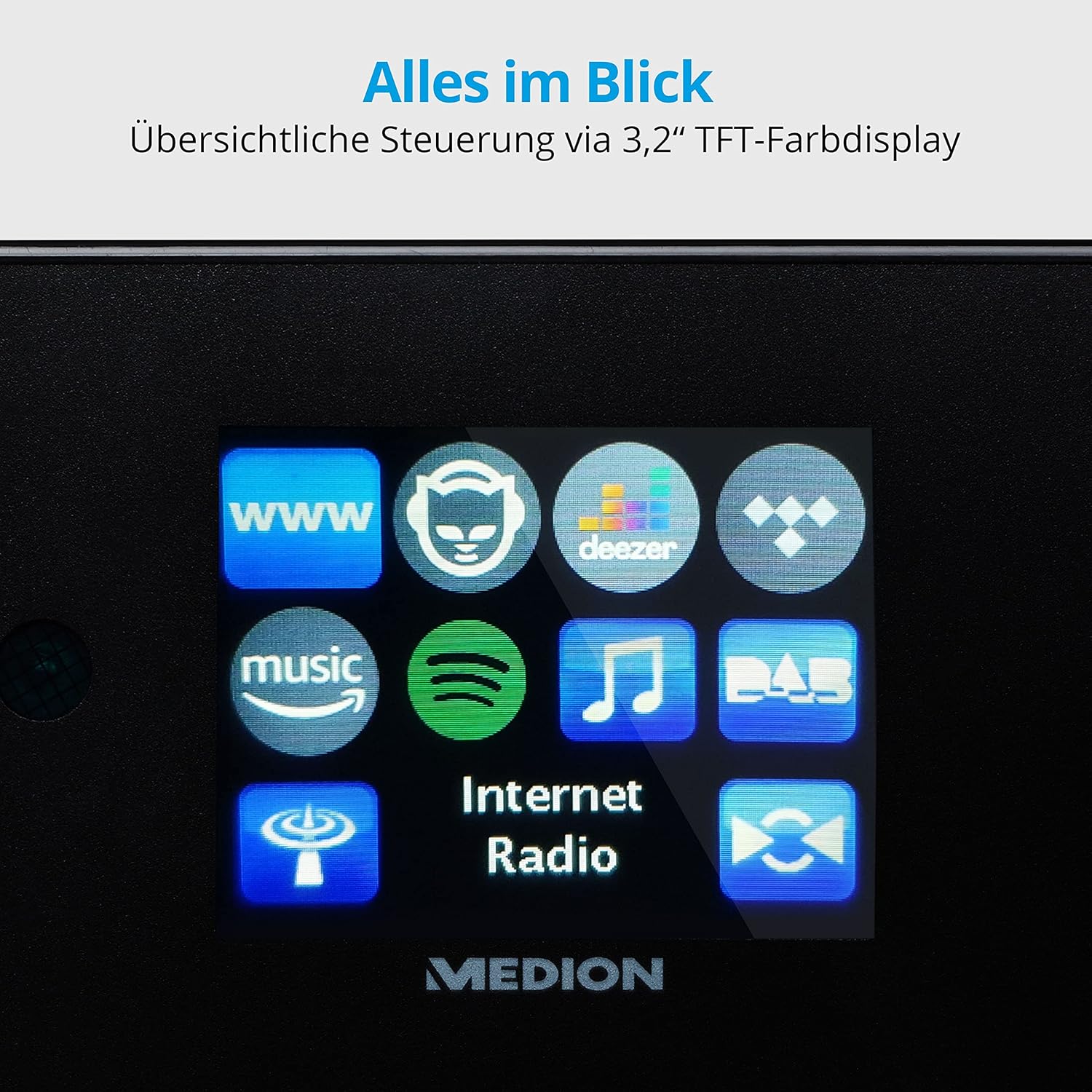
Imagen: Un primer plano view of the 3.2-inch TFT color display of the MEDION P85295 Internet Radio. The screen clearly shows various application icons, including WWW, a cat-like icon, Deezer, a music note, Amazon Music, Spotify, DAB, and Internet Radio, indicating the device's diverse functionalities.
4.2 Panel trasero y conexiones
The rear panel provides various input and output ports for external devices and network connectivity.
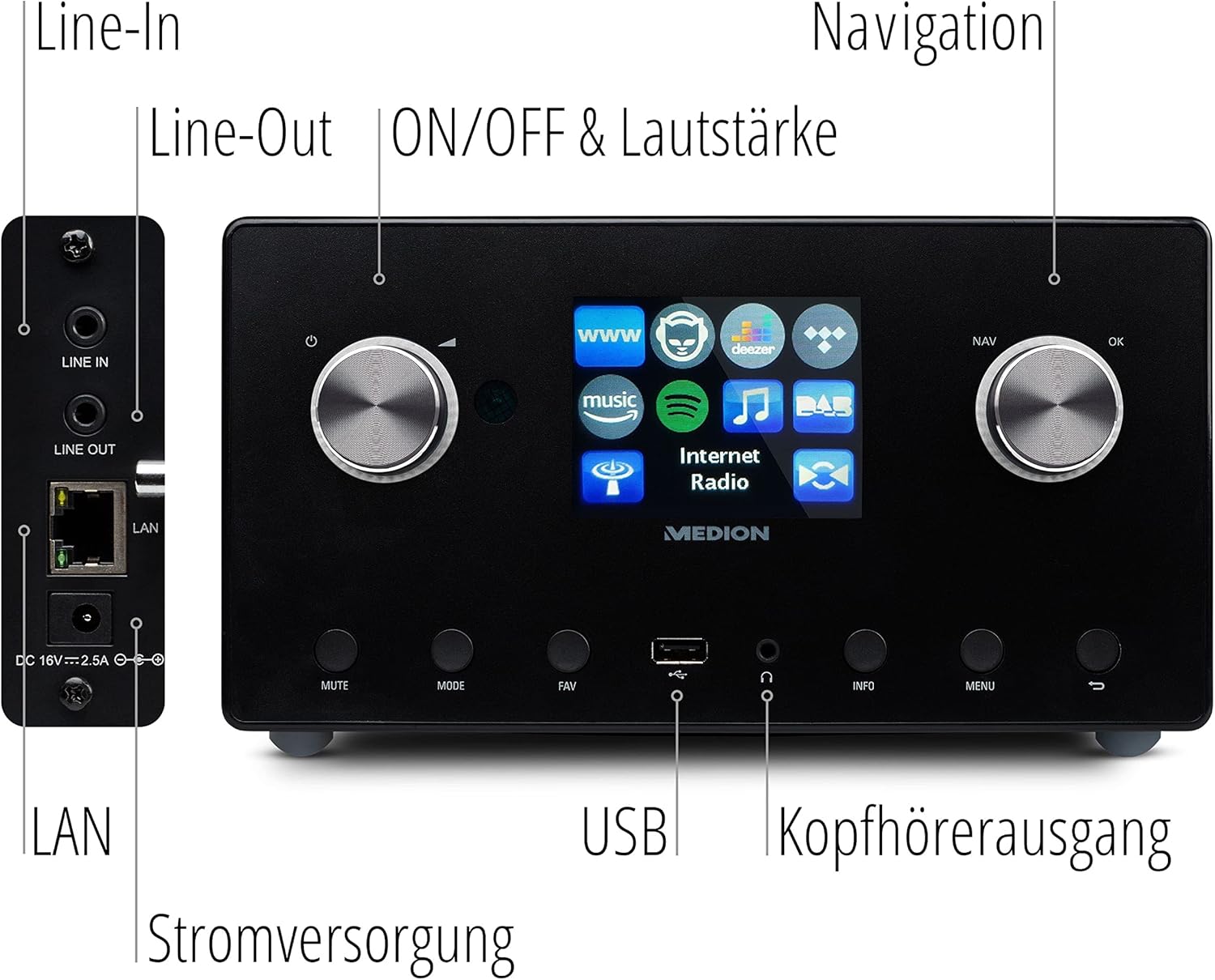
Imagen: Un detallado view of the rear panel of the MEDION P85295 Internet Radio, with various ports clearly labeled. From top to bottom on the left side, there are Line-In and Line-Out jacks, followed by a LAN port and the DC 18V power input. On the front panel, below the display, a USB port and a headphone output are also indicated.
- En linea: Conecta fuentes de audio externas.
- Fuera de la linea: Conectar a un externo ampamplificador o sistema estéreo.
- LAN: Para conexión de red cableada.
- Entrada de energía DC 18V: Para conectar el adaptador de corriente.
- Puerto USB: For playing media from USB storage devices.
- Salida de auriculares: Para escucha privada.
5. Configuración
5.1 Conexión de alimentación
- Connect the power adapter to the DC 18V input on the rear of the radio.
- Conecte el adaptador de corriente a una toma de pared.
5.2 Asistente de configuración inicial
Al encenderlo por primera vez, el dispositivo lo guiará a través de un asistente de configuración inicial:
- Selección de idioma: Use the navigation knob to select your preferred language and press OK.
- Hora y fecha: Set the current time and date. The device can synchronize this via the internet.
- Configuración de la red:
- Conexión Wi-Fi: Select 'Wireless Network' and choose your Wi-Fi network from the list. Enter the password using the on-screen keyboard and confirm.
- Coneccion LAN: If using a wired connection, connect an Ethernet cable to the LAN port on the rear of the device. The radio will automatically detect the connection.
6. Operando
6.1 Controles básicos
- Power/Volume Knob (Left): Turn to adjust volume. Press to power on/off or mute.
- Navigation/OK Knob (Right): Turn to navigate menus. Press to confirm selection.
- Botón MODE: Switch between different operating modes (Internet Radio, DAB+, FM, USB, Line In).
- Botón FAV: Acceder o guardar estaciones favoritas.
- Botón MENÚ: Acceda al menú principal para ver configuraciones y opciones.
- Botón INFO: Display information about the current station or track.
6.2 Radio Modes
The MEDION P85295 supports multiple radio reception types:
- Radio por Internet: Access over 25,000 stations and podcasts globally via Wi-Fi or LAN. Use the navigation knob to browse by genre, location, or search for specific stations.
- Radio digital DAB+: Enjoy high-quality digital radio broadcasts. The radio will automatically scan for available DAB+ stations.
- Radio FM: Tune into traditional FM broadcasts. Automatic and manual station search with automatic station storage is available.
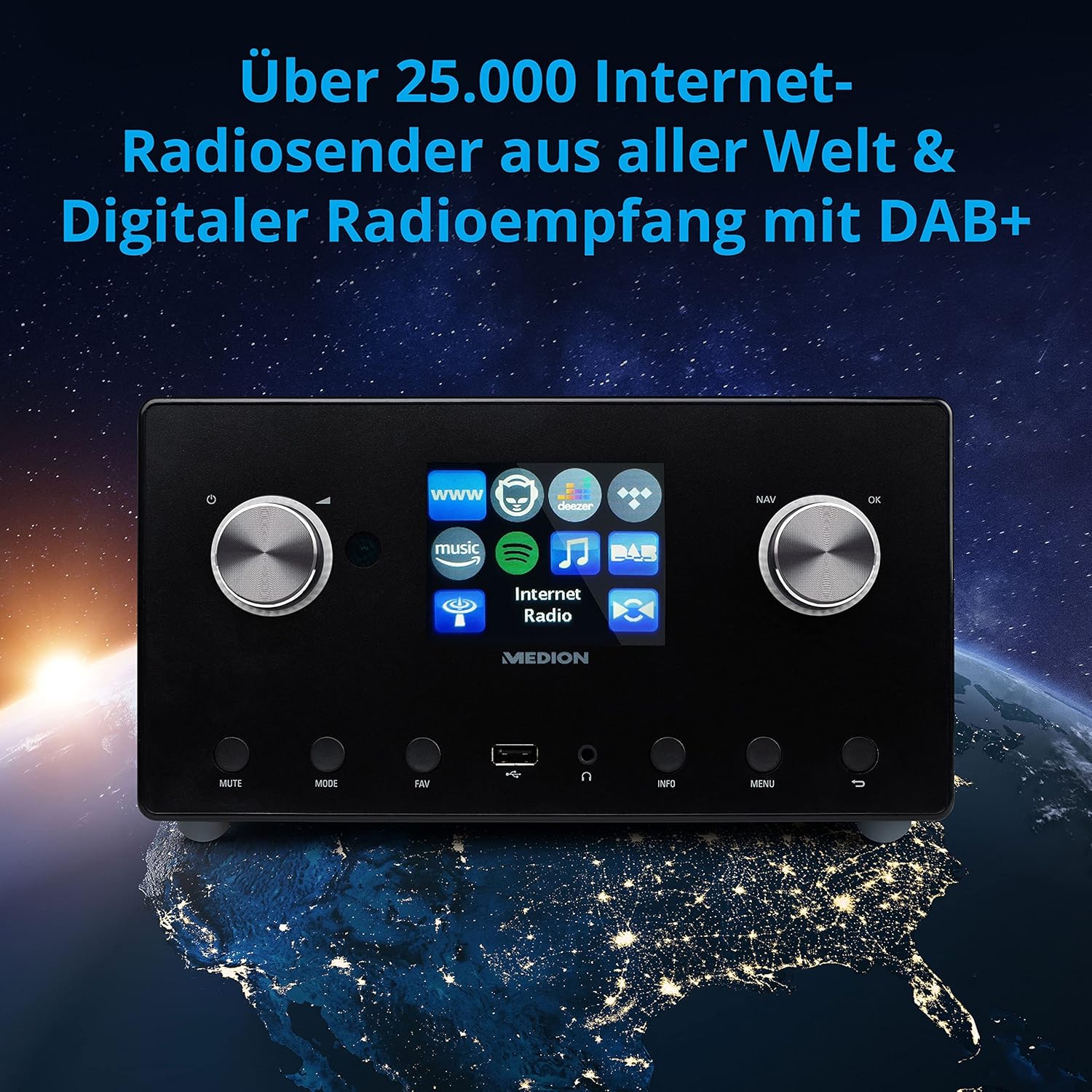
Imagen: The MEDION P85295 Internet Radio positioned on a stylized globe, emphasizing its capability to receive over 25,000 internet radio stations worldwide and digital radio reception with DAB+.
6.3 Servicios de transmisión
The device supports various streaming services:
- Conectar Spotify: Stream music directly from your Spotify account using the Spotify app on your smartphone or tablet.
- Amazon Music, Napster, Tidal, Deezer: Access these services directly from the radio's interface. A subscription may be required for some services.
6.4 Reproducción de medios
- USB: Connect a USB storage device to the front USB port to play MP3 files.
- DLNA: Stream music from compatible devices on your home network (e.g., PC, NAS) using DLNA. Control is convenient via the MEDION LifeStream 2 App (Android or iOS).
6.5 Funciones de audio
The MEDION P85295 features a 2.1 sound system for rich audio:
- Potencia de salida: 2 x 7.5 W + 1 x 15 W RMS.
- Subwoofer integrado: Provides powerful bass.

Imagen: A diagram showing the MEDION P85295 Internet Radio with sound waves emanating from its sides and bottom, illustrating its 2.1 sound system and the additional subwoofer for powerful sound.
7. Alarm, Snooze, and Sleep Functions
The radio includes convenient time-based functions:
- Función de alarma: Set two individually adjustable alarm times.
- Función de repetición: Temporarily pause the alarm.
- Función del sueño: Configure un temporizador para que la radio se apague automáticamente.
These functions can often be configured via the device's menu or a dedicated button on the remote control.
8. Mantenimiento
Proper care ensures the longevity of your device:
- Limpieza: Wipe the exterior with a soft, dry, lint-free cloth. Do not use abrasive cleaners, waxes, or solvents.
- Polvo: Regularly dust the device, especially around ventilation openings, to prevent overheating.
- Almacenamiento: Si va a almacenar el dispositivo durante un período prolongado, desconéctelo de la alimentación y guárdelo en un lugar fresco y seco.
9. Solución de problemas
Si encuentra problemas, consulte los siguientes problemas y soluciones comunes:
| Problema | Posible causa | Solución |
|---|---|---|
| Sin poder | Adaptador de corriente no conectado o toma de corriente defectuosa. | Verifique las conexiones eléctricas. Pruebe con otra toma de corriente. |
| Sin sonido | Volume too low, muted, or incorrect source selected. | Increase volume, check mute status, ensure correct input mode (e.g., Internet Radio, FM). |
| No se puede conectar al wifi | Contraseña incorrecta, señal débil o problema con el enrutador. | Verifica la contraseña del Wi-Fi. Acerca la radio al router. Reinicia el router. |
| Buffering/desconexión de radio por Internet | Slow internet connection or network interference. | Check internet speed. Reduce network traffic. Try a wired LAN connection if possible. |
| Mala recepción de DAB+/FM | Señal débil o posición de la antena. | Adjust the antenna. Perform a new station scan. |
Si el problema persiste, póngase en contacto con el servicio de atención al cliente.
10. Especificaciones
- Marca: MEDION
- Número de modelo: P85295
- Color: Antracita
- Mostrar: Pantalla a color TFT de 3.2 pulgadas
- Tecnología de conectividad: Wi-Fi, USB, LAN
- Bandas de radio compatibles: FM, DAB+, radio por Internet
- Características especiales: DAB+, Auxiliary Input, USB, Spotify Connect, Amazon Music, DLNA, Alarm, Snooze, Sleep Function
- Sistema de sonido: 2.1 (2 x 7.5 W + 1 x 15 W RMS with integrated subwoofer)
- Dispositivos compatibles: Auriculares
- Fuente de energía: Electric Cable (DC 18V)
- Dimensiones del producto: 24 cm (largo) x 13.5 cm (ancho) x 19 cm (alto)
- Componentes incluidos: Internet Radio P85295 (MD 88295), Remote Control with Battery, Power Adapter, User Manual, Warranty Card
- Baterías: Se requieren 2 pilas AAA (para el control remoto)

Imagen: The MEDION P85295 Internet Radio shown with its physical dimensions: 24 cm in length, 13.5 cm in width, and 19 cm in height, providing a clear understanding of its size.
11. Garantía y soporte
Your MEDION P85295 Internet Radio comes with a manufacturer's warranty. Please refer to the included warranty card for specific terms and conditions.
For technical support, troubleshooting assistance, or warranty claims, please contact MEDION customer service. Contact information can typically be found on the MEDION official websitio o en la tarjeta de garantía proporcionada con su producto.
Recursos en línea: Visita la página oficial de MEDION website for updated drivers, firmware, and additional support documentation.


