1. Introducción
Gracias por la compraasing the Audibax Oregon 60 Moving Head LED Light. This professional lighting fixture is designed to provide dynamic and vibrant lighting effects for various events and venues. Featuring a powerful 60W RGBW LED and an additional LED ring, the Oregon 60 offers versatile color mixing and precise beam control. To ensure safe and optimal performance, please read this manual thoroughly before operation and retain it for future reference.
2. Instrucciones de seguridad
Observe siempre las siguientes precauciones de seguridad para evitar descargas eléctricas, incendios o lesiones:
- Fuente de alimentación: Conecte la unidad únicamente a una toma de corriente con conexión a tierra y con el voltaje correcto.tage as specified on the device.
- Humedad: Do not expose the unit to rain or moisture. Avoid using it in damp o ambientes húmedos.
- Calor: Keep the unit away from heat sources. Ensure adequate ventilation to prevent overheating.
- Servicio: No intente reparar la unidad usted mismo. Encargue cualquier servicio técnico a personal cualificado.
- Montaje: Ensure the unit is securely mounted using appropriate hardware. Always use a safety cable when suspending the unit.
- Direct Eye Exposure: Avoid direct eye exposure to the light source. The light output can be harmful to the eyes.
- Limpieza: Disconnect from power before cleaning. Use a soft, dry cloth.
3. Contenido del paquete
Al desembalar, verifique que todos los elementos enumerados a continuación estén presentes y en buenas condiciones:
- Audibax Oregon 60 Moving Head LED Light
- Cable de alimentación
- Soporte de montaje (si está incluido)
- Manual de usuario (este documento)
4. Producto terminadoview
The Audibax Oregon 60 is a compact yet powerful moving head fixture. It features a main 60W RGBW LED for vibrant color mixing and an additional LED ring for dynamic visual effects. The unit includes a display and control buttons for easy navigation of settings, as well as DMX input/output for professional control.

Figura 4.1: Frente view of the Audibax Oregon 60 Moving Head LED Light with its main LED and surrounding LED ring illuminated in blue and red, showcasing sus capacidades de iluminación dinámica.
4.1 Panel frontal y controles
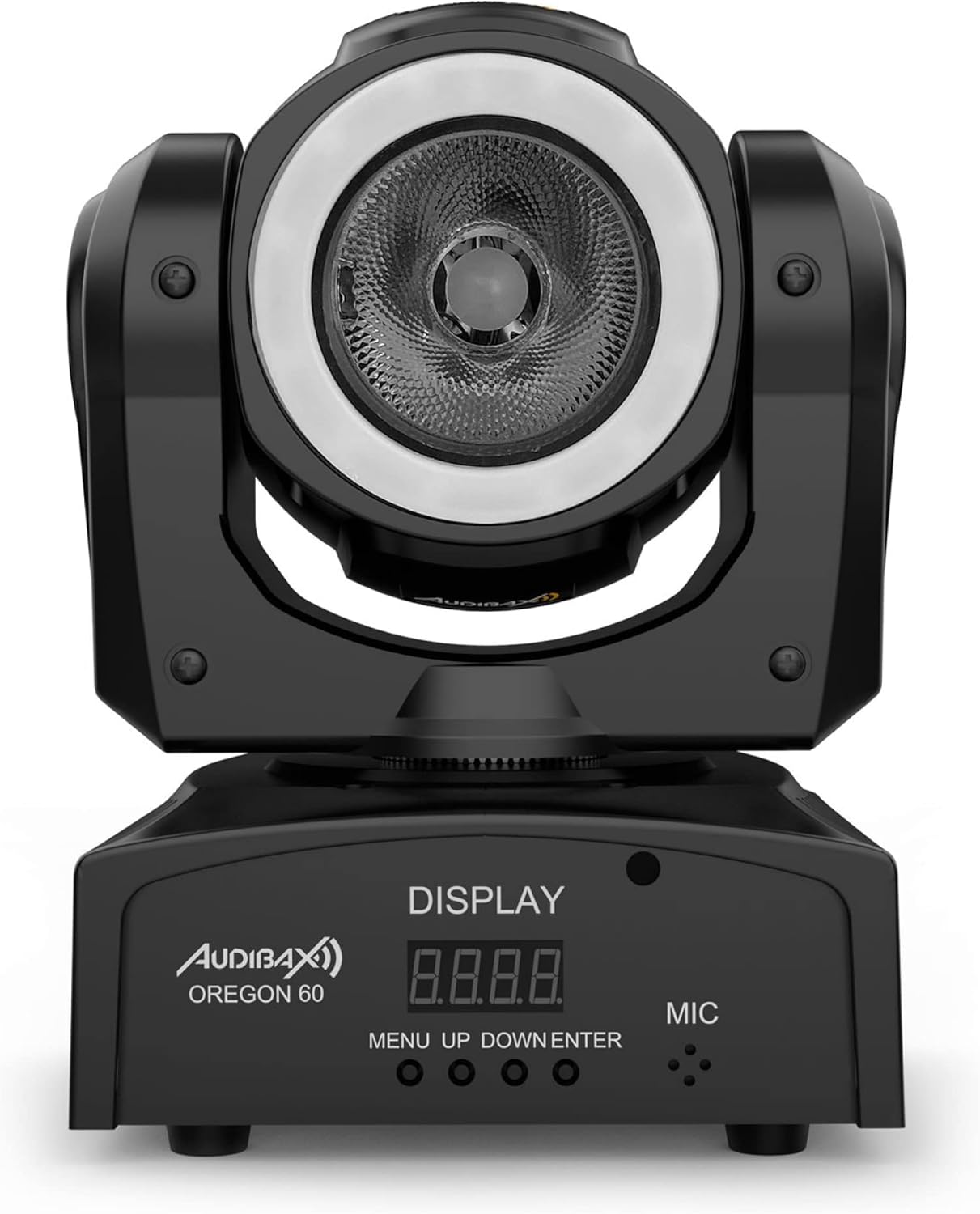
Figura 4.2: Frente detallado view of the Audibax Oregon 60, highlighting the digital display and the 'MENU', 'UP', 'DOWN', and 'ENTER' control buttons, along with the built-in microphone.
- Mostrar: Digital screen for menu navigation and status indication.
- Botón MENÚ: Accede al menú principal y navega hacia atrás.
- Botones ARRIBA/ABAJO: Navegue por las opciones del menú y ajuste los valores.
- Botón ENTER: Confirma selecciones y guarda configuraciones.
- micrófono: Built-in microphone for sound-activated modes.
4.2 Panel trasero y conexiones

Figura 4.3: Rear panel of the Audibax Oregon 60, displaying the DMX IN and OUT ports, and the power input socket, along with a caution label.
- ENTRADA DMX: 3-pin XLR input for DMX control signal.
- SALIDA DMX: 3-pin XLR output for linking to other DMX fixtures.
- ENTRADA DE ALIMENTACIÓN: IEC power input socket for connecting the main power cable.
5. Configuración
5.1 Montaje
The Audibax Oregon 60 can be mounted in various positions (floor, truss, wall) using the included mounting bracket. Always ensure the mounting surface or truss is capable of supporting the fixture's weight and use a safety cable for overhead installations.
- Attach the mounting bracket securely to the fixture using the provided screws.
- Secure the fixture to a truss or suitable surface using a clamp (not included) and the mounting bracket.
- For overhead mounting, always attach a safety cable to the designated safety point on the fixture and secure it to the truss or support structure.
5.2 Conexión de alimentación
Connect the supplied power cable to the POWER IN socket on the rear of the fixture and then to a grounded electrical outlet.
5.3 Conexión DMX (opcional)
For DMX control, connect a DMX controller to the DMX IN port of the first fixture. Use DMX OUT to link to the DMX IN of subsequent fixtures in a daisy chain. Ensure the last fixture in the chain has a DMX terminator (not included) connected to its DMX OUT port.
6. Modos de funcionamiento
The Audibax Oregon 60 offers several operating modes, which can be selected via the onboard display and control buttons.
6.1 Navegación por menús
Presione el MENÚ Botón para entrar al menú principal. Utilice el UP y ABAJO buttons to scroll through options. Press INGRESAR Para seleccionar una opción o confirmar una configuración, pulse MENÚ de nuevo para volver atrás o salir del menú.
6.2 Modo DMX
In DMX mode, the fixture is controlled by an external DMX controller. Set the DMX address using the menu. Refer to the DMX channel chart (usually provided in a separate DMX manual or appendix) for specific control functions.
- Prensa MENÚ para acceder al menú principal.
- Navigate to the DMX Address setting (e.g., "Addr").
- Usar ARRIBA/ABAJO to set the desired DMX start address.
- Prensa INGRESAR Para confirmar.
6.3 Modo automático
Auto mode runs pre-programmed light shows without the need for an external controller.
- Prensa MENÚ para acceder al menú principal.
- Navigate to "Auto" or a similar option.
- Prensa INGRESAR to select. You may have options to choose different auto programs or adjust speed.
6.4 Modo activado por sonido
In sound-activated mode, the fixture reacts to ambient sound via its built-in microphone.
- Prensa MENÚ para acceder al menú principal.
- Navigate to "Sound" or a similar option.
- Prensa INGRESAR to select. The fixture will now react to music or sound.
6.5 Modo Maestro/Esclavo
This mode allows multiple Oregon 60 units to synchronize their operation without a DMX controller. One unit acts as the Master, and others as Slaves.
- Unidad maestra: Set one fixture to "Master" mode (e.g., "Mstr" in the menu) and select an Auto or Sound program.
- Unidades esclavas: Set all other fixtures to "Slave" mode (e.g., "Slav" in the menu).
- Connect the DMX OUT of the Master unit to the DMX IN of the first Slave unit. Continue daisy-chaining DMX OUT to DMX IN for all subsequent Slave units.
- The Slave units will now mimic the Master unit's program.
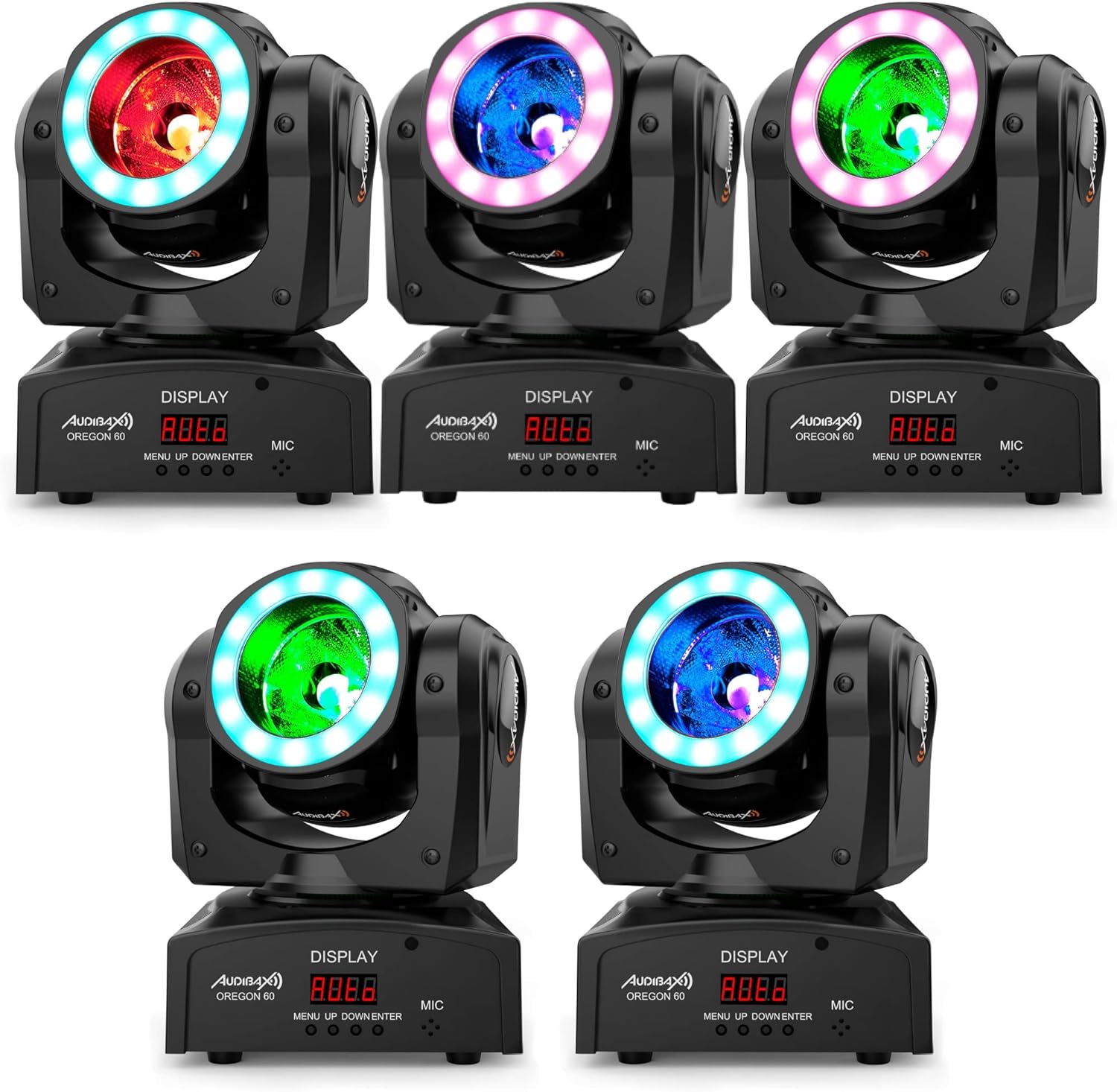
Figura 6.1: An array of Audibax Oregon 60 moving head lights, each emitting different colors (red, blue, green), demonstrating their synchronized or varied lighting capabilities in a multi-unit setup.
7. Mantenimiento
Regular maintenance ensures the longevity and optimal performance of your Audibax Oregon 60.
- Limpieza: Limpie periódicamente las lentes y el exterior.asing with a soft, lint-free cloth. Do not use abrasive cleaners or solvents. Ensure the unit is disconnected from power before cleaning.
- Ventilación: Asegúrese de que las aberturas de ventilación estén libres de polvo y residuos.
- Inspección: Revise periódicamente los cables de alimentación, los cables DMX y los accesorios de montaje para detectar cualquier signo de desgaste o daño. Reemplace los componentes dañados inmediatamente.
8. Solución de problemas
If you encounter issues with your Audibax Oregon 60, refer to the following common problems and solutions:
| Problema | Posible causa | Solución |
|---|---|---|
| Sin poder | Cable de alimentación no conectado; no hay alimentación desde el tomacorriente; cable defectuoso. | Check power cable connection; test outlet with another device; replace power cable. |
| Sin control DMX | Incorrect DMX address; faulty DMX cable; DMX terminator missing; DMX controller issue. | Verify DMX address setting; check DMX cable connections; ensure DMX terminator is used on the last fixture; test with a different DMX controller. |
| El accesorio no se mueve/no responde | Incorrect operating mode selected; DMX signal issue; internal fault. | Check selected operating mode (Auto, Sound, DMX); troubleshoot DMX connection; if problem persists, contact support. |
| La salida de luz es tenue o inconsistente | Dirty lens; overheating; internal LED issue. | Clean the lens; ensure proper ventilation; if problem persists, contact support. |
9. Especificaciones
Technical specifications for the Audibax Oregon 60 Moving Head LED Light:
- Modelo: Oregón 60
- Dimensiones del producto (L x An x Al): 29 x 20 x 23 cm
- Peso: 2.5 kilogramos
- Fuente de luz: 60W RGBW LED + LED Ring
- Material: Poliuretano
- Fuente de energía: Cable eléctrico
- Modos de control: DMX, Auto, Sound-Activated, Master/Slave
- Número de modelo del fabricante: 10157450
10. Garantía y soporte
Audibax products are designed and manufactured to the highest quality standards. For information regarding warranty terms and conditions, please refer to the warranty card included with your product or visit the official Audibax website. For technical support, spare parts, or service inquiries, please contact Audibax customer service through their official channels.
Fabricante: Audibax
ASIN: B084296QTH


