Introducción
The iRobot Roomba i3+ EVO robot vacuum is designed to provide an effortless cleaning experience. Featuring Smart Mapping, automatic dirt disposal, and powerful suction, it adapts to your home and cleaning habits. This manual provides essential information for setup, operation, maintenance, and troubleshooting to ensure optimal performance of your device.

Figure 1: iRobot Roomba i3+ EVO Robot Vacuum with Clean Base Automatic Dirt Disposal.
Configuración
1. Desempaquetado y colocación inicial
Carefully remove all components from the packaging. Place the Clean Base Automatic Dirt Disposal in an area with good Wi-Fi coverage and a clear path for the robot. Ensure there are no obstacles within 1.5 feet (0.5 meters) of either side of the Clean Base and 4 feet (1.2 meters) in front of it.
2. Carga del robot
Place the Roomba robot onto the Clean Base. The light ring around the CLEAN button will pulse white to indicate charging. Allow the robot to fully charge before its first cleaning mission.
3. iRobot Home App Setup and Smart Mapping
Download the iRobot Home App from your device's app store. Follow the in-app instructions to connect your Roomba to your home Wi-Fi network. The app allows you to customize cleaning schedules, view cleaning maps, and define specific cleaning zones using Smart Mapping technology.
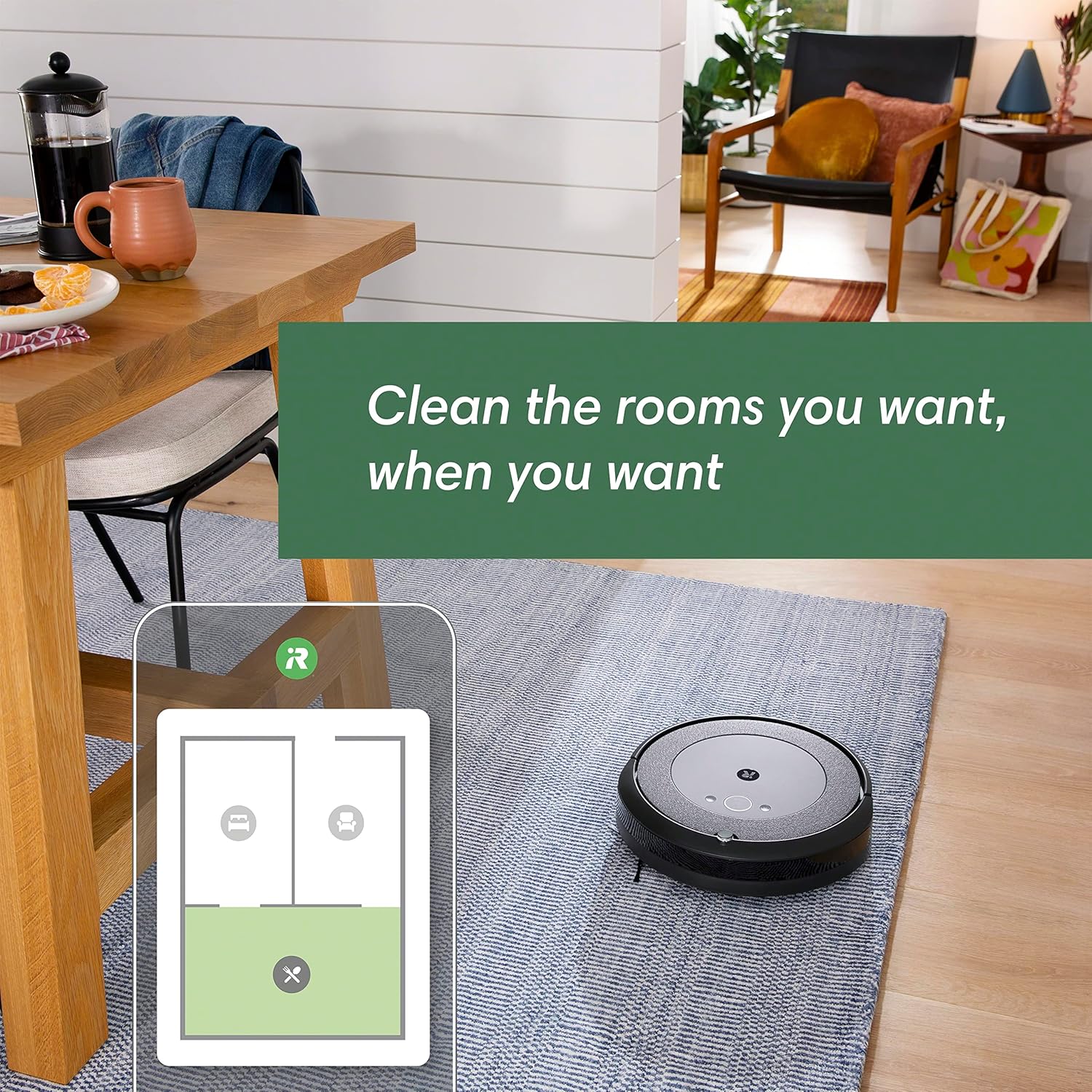
Figure 2: The Roomba i3+ EVO utilizes Smart Mapping to learn and navigate your home efficiently.
Operating Your Roomba
1. Starting a Cleaning Job
Press the CLEAN button on the robot or use the iRobot Home App to start a cleaning cycle. The robot will intelligently navigate your home, cleaning in neat rows.

Figure 3: The Roomba i3+ EVO is guided by smart technology to clean in neat, efficient rows.
2. Power-Lifting Suction and 3-Stage Sistema de limpieza
The Roomba i3+ EVO features a Premium 3-Stage Cleaning System with 10X the Power-Lifting Suction. This system includes an Edge-Sweeping Brush, Dual Multi-Surface Rubber Brushes, and powerful suction to effectively clean various floor types, including carpets and hard floors.

Figure 4: Components of the Roomba i3+ EVO's 3-Stage Cleaning System: Edge-Sweeping Brush, Dual Multi-Surface Rubber Brushes, and Power-Lifting Suction.
3. Dirt Detect Technology
Patented Dirt Detect Technology allows your robot to identify dirtier areas of your home, such as high-traffic zones, and clean them more thoroughly.

Figure 5: The robot focuses on dirtier areas using Dirt Detect Technology, indicated by the dotted lines on the floor.
4. Voice Control and Smart Home Integration
The Roomba i3+ EVO is compatible with Google Assistant and Alexa. You can start, stop, or schedule cleaning jobs using voice commands. The iRobot Home App also provides personalized scheduling suggestions and seasonal recommendations.

Figure 6: Control your Roomba i3+ EVO with voice commands through smart home devices like Alexa.
5. Recarga y reanuda
If the battery runs low during a cleaning cycle, the robot will automatically return to the Clean Base to recharge. Once sufficiently charged, it will resume cleaning from where it left off to complete the job.

Figure 7: The robot intelligently recharges only the amount needed to finish the cleaning job.
Mantenimiento
Regular maintenance is crucial for the optimal performance and longevity of your Roomba i3+ EVO.
1. Clean Base Automatic Dirt Disposal
The Clean Base automatically empties the robot's bin into a sealed bag, holding up to 60 days of dirt, dust, and debris. Replace the dirt disposal bag when full.

Figure 8: Dirt Disposal bags hold up to 60 days of dust, dirt, and debris, simplifying maintenance.
2. Cepillos de limpieza y filtro
Regularly check and clean the Dual Multi-Surface Rubber Brushes and the Edge-Sweeping Brush to remove tangled hair and debris. The high-efficiency filter should also be cleaned periodically and replaced as needed to maintain suction power.

Figura 9: Parte inferior view of the Roomba i3+ EVO, highlighting the Dual Multi-Surface Rubber Brushes and the Edge-Sweeping Brush for maintenance.
Solución de problemas
Problemas comunes y soluciones:
- El robot se queda atascado: Ensure the robot's path is clear of obstacles. Reactive Sensor Technology helps avoid getting stuck, but some environments may require minor adjustments.
- Rendimiento de limpieza deficiente: Check and clean the brushes, filter, and dust bin. Ensure the dirt disposal bag is not full.
- El robot no se carga: Verify the Clean Base is plugged in and the robot is properly docked. Clean the charging contacts on both the robot and the Clean Base.
- Problemas de conectividad de la aplicación: Asegúrate de que tu red wifi sea estable y que el robot esté dentro del alcance. Reinicia la aplicación y el robot si es necesario.

Figure 10: Reactive Sensor Technology helps the robot avoid getting stuck under furniture or around obstacles.
For more detailed troubleshooting, refer to the iRobot Home App or the full user manual available online.
Presupuesto
| Característica | Detalle |
|---|---|
| Marca | iRobot |
| Nombre del modelo | i355 |
| Dimensiones del producto | 13.34" de largo x 13.26" de ancho x 3.63" de alto |
| Componentes incluidos | 1 Roomba® i3+ Robot Vacuum, 1 Clean Base® Automatic Dirt Disposal, 2 Dirt Disposal Bags, 1 Extra High-Efficiency Filter |
| Duración de la batería | 75 minutos |
| Método de control | Voz, Aplicación |
| Dispositivos compatibles | Teléfonos inteligentes, Amazon Echo, Tabletas, Google Home |
| Características especiales | Smart Mapping, Automatic Dust Collection, Scheduling, Pet Hair Pick Up, Room-By-Room Navigation, Self-Emptying |
| Peso del artículo | 14.96 libras |
| Código Postal | 885155023452 |
Garantía y soporte
Información de garantía:
The iRobot Roomba i3+ EVO (3550) comes with a 1-year limited warranty from the manufacturer, iRobot. This warranty covers defects in materials and workmanship under normal use.
For detailed warranty terms and conditions, please refer to the official warranty document provided with your product or visit the iRobot support websitio.
Atención al cliente:
For technical assistance, troubleshooting, or to purchase replacement parts and accessories, please contact iRobot Customer Support or visit their official websitio.
Manual de usuario oficial (PDF): Descarga aquí
Garantía oficial (PDF): Descarga aquí


