Introducción
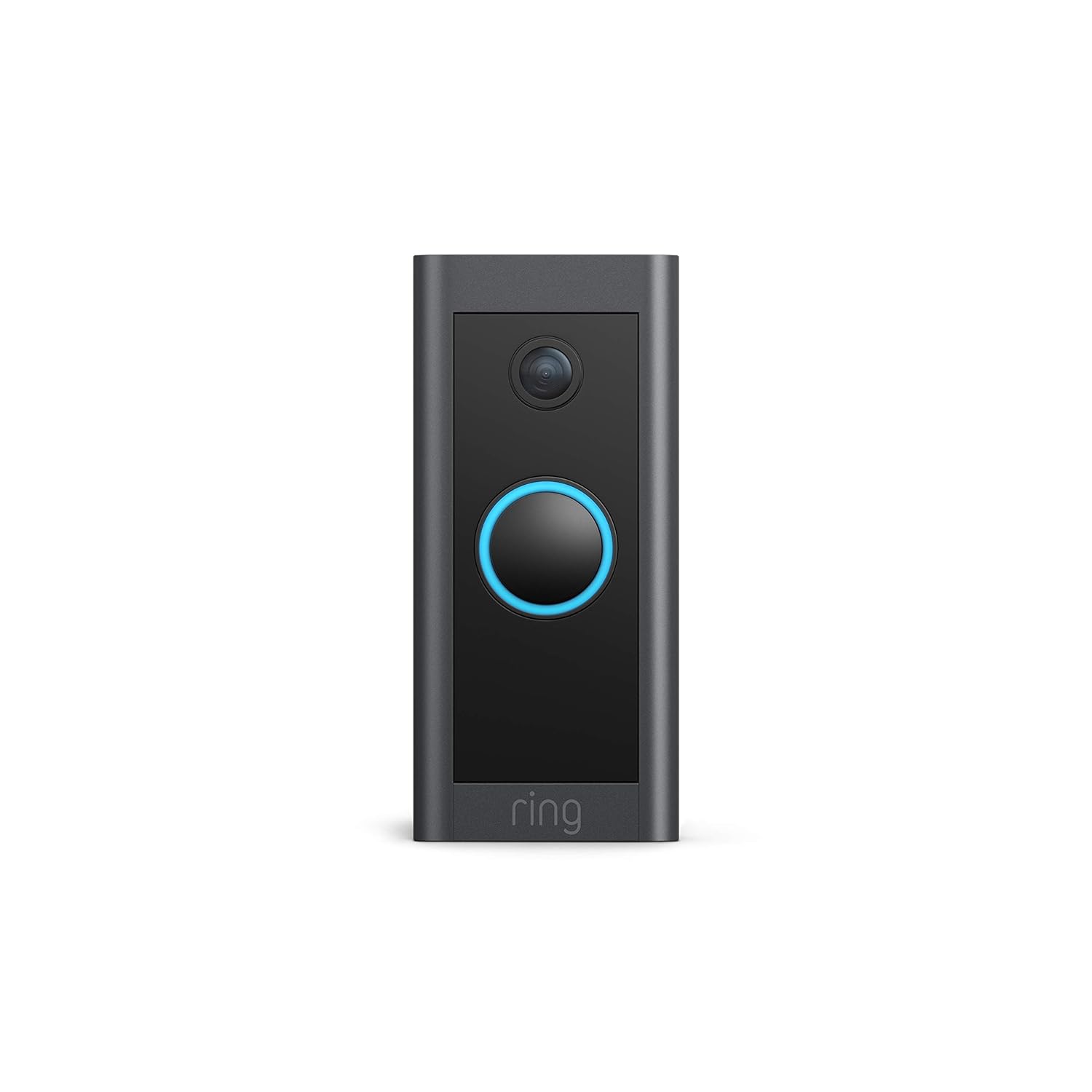
This manual provides comprehensive instructions for the installation, operation, and maintenance of your Ring Video Doorbell Wired. Please read this manual thoroughly before installation and use to ensure proper functionality and safety.
Qué incluye
Your Ring Video Doorbell Wired package includes the following items:
- Timbre con vídeo Ring con unidad cableada
- Herramientas de instalación y tornillos
- Manual de usuario (este documento)
- Guía de inicio rápido
- Pegatinas de seguridad
Configuración e instalación
The average installation time for the Ring Video Doorbell Wired is approximately 15 minutes. This device requires hardwiring to an existing doorbell system, a Ring plug-in adapter, or a compatible transformer.
Requisitos:
- Standard doorbell system, Ring plug-in adapter, or transformer with 10-24 VAC, 40VA max, 50/60Hz or 24VDC, 0.5A, 12W.
- Conexión a Internet de alta velocidad.
- 802.11 b/g/n Wi-Fi connection at 2.4 GHz.
Pasos de instalación:
- Apague la energía: Antes de comenzar, asegúrese de que la energía de su sistema de timbre existente esté apagada en el disyuntor.
- Quitar el timbre existente: Disconnect and remove your old doorbell button.
- Conectar Ring Doorbell: Connect the wires from your existing doorbell system to the terminals on the back of the Ring Video Doorbell Wired. Ensure a secure connection.
- Montar el timbre: Secure the Ring Video Doorbell Wired to your wall using the provided screws and tools.
- Restaurar energía: Vuelva a encender el suministro eléctrico en el disyuntor.
- Configuración en la aplicación: Download the Ring app on your smartphone or tablet and follow the on-screen instructions to connect your doorbell to your Wi-Fi network and complete the setup process.

Instrucciones de funcionamiento
The Ring Video Doorbell Wired offers various features to enhance your home security and communication.
Características principales:
- Vídeo HD de 1080p: Provides clear, high-definition video with Live View and Night Vision for monitoring your front door.
- Conversación bidireccional: Communicate with visitors at your door from anywhere using the Ring app. Features noise cancellation for clear audio.
- Detección de movimiento avanzada: Customizable motion zones allow you to receive alerts when motion is detected in specific areas.
- Alertas en tiempo real: Get instant notifications on your phone when someone rings the doorbell or motion is detected.
- Visión nocturna: Garantiza una visibilidad clara incluso en condiciones de poca luz.
- Integración de Alexa: Connects with Alexa-enabled devices to hear alerts or view a live feed on screens.


Usando la aplicación Ring:
The Ring app is essential for managing your Video Doorbell. Through the app, you can:
- View transmisión de video en vivo
- Engage in two-way talk with visitors.
- Customize motion detection settings and zones.
- Access recorded videos (with a Ring Protect subscription).
- Manage device settings and privacy options.
Mantenimiento
Para garantizar un rendimiento óptimo y la longevidad de su Ring Video Doorbell Wired, tenga en cuenta los siguientes consejos de mantenimiento:
- Limpieza: Limpie periódicamente la lente de la cámara y el exterior del timbre con un paño suave.amp Paño para eliminar el polvo y la suciedad. Evite los limpiadores abrasivos.
- Actualizaciones de software: Ensure your Ring app and doorbell firmware are always up to date. Updates often include performance improvements and security enhancements.
- Comprobación de conectividad: Regularly check your Wi-Fi signal strength in the Ring app to ensure a stable connection.
- Condiciones ambientales: The doorbell is weather-resistant, designed to operate between -20°C to 50°C (-5°F to 120°F). Ensure it is not exposed to conditions outside this range.
Solución de problemas
If you encounter issues with your Ring Video Doorbell Wired, try the following troubleshooting steps:
- No hay energía/no se enciende:
- Verifique que el sistema de timbre tenga suministro de energía en el disyuntor.
- Verifique las conexiones del cableado para asegurarse de que estén seguras.
- Confirme que su fuente de alimentación cumpla con las especificaciones requeridas (10-24 VCA, 40 VA máx., 50/60 Hz o 24 VCC, 0.5 A, 12 W).
- Poor Video Quality/Offline:
- Check your Wi-Fi connection and signal strength in the Ring app.
- Ensure your internet service is active and stable.
- Reinicie su enrutador Wi-Fi.
- Limpiar la lente de la cámara.
- Problemas de detección de movimiento:
- Adjust motion sensitivity and customize motion zones in the Ring app.
- Asegúrese de que no haya obstrucciones que bloqueen el sensor. view.
- Problemas de comunicación bidireccional:
- Verifique la configuración del micrófono y el altavoz de su dispositivo en la aplicación Ring.
- Asegúrese de que el volumen de su teléfono inteligente esté alto.
- Verificar una conexión a Internet estable.
For further assistance, refer to the support section or contact Ring customer service.
Presupuesto
| Característica | Detalle |
|---|---|
| Tiempo promedio de instalación | ~15 minutos |
| Video | Vídeo HD de 1080p, en vivo View, Vision nocturna |
| Campo de View | 155 ° horizontal, 90 ° vertical |
| Detección de movimiento | Detección de movimiento avanzada con zonas de movimiento personalizables |
| Audio | Audio bidireccional con cancelación de ruido |
| Fuerza | Cableado (10-24 V CA, 40 VA máx., 50/60 Hz o 24 V CC, 0.5 A, 12 W) |
| Requisitos de Internet | Internet de alta velocidad |
| Conectividad | Conexión Wi-Fi 802.11 b/g/n a 2.4 GHz |
| Condiciones de funcionamiento | -20°C to 50°C (-5°F to 120°F), weather resistant |
| Colores disponibles | Negro |
| Dimensiones | 101mm x 45.7mm x 22.4mm (3.98 en x 1.81 en x 0.88 en) |
| Generación | Timbre con video Ring con cable de 1.ª generación: lanzamiento en 2021 |
Garantía y soporte
Garantía: The Ring Video Doorbell Wired comes with a 1-year limited warranty. Use of the Ring Video Doorbell is subject to the terms found on the official Ring websitio.
Apoyo: For more information and assistance, please visit the official Ring Video Doorbell Wired support page. You can typically find this by searching for "Ring Video Doorbell Wired support" on the Ring website or your preferred search engine.


