1. Introducción
This manual provides detailed instructions for the assembly, operation, and maintenance of your Tribesigns Computer Desk with Storage Shelves. Please read this manual thoroughly before beginning assembly to ensure correct setup and safe use of the product. Retain this manual for future reference.
2. Especificaciones del producto
| Característica | Detalle |
|---|---|
| Marca | Tribusignos |
| Número de modelo | fd6aa2dc-c4aa-4aa9-bb82-773bcdb15661 |
| Color | Vinotagmi marrón |
| Estilo | Industrial |
| Material base | Madera |
| Tipo de material superior | Madera |
| Tipo de acabado | Recubierto de polvo |
| Característica especial | Storage Shelves and Drawer |
| Tipo de habitación | Oficina |
| Numero de cajones | 1 |
| Tamaño (LxAnxAl) | 120 x 50 x 92 centímetros |
| Número de estantes | 3 |
| Requiere ensamblaje | Sí |
| Recomendación de peso máximo | 50 kilogramos |
| Herramientas recomendadas para el montaje | Screw Driver |
3. Contenido del paquete
Upon unpacking, verify that all components and hardware are present and undamaged. The package should contain all necessary parts for assembling the Tribesigns Computer Desk, including:
- Paneles de escritorio
- Componentes del soporte del monitor
- Side shelf panels
- Componentes del marco de metal
- Componentes del cajón
- Herrajes de montaje (tornillos, pernos, conectores)
- Assembly tools (e.g., screwdriver, if included)
Si falta alguna pieza o está dañada, comuníquese con el servicio de atención al cliente antes de continuar con el ensamblaje.
4. Información de seguridad
- Monte siempre el escritorio sobre una superficie suave y limpia para evitar arañazos.
- Asegúrese de que todos los tornillos y fijaciones estén bien apretados antes de usar. Revíselos periódicamente y ajústelos según sea necesario.
- Do not exceed the maximum weight recommendation of 50 kilograms for the desk.
- Mantenga las piezas pequeñas y los materiales de embalaje fuera del alcance de los niños y las mascotas para evitar riesgos de asfixia.
- Evite permanecer de pie o sentado en el escritorio.
- Place the desk on a level surface to prevent wobbling and instability.
5. Instrucciones de instalación y montaje
Assembly of the Tribesigns Computer Desk requires a screwdriver. Follow the steps below carefully.

Figura 5.1: A technical diagram illustrating the precise measurements of the Tribesigns Computer Desk, including height, width, and depth of the main desk surface, monitor stand, and side shelves. Refer to these dimensions for space planning.

Figura 5.2: This image displays the Tribesigns Computer Desk with Storage Shelves, featuring a monitor, keyboard, and various office accessories, set up in a modern home office environment.
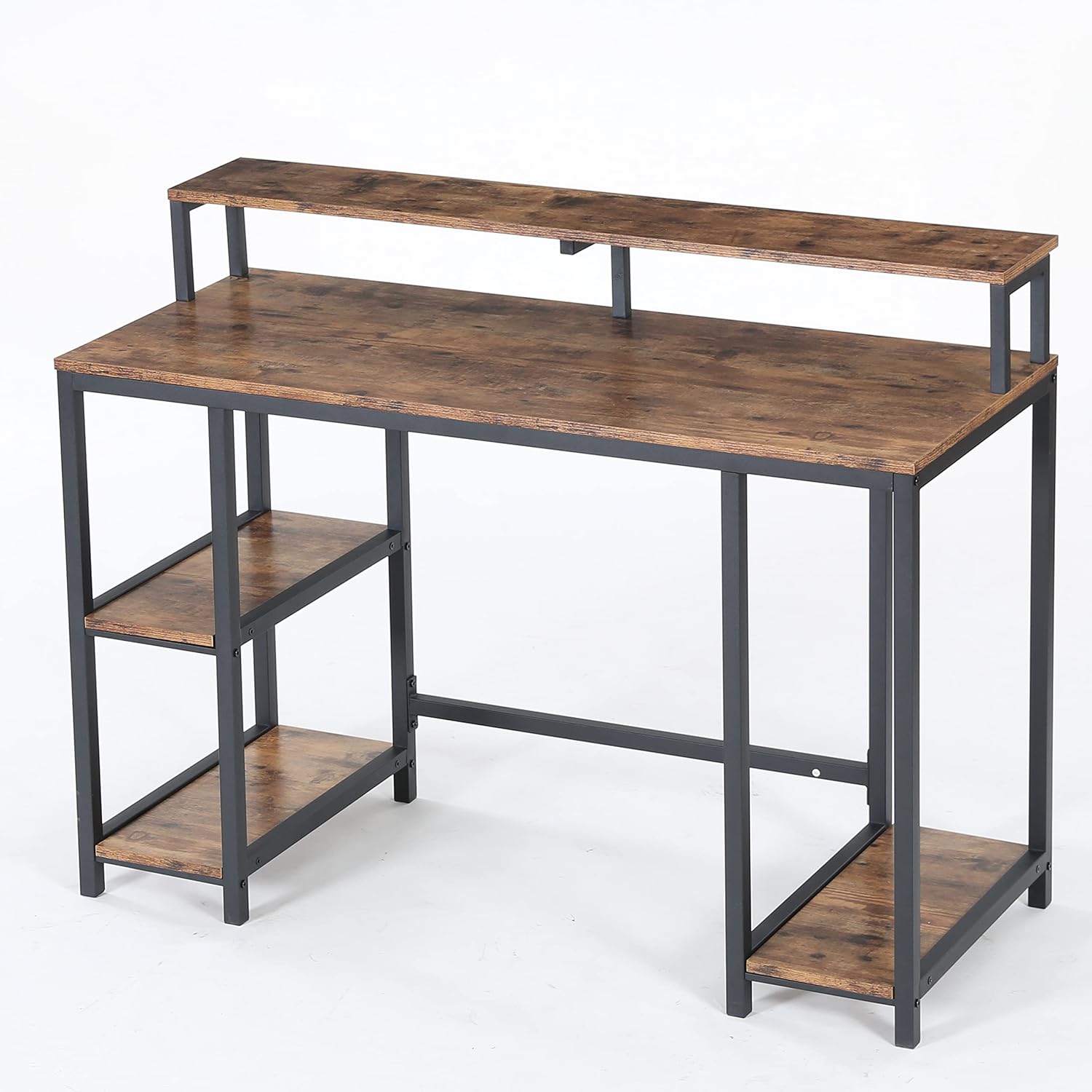
Figura 5.3: A view of the Tribesigns Computer Desk from a different angle, highlighting its industrial aesthetic with a vintage brown wood finish and black metal frame.

Figura 5.4: A close-up image focusing on the wide desktop surface and the integrated monitor stand, emphasizing the ample space available for work and display.

Figura 5.5: This image provides a close-up of the desk's storage features, including two open side shelves for books and supplies, and a dedicated open shelf designed for a computer tower (CPU).
Pasos de montaje:
- Desembalaje e identificación de las piezas: Carefully remove all components from the packaging. Lay them out on a soft, clean surface. Refer to the included parts list (not provided in this manual, typically found in the product box) to identify each piece.
- Ensamblar el marco de metal: Begin by connecting the main metal frame components using the provided screws and the recommended screwdriver. Ensure all connections are firm but do not fully tighten screws until the entire frame is assembled.
- Coloque los estantes laterales: Secure the wooden side shelf panels to the designated sections of the metal frame. Pay attention to the orientation of the shelves.
- Install the Desktop: Place the main wooden desktop panel onto the assembled frame. Align the pre-drilled holes and secure it with screws.
- Ensamblar el soporte del monitor: Attach the monitor stand components to the main desktop as indicated in the product's specific assembly diagram.
- Instalar el cajón: If your model includes a drawer, follow the specific instructions for assembling and installing the drawer mechanism and drawer box.
- Ajuste final: Una vez instalados todos los componentes, apriete sistemáticamente todos los tornillos y fijaciones. No apriete demasiado.
- Posicionamiento: Carefully move the assembled desk to its desired location. Ensure it is stable and level.
6. Instrucciones de funcionamiento
The Tribesigns Computer Desk is designed for straightforward use as a workstation. Place your computer, monitor, and other office equipment on the main desktop and monitor stand. Utilize the integrated side shelves and drawer for organizing books, documents, and supplies.

Figura 6.1: The Tribesigns Computer Desk positioned in a room, complete with a computer monitor, keyboard, and a chair, demonstrating its functional use as a workstation.

Figura 6.2: Un detallado view of the Tribesigns Computer Desk's main surface, featuring a computer monitor on the elevated stand, a keyboard, mouse, and decorative items.

Figura 6.3: An illustration of two Tribesigns Computer Desks placed adjacent to each other, creating an extended workspace suitable for multiple users or a larger setup.
7. Mantenimiento
Para mantener la apariencia y la longevidad de su escritorio de computadora Tribesigns, siga estas sencillas instrucciones de cuidado:
- Limpieza: Limpiar superficies con anunciosamp cloth to remove dust and spills. Follow with a dry cloth to prevent water marks.
- Evite los productos químicos agresivos: Do not use abrasive cleaners or strong chemical solvents, as these can damage the finish.
- Proteger superficies: Use coasters for drinks and pads under hot items to protect the desktop surface.
- Controles periódicos: Inspeccione periódicamente todos los tornillos y conexiones para asegurarse de que estén bien apretados. Vuelva a apretarlos si es necesario.
8. Solución de problemas
If you encounter any issues with your Tribesigns Computer Desk, consider the following common solutions:
- El escritorio se tambalea: Ensure the desk is placed on a level surface. Check that all assembly screws are fully tightened. Adjust any leveling feet if present.
- Partes faltantes: If you find parts missing during assembly, refer to the package contents section and contact customer support for assistance. Do not attempt to substitute parts.
- Dificultad de montaje: Review the assembly instructions carefully. Ensure you are using the correct hardware for each step. Sometimes, loosening screws slightly before final tightening can help align components.
9. Garantía y soporte
El escritorio para computadora Tribesigns viene con un Garantía limitada. For specific details regarding warranty coverage, duration, and terms, please refer to the warranty information provided with your purchase or contact Tribesigns customer support directly.
For further assistance, technical support, or to report missing/damaged parts, please contact Tribesigns customer service through their official websitio o la información de contacto proporcionada en el punto de compra.


