1. Introducción
Gracias por la compraasing the ABKO Hacker K560 Mechanical Gaming Keyboard. This keyboard is designed for an enhanced gaming and typing experience, featuring hotswappable mechanical switches, vibrant Rainbow Moving LED lighting, and durable dual injection keycaps. This manual provides detailed instructions for setup, operation, maintenance, and troubleshooting to ensure optimal performance and longevity of your device.
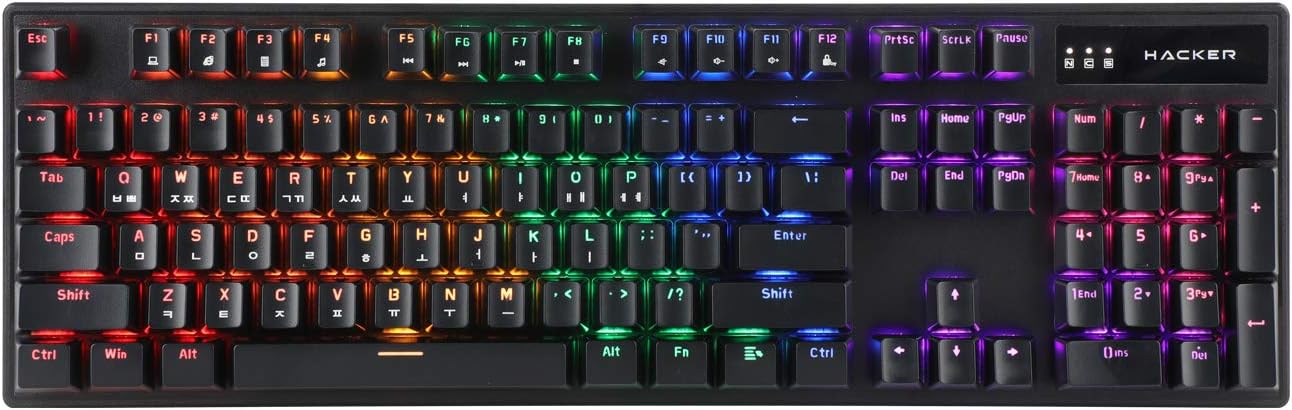
Figure 1.1: ABKO Hacker K560 Mechanical Gaming Keyboard (Top View)
This image displays the full layout of the ABKO Hacker K560 keyboard from a top-down perspective, showcasing its 104-key design and the vibrant rainbow LED backlighting illuminating each key. The Korean-English layout is visible on the keycaps.
2. Características principales
- Viki Type: Unique keycap profile Para escribir cómodamente.
- Rainbow Moving LED: Dynamic and customizable RGB lighting effects.
- Interruptor mecánico: Equipped with durable and responsive mechanical switches (Brown Switch variant).
- Cherry Stabilizer: Enhanced stability for larger keys like Spacebar, Shift, and Enter.
- Disposición de 104 teclas: Disposición del teclado de tamaño completo para una funcionalidad integral.
- Teclas de doble inyección: Legends are molded into the keycap, preventing wear and fading.
- Hotswap Capability: Permite un fácil reemplazo de interruptores sin soldar.
- Resistente al agua: Designed to withstand minor spills.

Figure 2.1: ABKO Hacker K560 Keyboard (Angled View)
This image provides an angled perspective of the keyboard, showcasing the ergonomic Viki Type keycap profile and the vibrant illumination of the Rainbow Moving LED backlighting from the side.
3. Guía de configuración
3.1. Contenido del paquete
Antes de continuar, asegúrese de que todos los artículos estén presentes en el paquete:
- ABKO Hacker K560 Mechanical Gaming Keyboard
- Manual de usuario (este documento)
- Keycap Puller (may be included for hotswap functionality)
- Switch Puller (may be included for hotswap functionality)
3.2. Conexión del teclado
- Locate an available USB port on your computer (PC, Laptop, Gaming Console).
- Plug the USB connector of the ABKO Hacker K560 keyboard into the USB port.
- El sistema operativo detectará e instalará automáticamente los controladores necesarios. Este proceso puede tardar unos instantes.
- Once installation is complete, the keyboard's LED lighting will illuminate, indicating it is ready for use.
4. Instrucciones de funcionamiento
4.1. Uso básico
The ABKO Hacker K560 functions as a standard 104-key keyboard. Simply begin typing or using the keys as you would with any other keyboard.
4.2. LED Lighting Control (Rainbow Moving LED)
The keyboard features various dynamic LED lighting modes. Use the following key combinations to control the lighting:
- Fn + F1-F12: (Specific functions may vary, refer to keyboard legends for media controls, volume, etc.)
- Fn + Bloq Despl: Cycle through different Rainbow Moving LED lighting effects.
- Fn + Imprimir pantalla: Adjust LED brightness (usually multiple levels).
- Fn + Pausa Interrumpir: Change LED lighting direction or speed (for moving effects).
- Fn + Teclas de flecha: Some models allow fine-tuning of specific lighting zones or effects.
Experiment with these combinations to find your preferred lighting mode and brightness.
4.3. Hotswap Switch Replacement
The ABKO Hacker K560 supports hotswappable mechanical switches, allowing you to change switches without soldering. This feature is useful for customizing typing feel or replacing faulty switches.
- Apagado: Disconnect the keyboard from your computer before attempting any switch replacement.
- Quitar la tecla: Utilice el extractor de teclas incluido para quitar con cuidado la tecla deseada.
- Quitar interruptor: Utilice el extractor de interruptor incluido para sujetar con cuidado los clips superior e inferior del interruptor y tirar de él hacia arriba.
- Insertar nuevo interruptor: Alinee las clavijas del nuevo interruptor con los orificios de la placa de circuito impreso. Presione suavemente el interruptor hacia abajo hasta que encaje en su lugar. Asegúrese de que las clavijas no estén dobladas.
- Reemplazar la tecla: Press the keycap onto the new switch until it is firmly seated.
- Prueba: Vuelva a conectar el teclado y pruebe el nuevo interruptor.
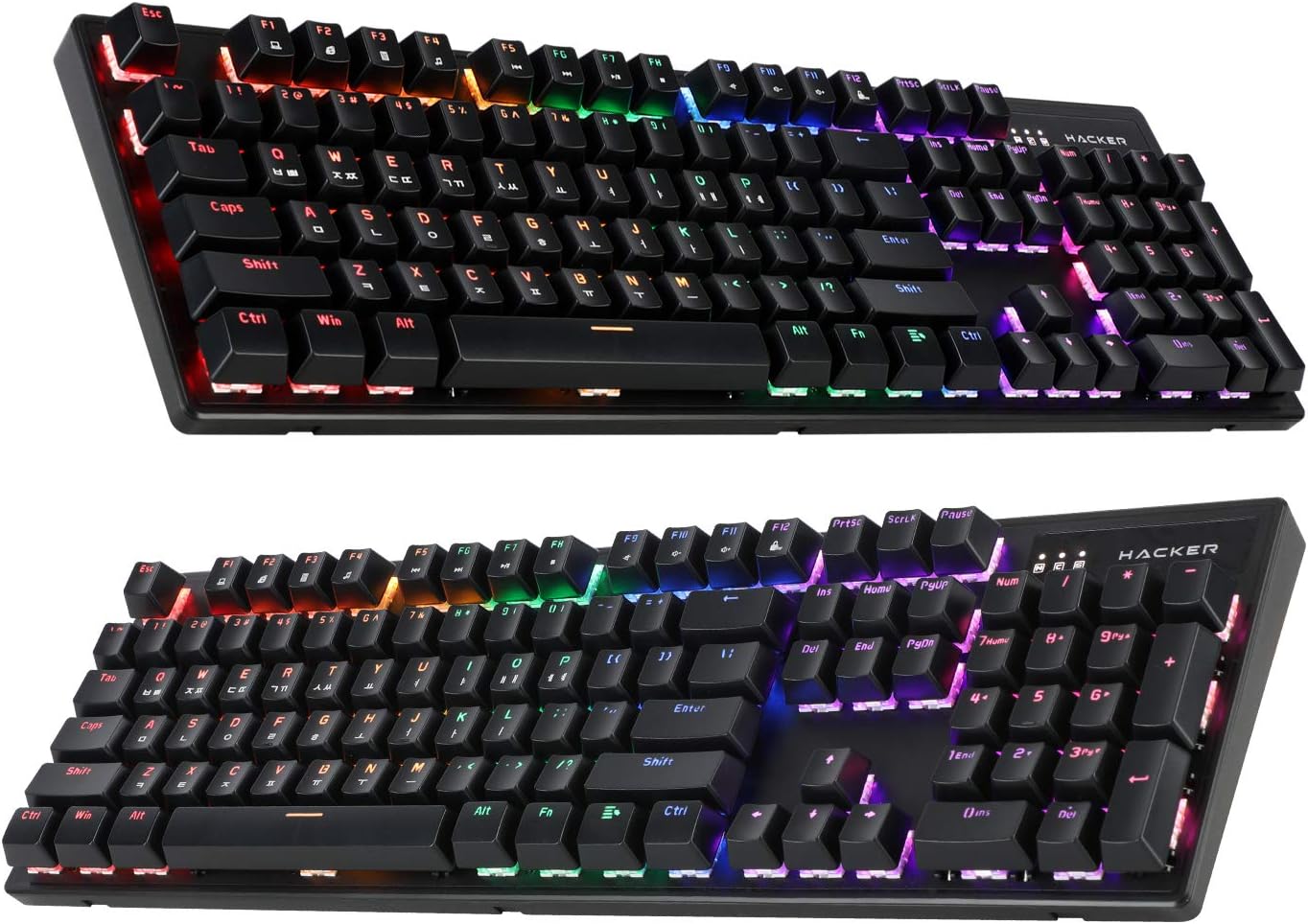
Figure 4.1: ABKO Hacker K560 Keyboard (Dual Angled View)
This image presents two different angled views of the ABKO Hacker K560 keyboard, providing a comprehensive look at its full 104-key layout and the distinct dual injection keycap design, which contributes to its durability and aesthetic.
5. Mantenimiento
5.1. Limpieza del teclado
La limpieza regular ayuda a mantener la apariencia y la funcionalidad del teclado.
- Eliminación de polvo: Utilice una lata de aire comprimido para soplar el polvo y los residuos de entre las teclas.
- Limpieza de superficies: Wipe the surface of the keycaps and frame with a soft, slightly dampPaño sin pelusa. Evite la humedad excesiva.
- Limpieza profunda (opcional): Para una limpieza a fondo, las teclas se pueden extraer con un extractor de teclas y lavar con agua y jabón suave. Asegúrese de que estén completamente secas antes de volver a colocarlas.
Precaución: Always disconnect the keyboard from your computer before cleaning. Do not immerse the keyboard in water, despite its water-resistant feature, as this is for minor spills, not submersion.
5.2. Almacenamiento
Cuando no utilice el teclado durante períodos prolongados, guárdelo en un lugar fresco y seco, alejado de la luz solar directa y de temperaturas extremas.
6. Solución de problemas
If you encounter issues with your ABKO Hacker K560 keyboard, refer to the following common solutions:
| Problema | Posible causa | Solución |
|---|---|---|
| El teclado no responde / No hay entrada | Conexión USB suelta, puerto USB defectuoso, problema con el controlador. |
|
| LED lights are off or not working correctly | LED mode turned off, brightness set to minimum, software conflict. |
|
| La tecla específica no funciona | Escombros debajo de la tecla, interruptor defectuoso. |
|
Si el problema persiste después de probar estas soluciones, comuníquese con el servicio de atención al cliente.
7. Especificaciones
| Característica | Detalle |
|---|---|
| Nombre del modelo | Hacker K560 |
| Marca | ALBÓ |
| Tipo de teclado | Teclado de juegos mecánicos |
| Tipo de interruptor | Tactile (Brown Switch) |
| Disposición | 104 Keys (Full-size, Korean-English Layout) |
| Material de las teclas | Doble inyección |
| Contraluz | Rainbow Moving LED (RGB) |
| Conectividad | Cableado (USB) |
| Características especiales | Hotswappable Switches, Cherry Stabilizer, Viki Type Keycaps, Water Resistant |
| Dispositivos compatibles | Portátil, consola de juegos, PC, tableta, teléfono inteligente |
8. Garantía y soporte
ABKO products are manufactured to the highest quality standards. For information regarding warranty coverage, technical support, or service inquiries, please refer to the warranty card included with your product or visit the official ABKO websitio.
Conserve su comprobante de compra para reclamos de garantía.


