1. Producto terminadoview
The LOUTOC BN59-01301A is a universal replacement remote control designed for compatibility with various Samsung Smart TVs, including LED, LCD, HDTV, and 3D models. It functions as an updated alternative to older Samsung remote models BN59-01199F and BN59-01289A. This remote control requires no programming and is ready for use upon battery insertion.

Imagen 1.1: Frontal y lateral view of the LOUTOC BN59-01301A Universal Replacement Remote Control.

Image 1.2: The BN59-01301A remote control is a suitable replacement for BN59-01199F and BN59-01289A models.
2. Instrucciones de configuración
2.1 Instalación de la batería
El mando a distancia requiere dos pilas AAA (no incluidas).
- Ubique la tapa del compartimiento de la batería en la parte posterior del control remoto.
- Deslice la tapa hacia abajo para abrir el compartimento.
- Inserte dos pilas AAA, asegurándose de que los terminales positivo (+) y negativo (-) estén alineados correctamente con las marcas dentro del compartimiento.
- Deslice la tapa del compartimiento de la batería nuevamente a su lugar hasta que encaje firmemente.

Image 2.1: Diagram illustrating the correct insertion of two AAA batteries into the remote control.
2.2 Uso inicial
This remote control is pre-programmed and requires no additional setup or pairing with your Samsung TV. Once batteries are installed, it is ready for immediate use.
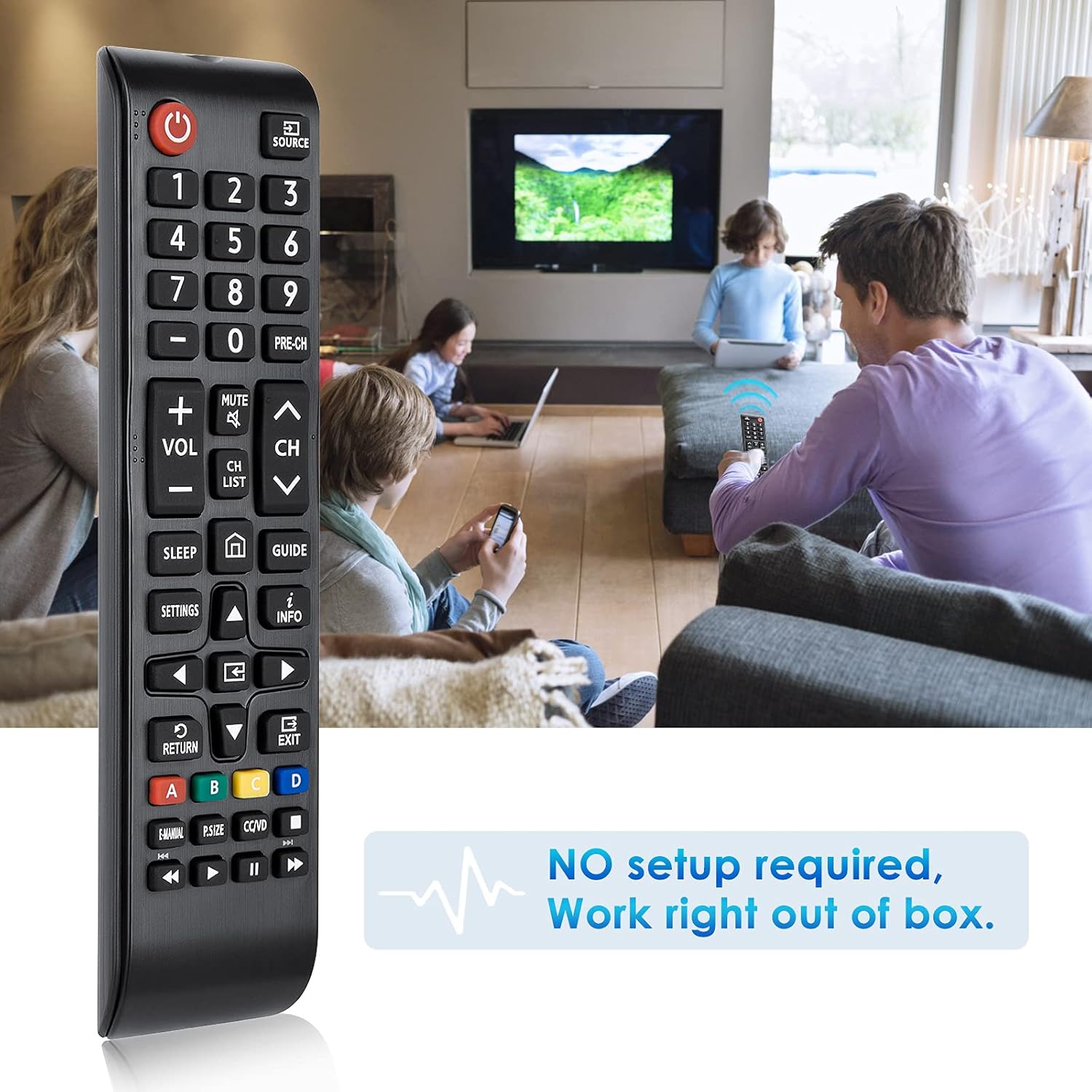
Image 2.2: The remote control is ready to use without any setup or programming.
3. Instrucciones de funcionamiento
The remote control provides standard functions for navigating and controlling your Samsung Smart TV. Point the remote directly at your television for optimal performance. The effective transmitting distance is over 8 meters (26 feet).

Image 3.1: Detailed layout of remote control buttons and their corresponding functions.
3.1 Funciones de los botones
- Botón de encendido (rojo):Enciende y apaga el televisor.
- FUENTE: Displays and selects available video sources.
- Botones numéricos (0-9): Gives direct access to channels.
- PRE-CH:Regresa al canal anterior.
- MUTE: Turns the sound on and off.
- VOLUMEN (+/-): Ajusta el volumen.
- CH (Arriba/Abajo): Cambia de canal.
- LISTA DE CANALES: Launches the Channel List.
- DORMIR: Automatically shuts off the TV at a preset time.
- Botón de inicio: Returns to the Home Screen.
- GUÍA:Muestra la Guía electrónica de programación (EPG).
- AJUSTES: Displays the main on-screen menu.
- INFORMACIÓN: Displays information on the TV screen.
- Botones de navegación (arriba/abajo/izquierda/derecha): Moves the cursor, selects on-screen menu items, and changes values.
- Botón OK: Press this button to select or run a focused item.
- DEVOLVER: Vuelve al menú anterior.
- SALIR: Sale del menú.
- Botones de colores (A, B, C, D): Use these buttons with specific features, according to the directions on the TV's screen.
- MANUAL ELECTRÓNICO: Displays the e-Manual.
- P. TAMAÑO: Changes the picture size.
- CC/VD: When pressed, the Accessibility Shortcuts menu appears.
- Botones de control multimedia (Reproducir, Pausar, Detener, Avanzar, Rebobinar):Controla la reproducción de medios.

Image 3.2: The remote control in use with a Samsung Smart TV.
4. Mantenimiento
4.1 Limpieza
To clean the remote control, gently wipe it with a soft, dry cloth. Avoid using liquid cleaners, aerosols, or harsh chemicals, as these can damage the remote's surface or internal components.
4.2 Reemplazo de batería
Replace batteries when the remote's responsiveness decreases or it stops functioning. Always replace both AAA batteries at the same time with new ones. Do not mix old and new batteries, or different types of batteries.
5. Solución de problemas
- El control remoto no responde:
- Asegúrese de que las baterías estén insertadas correctamente con la polaridad correcta (+/-).
- Reemplace las baterías viejas con baterías AAA nuevas.
- Verifique si hay obstrucciones entre el control remoto y el receptor de infrarrojos del televisor.
- Ensure you are within the operating range (up to 8 meters) and pointing the remote directly at the TV.
- Botones específicos que no funcionan:
- Verify that the button is intended for your TV model's functions. Some advanced features may vary between TV models.
- Clean the remote control to ensure no debris is obstructing button presses.
6. Especificaciones
| Característica | Detalle |
|---|---|
| Número de modelo | BN59-01301A |
| Marca | LOUTOC |
| Compatibilidad | Samsung Smart LED LCD 4K ULTRA HDTV 3D TVs (Replaces BN59-01199F, BN59-01289A) |
| Fuente de poder | Pilas 2 x AAA (no incluidas) |
| Material | Plástico ABS |
| Distancia operable | Más de 10 metros |
| Dimensiones (L x An x Al) | 2.95 x 1.77 x 0.79 pulgadas |
| Peso del artículo | 1.44 onzas |
| Características especiales | Ergonomic, Lightweight, No Programming Required, Pre-Programmed, Universal |
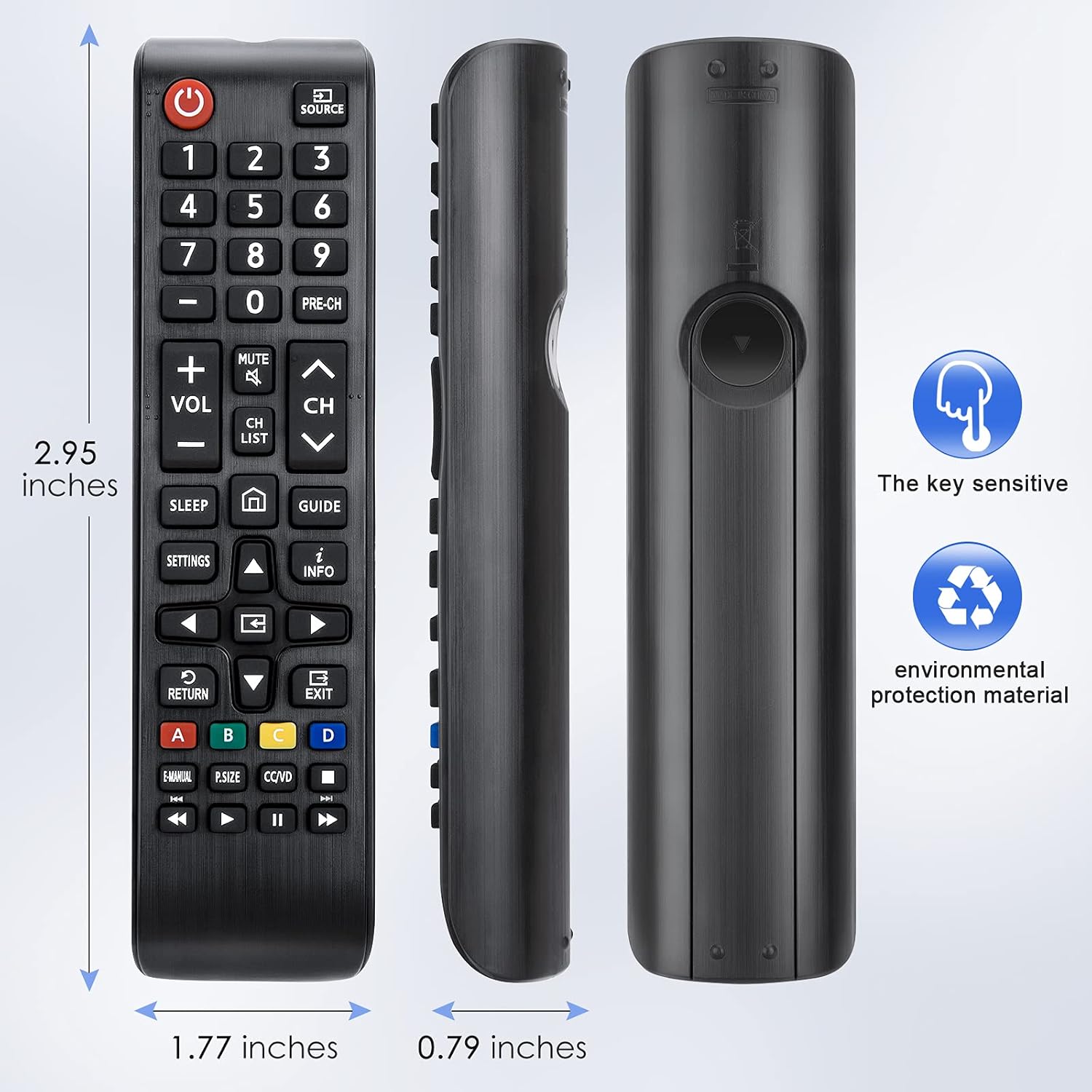
Image 6.1: Physical dimensions of the remote control.
7. Garantía y soporte
This product is covered by a 60-day replacement policy. For any issues or support, please contact the manufacturer, LOUTOC.

Image 7.1: Information regarding the 60-day replacement policy.


