1. Introducción
Thank you for choosing the Soundnova K9 Pro Portable Bluetooth Speaker. This manual provides essential information for the safe and efficient operation of your device. Please read it thoroughly before use and retain it for future reference. The K9 Pro is a versatile multimedia speaker designed for various indoor and outdoor events, featuring powerful audio output, multiple connectivity options, and a long-lasting battery.
2. Información de seguridad
- No exponga el altavoz al agua, la humedad o temperaturas extremas.
- Evite dejar caer o someter el altavoz a impactos fuertes.
- No intente desmontar, reparar ni modificar el altavoz usted mismo. Encargue cualquier reparación a personal cualificado.
- Utilice únicamente el cable de carga y el adaptador de corriente especificados para evitar daños o incendios.
- Mantenga el altavoz alejado de fuentes de calor, luz solar directa y materiales inflamables.
- Escuchar el volumen alto durante mucho tiempo puede causar daños auditivos. Ajuste el volumen a un nivel cómodo.
3. Contenido del paquete
Por favor revise el paquete para ver los siguientes artículos:
- Soundnova K9 Pro Portable Bluetooth Speaker
- Mando a distancia
- Cable de audio AUX
- Cable de carga USB-C
- Manual de usuario (este documento)
4. Producto terminadoview
Familiarize yourself with the various parts and controls of your Soundnova K9 Pro speaker.

Figura 4.1: Frontal y lateral View of Soundnova K9 Pro with labeled components.
Controles del panel frontal:
- Pantalla LED: Shows current mode, battery status, and track information.
- Botones numéricos (0-9): For direct track selection or radio frequency input.
- Botón de modo (M): Switches between Bluetooth, TF Card, U Disk, and AUX modes.
- Botón anterior (KK): Salta a la pista anterior o navega por los menús.
- Botón Reproducir/Pausar (||): Reproduce o pausa la reproducción de audio.
- Botón Siguiente (>>): Salta a la siguiente pista o navega por los menús.
- Perilla de volumen: Gira para ajustar el volumen principal.
Puertos del panel lateral:
- Entrada de micrófono: Jack de 6.35 mm para conectar un micrófono.
- Perilla de volumen del micrófono: Ajusta el volumen del micrófono.
- Entrada auxiliar: Conector de 3.5 mm para conectar dispositivos de audio externos.
- Puerto USB-C: Para cargar el altavoz.
- Ranura para tarjeta TF/SD: Para insertar una tarjeta TF (Micro SD).
- USB Flash Disk Slot: For inserting a USB flash drive.
- Interruptor encendido / apagado: Enciende o apaga el altavoz.

Figure 4.2: Multi-functional capabilities of the Soundnova K9 Pro speaker.
5. Configuración
5.1 Carga del altavoz
Before first use, fully charge the speaker. Connect the supplied USB-C charging cable to the USB-C port on the speaker and the other end to a compatible USB power adapter (not included) or a computer USB port. The LED display will indicate charging status. A full charge takes approximately 4-5 hours and provides up to 15 hours of playtime at 60% volume.

Figure 5.1: Speaker charging via USB-C and internal battery illustration.
5.2 Encendido / Apagado
To power on the speaker, slide the ON/OFF switch located on the side panel to the 'ON' position. The LED display will light up. To power off, slide the switch to the 'OFF' position.
6. Instrucciones de funcionamiento
6.1 Emparejamiento Bluetooth
- Encienda el altavoz. Entrará automáticamente en modo de emparejamiento Bluetooth, lo que se indicará con un parpadeo de "AZUL" en la pantalla LED.
- Habilite Bluetooth en su teléfono inteligente, tableta u otro dispositivo Bluetooth.
- Buscar 'Soundnova K9 Pro' in the list of available devices and select it to connect.
- Once successfully paired, the speaker will emit a confirmation tone, and 'BLUE' on the LED display will stop flashing.
- You can now play audio from your device through the speaker. The Bluetooth range is up to 66 feet (20.11 meters).

Figure 6.1: Speaker compatibility with various operating systems.
6.2 Reproducción de tarjeta TF/disco U
- Insert a TF (Micro SD) card or a USB flash drive into the corresponding slot on the side panel.
- The speaker will automatically switch to TF Card or U Disk mode and begin playing audio files. If it does not switch automatically, press the 'M' (Mode) button to select the correct mode.
- Utilice el Anterior (KK) y después (>>) botones para navegar por las pistas.
- Pulse el botón Reproducir/Pausar (||) para pausar o reanudar la reproducción.
6.3 entrada auxiliar
- Connect one end of the supplied 3.5mm AUX audio cable to the AUX input port on the speaker.
- Conecte el otro extremo del cable al conector de salida de audio de su dispositivo externo (por ejemplo, reproductor de MP3, computadora).
- Press the 'M' (Mode) button until the speaker enters AUX mode.
- El audio de tu dispositivo externo se reproducirá a través del altavoz. Controla la reproducción desde tu dispositivo externo.
6.4 Microphone Usage and Digital Recording
- Connect a microphone (not included) to the Mic Input jack on the side panel.
- Adjust the microphone volume using the Mic Volume knob.
- To record, ensure a TF card or USB flash drive is inserted. While in TF Card or U Disk mode, press and hold the 'Mode' button or a designated recording button (if available on the remote) to start recording. Press again to stop. Refer to the remote control section for specific recording button functions.
6.5 Funciones de control remoto
El control remoto incluido permite una cómoda operación a distancia.
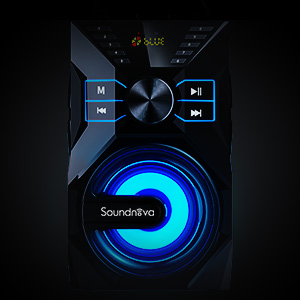
Figure 6.2: Remote control for the speaker.
- Botón de encendido: Enciende/apaga el altavoz.
- Botón de modo: Cycles through input modes (Bluetooth, TF Card, U Disk, AUX).
- Subir/Bajar volumen: Ajusta el volumen principal.
- Reproducir/Pausa: Reproduce o pausa el audio.
- Anterior Siguiente: Salta pistas.
- Botones numéricos (0-9): For direct track selection or radio frequency input.
- Botón EQ: Recorre los ajustes preestablecidos del ecualizador (si están disponibles).
- Botón de silencio: Silencia o activa el audio.
6.6 Luces LED
The speaker features integrated LED lights that enhance the listening experience. These lights typically synchronize with the audio playback. There may be a dedicated button on the remote control or speaker to cycle through light modes or turn them off.

Figure 6.3: Speaker with active LED lighting.
7. Mantenimiento
- Limpieza: Wipe the speaker's surface with a soft, dry cloth. Do not use abrasive cleaners, waxes, or solvents.
- Almacenamiento: Cuando no utilice el altavoz durante períodos prolongados, guarde el altavoz en un lugar fresco y seco, alejado de la luz solar directa y de temperaturas extremas.
- Cuidado de la batería: Para prolongar la vida útil de la batería, evite descargarla por completo con frecuencia. Cargue el altavoz regularmente, incluso si no lo usa, para mantener la batería en buen estado.
8. Solución de problemas
| Problema | Posible causa | Solución |
|---|---|---|
| El altavoz no se enciende. | La batería está agotada. | Cargue el altavoz utilizando el cable USB-C suministrado. |
| No hay sonido desde el altavoz. | Volume is too low or muted. Incorrect input mode. Device not connected properly. | Increase volume, check mute status. Press 'M' button to select correct input mode. Reconnect Bluetooth device or AUX cable. |
| El emparejamiento de Bluetooth falla. | Speaker is not in pairing mode. Device Bluetooth is off. Speaker is too far from device. Interference. | Ensure speaker is in Bluetooth mode (flashing 'BLUE'). Turn device Bluetooth off and on. Move speaker closer to device. Avoid strong electromagnetic interference. |
| El control remoto no funciona. | Remote battery is low or dead. Obstruction between remote and speaker. | Replace remote control battery. Ensure clear line of sight between remote and speaker. |
| TF Card/U Disk not playing. | Card/Disk not inserted correctly. Incompatible file formato. | Reinsert the TF card/U Disk. Ensure audio fileLos archivos están en un formato compatible (por ejemplo, MP3). |
9. Especificaciones
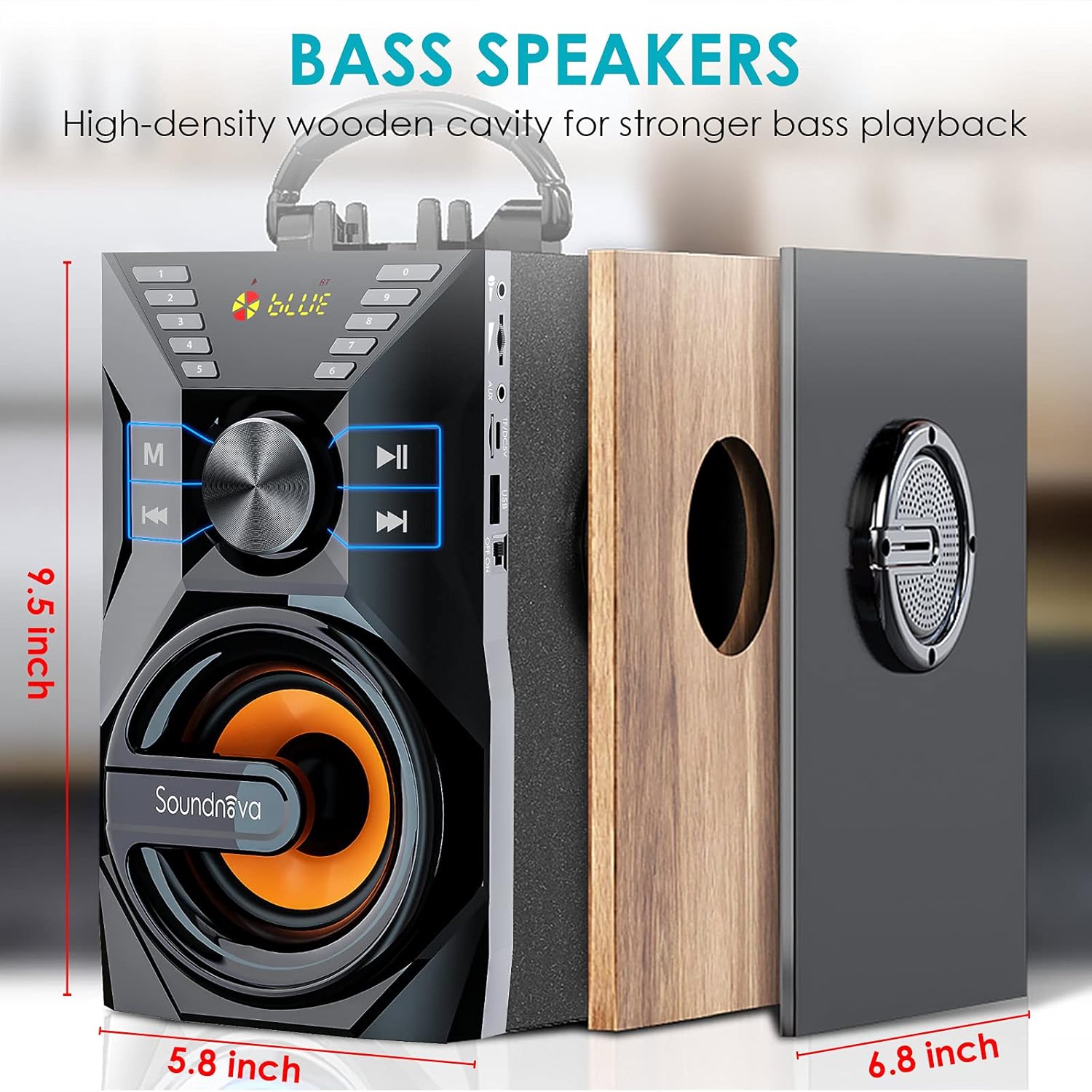
Figure 9.1: Speaker dimensions and internal structure.
| Característica | Detalle |
|---|---|
| Número de modelo | USK9 |
| Tipo de altavoz | Altavoz Bluetooth portátil con subwoofer |
| Potencia de salida | 35W (pico de 50W) |
| Controlador de subwoofer | 15W, 3.5 Inches Diameter |
| Tweeters | 2 x 10W, 2.25 Inches Diameter |
| Capacidad de la batería | Polímero de litio de 8000 mAh |
| Recreo | Hasta 15 horas (al 60% del volumen) |
| Puerto de carga | USB-C |
| Versión de Bluetooth | 5.0 |
| Alcance de Bluetooth | Hasta 66 pies (20.11 metros) |
| Conectividad | Bluetooth, TF Card, U Disk, AUX, Microphone |
| Método de control | Botones manuales, control remoto |
| Dimensiones del producto (Pr. x An. x Al.) | 5.8" x 9" x 8.5" (14.7 cm x 22.9 cm x 21.6 cm) |
| Peso del artículo | 4.55 libras (2.07 kg) |
| Material | High-density wooden cavity |
| Características especiales | LCD Display, LED Lights, Digital Song Recording, Bass Boost |
10. Garantía y soporte
The Soundnova K9 Pro Portable Bluetooth Speaker comes with a Garantía de 3 años y un Política de devolución de 30 días. For warranty claims, technical support, or any inquiries regarding your product, please contact Soundnova customer service through the retailer's platform or the official Soundnova website. Please have your purchase receipt and model number (USK9) ready when contacting support.