Introducción
Thank you for choosing the iHome AC Pro 2-Port USB Wall Charger. This manual provides essential information for the safe and efficient use of your new charger. Please read these instructions thoroughly before operation and retain them for future reference.
Información de seguridad
- No exponga el cargador a líquidos, humedad o temperaturas extremas.
- Do not disassemble or attempt to repair the charger. This may void the warranty and pose a safety risk.
- Ensure the wall outlet is easily accessible and not overloaded.
- Unplug the charger from the outlet when not in use or during electrical storms.
- Mantener fuera del alcance de los niños.
Producto terminadoview
The iHome AC Pro 2-Port USB Wall Charger is designed for convenient and efficient charging of your electronic devices. Its compact and flat design allows for easy access to outlets in tight spaces and portability for travel.
Características principales
- Puertos USB duales: Charge up to two devices simultaneously.
- Ultradelgado Profile: Designed to fit behind furniture and in narrow spaces without blocking other outlets.
- Rapid Charging Port: Includes a dedicated 2.4A port for faster charging of compatible devices.
- Puntas plegables: For enhanced portability and protection during travel.
- Compatibilidad universal: Works with a wide range of USB-powered devices including smartphones, tablets, and other gadgets.

Image: The iHome 2-Port USB Wall Charger featuring its two USB ports, allowing simultaneous charging of two devices.
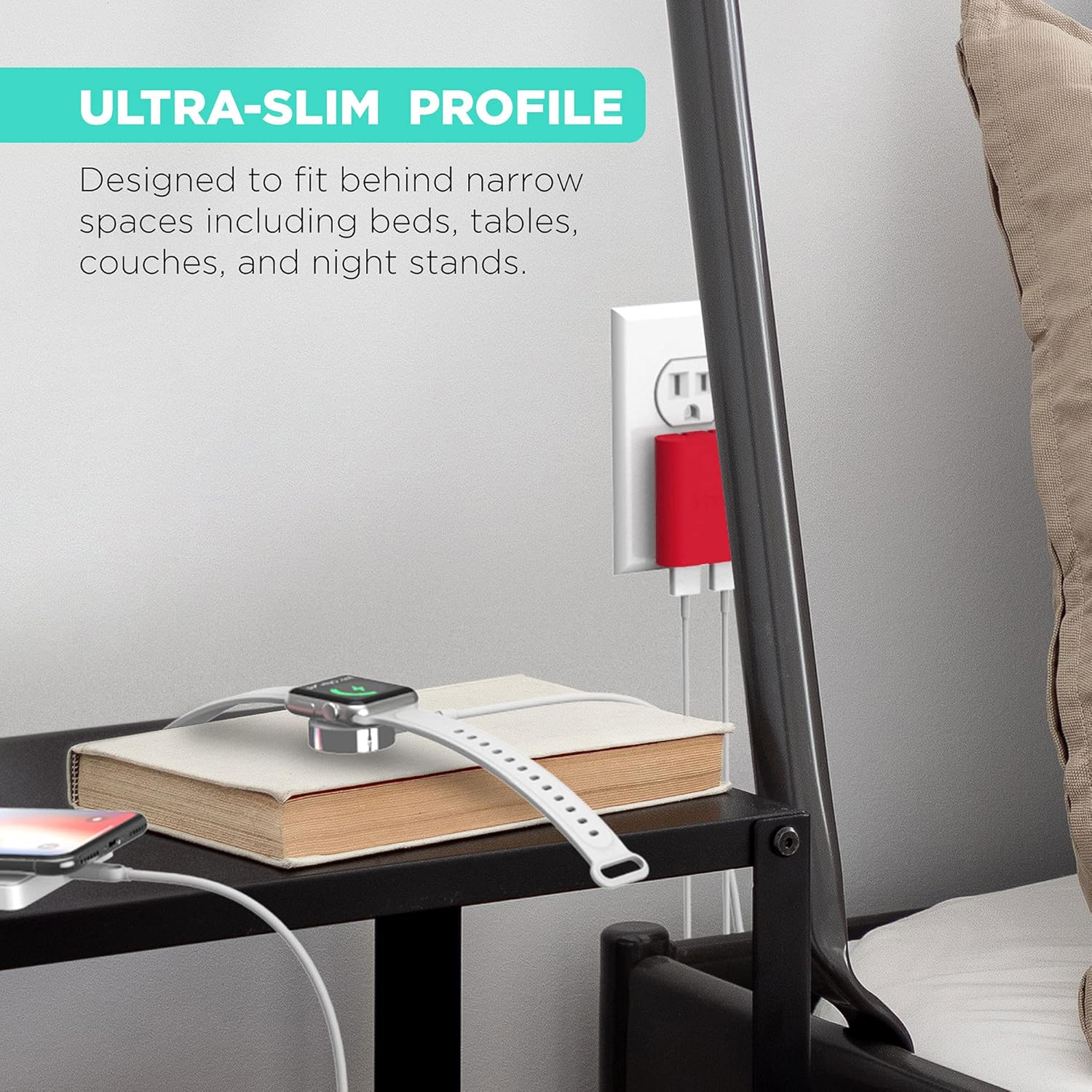
Imagen: El ultradelgado profile of the iHome charger, demonstrating its ability to fit discreetly behind furniture like a nightstand.

Imagen: Un primer plano view of the iHome charger, pointing out the 3.4A USB port designed for rapid charging.

Image: The iHome charger with its foldable prongs, illustrating its compact design for convenient storage and travel.

Imagen: Una ilustración que muestraasing the universal compatibility of the iHome charger with a range of devices including smartphones, tablets, and wearables.
Configuración
- Despliega las puntas: Tire con cuidado de las puntas plegables del cuerpo del cargador hasta que encajen en su lugar.
- Plug into an AC Outlet: Insert the charger into a standard 120V AC wall outlet. The flat design ensures it sits flush against the wall.
- Conectar dispositivos: Plug your device's USB charging cable into one of the available USB ports on the charger.
Instrucciones de funcionamiento
The iHome AC Pro 2-Port USB Wall Charger is designed for simple plug-and-play operation. Once plugged into a wall outlet, it is ready to charge your devices.
Cargando sus dispositivos
- Identify the appropriate USB cable for your device.
- Connect one end of the USB cable to your device and the other end to an available USB port on the iHome charger.
- For faster charging, utilize the dedicated 2.4A USB port (often indicated by a blue interior or specific labeling) for compatible smartphones and tablets. The other port provides standard charging speed.
- Su dispositivo debería indicar que se está cargando.
Video: Demonstrates the iHome AC Pro 3.4 Amp 2-Port USB Wall Charger, highlighting its flat foldable plug and ease of use for charging various devices.
Mantenimiento
- Limpieza: Desconecte el cargador de la toma de corriente antes de limpiarlo. Utilice un paño suave y seco para limpiar la superficie. No utilice limpiadores líquidos ni aerosoles.
- Almacenamiento: When not in use, fold the prongs for compact storage. Store in a cool, dry place away from direct sunlight.
Solución de problemas
| Problema | Posible causa | Solución |
|---|---|---|
| El dispositivo no se carga. | Charger not properly plugged in; faulty cable; device issue. | Ensure charger is securely plugged into a live outlet. Try a different USB cable. Test the charger with another device. |
| Velocidad de carga lenta. | Using a standard port for a fast-charge compatible device; cable quality. | Ensure you are using the 2.4A rapid charging port for devices that support it. Use a high-quality USB cable. |
| El cargador se siente caliente. | Funcionamiento normal durante la carga. | Es normal que se caliente un poco. Si se calienta demasiado, suspenda su uso y contacte con el servicio de asistencia. |
Presupuesto
- Número de modelo: IH-CT539R
- Vol de entradatage: 120 voltios
- Puertos USB totales: 2
- Ampedad: 3.4 Amps (Total)
- Quétage: 10 vatios
- Característica especial: Fast Charging (via dedicated 2.4A port)
- Dimensiones: 8.07 x 4.41 x 0.91 pulgadas (paquete)
- Peso del artículo: 2.89 onzas
- Fabricante: Tecnología Lifeworks, Inc.
Información de garantía
This iHome product is covered by a limited manufacturer's warranty. For specific warranty terms and conditions, please refer to the documentation included with your purchase or visit the official iHome webSitio. Conserve su comprobante de compra para reclamaciones de garantía.
Atención al cliente
For further assistance, technical support, or to inquire about replacement parts, please contact iHome customer service. Contact information can typically be found on the product packaging or the official iHome website. You may also visit the Tienda iHome en Amazon para obtener información adicional sobre el producto y recursos de soporte.


