Introducción
This manual provides essential information for the safe and efficient operation, installation, and maintenance of your IRIS USA 3-in-1 WOOZOO Portable Air Conditioner and Dehumidifier. Please read this manual thoroughly before using the appliance and retain it for future reference.
Información de seguridad
Siga siempre las precauciones básicas de seguridad al utilizar aparatos eléctricos para reducir el riesgo de incendio, descarga eléctrica y lesiones a las personas.
- Asegúrese de que la fuente de alimentación coincida con el volumen.tage se especifica en la etiqueta de clasificación de la unidad.
- No opere la unidad con un cable o enchufe dañado.
- No bloquee las entradas ni salidas de aire.
- Keep children away from the appliance. Activate the child lock function for added safety.
- No introduzca los dedos ni objetos extraños en la salida de aire.
- Desenchufe la unidad antes de limpiarla o realizar cualquier mantenimiento.
- This unit is UL listed to meet U.S. safety standards.
Producto terminadoview
Familiarize yourself with the components and features of your portable air conditioner.

Figura 1: The IRIS USA WOOZOO Portable Air Conditioner shown with its accompanying remote control. The unit is white with a black top panel and front grille, featuring wheels for easy mobility.

Figura 2: An illustration highlighting the powerful cooling capabilities of the unit, including 10,000 BTU AC cooling power, 3 adjustable fan speeds, and a dehumidifying capacity of 74 pints per day.

Figura 3: A diagram illustrating the detailed dimensions of the portable air conditioner, showing its height (30 inches), depth (16 inches), and width (12 inches). Key specifications like weight (55 lbs), wattage (1010W), cable length (71 inches), and temperature range (61°F - 86°F) are also displayed.

Figura 4: This image shows the full-function remote control with a digital display, allowing easy operation of the unit. Below, a close-up of the built-in casters demonstrates the unit's easy maneuverability.
Configuración e instalación
Proper installation is crucial for optimal performance. This unit includes a window kit for exhaust ventilation.
- Desembalaje: Carefully remove the unit and all accessories from the packaging. Check for any damage.
- Posicionamiento: Place the unit on a flat, stable surface. Ensure there is at least 20 cm (8 inches) of space around the unit for proper airflow. The unit is equipped with wheels for easy movement.
- Instalación del kit de ventana:
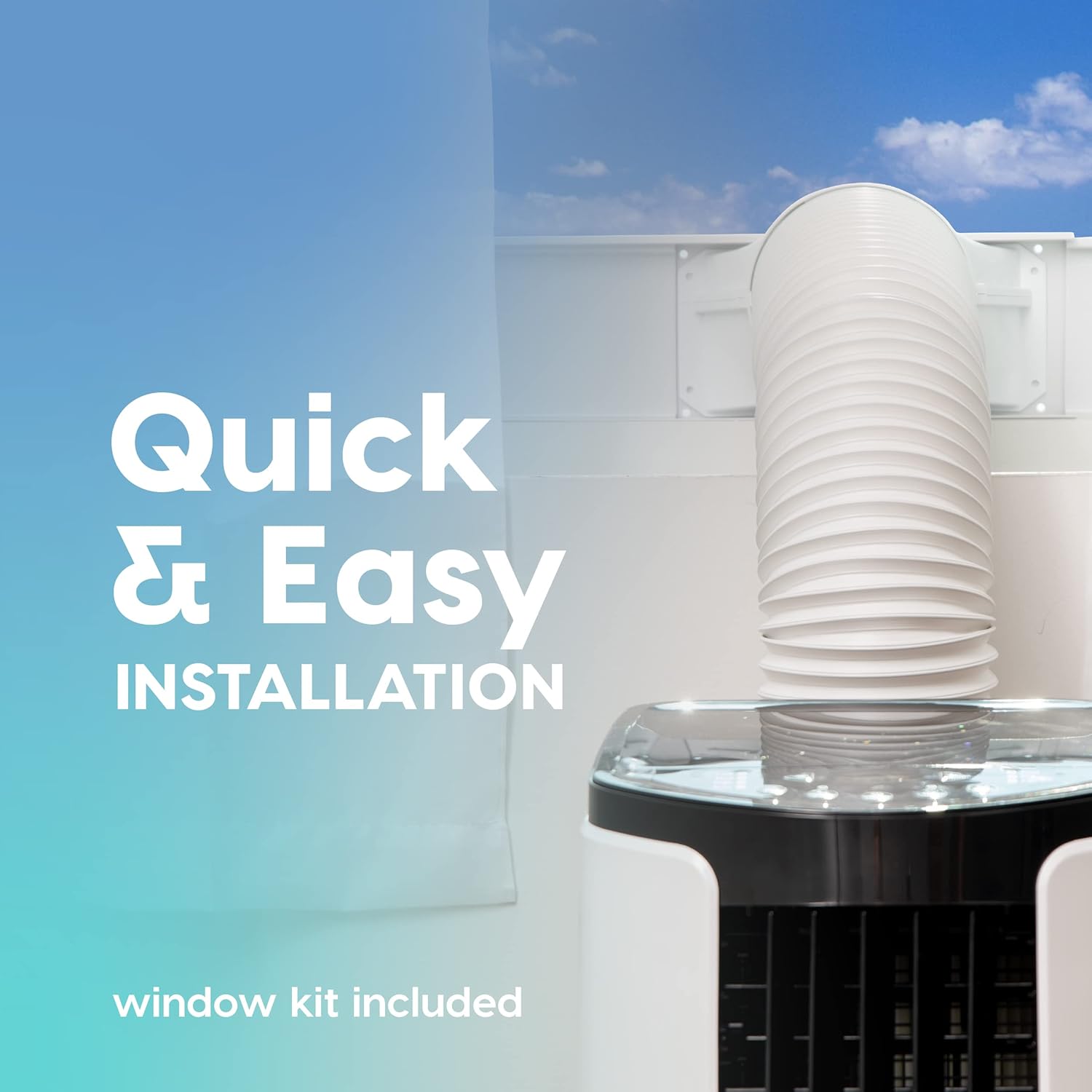
Figura 5: This image illustrates the quick and easy installation process, showing the exhaust hose connected to the unit and extended through a window using the included window kit.
- Assemble the window sealing plate kit according to the instructions provided in the separate window kit manual.
- Connect the exhaust hose to the unit's exhaust outlet and extend it to the window kit.
- Asegúrese de que la manguera no esté doblada ni retorcida, ya que esto puede restringir el flujo de aire y reducir la eficiencia.
- Conexión de energía: Enchufe el cable de alimentación a una toma eléctrica con conexión a tierra.
Instrucciones de funcionamiento
Your portable air conditioner offers multiple modes for customized comfort. All functions can be easily operated with the included remote control.
Panel de control y control remoto
The unit can be controlled via the top-mounted control panel or the remote control. The remote control features a digital display for easy viewEn.
Modos de funcionamiento
- Modo de enfriamiento: Provides powerful cooling for rooms up to 450 square feet.
- Presione el MODO button until the cooling indicator light is on.
- Ajuste la temperatura deseada utilizando el + or - buttons (range: 61°F / 16°C to 86°F / 30°C).
- Ajuste la velocidad del ventilador utilizando el FAN button (3 speeds available).
- Modo de ventilador: Hace circular el aire sin enfriar.
- Presione el MODO button until the fan indicator light is on.
- Ajuste la velocidad del ventilador utilizando el FAN botón.
- Modo deshumidificador: Elimina el exceso de humedad del aire.
- Presione el MODO button until the dehumidifier indicator light is on.
- The unit will automatically exhaust condensate in most environments.
Funciones adicionales
- Modo de sueño: Activates quiet operation and gradually adjusts temperature for comfortable sleep. Press the DORMIR botón.
- Función de temporizador: Set the unit to turn on or off automatically within a 24-hour period. Press the MINUTERO botón y uso + or - para configurar el tiempo deseado.
- Bloqueo para niños: Prevents accidental changes to settings. Refer to the remote control instructions for activation.
- Oscilación: Both vertical and horizontal oscillation can be adjusted manually to direct airflow.
Mantenimiento
El mantenimiento regular garantiza la longevidad y la eficiencia de su aire acondicionado portátil.
Limpieza de filtros

Figura 6: This image shows the reusable air filter being cleaned under running water, emphasizing the ease of maintenance with simple soap and water.
The unit is equipped with a washable air filter that can be cleaned with simple soap and water. Clean the filter every two weeks or more frequently depending on usage and air quality.
- Desconecte la unidad de la toma de corriente.
- Localice y retire el filtro de aire de la parte posterior o lateral de la unidad.
- Lave el filtro bajo agua corriente con un detergente suave.
- Enjuague bien y deje que el filtro se seque al aire por completo antes de volver a insertarlo en la unidad.
Cuidados generales
- Limpie el exterior de la unidad con un paño suave yamp paño. No utilice productos químicos agresivos ni limpiadores abrasivos.
- Para un almacenamiento a largo plazo, drene el agua acumulada, limpie el filtro y guarde la unidad en un lugar seco.
Solución de problemas
Consulte esta sección para conocer problemas comunes y sus soluciones.
| Problema | Posible causa | Solución |
|---|---|---|
| La unidad no se enciende. | No hay energía, el cable de alimentación está desenchufado y se disparó el disyuntor. | Verifique la conexión de energía, reinicie el disyuntor. |
| La unidad no enfría eficazmente. | Filtro de aire sucio, manguera de escape bloqueada/doblada, habitación demasiado grande, ventanas/puertas abiertas. | Clean air filter, check exhaust hose, ensure proper room size, close windows/doors. |
| La unidad es ruidosa. | La unidad no está sobre una superficie nivelada, obstrucción del ventilador. | Place on a level surface, check for obstructions in fan area. |
| Fuga de agua. | El tapón de drenaje no está bien sellado y la unidad está inclinada. | Asegúrese de que el tapón de drenaje esté seguro y coloque la unidad sobre una superficie nivelada. |
Presupuesto
| Característica | Detalle |
|---|---|
| Modelo | WOOZOO Portable Air Conditioner |
| ASIN | B096SHCS8J |
| Capacidad de enfriamiento | 10,000 BTU (ASHRAE) |
| Área de cobertura | Hasta 450 pies cuadrados |
| Capacidad de deshumidificación | 74 pintas / día |
| Rango de temperatura | 61 °F (16 °C) a 86 °F (30 °C) |
| Velocidades del ventilador | 3 |
| Consumo de energía | 1010 W |
| Volumentage | 115 voltios |
| Nivel de ruido | 30 dB |
| Dimensiones (D x W x H) | 31.5 pulgadas de profundidad x 39.5 pulgadas de ancho x 77 pulgadas de alto (aprox. 12.4 pulgadas de profundidad x 15.6 pulgadas de ancho x 30.3 pulgadas de alto) |
| Peso | 55 libras (aprox. 24.9 kg) |
| Características especiales | LED Temperature Display, Remote Controlled, Sleep Mode, Timer, Child Lock, Auto Drain Function |
Garantía y soporte
For warranty information or technical support, please refer to the warranty card included with your product or contact IRIS USA customer service. Keep your purchase receipt as proof of purchase.
For further assistance, visit the official IRIS USA websitio o comuníquese con su línea de atención al cliente.


