Introducción
Thank you for choosing the CORN HB001 Bluetooth Wireless Headphones. This manual provides essential information for setting up, operating, and maintaining your headphones. Please read it carefully before use to ensure optimal performance and longevity of your device. Keep this manual for future reference.
Producto terminadoview
The CORN HB001 headphones offer a comfortable on-ear design with wireless Bluetooth connectivity, allowing you to enjoy high-quality audio without the constraints of cables. They also feature a 3.5mm audio jack for wired connection when wireless is not preferred or battery is low.
Componentes de auriculares
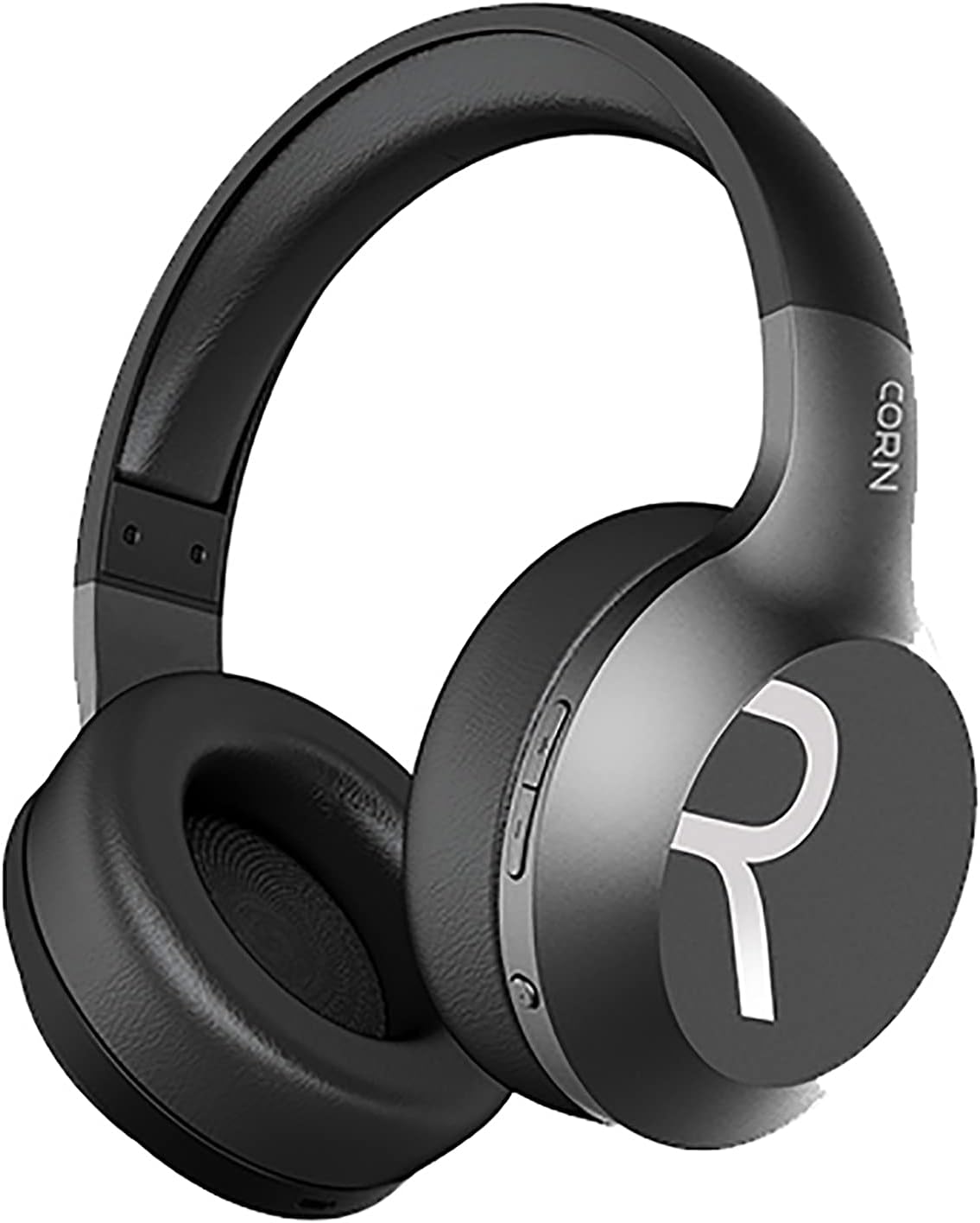
Imagen 1: En general view of the CORN HB001 Bluetooth Wireless Headphones. The image displays the black on-ear headphones with adjustable headband and earcups, featuring the 'CORN' brand logo on the side.
Disposición de los controles

Imagen 2: Close-up of the control buttons located on the right earcup. These typically include volume up/down and a multi-function button for power, play/pause, and call management.
Familiarize yourself with the buttons and ports on your headphones. Typically, you will find a power/multi-function button, volume controls, a charging port (e.g., USB-C), and a 3.5mm audio jack.
Configuración
1. Carga de los auriculares
Before first use, fully charge your headphones. Connect the charging cable (usually USB) to the charging port on the headphones and the other end to a USB power source (e.g., computer, wall adapter). The LED indicator will typically show red during charging and turn off or blue when fully charged.
- Tiempo de carga: Aproximadamente 2 horas.
- Capacidad de la batería: 300mAh.
2. Emparejamiento Bluetooth
Para conectar sus auriculares de forma inalámbrica a un dispositivo:
- Asegúrese de que los auriculares estén cargados y apagados.
- Mantenga presionado el botón de Encendido/Multifunción durante aproximadamente 5 a 7 segundos hasta que el indicador LED parpadee en azul y rojo alternativamente, lo que indica el modo de emparejamiento.
- En su dispositivo (teléfono inteligente, tableta, computadora), habilite Bluetooth y busque nuevos dispositivos.
- Select "CORN HB001" from the list of available devices.
- Once connected, the LED indicator will usually flash blue slowly or turn solid blue.
- Los auriculares intentarán reconectarse automáticamente al último dispositivo emparejado cuando se enciendan.
Instrucciones de funcionamiento
Encendido/apagado
- Encendido: Press and hold the Power/Multi-function button for about 3 seconds until the LED indicator lights up blue.
- Apagado: Press and hold the Power/Multi-function button for about 3-5 seconds until the LED indicator turns red and then off.
Reproducción de música
- Reproducir/Pausa: Presione el botón de Encendido/Multifunción una vez.
- Sube el volumen: Presione el botón '+'
- Bajar volumen: Presione el botón '-'.
- Pista siguiente: Mantenga presionado el botón '+'.
- Pista anterior: Mantenga presionado el botón '-'.
Gestión de llamadas
- Responder/Finalizar llamada: Presione el botón de Encendido/Multifunción una vez.
- Rechazar llamada: Press and hold the Power/Multi-function button for about 2 seconds.
- Volver a marcar el último número: Presione dos veces el botón de Encendido/Multifunción.
Modo cableado (conector de audio de 3.5 mm)
You can use the headphones in wired mode even if the battery is depleted. Simply connect one end of a 3.5mm audio cable (not always included) to the headphone's 3.5mm jack and the other end to your audio source. In wired mode, Bluetooth functions are disabled, and controls on the headphones may not function.
Mantenimiento
Proper maintenance ensures the longevity of your headphones.
- Limpieza: Use a soft, dry cloth to wipe the headphones. Do not use abrasive cleaners or solvents. For ear cushions, gently wipe with a damp paño y deje que se seque al aire por completo.
- Almacenamiento: Store the headphones in a cool, dry place away from direct sunlight and extreme temperatures. If your headphones are foldable, fold them carefully to prevent damage.
- Exposición al agua: Estos auriculares no son resistentes al agua. Evite la exposición al agua, la humedad o la lluvia.
Solución de problemas
Si tiene problemas, pruebe las siguientes soluciones:
| Problema | Solución |
|---|---|
| Los auriculares no se encienden | Asegúrese de que los auriculares estén completamente cargados. Mantenga pulsado el botón de encendido durante unos segundos. |
| No se puede emparejar con el dispositivo | Ensure headphones are in pairing mode (flashing blue/red). Turn off and on Bluetooth on your device. Forget previous pairings and try again. Ensure headphones are within 10m range. |
| Sin sonido | Check volume levels on both headphones and your device. Ensure headphones are properly paired. Try wired connection if available. |
| Mala calidad de sonido | Acérquese a su dispositivo para reducir las interferencias. Asegúrese de que no haya obstáculos entre los auriculares y el dispositivo. |
Presupuesto
| Característica | Detalle |
|---|---|
| Nombre del modelo | HB001 |
| Nombre de marca | MAÍZ |
| Tecnología de conectividad | Inalámbrico, Bluetooth |
| Versión inalámbrica | V5.0 |
| Distancia de funcionamiento | 10 metros |
| Tamaño del controlador de altavoz | Φ40 mm |
| Impedancia del altavoz | 32 Ω |
| Potencia del altavoz | 15 mW |
| Capacidad de la batería | 300 mAh |
| Tiempo de carga | Aproximadamente 2 horas |
| Tiempo de trabajo | Aproximadamente 8 horas |
| Factor de forma de los auriculares | En la oreja |
| Toma de auriculares | 3.5mm Jack (for wired use) |
| Componentes incluidos | Almohadillas para los oídos |
| Descripción del rango de edad | Adulto |
| Material | Plástico |
| Color | Negro |
Garantía y soporte
For warranty information or technical support, please refer to the documentation included with your purchase or contact the manufacturer directly through their official webSitio web o canales de atención al cliente. Conserve su comprobante de compra para reclamaciones de garantía.


