Introducción
The XTOOL D7W is an advanced wireless OBD2 diagnostic scanner designed for comprehensive vehicle system analysis. This tool provides extensive diagnostic capabilities, including bidirectional control, ECU coding, and over 39 special reset functions. It supports a wide range of vehicle brands and incorporates modern communication protocols like CAN FD and DoIP, offering efficient and precise vehicle maintenance and repair solutions.

Image: XTOOL D7W diagnostic tablet and wireless VCI module.
Contenido del paquete
Verifique que todos los artículos estén presentes en el paquete:
- D7W Tablet (Main diagnostic unit)
- Caja VCI (Interfaz de comunicación del vehículo)
- Cable USB (Tipo-C)
- Cargador de tableta
- Adaptador de EE. UU.
- Adaptador UE
- EN Adapter
- Estuche de transporte
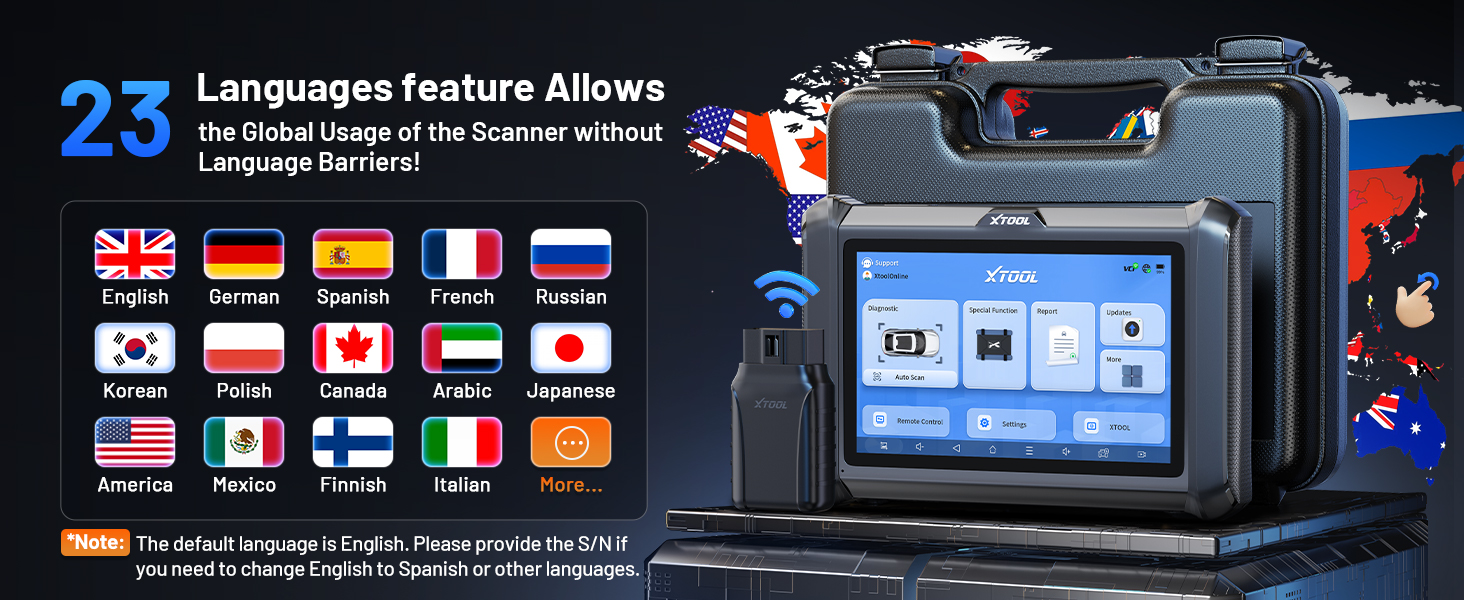
Image: Visual representation of the XTOOL D7W package contents, including the tablet, VCI box, cables, adapters, and carrying case.
Configuración
- Cargue la tableta: Connect the D7W tablet to the power adapter using the provided USB Type-C cable. Ensure the tablet is fully charged before first use.
- Encendido: Mantenga presionado el botón de encendido de la tableta para encenderla.
- Connect VCI Box: Plug the VCI box into the vehicle's OBD2 port. The OBD2 port is typically located under the dashboard on the driver's side.
- Establecer conexión inalámbrica: The D7W tablet features built-in Wi-Fi for direct communication with the VCI box. No external Wi-Fi router is required for this connection. The tablet will automatically attempt to connect to the VCI box.
- Configuración inicial del software: Follow the on-screen prompts to complete the initial software setup, including language selection and Wi-Fi network configuration for internet access (for updates).

Image: Diagram illustrating the wireless connection between the XTOOL D7W tablet and the VCI box, highlighting the freedom from tangled wires.
Instrucciones de funcionamiento
1. Diagnóstico completo del sistema
The D7W performs comprehensive diagnostics across all available vehicle systems, including Engine, ABS, SRS, Transmission, BCM, and more. This function allows you to:
- Leer y borrar códigos de diagnóstico de problemas (DTC)
- View Live Data (up to 8 PIDs simultaneously)
- Recuperar datos de fotograma congelado
- Access ECU Information
- Perform Auto VIN scanning for automatic vehicle identification
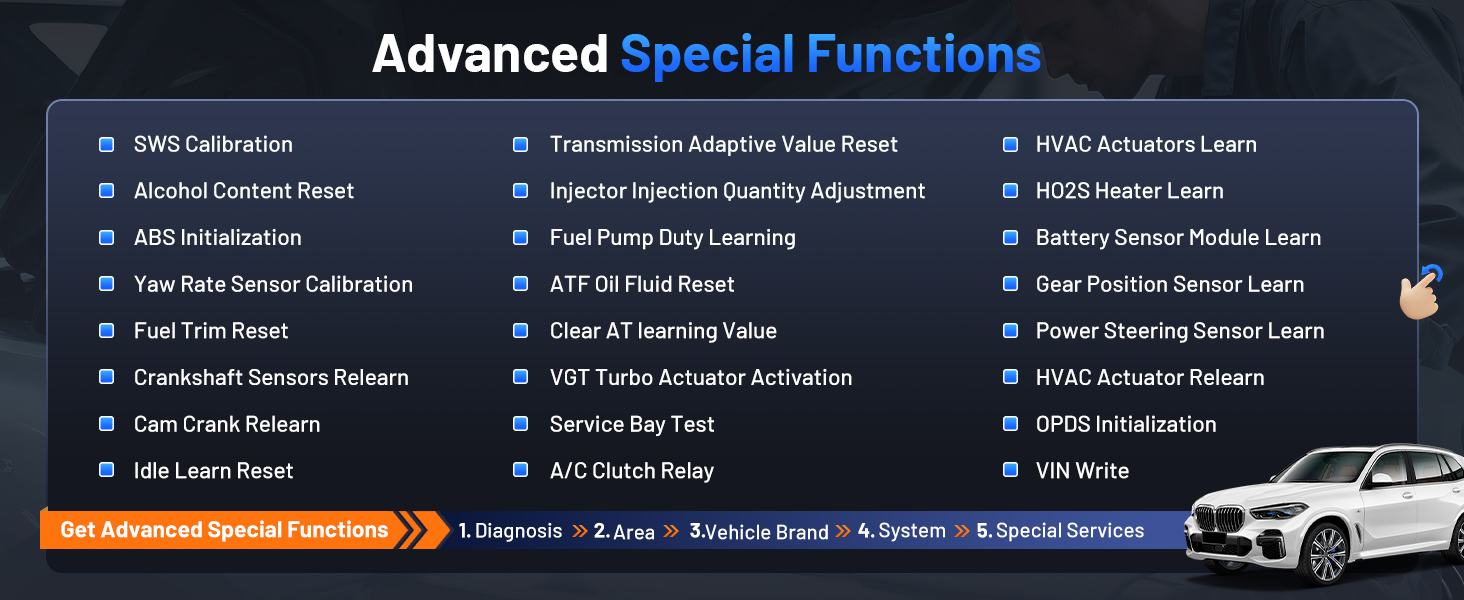
Image: Screenshot of the XTOOL D7W performing full system diagnostics, showing various diagnostic functions.
2. Control bidireccional (pruebas activas)
This function allows the diagnostic tool to send commands to vehicle components to test their functionality, aiding in faster fault isolation. Examples incluyen:
- Prueba de zumbido del inyector
- ABS Pump Control
- Activación del ventilador de enfriamiento
- Fuel Pump On/Off
- Window/Door Lock Tests

Imagen: Examples of bidirectional control (active tests) such as injector buzz test, ABS pump control, and sound horn test.
3. Funciones especiales (más de 39 reinicios)
The D7W offers a wide array of maintenance and reset services, including but not limited to:
- Reajuste de aceite
- Reinicio del EPB (freno de estacionamiento electrónico)
- Restablecimiento del TPMS (sistema de monitoreo de presión de neumáticos)
- Restablecimiento del BMS (sistema de gestión de batería)
- Calibración del sensor de ángulo de dirección (SAS)
- Sangrado del ABS
- Codificación del inyector
- Reaprendizaje del acelerador
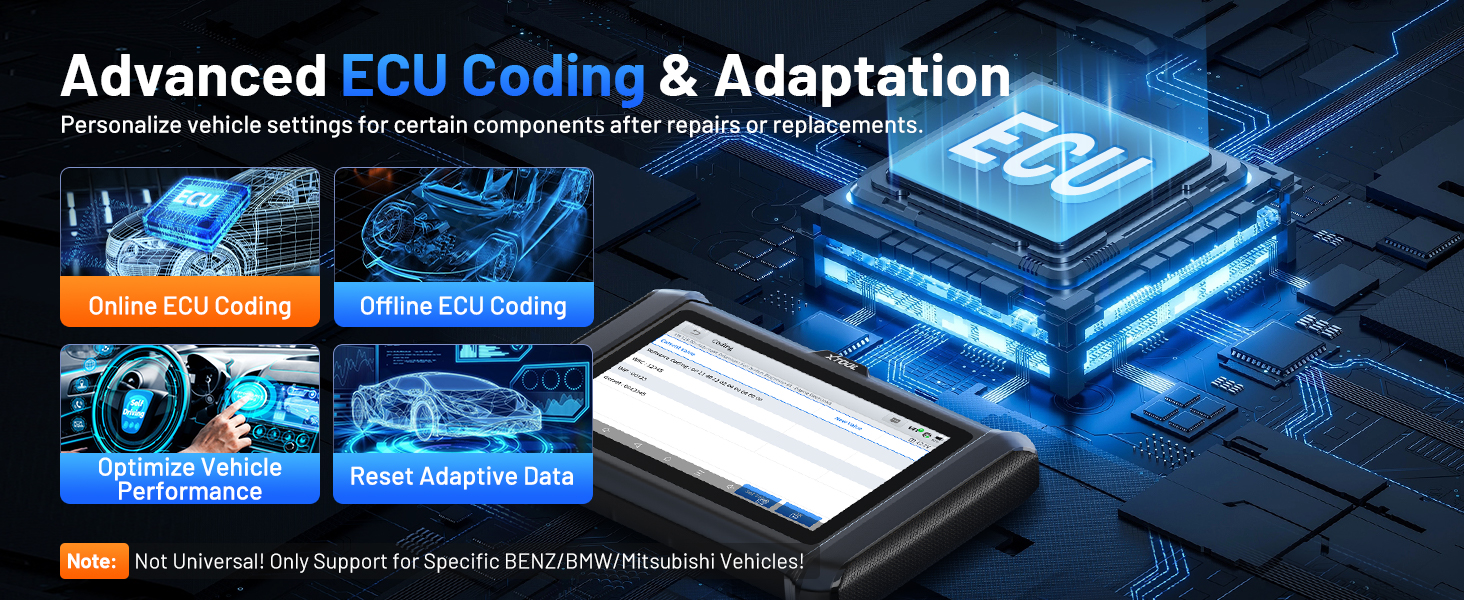
Imagen: Más alláview of the 39+ maintenance services available on the XTOOL D7W, including various reset and calibration functions.
4. Advanced ECU Coding & PMI Programming
This feature allows for personalization of vehicle settings and recoding adaptive data for certain components after repairs or replacements. PMI (Programmable Module Installation) programming enables programming data from an original module to a new unit for module replacement, particularly for Ford, Lincoln, and Mazda vehicles. Nota: ECU Coding is not universally supported for all vehicles; it is specific to certain brands like VW, Audi, Skoda, Benz, and Mitsubishi.
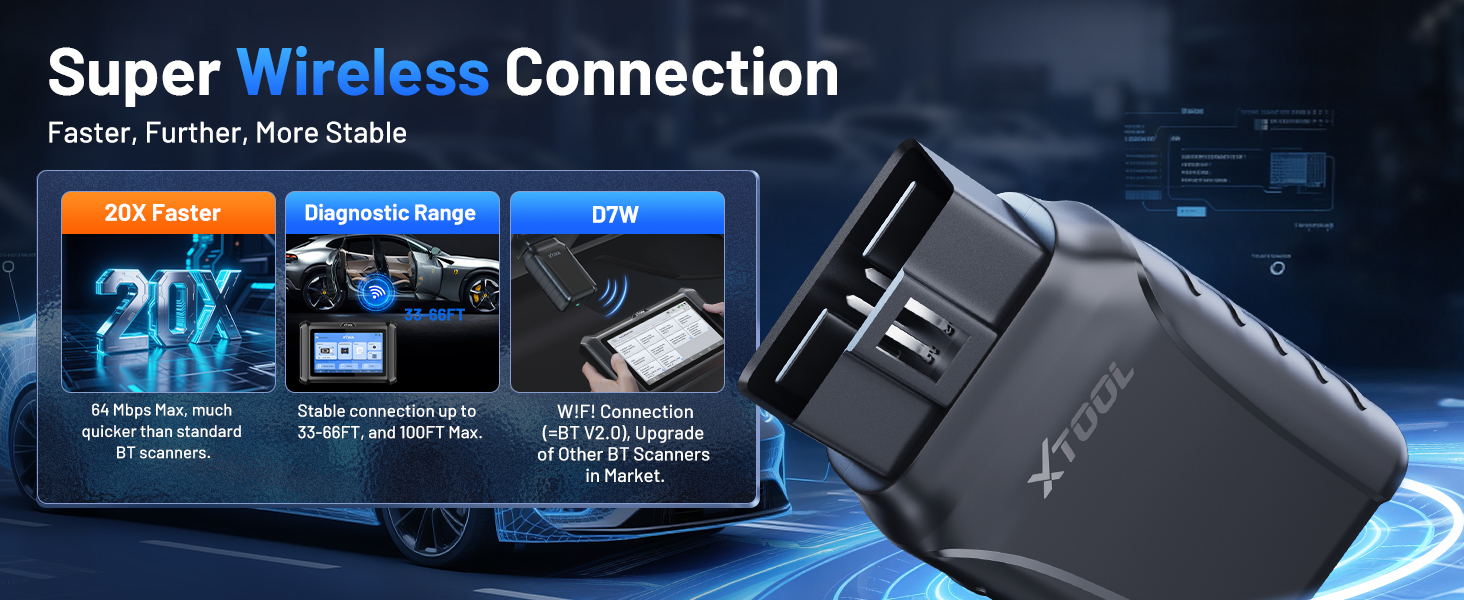
Image: Visual explanation of advanced ECU coding and adaptation, showing how it optimizes vehicle performance and resets adaptive data.
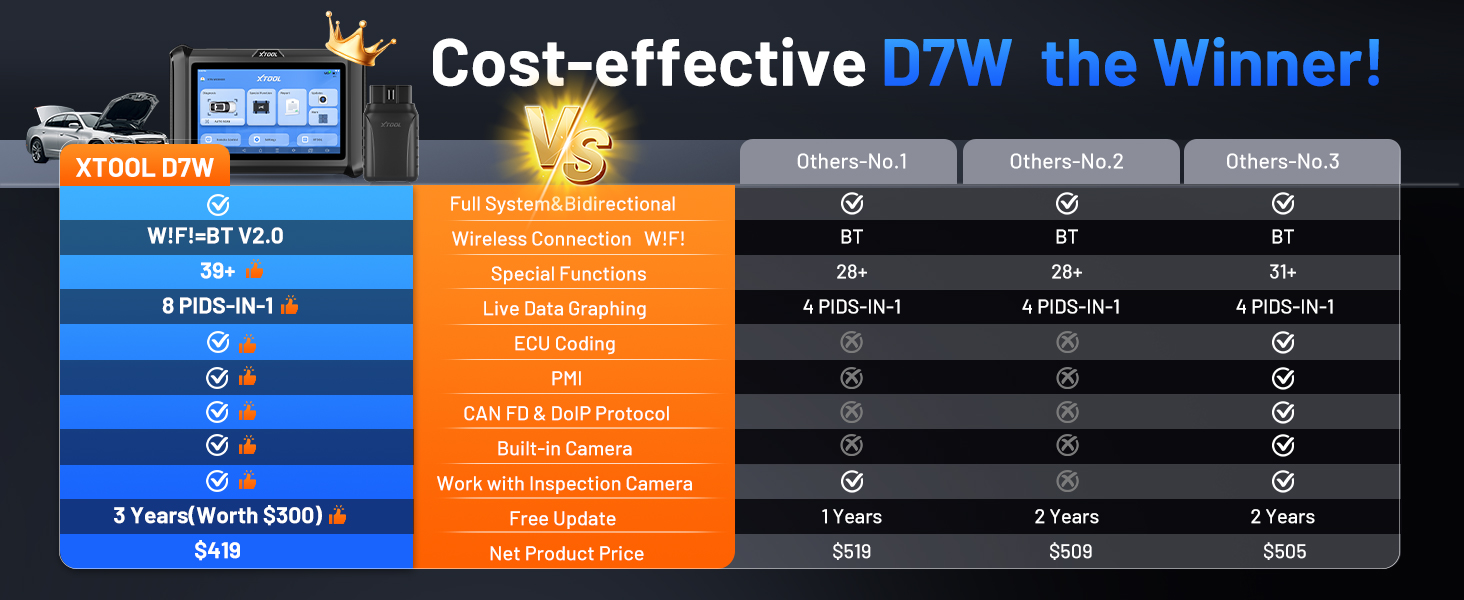
Image: Illustration of PMI and offline ECU programming for Ford, Lincoln, and Mazda vehicles, demonstrating module replacement procedures.
Mantenimiento
- Actualizaciones de software: Regularly check for and install software updates via Wi-Fi to ensure compatibility with the latest vehicle models and diagnostic functions. The device includes 3 years of free updates.
- Cuidado de la batería: To prolong battery life, avoid fully discharging the tablet frequently. Store the device in a cool, dry place when not in use.
- Limpieza: Utilice un paño suave y seco.amp Paño para limpiar la pantalla y el cuerpo de la tableta. Evite limpiadores abrasivos o disolventes.
- Almacenamiento: Store the device and its accessories in the provided carry case to protect them from damage.
Solución de problemas
- El dispositivo no se enciende: Asegúrese de que la tableta tenga suficiente carga. Conéctela al cargador y espere unos minutos antes de volver a intentar encenderla.
- VCI no se conecta: Verify the VCI box is securely plugged into the vehicle's OBD2 port. Check the vehicle's ignition status. Ensure the tablet's Wi-Fi is enabled and attempting to connect to the VCI.
- La función de diagnóstico no funciona: Confirm that the vehicle model and year are correctly selected. Ensure the software is up to date. Some functions may not be supported on all vehicle makes/models. Refer to the vehicle compatibility list or contact support.
- Rendimiento lento: Cierre todas las aplicaciones innecesarias que se estén ejecutando en segundo plano. Asegúrese de tener suficiente espacio de almacenamiento.
Presupuesto
| Característica | Especificación |
|---|---|
| Modelo | Herramienta X D7W |
| Sistema operativo | Androide 10.0 |
| Mostrar | Pantalla táctil de 7 pulgadas |
| Memoria | 2 GB de RAM + 64 GB de almacenamiento |
| Batería | 5000mAh (7.3V) Lithium Polymer |
| Método de conexión | Built-in Wi-Fi (Wireless VCI) |
| Protocolos soportados | CAN FD, DoIP, FCA (with active subscription) |
| Dimensiones | 12.6 x 11.25 x 4.1 pulgadas |
| Peso del artículo | 5.06 libras |
| Idiomas | 23 idiomas compatibles |

Image: Comparison table highlighting the enhanced features of the XTOOL D7W compared to previous models like D7, D7S, and D7BT.
Garantía y soporte
La XTOOL D7W viene con un 2 año de garantía. Además, incluye 3 años de actualizaciones de software gratuitas from the date of purchase, ensuring your tool remains current with the latest vehicle data and functionalities.
For technical assistance, troubleshooting, or any inquiries, please contact XTOOL customer support:
- Correo electrónico: xtooldirect@outlook.com
- 24/7 Technical Assistance is available.
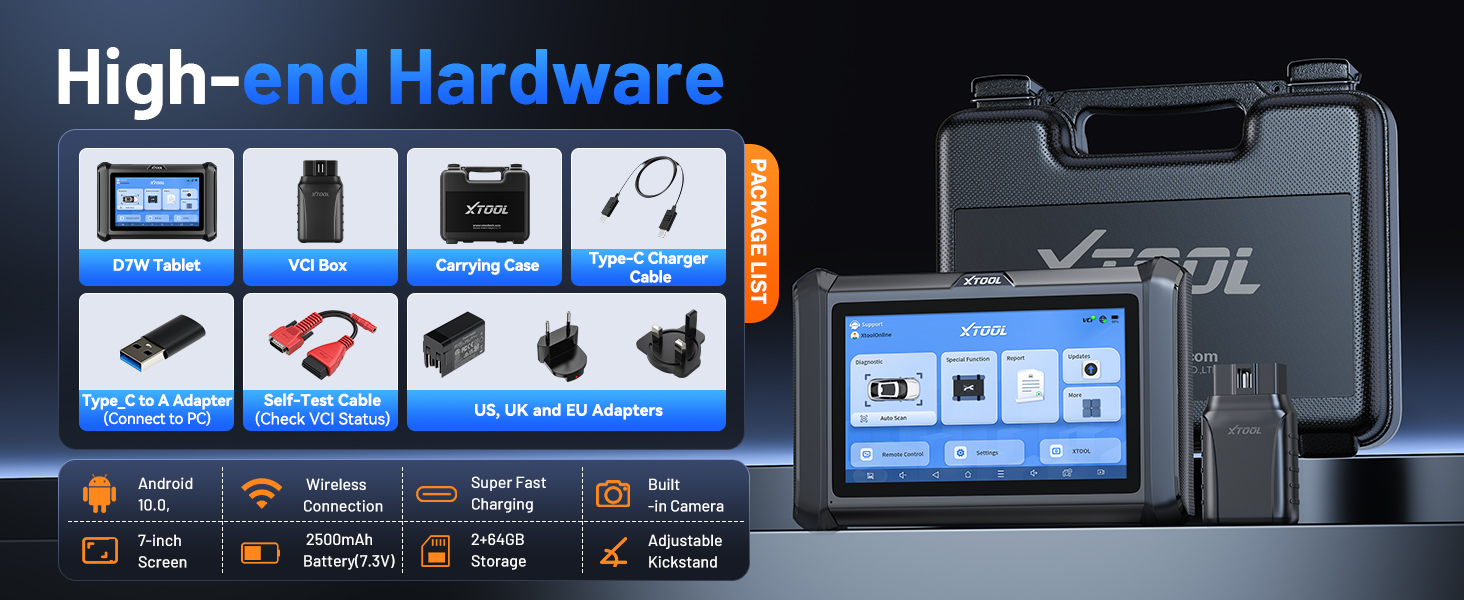
Image: Information regarding XTOOL's professional services, including 24/7 tech assistance, 2-year warranty, and 3 years of free updates.


