1. Introducción
This manual provides essential information for the safe and effective use of your Amazon Echo Dot (5th Gen) smart speaker. Please read these instructions thoroughly before operating the device and retain them for future reference.

Image: Amazon Echo Dot (5th Gen) in Glacier White on a wooden surface, highlighting its compact size and capabilities.
2. ¿Qué hay en la caja?
Verifique que todos los artículos estén presentes en el embalaje:
- Echo Dot (5th Gen) Device
- Glacier White Power Adapter (15W)
- Guía de inicio rápido
3. Producto terminadoview
The Amazon Echo Dot (5th Gen) is a compact smart speaker designed to deliver an enhanced audio experience and integrate seamlessly with your smart home ecosystem. It features a spherical design with a fabric finish and an LED light ring at the base.

Image: Amazon Echo Dot (5th Gen) in Glacier White, front view with glowing light ring.
Características principales:
- Improved Audio: Features a 1.73” (44 mm) front-firing speaker for clearer vocals, deeper bass, and vibrant sound.
- Asistente de voz de Alexa: Provides hands-free control for music, information, timers, and smart home devices.
- Controles de privacidad: Includes a microphone off button and the ability to view y eliminar grabaciones de voz.
- Centro de hogar inteligente: Supports WiFi, Bluetooth Low Energy Mesh, and Matter for compatible smart home device control.
- Sensor de temperatura: Built-in sensor for triggering smart home routines.
- Controles de toque: Tap the top of the device to snooze alarms or pause music.
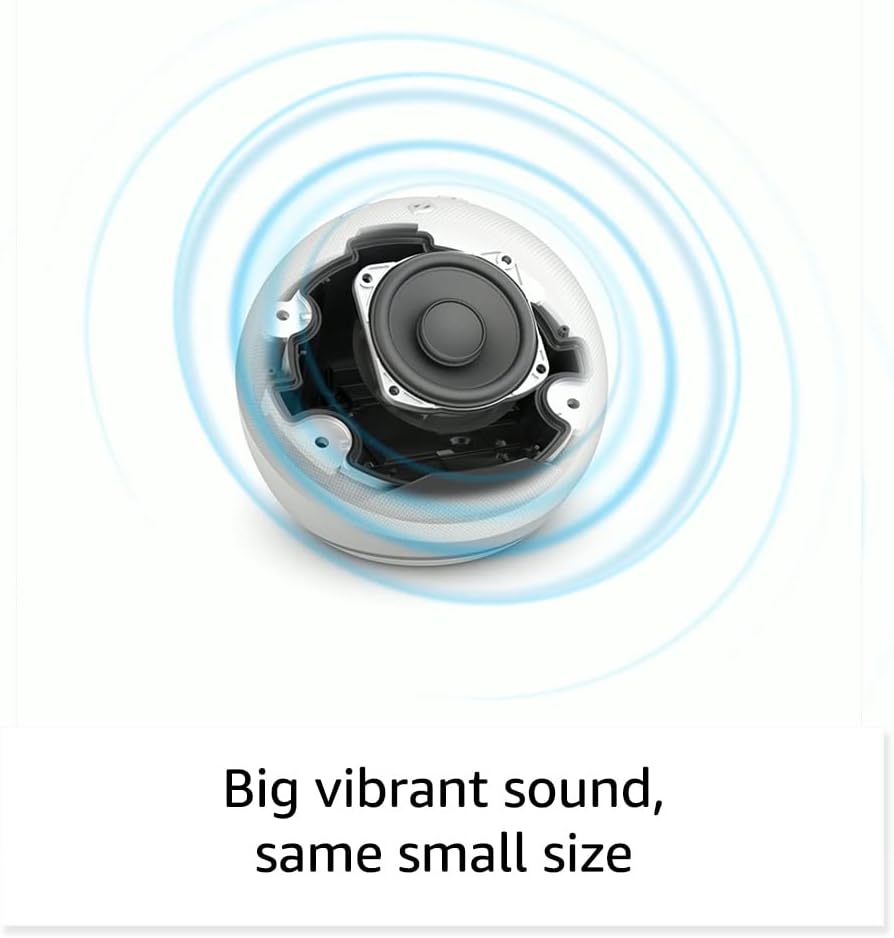
Imagen: interna view of the Amazon Echo Dot (5th Gen) speaker components, illustrating its audio design.
4. Configuración
Siga estos pasos para configurar su Echo Dot (5.ª generación):
- Conecta tu Echo Dot: Conecta el adaptador de corriente incluido a tu Echo Dot y luego a una toma de corriente. El anillo luminoso se volverá azul y luego naranja, lo que indica que está listo para configurarse.
- Descargue la aplicación Alexa: On your mobile device, download and install the Amazon Alexa app from your device's app store (compatible with Fire OS, Android, and iOS devices).
- Agregue su dispositivo: Open the Alexa app. If prompted, sign in with your Amazon account. Tap the 'Devices' icon at the bottom, then the '+' icon in the top right corner. Select 'Add Device', then 'Amazon Echo', and choose 'Echo Dot'.
- Siga las instrucciones en pantalla: The app will guide you through connecting your Echo Dot to your Wi-Fi network. Ensure your Wi-Fi network supports 802.11a/b/g/n/ac (2.4 and 5 GHz). Ad-hoc networks are not supported.
- Colocación: Place your Echo Dot in a central location within your room, away from walls or other objects that might obstruct sound.
5. Funcionamiento del Echo Dot
Comandos de voz con Alexa:
To interact with your Echo Dot, simply say the wake word "Alexa," followed by your command or question. The light ring will turn blue to indicate Alexa is listening.
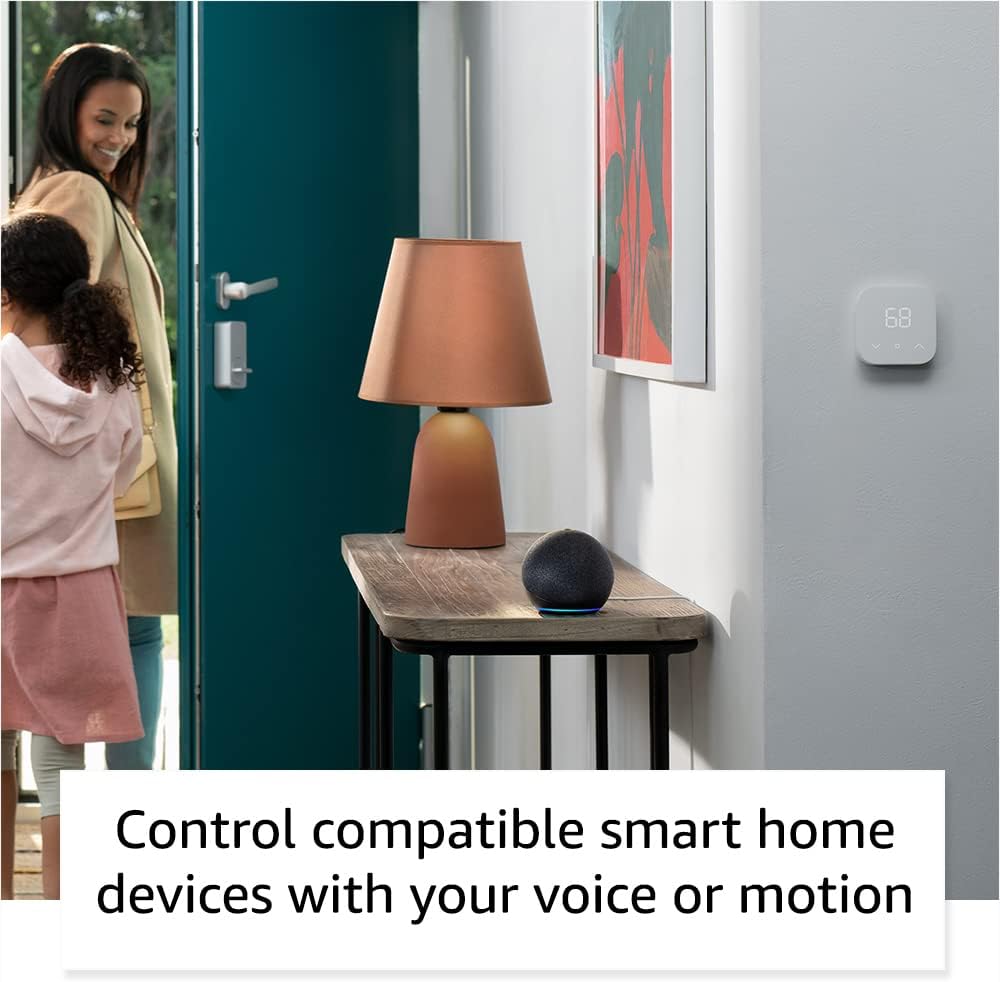
Image: Amazon Echo Dot (5th Gen) in Deep Sea Blue on a kitchen counter, demonstrating a user asking Alexa for the weather.
Comandos comunes:
- "Alexa, reproduce música."
- "Alexa, ¿qué tiempo hace?"
- "Alexa, pon un temporizador de 10 minutos".
- "Alexa, cuéntame un chiste."
- "Alexa, sube el volumen."
Controles de toque:
The top surface of your Echo Dot is touch-sensitive for quick actions:
- Tap to Snooze: When an alarm sounds, tap the top of the device to snooze it.
- Tap to Pause/Resume: Tap to pause or resume music playback.

Image: A hand tapping the top of the Amazon Echo Dot (5th Gen) in Glacier White, demonstrating the tap-to-snooze or pause music function.
6. Integración de hogares inteligentes
Your Echo Dot can control compatible smart home devices using voice commands or routines. It supports WiFi, Bluetooth Low Energy Mesh, and Matter protocols.
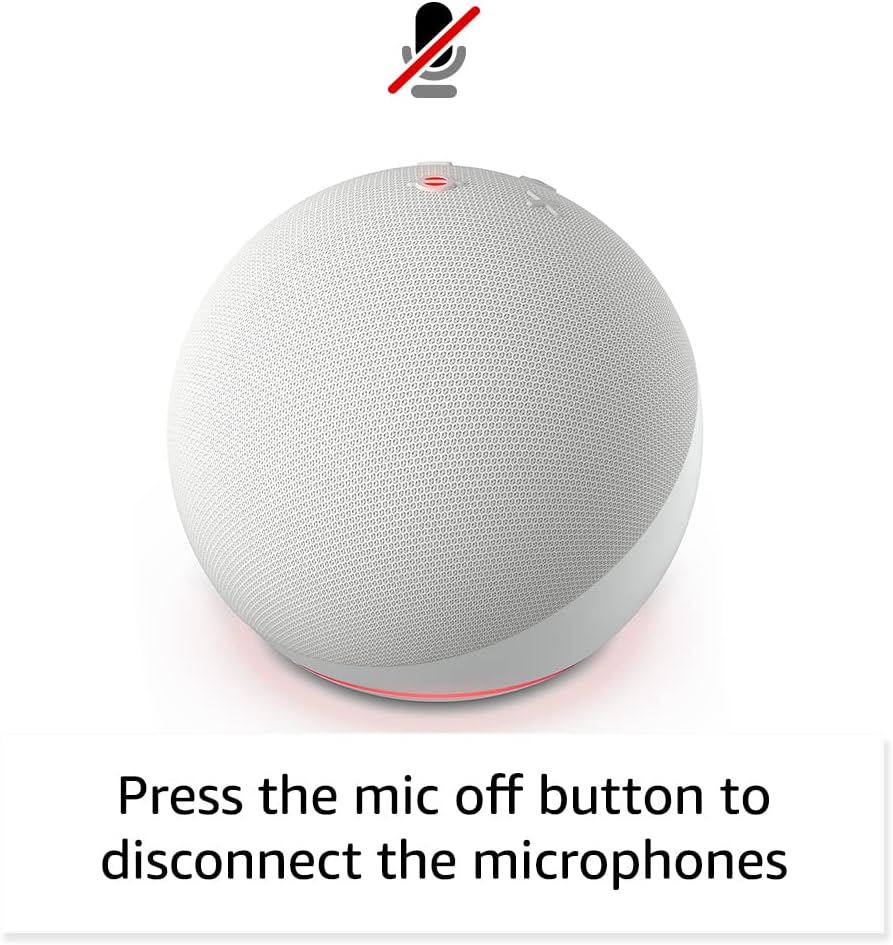
Image: Amazon Echo Dot (5th Gen) in a living space, illustrating its use for controlling compatible smart home devices.
Uso del sensor de temperatura:
The built-in temperature sensor allows you to create routines in the Alexa app. For example, you can set a routine to automatically turn on a fan if the room temperature exceeds a specified comfort zone.
Acera del Amazonas:
Amazon Sidewalk uses Echo and Ring devices to securely keep other devices connected and help find lost items. It can enable supported devices to remain connected even when Wi-Fi is lost or they are outside the range of their home Wi-Fi. Sidewalk uses a small portion of your internet bandwidth. You can manage Sidewalk settings in the Alexa app.
eero incorporado:
If you have a compatible eero router, your Echo Dot can extend Wi-Fi coverage. This feature requires linking your eero and Amazon accounts and managing it through the eero mobile application. eero Built-in compatible Echo devices support up to 1,000 sq. ft. of additional coverage, speeds up to 100 Mbps, and 10 or fewer connected devices in the 5 GHz band.
7. Funciones de privacidad
Amazon Echo devices are designed with multiple layers of privacy controls:
- Botón de apagado del micrófono: Press the microphone off button on the top of your Echo Dot to electronically disconnect the microphones. The light ring will turn red to indicate the microphones are off.
- Voice Recordings: Tienes la capacidad de view, listen to, and delete your voice recordings through the Alexa app or your Amazon account settings.
- Tecnología Wake Word: The device only begins recording and sending audio to the cloud after it detects the wake word (e.g., "Alexa").
Image: Amazon Echo Dot (5th Gen) with a red light indicating the microphone is off, showing the privacy control feature.
8. Funciones de accesibilidad
The Alexa app provides various accessibility features to personalize your experience. Access these settings by navigating to 'Settings' → 'Accessibility' in the Alexa App.
- Escucha adaptativa: Proporciona más tiempo para terminar de hablar antes de que Alexa responda.
- Tarifa de conversación preferida: Controla qué tan rápido o lento habla Alexa diciendo "Alexa, habla más lento" o "Alexa, habla más rápido".
- Solicitar sonido: Reproduce un tono audible además del indicador visual cuando le hablas a Alexa. Actívalo diciendo: "Alexa, activa el sonido de inicio de solicitud".
- Lectura en voz alta de Kindle: Alexa puede leer tus libros Kindle en voz alta.
- Notificar cuando esté cerca: Reproduce sonidos de notificación cuando se detecta que estás cerca de tu dispositivo Echo.
9. Mantenimiento
Para garantizar la longevidad y el rendimiento óptimo de su Echo Dot:
- Limpieza: Utilice un paño suave, seco y sin pelusa para limpiar el dispositivo. No utilice limpiadores ni aerosoles abrasivos.
- Colocación: Evite colocar el dispositivo bajo la luz solar directa, cerca de fuentes de calor o en ambientes excesivamente húmedos.
- Actualizaciones de software: Your Echo Dot automatically receives software security updates. Ensure it remains connected to Wi-Fi for these updates.
10. Solución de problemas
Problemas comunes y soluciones:
- El dispositivo no responde:
- Ensure the microphone is not muted (red light ring indicates mute).
- Check if the device is plugged in and powered on.
- Restart the device by unplugging it from the power outlet for 30 seconds and then plugging it back in.
- No se puede conectar a Wi-Fi:
- Verifique que su contraseña de Wi-Fi sea correcta.
- Ensure your router is working and other devices can connect.
- Acerque el Echo Dot a su enrutador Wi-Fi.
- Reinicie su enrutador y módem.
- Mala calidad de audio:
- Ajuste el volumen usando comandos de voz o la aplicación Alexa.
- Asegúrese de que el dispositivo no esté colocado en un espacio cerrado que pueda amortiguar el sonido.
- Compruebe si hay obstrucciones físicas alrededor del altavoz.
- Alexa no entiende los comandos:
- Speak clearly and at a normal pace.
- Reducir el ruido de fondo.
- Ensure you are within hearing range of the device.
11. Especificaciones
| Característica | Detalle |
|---|---|
| Tamaño | 3.9” x 3.9” x 3.5” (100 mm x 100 mm x 89 mm) |
| Peso | 10.7 oz (304g) |
| Audio | Altavoz frontal de 1.73” (44 mm), alta definición sin pérdida |
| Conectividad Wi-Fi | El Wi-Fi de doble banda admite redes 802.11a/b/g/n/ac (2.4 y 5 GHz). No admite redes ad-hoc. |
| Conectividad Bluetooth | Compatibilidad con A2DP para transmisión de audio y AVRCP para control por voz de dispositivos móviles conectados. No se admiten altavoces Bluetooth que requieran código PIN. |
| Compatibilidad de dispositivos domésticos inteligentes | WiFi, Bluetooth Low Energy Mesh y Matter |
| Requisitos del sistema | Aplicación Alexa compatible con dispositivos Fire OS, Android e iOS. Web browser access also available. |
| Generación | Echo Dot (5.ª generación): lanzamiento en 2022 |
| Idioma | Alexa habla inglés y español |
12. Garantía y soporte
Información de garantía:
Your Echo Dot (5th Gen) comes with a 90-day limited warranty and service. Optional 1-year, 2-year, and 3-year extended warranties are available for U.S. customers and are sold separately. Use of the Echo Dot is subject to specific terms and conditions.
Actualizaciones de seguridad del software:
Se garantiza que este dispositivo recibirá actualizaciones de seguridad de software durante al menos cuatro años después de su última compra como unidad nueva en Amazon. websites. For more information on software security updates or to manage your device, visit the Amazon websitio.
Atención al cliente:
For further assistance, please refer to the Amazon Alexa app or visit the Amazon support website. You can also find information specific to your device by visiting 'Manage Your Content and Devices' on Amazon.


